


 Alex Thompson
Are you using Calendly to book appointments for your business or your clients? If so, great news! You can now connect Calendly directly to WhatConverts and automatically turn every booked appointment into a fully attributed lead.
- New integration: Direct Calendly connection
- Core benefit: See exactly which campaigns drive real booked appointments
- Big win: No Zaps, no workarounds, no broken attribution
Available on all Elite plans immediately. Just head to Integrations → Scheduling to connect today.
Once connected, every Calendly booking flows into WhatConverts with appointment details and full marketing attribution. You can track, qualify, and report on appointment-based leads with the same clarity you expect from calls, forms, and any other lead type.
Note: Not a WhatConverts user yet? Start your free 14-day trial of WhatConverts today or book a demo with a product expert to see how we help prove and grow your ROI.
Why This Matters
For many service-based businesses and agencies, a booked appointment is the conversion that matters most.
Until now, Calendly bookings often lived in a silo. You could see the appointment, but not the ad, keyword, or campaign that drove it. That made it hard to answer basic marketing questions:
- Which Google Ads campaigns are driving real bookings?
- Which keywords lead to high-intent appointments?
- Where should budget actually go?
The new Calendly integration now closes that gap. It turns scheduled appointments into real, attributed leads so you can prove which marketing efforts drive revenue, not just activity.
Who This Is For
This integration is especially useful if you:
- Use Calendly as a primary conversion action
- Run Google Ads or paid search campaigns
- Market service-based businesses where appointments equal revenue
- Care more about booked conversations than raw lead volume
If appointments are how your business or clients make money, this integration gives you the clarity to optimize with confidence.
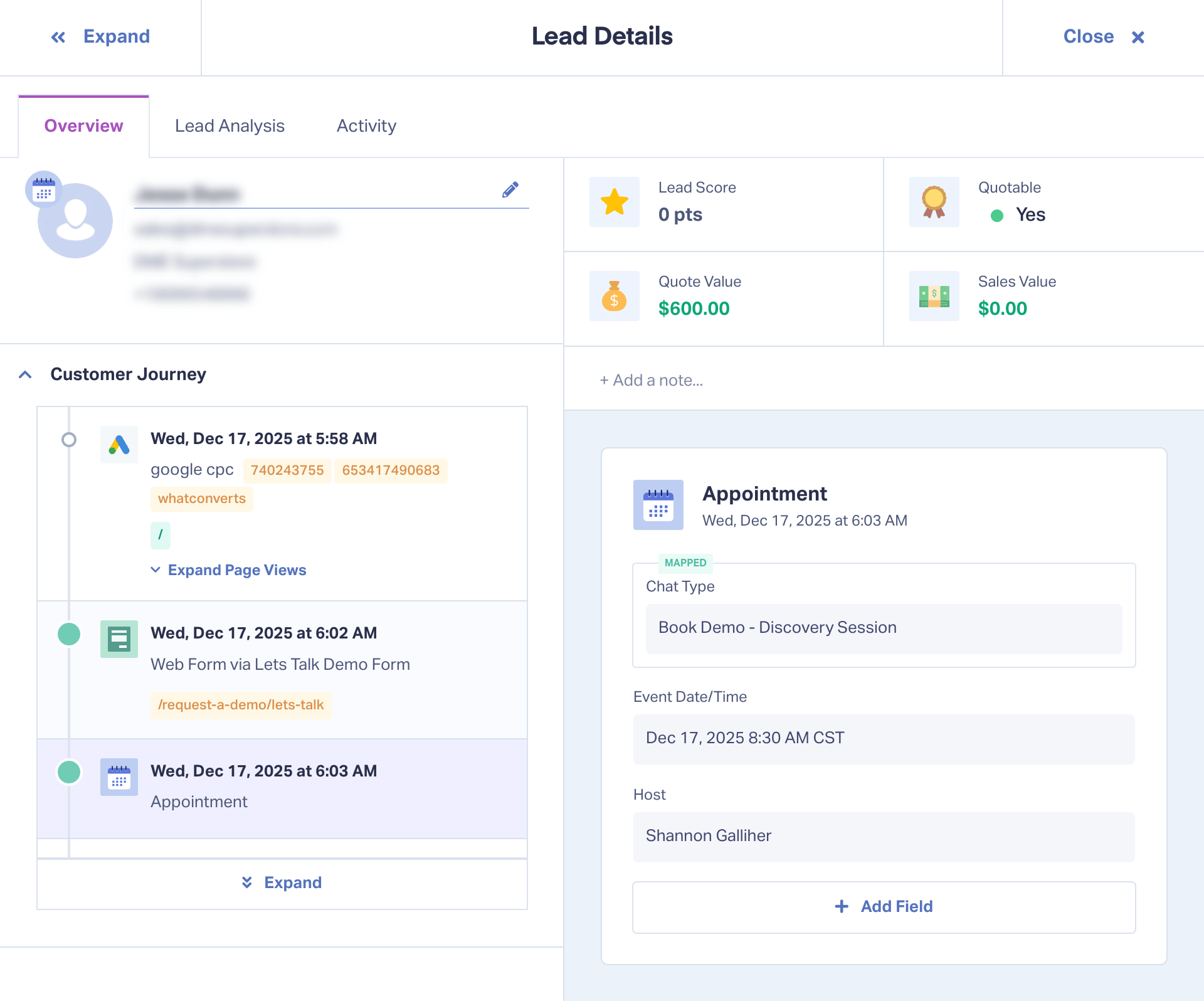
Here's how your Appointments show up in the Lead Details screen of WhatConverts, including form info, attribution, and other helpful lead details.
Real-World Example (Including How We Use It)
Imagine an HVAC company using Calendly to book AC repair and maintenance appointments.
They are running several campaigns on Google Ads. But without the attribution data behind each lead, they can’t know which campaigns are driving actual appointments. And that means they can’t spend their budget where it matters most.
With the Calendly integration:
- Every appointment appears in WhatConverts as a lead
- Each lead shows the campaign, ad, and keyword that drove it
- The team can qualify bookings, assign job value, and track outcomes
Now it’s crystal clear which campaigns generate real jobs and which ones just create noise. Optimization decisions that used to take weeks become obvious in a single report.
Our sales demo appointments are booked through Calendly. With this integration, we can see exactly which campaigns and keywords generate demo bookings, not just site visits or form fills. That clarity lets us optimize our own marketing toward higher-value demo appointments. Without this connection, doing that accurately would be much more difficult. 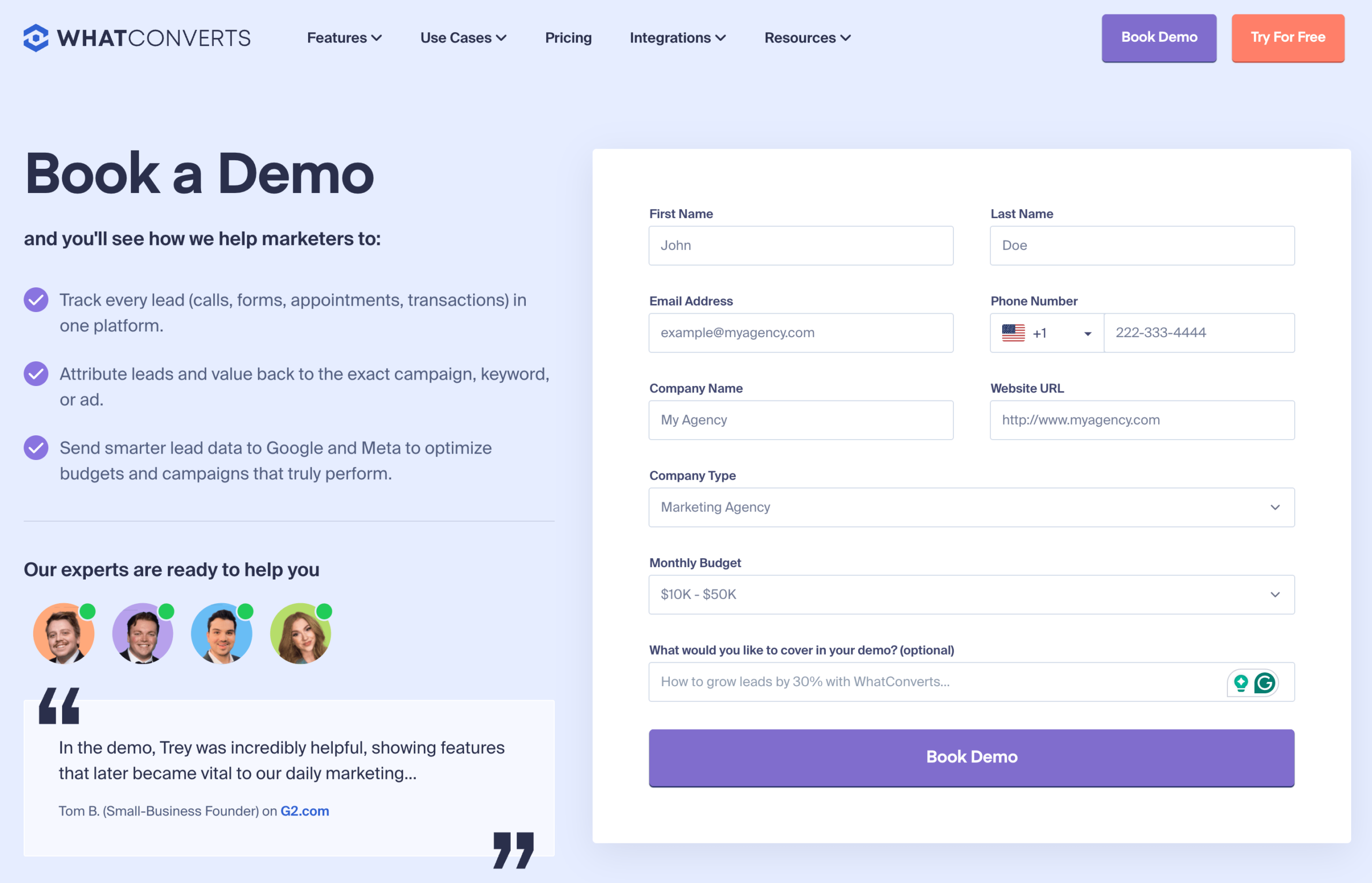
What’s New: 3 Improvements Marketers Will Love
Direct Calendly Connection
What it does
Automatically sends Calendly appointment data into WhatConverts as a new lead.
How it works
After a simple connection, Calendly sends appointment details to WhatConverts whenever a new event is created. WhatConverts creates a new lead or matches it to existing leads.
Why it matters
This replaces fragile Zap-based workflows with a reliable, built-in connection. Zaps sometimes fail silently. This connection doesn’t. 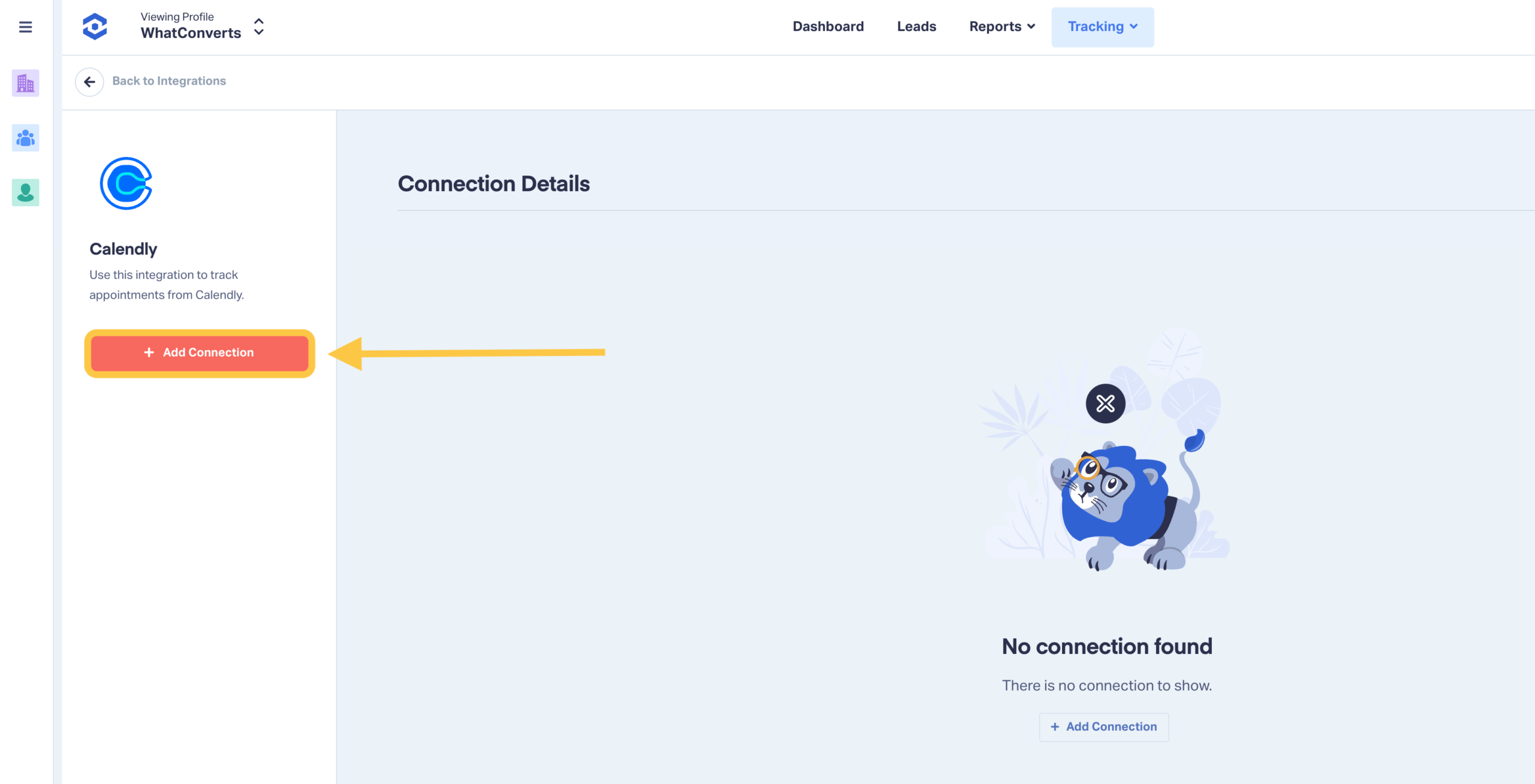
Full Attribution for Every Booking
What it does
Connects appointments to campaigns, keywords, and channels.
How it works
When an appointment is booked, WhatConverts matches it to an existing visitor ID when available and pulls in attribution data from Google Ads and other sources.
Why it matters
Instead of guessing which ads probably drove bookings, you can see the exact source behind each appointment and prioritize spend based on real outcomes. 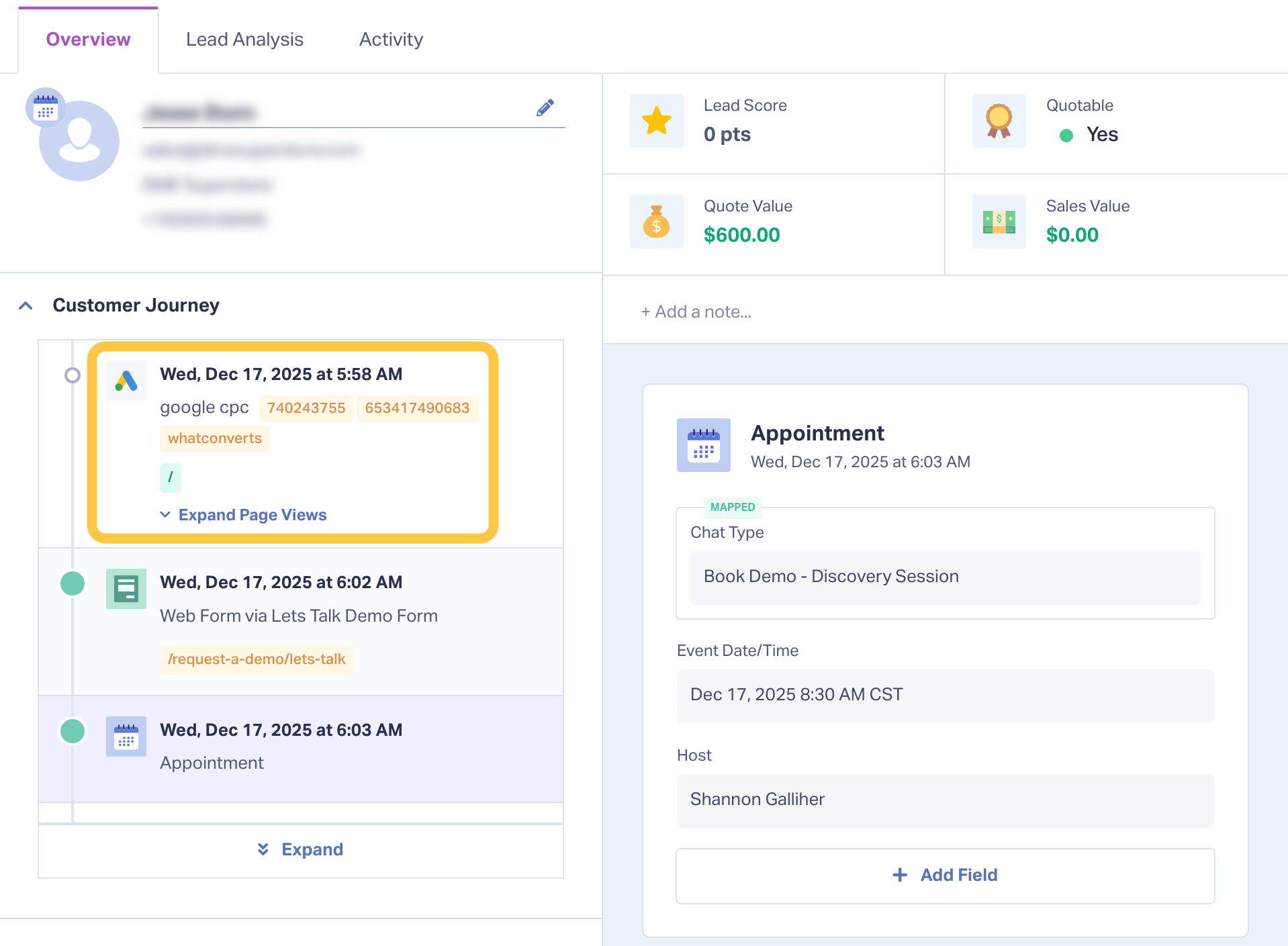
Lead Qualification and Value Tracking for Appointments
What it does
Lets you segment, qualify, and assign value to booked appointments.
How it works
Appointment data flows into the Lead Manager, where you can apply categories, custom fields, and values just like any other lead.
Why it matters
Not all bookings are equal. Qualification reveals which appointments are high-intent and which ones inflate your numbers without driving revenue. 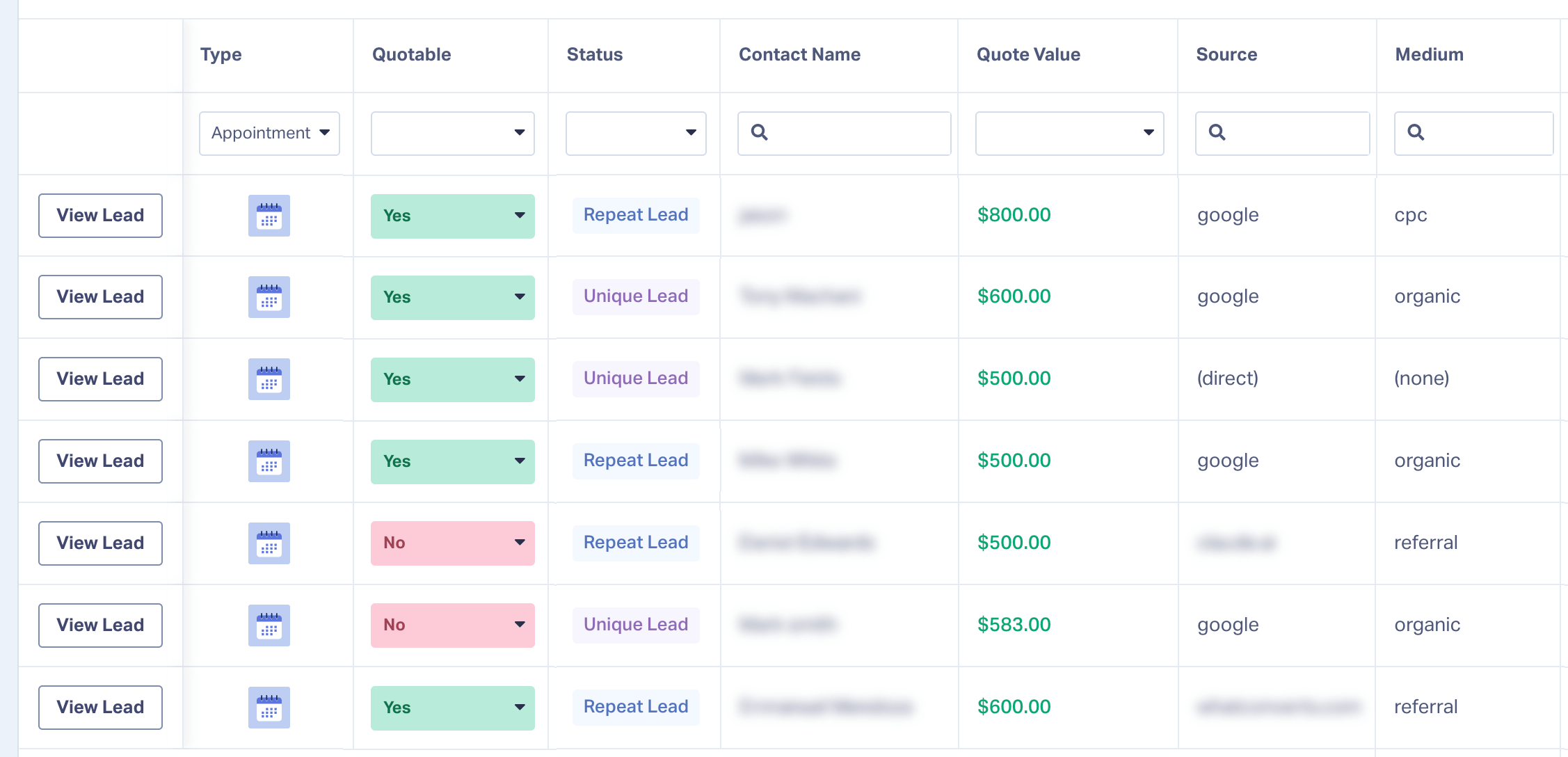
How to Get Started
Setup takes about a minute and requires no changes inside Calendly.
- Log in to your WhatConverts account
- Go to Integrations → Scheduling
- Select Calendly and click Add Connection
- Authenticate with your Calendly account
- Choose which calendars you want to track in WhatConverts
That’s it. New Calendly appointments will start appearing as leads automatically.
Note: The integration requires the Elite plan and works best when set up by a Calendly admin with access to the calendars you want to track.
Tips and Best Practices
- Track appointments the same way you track calls and forms, by intent and value
- Use appointment data in client reports to clearly show ROI
- Review booking trends weekly to identify high-performing campaigns faster
The more consistently you qualify appointment leads, the clearer your optimization decisions become.
What’s Next
We are exploring enhancements that would allow you to track specific Calendly event types. This will give you even more control over which bookings matter most to your reporting and optimization workflows.
If you have any suggestions on how to make this integration better, let us know with the feature request link below.
Wrapping Up
Already using WhatConverts? Connect Calendly now and start tracking booked appointments like any other lead.
Not using WhatConverts yet?
Start your free 14-day trial of WhatConverts today or book a demo with a product expert to see how we help prove and grow your ROI.
Get a FREE presentation of WhatConverts
One of our marketing experts will give you a full presentation of how WhatConverts can help you grow your business.
Schedule a DemoGrow your business with WhatConverts







