















































 Amanda Pell
Running Google Ads campaigns to drive appointment bookings? Here's a frustrating reality: you can see that appointments are being scheduled in Calendly, but you have no idea which ads, keywords, or campaigns are actually driving those bookings.
Without that connection, you're making budget decisions blind.
You might be investing heavily in campaigns that generate zero appointments while starving the campaigns that actually fill your calendar. Even worse, when stakeholders ask for proof that your ads are working, you're stuck pointing to generic metrics like clicks and impressions instead of real booked appointments.
WhatConverts's Calendly integration solves this problem completely. By connecting Calendly directly to WhatConverts, every appointment gets transformed into a fully attributed lead that shows exactly which marketing efforts drove it.
Note: Not a WhatConverts user yet? Start your free 14-day trial today or book a demo with a product expert to see how we help prove and grow your ROI.
The Problem: Appointment Data Lives in a Silo
For service-based businesses—consultants, attorneys, healthcare providers, financial advisors, home service companies—a booked appointment is often the primary conversion that matters.
Yet most appointment tracking setups create a critical blind spot. Calendly tells you when appointments are scheduled and who booked them, but it doesn't tell you which ad, which keyword, or which campaign brought them to your scheduling page.
This creates three specific problems:
You can't prove campaign ROI
Stakeholders want to know if Google Ads is worth the investment. Without appointment attribution, you can only report on clicks and form fills—not the appointments that actually drive revenue.
You can't optimize with confidence
Which keywords should get more budget? Which campaigns should be paused? Without knowing which marketing drives appointments, you're just guessing.
You waste budget on the wrong campaigns
The campaign generating 50 site visits might book zero appointments while the campaign with 10 visits books five consultations. Without attribution, you'd never know to shift budget accordingly.
The Manual Solution: Spreadsheet Hell
Some marketers try to solve this problem manually. Here's what that looks like:
Step 1: Export conversion data from Google Ads
Download campaign IDs, GCLIDs, and conversion timestamps from your Google Ads account.
Step 2: Export appointment data from Calendly
Pull invitee names, email addresses, and appointment times from Calendly.
Step 3: Create a "Master Spreadsheet"
Attempt to match appointments to ad clicks based on timestamps and email addresses. This is incredibly inaccurate because:
- Timestamps rarely align perfectly (someone might click an ad at 2:47 PM but book at 2:53 PM)
- People use different email addresses for ads versus scheduling
- Multiple people might book around the same time
Step 4: Manually upload offline conversions back to Google
Format your matched data correctly and upload it to Google Ads as offline conversions—a process that breaks easily and requires constant maintenance.
The reality: This manual process takes hours each week, produces unreliable data, and stops working the moment someone forgets to export and match the latest appointments.
The Better Fix: Direct Calendly Integration That Tracks Every Booking
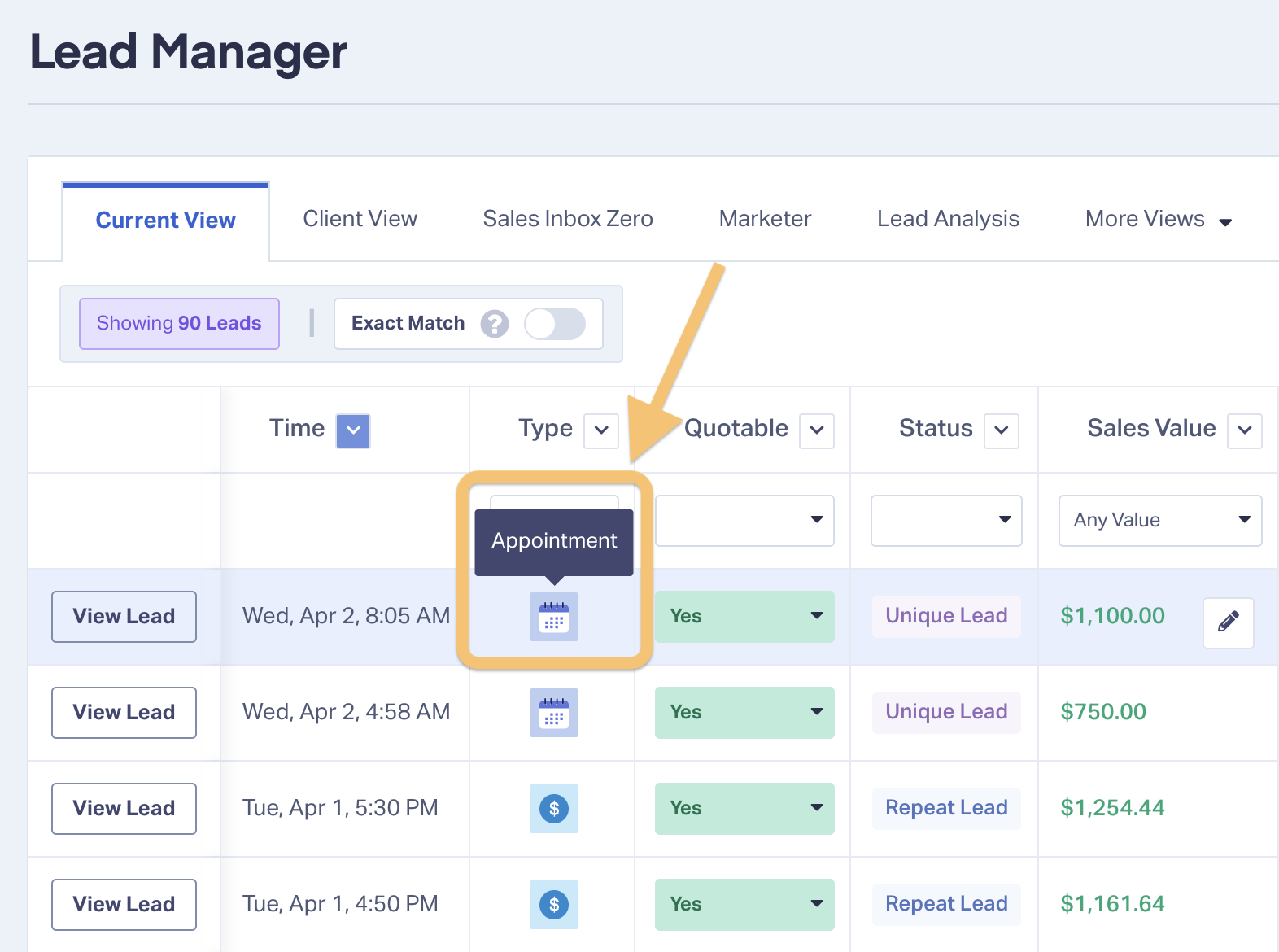
WhatConverts's Calendly integration creates a direct connection between your appointment scheduler and your marketing attribution. Here's what changes:
When someone books an appointment through Calendly:
- WhatConverts automatically creates a new lead in your dashboard
- That lead includes all appointment details (time, invitee info, event type)
- WhatConverts matches the booking to the visitor's marketing source
- Full attribution data flows in (campaign, keyword, ad, landing page, referral source)
The result:
- Every Calendly booking becomes a tracked, attributed lead
- You can see exactly which campaigns drive actual appointments
- Reporting shifts from activity metrics to outcome metrics
- Budget decisions become obvious instead of guesswork
The integration requires no changes to your Calendly setup and no complicated Zapier workflows. Once connected, appointment attribution happens automatically.
What This Enables: Three Marketing Capabilities You Didn't Have Before
See Which Campaigns Actually Fill Your Calendar
Google Ads reports conversions. But "conversions" might be page visits, phone calls, or form submissions—not necessarily booked appointments.
With Calendly integration, WhatConverts shows you appointment-specific performance. You can filter your lead data to see only Calendly bookings and run reports that answer:
- Which Google Ads campaigns generated the most appointments this month?
- What's the cost per appointment for each campaign?
- Which keywords consistently drive high-intent bookings?
A financial advisor running three Google Ads campaigns might discover that their "retirement planning" campaign books twice as many consultations as their "investment services" campaign—even though the latter gets more clicks. That insight immediately clarifies where budget should flow.
This visibility transforms optimization from educated guessing into data-driven decision-making.
Qualify Appointments Based on Value
Not all appointments are equal. A 15-minute intro call with an unqualified prospect is worth less than a 60-minute consultation with a serious buyer.
Because Calendly appointments flow into WhatConverts as leads, you can:
- Categorize appointments by event type
- Mark low-value bookings as unqualified
- Assign quote values based on appointment type
- Track which campaigns drive the highest-value appointments
An HVAC company might assign a $2,500 quote value to AC replacement consultations but only $200 to maintenance checkups. A law firm might value estate planning consultations at $5,000 while marking quick intake calls at $500. When you know which campaigns drive high-value appointment types, you can optimize for revenue instead of just booking volume.
This qualification reveals which campaigns attract tire-kickers versus serious prospects—insight that raw booking counts completely miss.
Create Reports That Prove Real Business Impact
Generic marketing reports tell stakeholders that ads generated clicks, impressions, and "engagement." Reports based on appointment attribution tell them something far more compelling: which ads actually filled the calendar with revenue-generating meetings.
With WhatConverts's Calendly integration, you can build custom reports showing:
- Total appointments booked by campaign
- Appointment value by keyword
- Cost per qualified appointment across channels
- Appointment booking trends over time
A consulting firm might discover that their "business strategy" keyword generates 12 appointments per month at $85 per appointment, while "executive coaching" generates only 4 appointments but at just $42 per appointment—revealing that the lower-volume keyword is actually twice as efficient.
These reports prove marketing impact in terms stakeholders actually care about: booked meetings that turn into revenue.
How to Set It Up (Takes About 60 Seconds)
The Calendly integration is available on all WhatConverts Elite plans. Setup requires no technical knowledge and no changes to your existing Calendly configuration.
Step 1: Access the Integration
Log into your WhatConverts account and navigate to Integrations → Scheduling. Select Calendly and click "Add Connection."
Step 2: Authenticate
Click the authentication button and log into your Calendly account when prompted. This gives WhatConverts permission to access appointment data.
Step 3: Select Calendars
Choose which Calendly calendars you want to track. If you only want to track certain event types, select those specific calendars.
Step 4: Confirm Connection
Save your settings. From this point forward, every new Calendly appointment will automatically appear in WhatConverts as a tracked lead.
That's it. No coding, no complex setup, no maintenance required.
Note: The integration works best when configured by a Calendly admin with access to all calendars you want to track.
Best Practices: Getting Maximum Value from Appointment Attribution
Treat Appointment Leads Like Any Other Lead Type
Don't think of Calendly appointments as separate from your other marketing data. They're leads that deserve the same treatment as phone calls and form submissions.
That means:
- Qualifying appointments based on value and fit
- Assigning quote values to different appointment types
- Including appointment data in your standard marketing reports
- Using appointment attribution to inform budget decisions
For instance, a plastic surgery practice might track consultations for different procedures separately—assigning $15,000 quote values to rhinoplasty consultations, $8,000 to breast augmentation appointments, and $3,000 to Botox consultations. This granular tracking reveals which campaigns attract which types of patients.
The more consistently you manage appointment leads, the clearer your optimization opportunities become.
Create Appointment-Specific Reports for Stakeholders
Build custom reports that isolate Calendly bookings and show appointment-specific performance. This gives stakeholders exactly what they want to see: proof that marketing dollars drive actual meetings.
Effective appointment reports typically include:
- Total appointments booked by time period
- Appointment volume by campaign or channel
- Cost per appointment for paid campaigns
- Qualified appointment percentage by source
A dental practice might create a monthly report showing 45 new patient exams booked (valued at $6,750), 23 cosmetic consultations (valued at $34,500), and 12 orthodontic evaluations (valued at $18,000)—all broken down by which Google Ads campaigns drove them. That's the kind of concrete proof stakeholders need to see.
These reports transform vague "marketing is working" claims into concrete proof backed by appointment data.
Use Lead Intelligence to Automate Appointment Qualification
WhatConverts's Lead Intelligence feature lets you automatically qualify and categorize appointments based on specific criteria.
For example, you could create rules that:
- Mark all discovery call bookings as "high value"
- Flag appointments booked outside business hours for review
- Automatically assign quote values based on event type
- Categorize appointments by service interest
This automation saves hours of manual work while ensuring consistent lead qualification.
Start Tracking Which Ads Actually Book Appointments
Calendly tells you appointments are being scheduled. Google Ads tells you campaigns are generating clicks. But without connecting the two, you'll never know which campaigns fill your calendar with revenue-generating meetings.
WhatConverts's Calendly integration creates that connection automatically. Every booked appointment becomes a fully attributed lead with complete marketing source data—no manual work, no broken Zaps, no attribution gaps.
Ready to see which campaigns actually drive appointments?
If you're already using WhatConverts, head to Integrations → Scheduling to connect Calendly now (requires Elite plan).
Not a WhatConverts user yet?
Start your free 14-day trial of WhatConverts today or book a demo with a product expert to see how we help prove and grow your ROI.
Get a FREE presentation of WhatConverts
One of our marketing experts will give you a full presentation of how WhatConverts can help you grow your business.
Schedule a Demo
Grow your business with WhatConverts







