















































 Alex Thompson
Your WhatConverts account holds valuable data—lead details, attribution, call recordings, and ROI insights. Protecting that data shouldn’t be optional or complicated.
That’s why WhatConverts now supports Authenticator App–based two-factor authentication (2FA), with a simple guided setup right after login.
- New update: Authenticator App as a 2FA method
- Core benefit: Stronger account security with minimal friction
- Big win: Fast setup, clear choice, activate when you need it
Email-based 2FA is still enabled by default for everyone. This update simply gives you a more secure option—and makes it easy to turn on.
Note: Not a WhatConverts user yet? Start your free 14-day trial today or book a demo with a product expert to see how we help prove and grow your ROI.
Why This Matters
Marketing data is sensitive.
Inside WhatConverts, you’re tracking:
- Lead contact information
- Call recordings and transcripts
- Campaign, keyword, and attribution data
- Revenue and value tied to marketing activity
If an account is compromised, the impact goes far beyond inconvenience. It puts client trust, internal reporting, and performance insights at risk.
Authenticator App–based 2FA adds a strong second layer of protection that doesn’t rely on email access alone. Even if a password is exposed, your account stays protected.
Resource: WhatConverts Security Features
Who This Is For
This update is especially important if you:
- Manage multiple client accounts
- Share access with team members
- Work inside agencies or larger marketing teams
- Care about protecting lead and revenue data
- Want stronger security without slowing down login workflows
If WhatConverts is part of how you prove and grow ROI, this update helps protect the data behind those decisions.
What’s New: 3 Improvements You’ll Notice
1. Guided 2FA Setup After Login
What it does
Prompts you to choose a 2FA method right after logging in.
How it works
After login, you’ll see a one-time setup screen where you can select an Authenticator App and complete setup in minutes.
Why it matters
No hunting through settings. Security is surfaced at the right moment, when it’s easiest to configure. 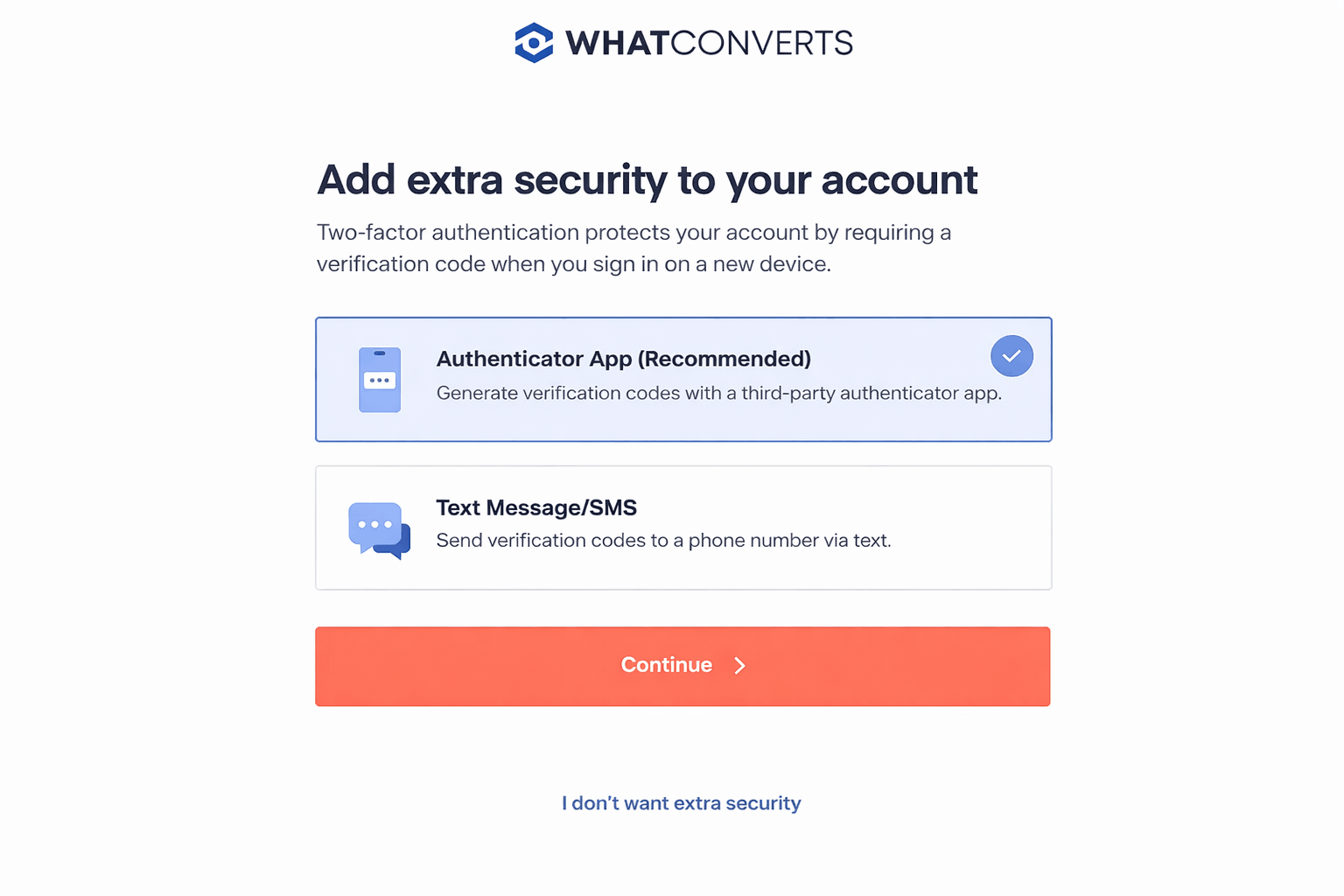
2. Authenticator App as a Secure 2FA Option
What it does
Lets you use an Authenticator App (like Google Authenticator or Authy) instead of relying only on email.
How it works
You scan a QR code, enter a rotating 6-digit code, and save a recovery code. The app then generates secure login codes moving forward.
Why it matters
Authenticator apps are more resistant to phishing and email-based attacks, giving you stronger protection with very little extra effort. 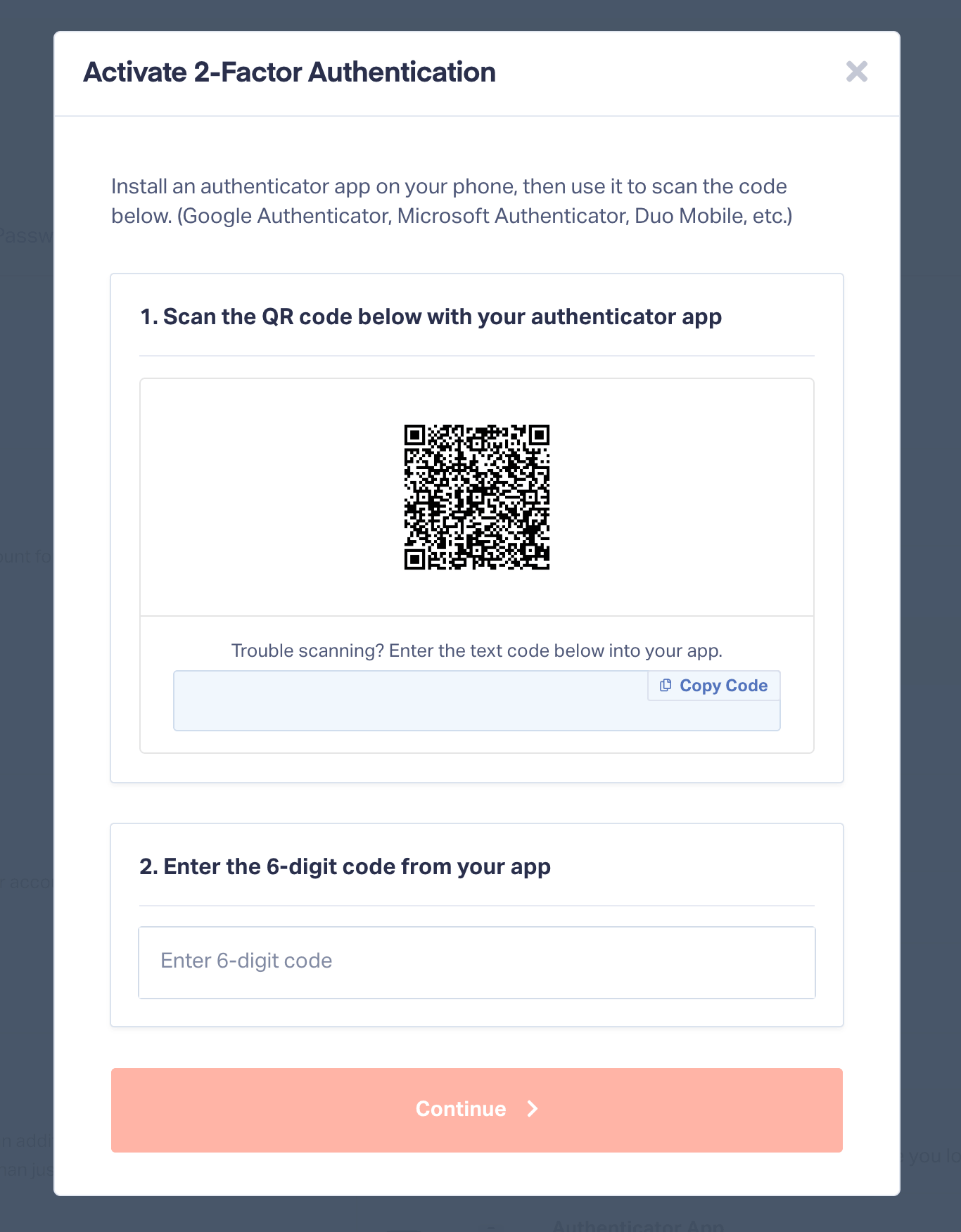
3. Full Control (No Forced Setup)
What it does
Gives you the choice to set up 2FA now or later.
How it works
If you click “I don’t want extra security”, we won’t show the prompt again. You can always enable or manage 2FA later from User Settings → Security.
Why it matters
Security upgrades shouldn’t interrupt your workflow. You’re in control of when and how you adopt them. 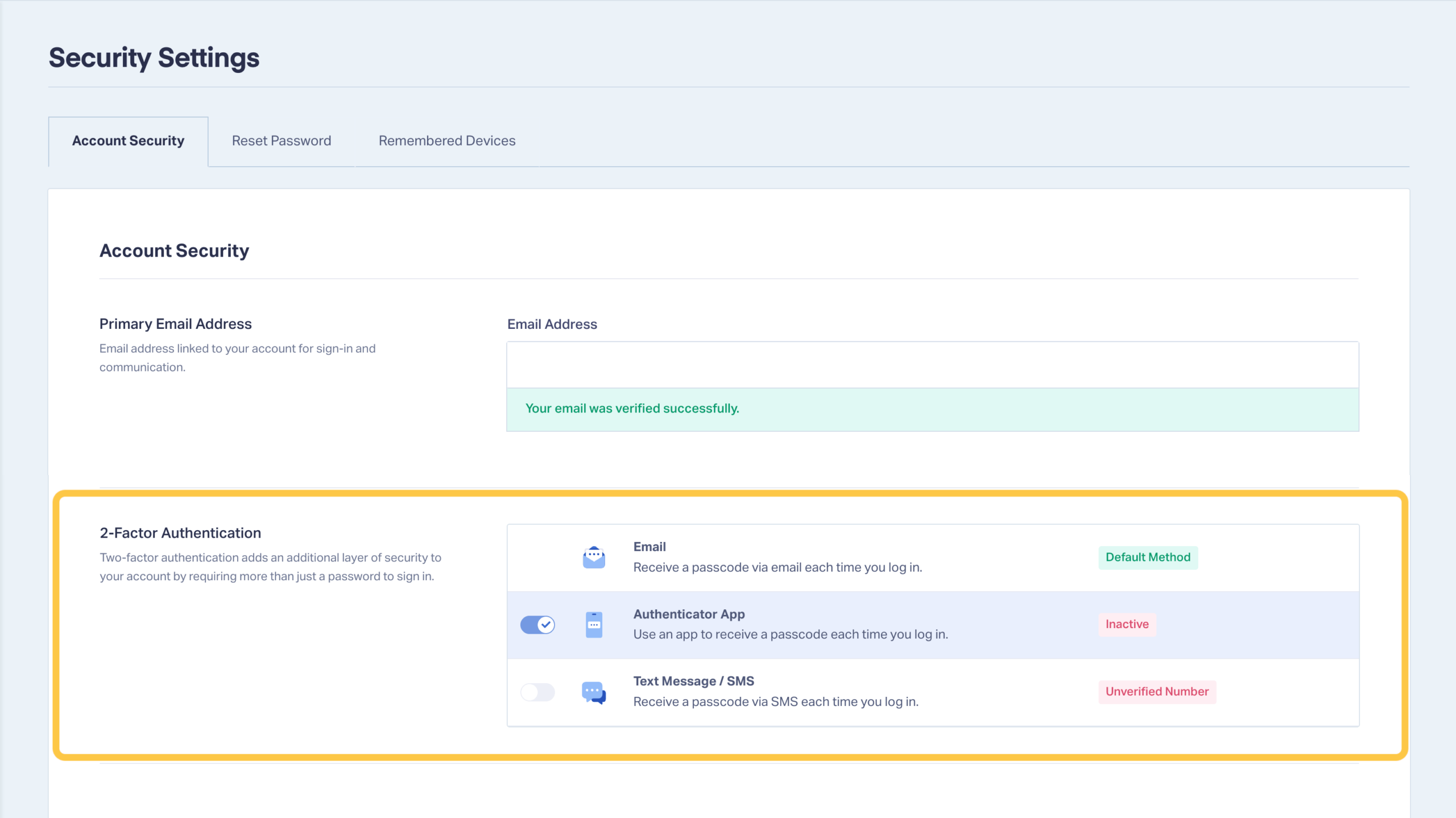
How to Get Started
Setup takes about two minutes.
- Log in to your WhatConverts account
- After login, select Authenticator App as your 2FA method
- Scan the QR code with your authenticator app
- Enter the 6-digit code to confirm
- Save your recovery code somewhere secure
- Finish setup
That’s it. Your account is now protected with app-based 2FA.
Prefer to Set It Up Later?
You can enable or manage 2FA anytime by going to:
User Settings → Security → Two-Factor Authentication
From there, you can:
- Enable or disable available 2FA methods
- Choose between Email, Authenticator App, or SMS
- Set your default authentication method
Wrapping Up
Security matters—especially when your account holds the data that proves marketing ROI.
This update gives you:
- Stronger protection
- A faster, clearer setup flow
- Full control over how and when you enable it
Already using WhatConverts? Log in and set up Authenticator App–based 2FA today.
Not using WhatConverts yet? This is just one more way we help marketers protect the data they rely on to make confident decisions.
Start your free 14-day trial of WhatConverts today or book a demo with a product expert to see how we help prove and grow your ROI.
Get a FREE presentation of WhatConverts
One of our marketing experts will give you a full presentation of how WhatConverts can help you grow your business.
Schedule a Demo
Grow your business with WhatConverts







