


 Alex Thompson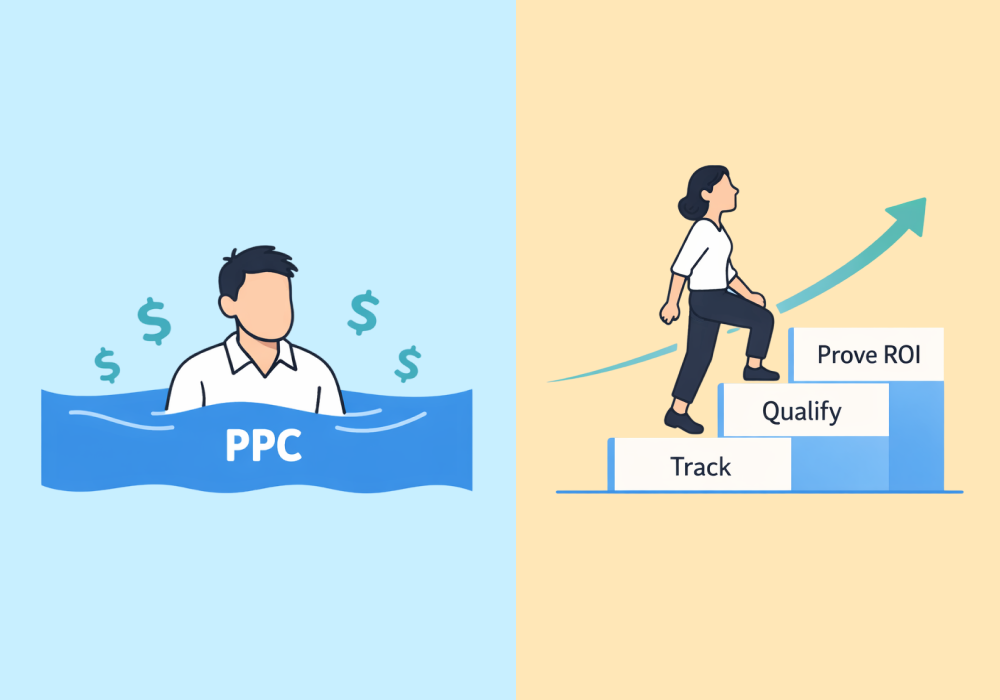
Every agency has a "golden" campaign they remember fondly. It was the one where high-intent keywords cost $1 per click, the leads were steady, and the ROI made you look like a hero.
Then, the floor dropped out.
Maybe a venture-backed competitor entered the local market. Or Google’s shifting algorithms increased the baseline. Suddenly, that $1 click is $5. Then $10.
When something like this happens, most agencies face a lose-lose crossroad: you can either up the client's budget just to maintain the same lead volume (completely killing ROI), or you can accept fewer leads and watch your client's sales pipeline dry up.
But there’s a third option.
To stay competitive and scale in a rising-cost environment, forward-thinking agencies need to stop targeting volume and start optimizing for value. Here are three steps to get started.
Note: Not a WhatConverts user yet? Start your free 14-day trial of WhatConverts today or book a demo with a product expert to see how we help prove and grow your ROI.
Step 1: Target Your Top Value Earners
When click costs quadruple, you can’t afford to spread your client's budget thin across hundreds of generic keywords. Instead of blindly increasing bids to keep up with competitors, identify which specific terms generate high-value sales and double down on those "top 50" highest-value terms.
The important distinction here is focusing on value, not volume. One $18,000 roof replacement job is worth more than 30 simple repairs. And that distinction should play into your bidding strategy.
This is the basis of value-based bidding—Google Ads strategies that account for different lead values when automating the bidding process.
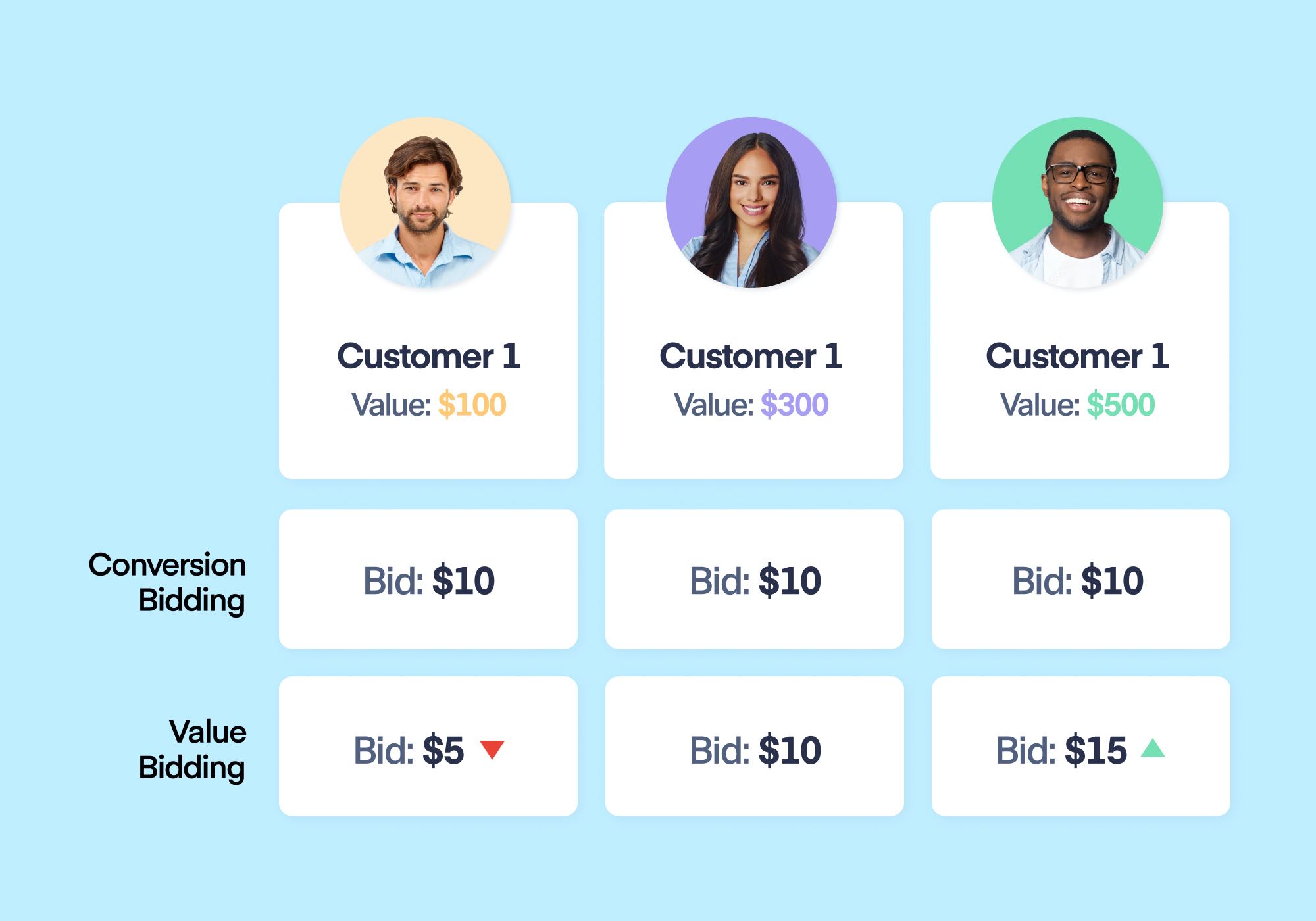
To understand the financial logic of this shift, consider the economics of a roofing client with a fixed $2,000 monthly budget facing $10 per click costs:
| Metric | The Volume Approach (Generic Repair Keywords) | The Value Approach (High-Intent Replacement Keywords) |
| Total Clicks | 200 | 200 |
| Lead Conversion Rate | 10% (20 Leads) | 5% (10 Leads) |
| Cost Per Lead (CPL) | $100 | $200 |
| Close Rate | 25% (5 Jobs) | 20% (2 Jobs) |
| Average Job Value | $200 (Minor Patch) | $18,000 (Full Roof) |
| Total Revenue | $1,000 | $36,000 |
| Return on Ad Spend (ROAS) | 0.5x (Net Loss) | 18x (Scaling Success) |
As you can see, the "Volume" agency looks successful on paper with 20 leads and a lower CPL, but they’re actually losing money for the client. The "Value" agency generates half the leads at double the cost, yet produces 36x more revenue.
So, how do you exercise this strategy? You need a "Truth Layer" to track every phone call, form fill, and dollar earned back to the exact keyword and campaign. This removes the guesswork, allowing you to see exactly where to allocate budget to attract high-value "whales" while cutting out the "minnows".
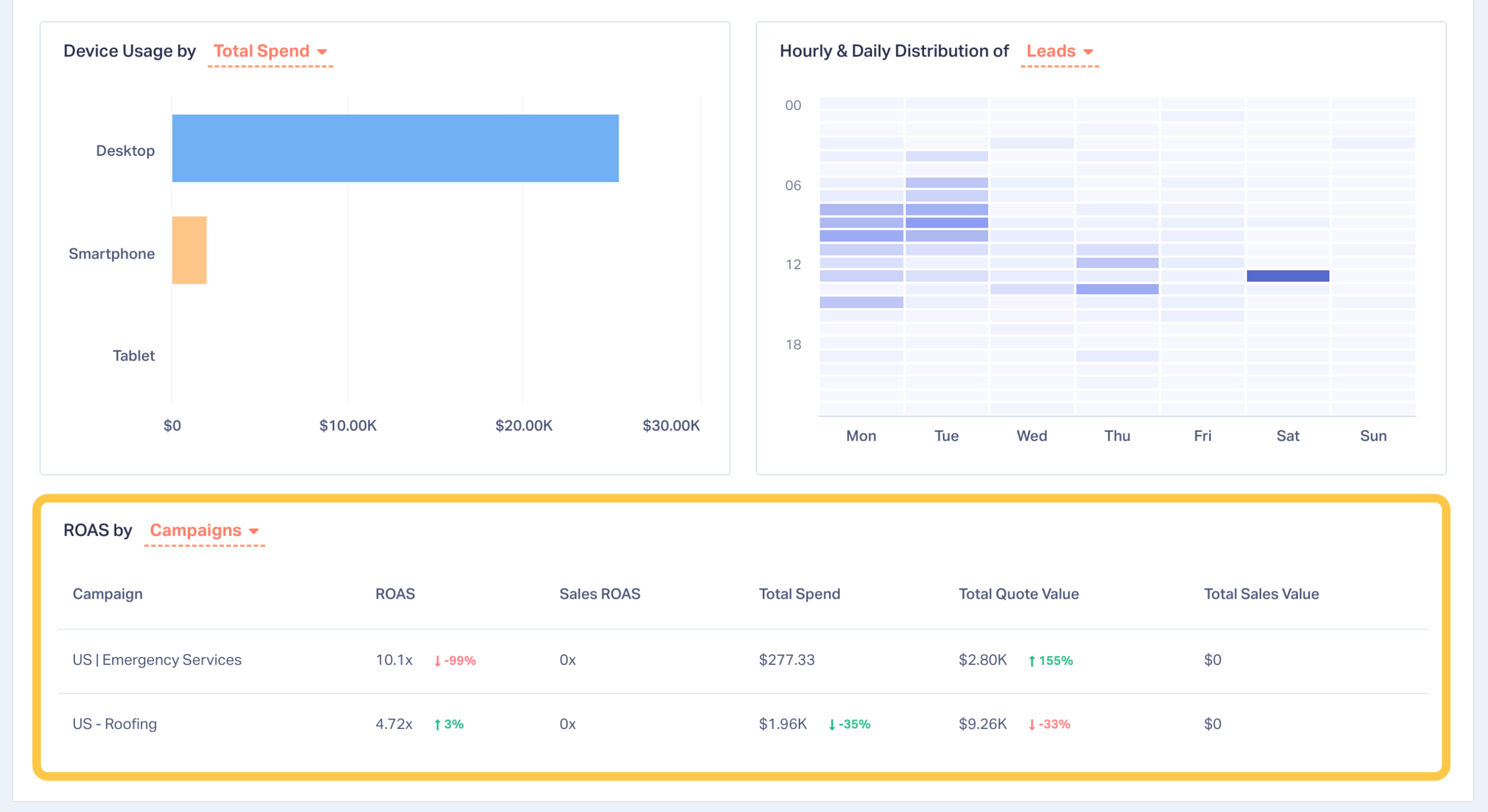
The Google Ads Report in WhatConverts lets you see your ROAS for every campaign, keyword, or ad variation, making it easy to spot and double-down on your high-value marketing.
Step 2: Send the Algorithm More Signals
Over 80% of Google Ads accounts now use Smart Bidding as their default strategy. But as algorithms like PMax and Smart Bidding become the industry standard, the competitive edge has shifted. It’s no longer enough to just feed Google conversions; you need to feed it value.
This is especially true for lead gen industries where Google is particularly blind to value.
The first step to scaling is moving from volume-based KPIs to Value-Based Bidding (VBB). By feeding lead value data back into the platform, you create what we call an Optimization Flywheel. This feedback loop teaches the algorithm exactly which leads to target, constantly refining its performance based on actual revenue potential rather than just lead count.
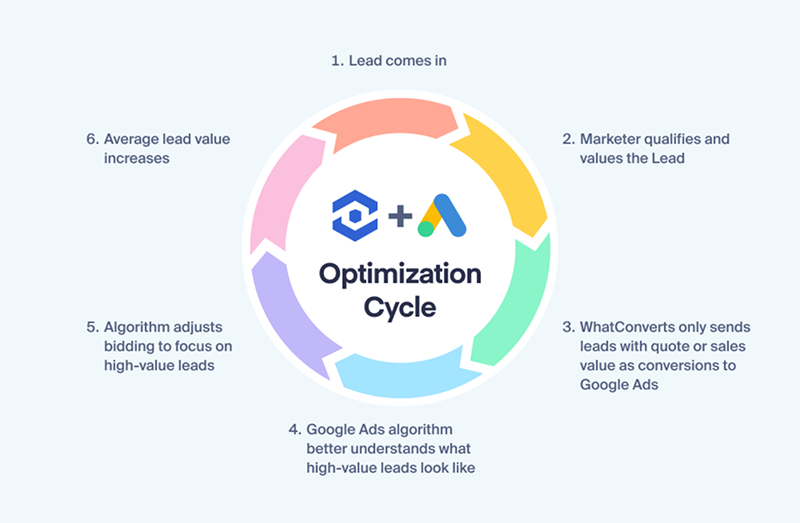
Once you are feeding the flywheel with value, the next most important factor is speed. The quicker you send that data back, the more exacting the algorithm gets with its targeting.
Think of it like practicing free throws:
- The Weekly Practice (Delayed Data): If you only practice once a week, your progress is slow. The algorithm learns, but it has to wait seven days to see if its adjustments worked before it can try again.
- The Daily Practice (Real-Time Data): By uploading conversion data in real-time, you provide constant reinforcement. The algorithm can make a small optimization, see the result, and shift its strategy again—doing this thousands of times a day.
Comparison: Learning Velocity
| Data Frequency | Learning Cycle | Competitive Edge |
| Weekly Uploads | 1 lesson per week | Baseline performance |
| Real-Time Data | Hundreds of lessons/day | 1 month of "learning" in 1 week |
The result? By feeding the machine qualified lead data and values daily, you train it to "hunt" for your ideal customers with far more precision than a competitor relying on once per week updates.
Automating the Flywheel
Lead tracking tools make this process simpler than trying to do this manually. For example, WhatConverts gives you the data you need to know who a lead is, where they came from, and what they were interested in so you can put a value on each lead. Our native integration also sends that data back to Google Ads in real-time, letting you train the algorithm hundreds of times per day.
Pro Tip: Use AI Lead Intelligence in WhatConverts to automatically value leads based on intent and conversion data. Then, our integration syncs that value to Google Ads the moment the lead is captured.
Step 3: Erase the "Latency Gap" with Predictive Value
The final hurdle to staying competitive is Marketing Feedback Latency. Ad algorithms operate in milliseconds, making thousands of decisions per hour. In e-commerce, signals are fed back the moment a sale happens, allowing the algorithm to optimize instantly.
Lead-based industries are trickier. A roofing business, for example, might capture a lead months before the job is paid. If you wait for the CRM to close that deal, the optimization window has already slammed shut. To win the auction, you must sync Predictive Value (the average quote value) immediately.
The Solution: The QCV Automation Rule
Using the QCV (Qualify, Categorize, Value) framework, you can automate this logic so the algorithm learns the moment a lead is captured. Here is how you implement it:
- Qualify: IF Call Duration > 60 seconds AND Lead Status = New Customer.
- Categorize: Automatically tag leads with a Service Category based on AI transcript keywords (e.g., "Roof Replacement").
- Value & Sync: IF Category = "Roof Replacement", automatically assign a Quote Value (e.g., $18,000) and trigger an instant sync to Google Ads.
The Competitive Advantage: By assigning a "Predictive Value" instantly, you signal to Google that your campaign is hitting high-revenue targets. This skews the auction in your favor, allowing you to dominate the market while your competitors are still waiting 60 days for a CRM update.
The Receipt: Proof Value-Bidding Works

This isn't just theory. Collideascope, a full-service digital agency, faced this exact click crisis. Google's Smart Bidding was flooding their clients with low-value, junk leads.
Instead of asking for more budget, they used WhatConverts to automate lead qualification and feed real revenue data back to Google Ads dozens of times a day. By optimizing for value instead of volume, they achieved:
- 3x more qualified leads
- 61% lower Cost Per Lead (CPL)
- 8% decrease in monthly ad spend
Volume vs. Volume-Based Bidding: Surviving the Squeeze
Are you currently bidding for volume or optimizing for value? Use this matrix to diagnose your agency's approach:
| Feature | The Volume-Bidding Agency (Old Way) | The Value-Bidding Agency (New Way) |
| Budget Allocation | Blindly spreads budget thin across all keywords. | Doubles down on the "Top 50" high-value terms. |
| Signal Speed | Relies on delayed, weekly CRM updates. | Feeds daily signals for 4x faster learning. |
| Data Quality | Bids on "blind" conversion counts. | Uses QCV to sync "Predictive Value" instantly. |
Conclusion: From Task-Based to Value-Based
Staying competitive when click costs hit $10 isn't about working harder, complaining about the algorithm, or out-spending the market. It's about feeding better data to the machines we rely on.
Stop optimizing for the cheapest click, and start optimizing for the highest value. By prioritizing value over volume, you position your agency as a strategic partner capable of scaling even the most competitive accounts.
Ready to survive the click crisis? See how WhatConverts' QCV framework can automate this entire process for your agency.
Start your free 14-day trial of WhatConverts today or book a demo with a product expert to see how we help prove and grow your ROI.
Get a FREE presentation of WhatConverts
One of our marketing experts will give you a full presentation of how WhatConverts can help you grow your business.
Schedule a DemoGrow your business with WhatConverts







