


 Amanda Pell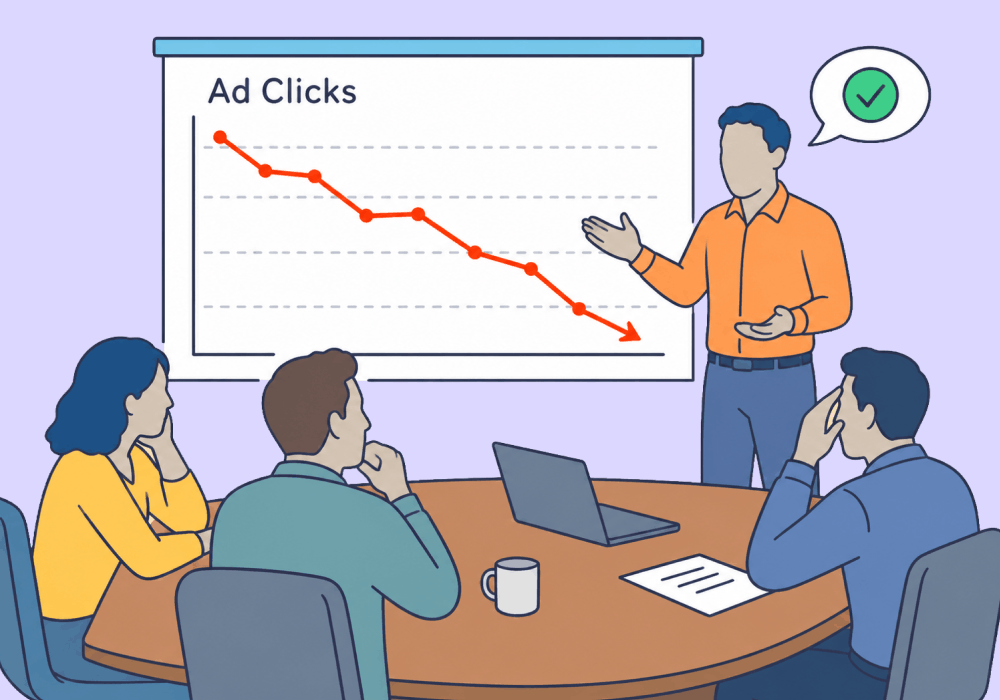
Every metric on an ad dashboard is built to reward more clicks. Higher clicks + lower cost per click = a green dashboard, and green dashboard = happy client.
Unfortunately, none of those numbers say anything about whether the clicks were worth paying for. To get better leads, agencies tighten their ads and filter for fit.
Here’s the problem: when you add fit-filtering phrases like "Commercial HVAC Only" or "$10K+ Projects" to the copy, that green dashboard quickly starts to drop. Clicks fall, CPC climbs, and the client starts to panic, leaving the agency to explain why this is actually a good thing.
That’s a tough sell.
A click drop doesn’t always mean the ad is failing. It can also mean the ad is doing exactly what it was built to do: entice qualified buyers and turn away unqualified junk.
This article shows how to use lead quality reporting to prove to your clients a click drop is a good thing.
Note: Not a WhatConverts user yet? Start your free 14-day trial of WhatConverts today or book a demo with a product expert to see how we help prove and grow your ROI.
What Fit-Filtering Copy Actually Does
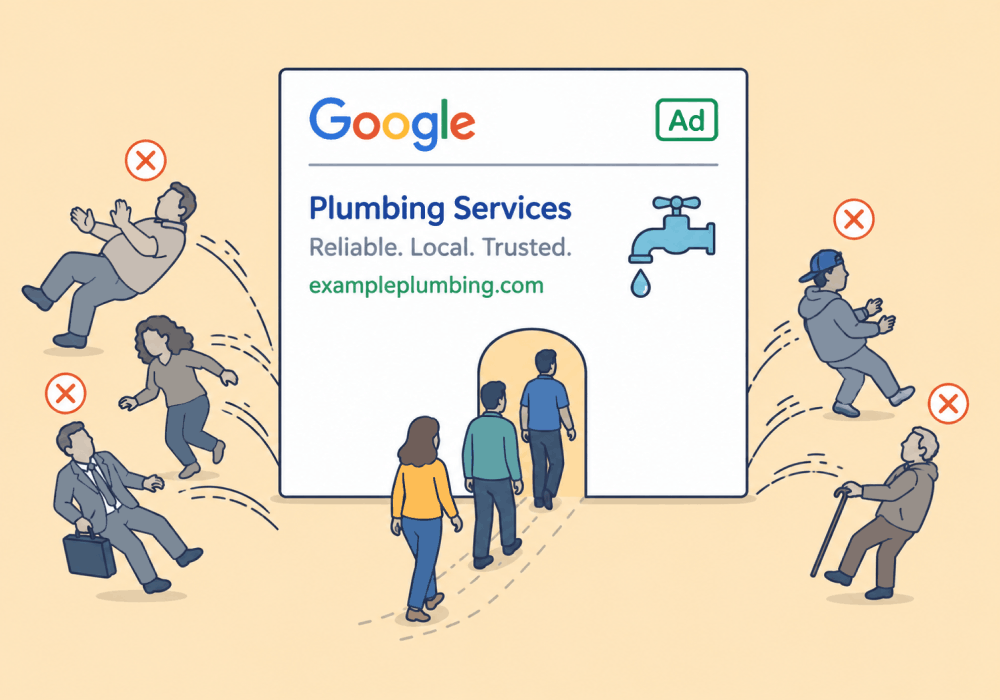
A fit-filtering ad adds specificity on purpose. The goal isn’t more clicks; it’s fewer wasted ones.
Copy like "Commercial HVAC Only," "$10K+ Projects," or "Serving San Diego County" tells the wrong prospects to keep scrolling. The ad screens out:
- Residential callers when the client only wants commercial work
- Small repair jobs when the client wants full system installs
- Out-of-area leads the client can't service
Each of those clicks would have cost money and produced a lead that goes nowhere. Deterring them before they click is the entire point.
So a lower CTR is the expected result. The real question is whether the clicks that do come in are coming in from the right people.
Two Reads of the Same Red Dashboard
When a fit-filtering ad loses clicks, there are only two explanations.
- The ad is broken. The copy confused people, the targeting slipped, and good-fit buyers scrolled past too.
- The ad is filtering. The copy did its job and talked bad-fit prospects out of clicking before they cost the client a dime.
Both look identical in Google Ads. Same falling CTR, same rising CPC, same red arrows. The platform measures click volume, so it reads both as a loss.
The real difference lives one layer down, in what the surviving clicks turn into.
Why the Client Panics and the Agency Doesn't
Here's where it gets expensive.
The client opens the shared dashboard, sees CTR down 30% and CPC up, and starts asking questions:
- "Why are we paying more for fewer clicks?"
- "Did the new copy break something?"
- "Should we just switch it back?"
The agency knows instinctively the change is working. The leads coming in are bigger, cleaner, and closer to the ideal customer. But an instinct doesn't survive a budget meeting.
Without lead quality data, the agency has two options: revert a smart change, or defend it with "trust me." Neither one keeps the account.
What the Two Views Actually Show
Take a commercial HVAC campaign before and after a fit-filtering rewrite:
| Before change | After change | |
| Clicks | 1,000 | 600 |
| CTR | 6% | 4% |
| CPC | $8 | $11 |
| Total leads | 100 | 70 |
| Qualified leads | 30 | 42 |
| Qualification rate | 30% | 60% |
| Avg. qualified lead value | $2,000 | $6,000 |
Every number reported by the ad platform got worse. Every metric the ad platform can’t report got better.
Fewer clicks bought fewer leads, but the qualified ones nearly doubled in value.
If you look at clicks alone, the campaign looks like it broke and the safe move is to revert. If you look at actual leads, you can see the campaign got sharper, and the smart move is to keep going.
Same campaign, opposite decisions.
The ad platform only sees the volume data, which means that’s the piece the client sees, too. And the volume metrics paint the wrong picture.
Why Platform Metrics Can't See Fit
CTR and CPC describe how a click happened. They count how many people were interested and how much the auction charged. They say nothing about who clicked or whether that person was worth reaching.
Google Ads has no idea what a good lead looks like for a commercial HVAC business unless someone tells it. On its own, it treats a $40 filter-change inquiry and an $80,000 install request exactly the same.
That is why a red dashboard can't settle the argument. It's measuring the wrong thing.
Learn how it works: Send Quote Value with Google Ad Conversions
The Fix: Judge Each Ad by Lead Quality
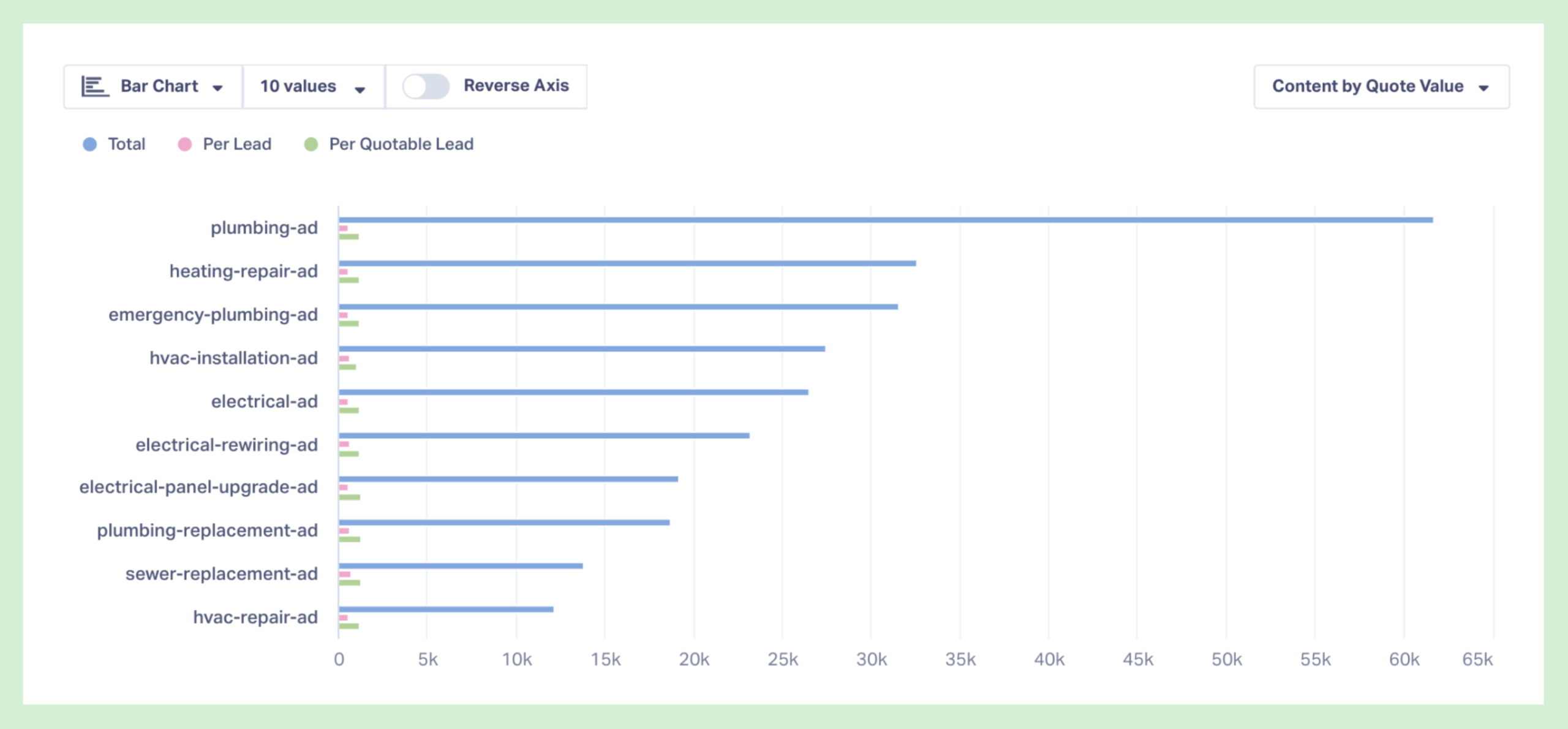
To confirm a fit-filtering change, you need two numbers the ad platform doesn’t have: qualification rate by ad and average lead value by ad.
WhatConverts ties every call, form, and chat back to the exact ad that drove it. Then it layers qualification status and dollar value onto each lead, with the call recording or form text to confirm the fit was real.
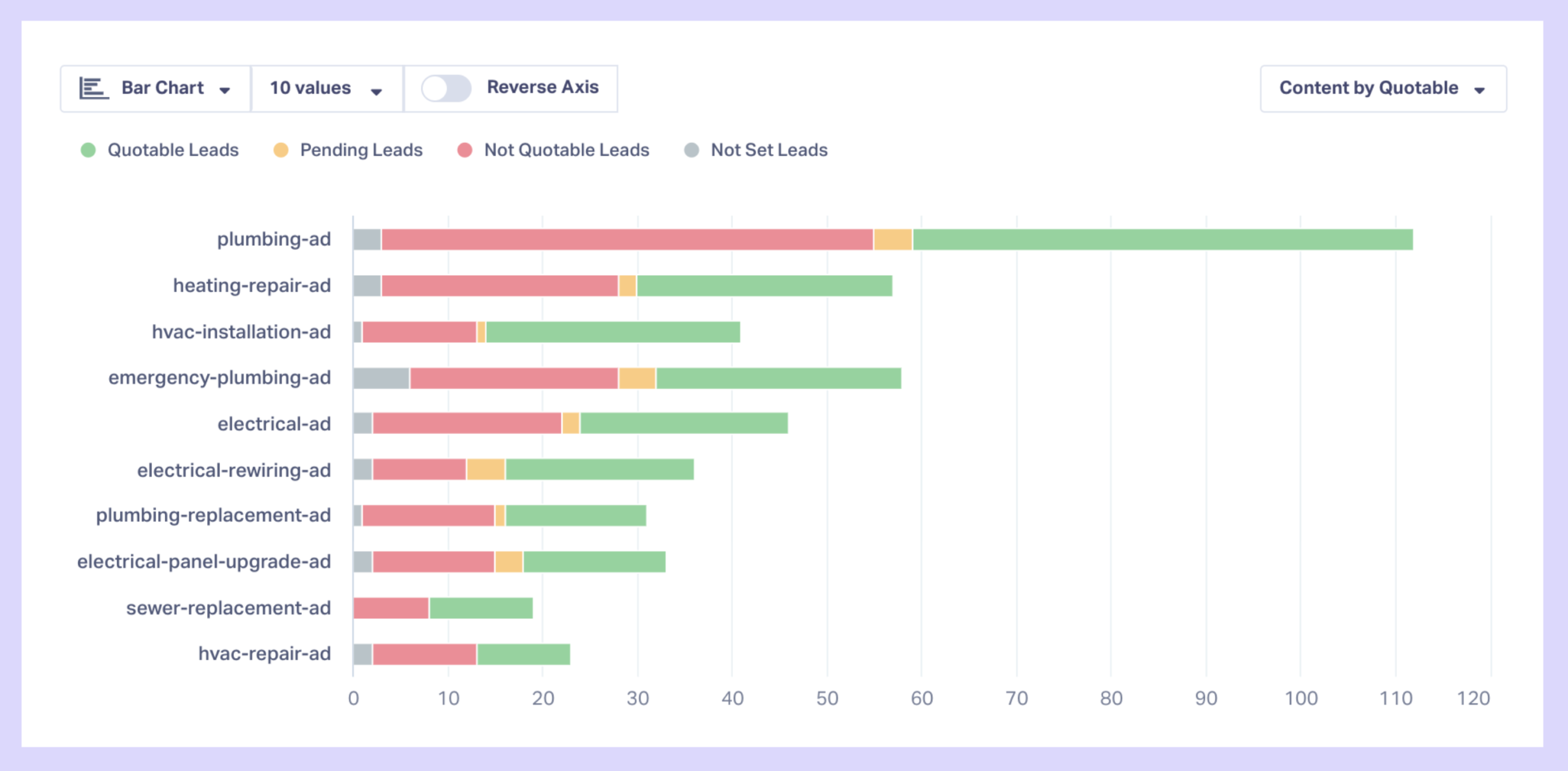
So instead of "this ad lost 40% of its clicks," you can show "this ad cut clicks 40% and doubled its qualified lead value." That sentence ends the revert conversation.
How to Read a Fit-Filtering Change
Here is how to read a click drop the right way:
- Mark the change with a date so you can compare before and after cleanly.
- Track every lead back to the specific ad that produced it.
- Qualify and value each lead instead of counting all clicks the same.
- Pull qualification rate and average value by ad, not just CTR and CPC.
- Show the client both views side by side so the red dashboard tells the full story.
When you can read an ad by the quality of leads it brings in, a click drop stops looking like a failure and starts looking like a filter.
Ready to prove a fit-filtering change is working before a client asks you to revert it?
Start your free 14-day trial of WhatConverts today or book a demo with a product expert to see how we help prove and grow your ROI.
Get a FREE presentation of WhatConverts
One of our marketing experts will give you a full presentation of how WhatConverts can help you grow your business.
Schedule a DemoGrow your business with WhatConverts







