















































 Amanda Pell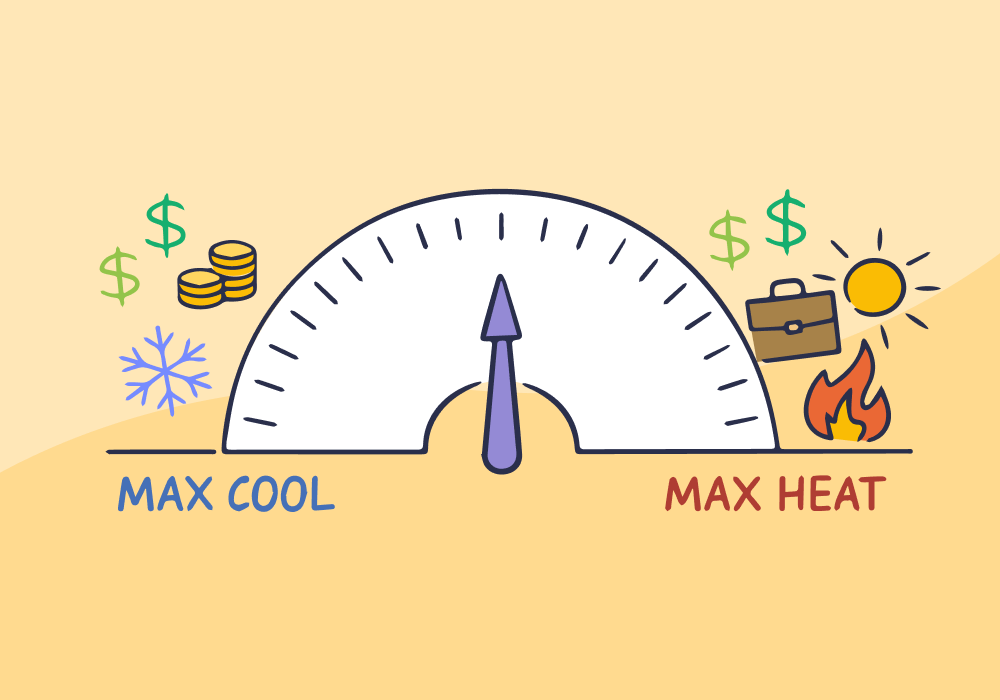
Setting your AC to the same strength all year would be ridiculous—you're cooling a house that doesn't need it in January, then struggling to keep up in August when it actually matters.
Yet that's exactly how most HVAC marketers build their PPC budgets.
HVAC has two peak seasons—summer AC emergencies and winter heating failures—with valleys in between where ad costs drop and leads dry up. The average HVAC CPC is $29.03, but the dual-peak cycle makes an annual average meaningless for day-to-day decisions.
There is no average month in HVAC. Budgeting like there is means overspending when it doesn't matter and coming up short when it does.
This article explains why—and how tracking lead-level value lets you shift budget before peak season burns it.
Note: Not a WhatConverts user yet? Start your free 14-day trial today or book a demo with a product expert to see how we help prove and grow your ROI.
The Two-Peak Problem No Other Industry Has
Most industries have some level of seasonality, but HVAC has extremes.
- Summer: emergency AC repairs, high urgency, high volume
- Winter: heating failures, same urgency, different services
- Shoulder seasons: demand drops off a cliff
That volatility shows up immediately in your metrics. When demand surges, CPCs and conversion rates rise, and lead volume becomes unpredictable.
But instead of planning around that volatility, most campaigns flatten it into a single number. The average HVAC cost per lead is $153—but that's a weighted average across all twelve months. During a summer heat event, the actual CPL on high-intent emergency keywords can be dramatically higher.
Most HVAC marketers only discover this when they watch their monthly budget disappear in the first two weeks of August.
What Flat Budgets Do to Peak-Season Performance
Averages hide the exact thing you need to see. If your CPC is $18 in April and $60 in July, your “$39 average CPC” tells you nothing about how your campaigns actually behave.
More importantly, it hides the real problem: your budget isn’t aligned with when leads are most valuable.
Where This Breaks Down
Here’s what happens when your budget doesn’t respond to fluctuations:
During peak season:
- CPCs spike
- The same budget that bought 50 clicks in March only nets 20 conversions in July
- Competitors capture the traffic you’ve been waiting for all year
- Your phone rings less when demand is highest
During the off season:
- CPCs drop
- Budgets stretch further than they need to
- Clicks are cheap, but most are low-intent junk that never become customers
The result isn’t just inefficiency—it’s wasted spend during months with no return, and missed revenue during the most important seasons of the year.
More HVAC industry insights:
HVAC Marketing That Breaks the Seasonal Slump: Creating Year-Round Lead Flow
You Can't Just Move Budget—You Have to Know Which Leads Are Worth It
Even if you adjust for seasonality—boosting budget during peaks and cutting it during troughs—there’s a second problem that still isn’t getting fixed.
You’re still treating every lead the same.
A maintenance inquiry and an emergency full-system replacement call can both happen in July, but those two jobs generate completely different revenue.
Most ad accounts will count both as “one conversion”—so you’re measuring volume, not value.
When you optimize based on volume, the platform does exactly what you tell it to: find more of the easiest jobs to generate, not the ones that actually make your client money.
What Volume Optimization Looks Like
In peak months, demand increases along with competition. CPCs and cost per lead increase.
If you’re optimizing by volume, the algorithm will target the conversions that cost the least. Here’s the problem:
| Lead Type | Cost Per Lead | Job Type | Revenue per Job |
| Cheap Lead | $45 | Small repair / tune-up | $200 |
| Expensive Lead | $85 | Full system replacement | $8,000 |
The cheap leads are often maintenance jobs and small repairs, while the expensive leads are full system replacements. If you optimize for lower CPL, you end up filtering out the biggest jobs and doing lots of low-value work.
Those $45 leads seem like the smarter, cheaper option, but once you’ve factored in payroll, parts, and overhead, those $200 jobs don’t have much of a profit margin. The big replacements that you cut back on are the ones that can actually sustain your business.
How to Optimize Accurately for Seasonality and Quality
Fixing this isn’t just about increasing budget in peak months. It’s about changing what you optimize for.
Right now, most HVAC campaigns stop at the conversion. A call is a conversion. A form fill is a conversion.
But as we just saw, those leads don’t all have the same outcome.
If you can’t tell the difference between a $200 repair and an $8,000 replacement, you can’t make the right decisions during peak season—no matter how you adjust your budget.
1. Know What Peak Season Is Actually Producing
Tag every lead by service type: repair, installation, maintenance, emergency. When CPCs spike in July, you'll know immediately whether you're buying profitable work or burning budget on low-margin calls.
2. Set Lead Values That Reflect Real Job Revenue
A maintenance call isn't worth what a full system replacement is worth. Assign realistic values based on your actual averages, and let your reporting reflect that—not just conversion counts.
3. Feed Quality Signals Back to Google Ads
WhatConverts syncs lead values to Google Ads automatically. Smart Bidding stops optimizing for cheap clicks and starts prioritizing the searches that bring in replacement jobs, not just tune-ups.
The Average CPC Was Never the Right Number
HVAC is not an average business. It runs on urgency, weather, and two separate demand cycles that make every month different from the last.
The contractors who win in competitive markets aren't the ones who found the cheapest average CPL. They're the ones who know what their peak-season leads are actually worth—and build their budgets around that reality, not a number that smooths the volatility away.
Ready to stop budgeting based on averages?
Start your free 14-day trial of WhatConverts today or book a demo with a product expert to see how we help prove and grow your ROI.
Get a FREE presentation of WhatConverts
One of our marketing experts will give you a full presentation of how WhatConverts can help you grow your business.
Schedule a Demo
Grow your business with WhatConverts







