















































 Amanda Pell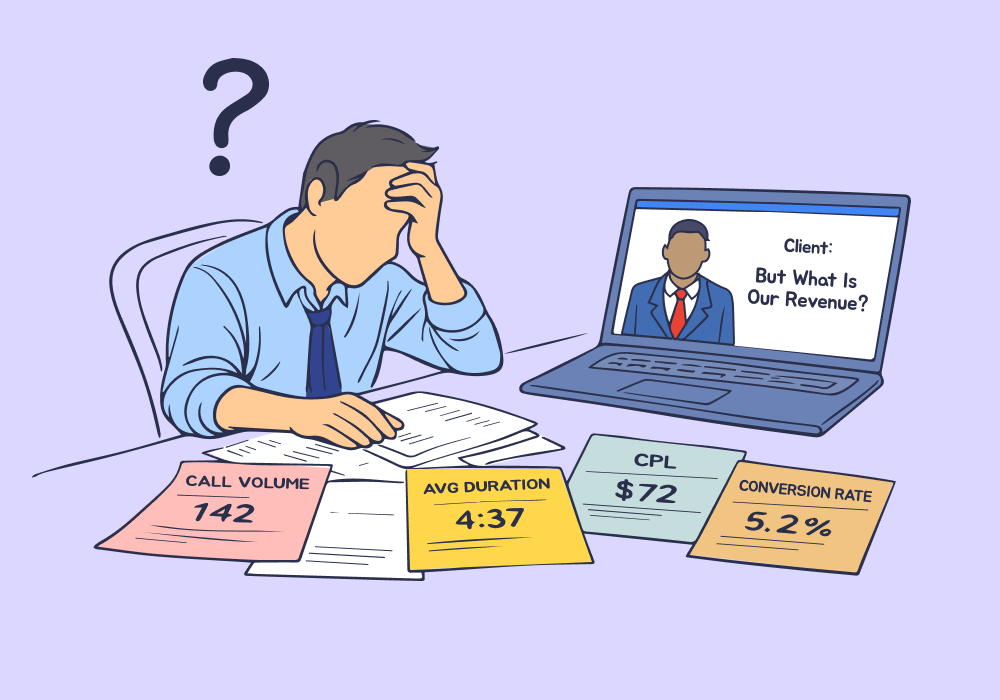
Your client's monthly review starts well. Calls are up 30%, CPL is trending down, and the graphs look strong.
Then they ask, "Which of those calls actually turned into revenue?" and you freeze.
Because Google Ads can tell you when calls happened, how long they lasted, and which campaigns drove them. But it can't tell you if the caller booked an appointment, got quoted $8,000, or hung up after five seconds.
That gap between call data and revenue data is where agencies lose credibility. And when credibility cracks, clients quickly start to lose confidence.
This article shows you how to bridge that gap by connecting call tracking to actual business outcomes, so you can answer revenue questions with data instead of deflection.
Note: Not a WhatConverts user yet? Start your free 14-day trial today or book a demo with a product expert to see how we help prove and grow your ROI.
When "Calls Are Up" Stops Being Enough
In the early days of a client relationship, volume metrics work. More calls feels like progress. CPL improvements look impressive in reports.
But as budgets scale and stakes rise, clients stop asking marketing questions and start asking business questions:
- "How many of those calls became customers?"
- "What's the average deal size from our Google Ads spend?"
- "Which campaigns are driving actual revenue?"
Google Ads shows you generated 150 calls last month. Your client's CRM shows 42 new customers. Which calls closed? Which campaigns deserve more budget? Which keywords drive buyers versus tire-kickers?
Without that connection, optimization becomes guesswork and budget conversations stall in skepticism.
What Google Ads Can (and Can't) Tell You About Calls
Google Ads call tracking answers three questions well:
- Which ads triggered calls?
- When did calls happen?
- How long did calls last?
That’s useful, but it stops short of what clients actually care about.
Google Ads doesn't know whether a call was a real prospect or an existing customer. It doesn’t know whether the call turned into a sale or what that sale was worth.
The platform optimizes for calls that happen, not calls that matter.
For the complete breakdown of:
- How Google Ads call tracking actually works
- What it can and can't measure,
- What agencies need to think about when phone calls drive real revenue
Check out the full guide:
Why Revenue Questions Surface Late (and Why That's Dangerous)
Most agencies don't get asked about revenue until months into a contract. By then:
- Spend has increased based on call volume, not call value
- Campaigns have been optimized for conversions Google can see, not outcomes that drive the business
- The client's finance team is asking harder questions than the marketing team is ready for
The conversation shifts from "are we getting leads?" to "are we making money?”
And agencies without revenue-level visibility must either scramble to connect dots manually or deflect with qualifiers like "we drive leads; sales handles close rates."
The problem isn't that agencies don't care about revenue. It's that most call tracking ends before revenue begins.
The Data Agencies Need (But Rarely Have)
To confidently answer revenue questions, agencies need three data layers Google Ads doesn't provide:
Layer 1: Call-Level Qualification
Which calls were real prospects and which were spam, wrong numbers, or existing customers? Without this, every call counts equally in your metrics—even the ones that waste time.
Layer 2: Quote or Deal Value
What did the caller want? A $150 drain cleaning or an $8,000 system replacement? Attribution is meaningless if you can't see which campaigns drive high-value requests.
Layer 3: Closed Revenue
Did the lead convert? Calls that don't close don't count, but most agencies never see sales outcomes tied back to the campaigns that generated them.
Agencies with all three layers stop defending lead counts and start proving ROI. Clients stop questioning budget and start approving increases.
Why Call Tracking Alone Isn't the Answer
Basic call tracking solves part of the problem. It captures calls, records conversations, and ties them to marketing sources.
But most call tracking stops at the lead stage. It doesn't connect calls to CRM outcomes, track quote values, or follow leads through to closed deals.
So agencies can see which ads drove calls, but not which ads drove revenue. Budget decisions still rely on assumptions, and confidence stays fragile.
What Revenue-Level Call Tracking Actually Looks Like
To connect calls to revenue, you need more than Google Ads' native tracking. You need a system that captures the full lead lifecycle.
Here's what that looks like in practice:
- Every call needs to carry its marketing context: campaign, keyword, ad, landing page.
- Calls need to be qualified so real opportunities stand apart from noise.
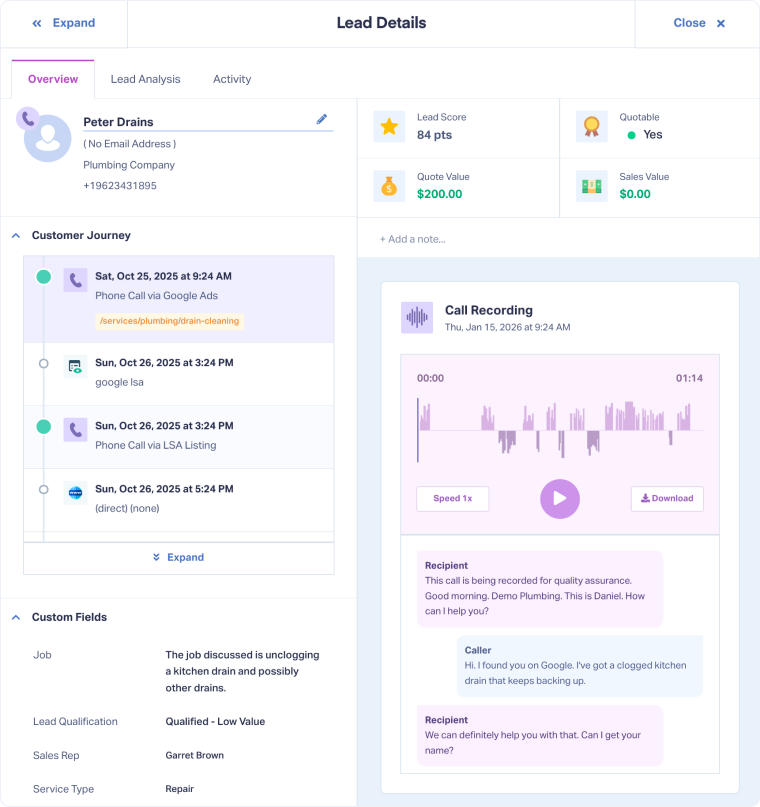
- Quote and deal value should live with the lead, so high-value requests surface immediately.
- And when a call converts into a customer, that revenue needs to tie back to the original marketing effort.
With these pieces in place, agencies can generate reports that show:
- Total revenue by campaign, not just call count
- Average deal size by keyword
- Close rates by traffic source
- ROI at the campaign level, not estimated—actual
This is where Google Ads call tracking becomes more than lead capture. It becomes revenue intelligence. Understanding how call tracking works, where visibility ends, and how to extend it through to closed deals is the foundation for answering revenue questions with confidence.
How WhatConverts Makes Revenue-Level Call Tracking Possible
Revenue-level call tracking isn’t impossible without WhatConverts. It’s just manual, time-consuming, and brittle.
WhatConverts makes it practical by keeping call attribution, lead context, and revenue in one place—automatically. Instead of stitching together call logs, CRMs, and spreadsheets, agencies get a single system where outcomes stay tied to the marketing that drove them.
That’s how revenue visibility scales without adding reporting overhead.
From Call Counts to Revenue Proof
When budgets tighten, agencies don’t win by driving more leads. They win by proving which leads turn into revenue—and generating more of what’s valuable.
When a client asks "which calls became customers?" you should be able to pull up a report showing exactly that—campaign by campaign, keyword by keyword, with dollar figures attached.
That’s how agencies stop defending spend and start directing it.
Ready to start leading revenue conversations with real data?
Start your free 14-day trial of WhatConverts today or book a demo with a product expert to see how we help prove and grow your ROI.
Get a FREE presentation of WhatConverts
One of our marketing experts will give you a full presentation of how WhatConverts can help you grow your business.
Schedule a Demo
Grow your business with WhatConverts







