















































 Amanda Pell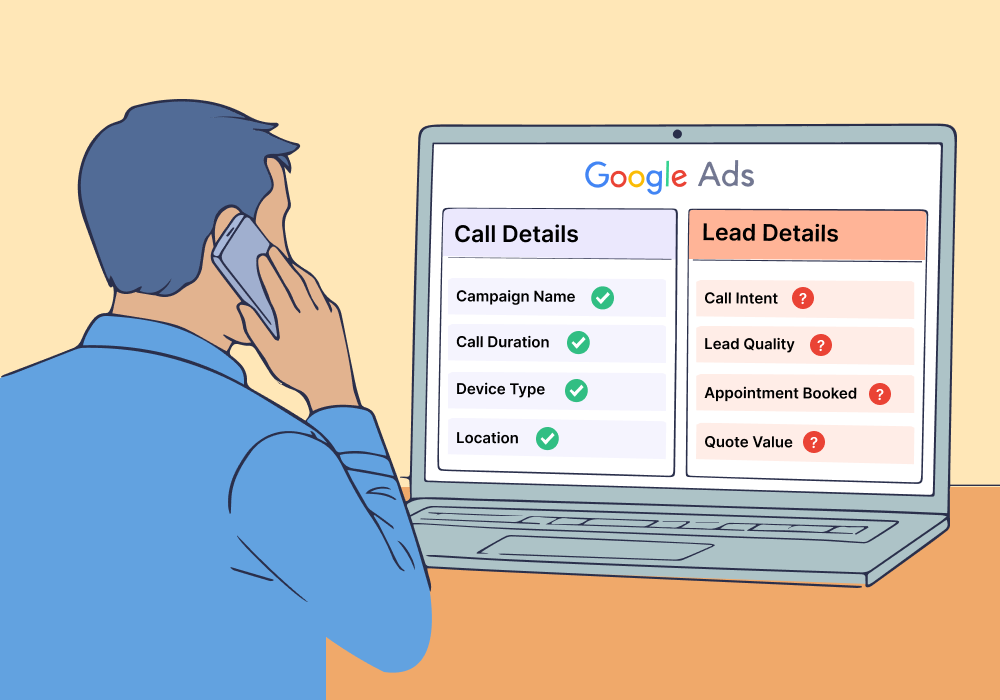
Google Ads call tracking answers some marketing questions perfectly. Others, it ignores completely.
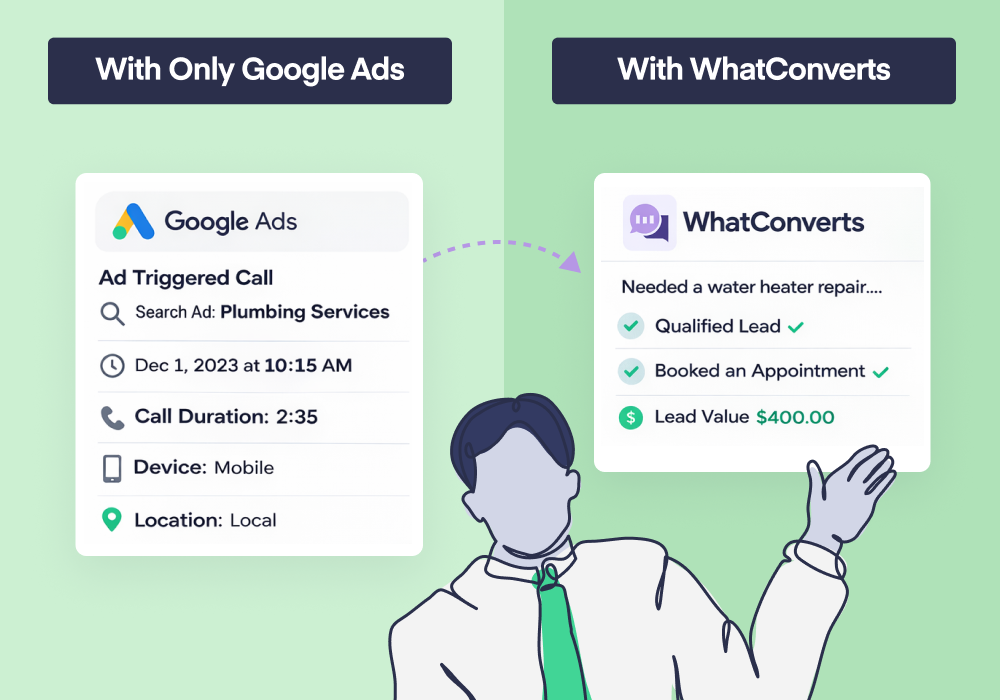
It can tell you which campaign drove the call, how long it lasted, and when it happened. But it can’t tell you what the caller wanted, whether they were qualified, or if they booked a service.
Knowing what Google Ads can't tell you is just as important as knowing what it can.
Most agencies expect complete visibility into call performance. Understanding exactly where Google’s visibility ends helps you set realistic expectations and know when you need additional tracking to prove ROI.
This article breaks down the boundary line: what Google Ads shows you about phone leads, and what stays invisible without a complete tracking system.
Note: Not a WhatConverts user yet? Start your free 14-day trial today or book a demo with a product expert to see how we help prove and grow your ROI.
What Google Ads Can Tell You About Phone Leads
Google Ads tracks pre-call data effectively. When someone clicks an ad and makes a call, you get solid visibility into:
- Which ads triggered the call. See which campaigns, ad groups, and keywords drove phone conversions.
- Call timing. Know when calls happened—day, hour, even minute-level precision.
- Call duration. Google Ads tracks how long calls lasted, letting you filter out quick hang-ups.
- Device and location data. See whether callers used mobile or desktop, plus their approximate location.
This data works well for understanding volume. You can answer "How many calls did this campaign generate?" and "Which keywords drove the most calls?"
Google Ads gives strong pre-call visibility.
How to Maximize the Data Google Ads Does Give You
With the pre-call data that Google Ads provides, you can craft strong strategies for driving more calls:
- Refine keywords based on call volume. Identify which keywords drive calls versus which only drive clicks. Shift budget from research-intent keywords to action-intent keywords that ring the phone.
- Adjust bids by time of day. Google shows exactly when calls happen. Increase bids during peak calling hours to capture high-volume windows.
- Filter by duration thresholds. Set minimum call lengths (like 60 seconds) to ignore wrong numbers and focus optimization on callers who stayed on the line.
- Test creative themes that trigger calls. If specific ad copy or headlines consistently drive calls, roll those themes out across other ad groups.
These optimizations help you drive more calls, but they can’t help you drive better calls. To do that, you need to see what happens after the call is answered.
What Google Ads Can’t See: After the Call Starts
Google Ads visibility ends the moment someone starts talking.
- Call intent. You can't see why someone called. Were they asking about drain cleaning or a full system replacement? Google Ads doesn't know.
- Call quality. Was this a qualified prospect or a solicitor? Google Ads can't tell the difference.
- Appointment bookings. Did the caller schedule service? Google Ads has no idea.
- Sales outcomes. Whether the call turned into a $150 job or an $8,000 contract—invisible to Google Ads.
- Revenue attribution. You can't connect the call to actual dollars earned.
Once the call ends, Google Ads's visibility ends with it.
This limitation becomes a problem fast, because phone leads compress the entire funnel into a single conversation. Unlike form leads—where you can review written submissions and qualify intent—phone leads live or die based on what happens during the call.
For the complete breakdown of:
- How Google Ads call tracking actually works
- What it can and can't measure,
- What agencies need to think about when phone calls drive real revenue
Check out the full guide:
Why This Limitation Matters More for Phone Leads Than Forms
Form leads give you reviewable data.
You can see what they submitted, which service they requested, and how they described their problem. That written intent lets you qualify leads before your sales team touches them.
Phone leads are different.
The conversation is the qualification. A three-minute call about a $200 repair is fundamentally different from a three-minute call about an $8,000 system replacement—but Google Ads sees them identically.
With phone leads, the entire sales process happens in one conversation—which makes missing call data far more costly.
When you can't see what happens during calls, you lose the ability to distinguish high-value opportunities from tire-kickers.
How This Impacts Optimization Decisions in Google Ads
Google Ads optimizes toward what it can observe.
If phone calls are your primary conversion, automated bidding systems like Smart Bidding will chase call likelihood—not business value.
Here's the problem:
| Call Leads Generated | Cost per Lead | |
| Campaign A | 40 | $50 |
| Campaign B | 20 | $100 |
When Google Ads sees these two campaigns, it will view Campaign A as the winner: more calls, lower cost.
But if Campaign A's calls are mostly spam or low-value inquiries, and Campaign B's calls are high-intent prospects booking $5,000 jobs, you're optimizing toward the wrong goal.
| Call Leads Generated | Cost per Lead | Average Revenue per Lead | Total Revenue Generated | |
| Campaign A | 40 | $50 | $5,000 | $200,000 |
| Campaign B | 20 | $100 | $750 | $15,000 |
Without visibility into call outcomes, your campaigns can drift without obvious warning signs. Volume looks strong, but profitability suffers.
How to Fill the Visibility Gap
Google Ads tells you calls happened. To know what happened during those calls, you need call tracking that goes deeper.
Call recordings let you hear what prospects actually asked for. Was it a $150 drain cleaning or an $8,000 repiping job? You won't know without listening.
Call transcription makes that data searchable. Filter for keywords like "emergency," "appointment," or specific service names to identify high-intent calls at scale.
Lead qualification lets you mark which calls were worth pursuing and which were spam, solicitors, or existing customers calling with questions.
Revenue attribution connects each call back to actual dollars earned—so you can see which campaigns drove $200 jobs versus $5,000 contracts.
These capabilities exist outside Google Ads. The question is whether you want to piece them together manually or use a system that handles it automatically.
The Automated Approach
WhatConverts captures call recordings, transcriptions, and revenue data automatically—then ties everything back to the exact campaign, keyword, and ad that drove each call.
Qualify leads with a click. Assign revenue values. Filter calls by service type or intent keywords. See which marketing actually makes money, not just which campaigns generate volume.
When you combine Google Ads' pre-call data with complete call visibility, you stop guessing and start proving ROI.
How Google Ads Call Tracking Fits Into a Complete System
Google Ads provides valuable visibility into how phone leads start—but not how they finish.
When calls are a primary conversion source, agencies need to understand where Google Ads reporting ends and what additional tracking is required to close the loop between marketing spend and business outcomes.
This guide breaks down how Google Ads call tracking actually works, what setup options exist, and how agencies should structure their tracking when phone leads drive real revenue: Google Ads Call Tracking: What Agencies Need to Know.
Ready to see what's happening after your Google Ads calls end?
Start your free 14-day trial of WhatConverts today or book a demo with a product expert to see how we help prove and grow your ROI.
Get a FREE presentation of WhatConverts
One of our marketing experts will give you a full presentation of how WhatConverts can help you grow your business.
Schedule a Demo
Grow your business with WhatConverts







