















































 Amanda Pell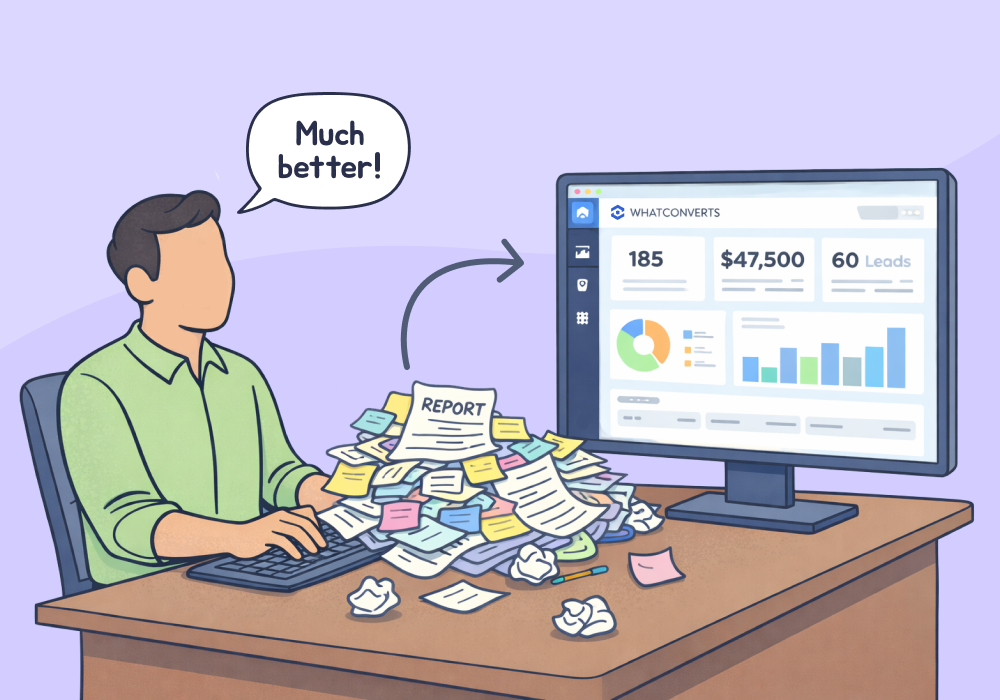
Taking over a new client should feel like an opportunity. Too often, it feels like cleaning up a crime scene.
The campaigns are live. The conversion actions are firing. The reports show hundreds of leads. And none of it can be trusted—because the previous agency built the tracking to look good, not to be accurate.
This is the inherited tracking problem. And it's one of the most disorienting situations an agency can walk into: responsible for results you didn't create, accountable to data you can't verify, and expected to show progress before you even know what "progress" means.
This article is your playbook for walking into that situation with a clear head—and walking out with a tracking foundation that tells the truth.
Note: Not a WhatConverts user yet? Start your free 14-day trial today or book a demo with a product expert to see how we help prove and grow your ROI.
What Bad Agencies Leave Behind
The mess usually falls into three categories.
Misfiring conversion actions. Thank-you page loads counted as form submissions. Clicks on phone number links recorded as calls. Page scroll depth tagged as a "lead." These aren't leads—they're events that were convenient to count.
Campaigns optimized toward junk. When conversion data is garbage, Smart Bidding learns to chase garbage. The algorithm did exactly what it was told. The problem is what it was told. Now you've inherited a campaign that's actively trained to find the wrong people.
Zero attribution for anything real. No call tracking. No source data on form submissions. No way to tell whether the client's actual revenue came from Google Ads, organic, or the referral they got from their cousin. Just a conversion count that someone put in a slide deck and called "results."
The client believes the number. That's the hard part.
Here's how to handle it—from the first audit to a rebuilt foundation.
Step 1: Audit Before You Touch Anything
The worst thing you can do when inheriting a broken account is optimize it. You'll be optimizing toward fiction.
Before adjusting a single bid or pausing a single ad, run a conversion audit:
- Pull the conversion action list in Google Ads. For each action, ask: what does this actually measure? Is it firing on a true lead event—a form submission confirmation, a call connection—or a proxy metric?
- Check conversion volume against real lead volume. Ask the client how many actual leads, calls, and quotes they've received in the last 90 days. Compare that number to reported conversions. A 10x discrepancy isn't unusual with bad tracking.
- Look for duplicate conversions. Both Google Ads and GA4 firing for the same event is a classic inflation tactic. One form fill becomes two "conversions."
- Trace a single lead end-to-end. Pick a real customer. Can you find them in the conversion data? Can you connect their visit to a source, campaign, and keyword? If you can't, attribution is broken.
Document everything. This audit is your protection—it establishes that performance problems preceded your arrival.
Step 2: Reset Expectations Without Destroying Confidence
Here's the conversation no one wants to have: "The numbers your last agency showed you weren't real."
But it's a conversation you have to have—and how you frame it matters.
Don't position this as "your previous agency lied to you." Position it as: "Now we're going to find out what's actually working."
The reframe is honest and forward-looking. Most clients respond to it well, especially if the truth is paired with a plan. Tell them:
- You're conducting a full tracking audit before touching the campaigns
- You'll establish a verified baseline within the first two to four weeks
- Future reports will show real leads with real attribution—not conversion events
Clients who've been burned by vague reporting often feel relieved by this conversation. They suspected something was off. You're confirming it and fixing it.
Step 3: Rebuild the Tracking Foundation
Once you know what's broken, replace it with tracking that tells the truth.
This is exactly where WhatConverts earns its place in an agency's toolkit. When you connect WhatConverts to a new client's account, you get an immediate read on what's actually happening: which channels are generating real calls, which forms are turning into qualified leads, and which campaigns have been producing nothing but noise.
What that looks like in practice:
- Every lead type tracked in one place. Calls, form fills, chats—all captured with full source data. No more guessing which channel drove the phone to ring.
- Lead qualification built in. Mark leads as qualified or not. Suddenly you can tell the client how many real leads their $8,000/month is buying—not how many pixels fired.
- Attribution that reaches the keyword level. Not just "Google Ads"—but which campaign, which ad group, which keyword. That's the data Smart Bidding needs to stop chasing junk.
- A clean baseline from day one. WhatConverts starts capturing verified lead data from the moment it's installed. Within 30 days, you have a defensible baseline that didn't exist before you arrived.
Once the tracking is clean, you can start sending real conversion signals back to Google Ads. Smart Bidding reorients around actual leads. Performance starts improving on its own—because the algorithm finally knows what good looks like.
Proof: EngNet Inherited a Burned Client—and Built 27X ROI
EngNet took over a specialty metal supplier that had been wrecked by bad agency experiences. The client had soured on Google Ads entirely and was generating just 500 low-quality leads per year.
EngNet installed WhatConverts, established clean attribution across every call and form, and shifted budget toward the high-intent keywords that connected to real revenue. The client agreed to a 3-month trial. If the data didn't prove ROI, they'd walk.
It proved ROI. Over 8 years of compounding clean-data optimizations:
- 38% annual growth
- 27X return on investment
- 15X more quality leads per year
Read More: Agency Earns 27X ROI & 38% Yearly Growth Using WhatConverts [Case Study]
The Turnaround Playbook
Here's the full sequence:
- Audit conversions before touching campaigns. Document what's broken and how bad it is.
- Reset client expectations with a forward-looking frame. Not blame—accountability and a plan.
- Install WhatConverts to capture verified leads from day one. Every call, form, and chat tracked back to source.
- Establish a clean baseline within 30 days. Real lead volume, real qualification, real attribution.
- Feed clean conversion data back to Google Ads. Let Smart Bidding relearn what a good lead looks like.
When the tracking tells the truth, everything else gets easier. Budget decisions are defensible. Optimization actually works. And the client stops wondering if the numbers are real.
That's the difference between inheriting a mess and building something that lasts.
Ready to get a clean read on a new client's account before you touch a single campaign?
Start your free 14-day trial of WhatConverts today or book a demo with a product expert to see how we help prove and grow your ROI.
Get a FREE presentation of WhatConverts
One of our marketing experts will give you a full presentation of how WhatConverts can help you grow your business.
Schedule a Demo
Grow your business with WhatConverts







