


 Amanda Pell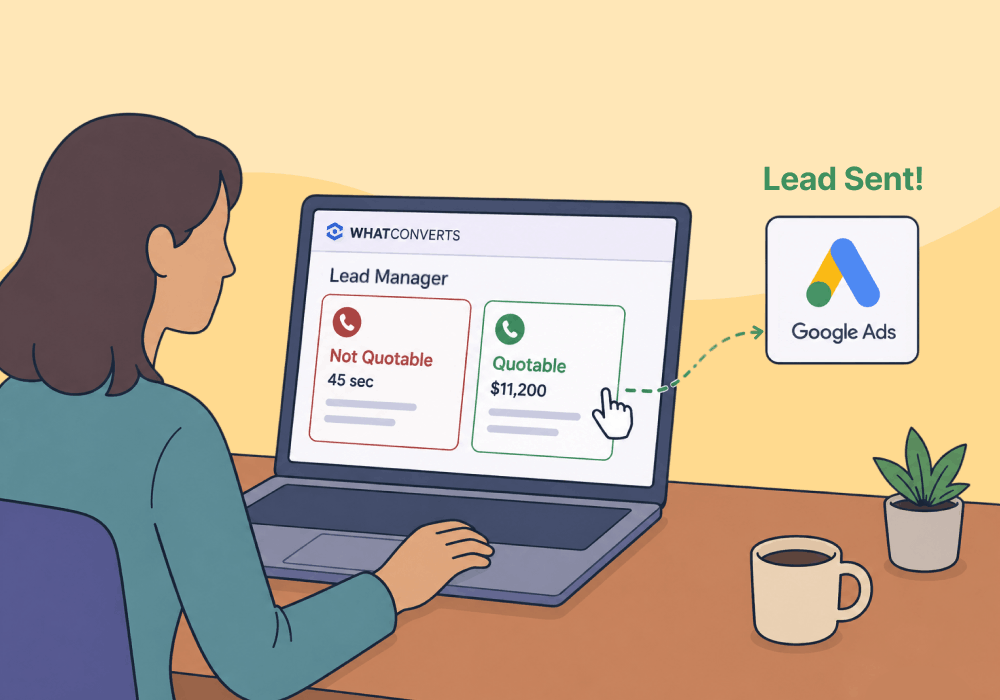
High lead volume with low average order value is one of the most frustrating problems a business can face. The leads are coming, but the projects they’re booking are small, and the margins reflect it.
Most solutions focus on the obvious fixes: pricing strategy, sales training, upsell scripts. But there's a strategy most businesses never consider—using smarter targeting on existing PPC campaigns to bring in bigger jobs.
When every lead gets sent back to Google as equal, Smart Bidding treats a $500 inquiry and a $12,000 project as equal wins. It optimizes for volume, and since cheap leads are easier to catch than high-value ones, AOV dips.
This article shows you how to teach Google what each conversion is worth, so that the algorithm learns to prioritize the keywords that are bringing in your biggest fish.
Note: Not a WhatConverts user yet? Start your free 14-day trial of WhatConverts today or book a demo with a product expert to see how we help prove and grow your ROI.
The Algorithm Is Doing Exactly What You Told It To
Google's Smart Bidding isn't broken. It's just optimizing for the wrong thing.
Consider a window installation company running Google Ads. They generate 80 conversions in a month:
| Lead Type | Conversions | Avg. Project Value |
| Short calls (<2 min), price-checkers | 40 | $500 |
| Qualified buyers, full-window projects | 40 | $12,000 |
All Google sees is 80 successful conversions. It will continue to optimize to generate more of both of these lead types, continuously adjusting its bidding to bring down average CPL.
And since CPL on those low-value conversions will be much lower than the high-intent callers, you’ll wind up getting a great deal—on more of the least valuable leads in the bunch.
The algorithm has no way to know which leads actually matter unless you tell it.
The Fix: Tell Google What Each Conversion Is Worth
The solution is simple: give Google visibility into which leads are valuable, so it can optimize for maximum lead value, not lowest lead cost.
Google’s Smart Bidding can optimize for conversion value using a strategy called Maximize Conversion Value. Instead of treating every conversion as equal, it bids more aggressively for the audiences and keywords most likely to produce high-value outcomes. But it can only do that if it knows what each conversion is worth.
Here’s how you do it:
- Evaluate each lead as it comes in. Review call recordings, transcripts, and contact data to estimate project scope.
- Assign a quote value to each lead. Even a rough estimate ($500 vs. $10,000) gives Google meaningful signal to work with.
- Sync those values back to Google Ads. Smart Bidding reads the attached values and begins reweighting bids toward the segments generating the biggest projects.
Over time, the algorithm learns which keywords, audiences, and campaigns are producing high-AOV leads—and allocates budget accordingly.
The spend stays the same. The algorithm just learns what's actually worth winning.
How WhatConverts Makes This Automatic
Manually reviewing every lead and assigning values before syncing to Google isn't sustainable at scale. That's where WhatConverts comes in.
WhatConverts captures every call, form, and chat with full attribution—campaign, keyword, landing page, and call duration. From there:
- Review call recordings and transcripts to understand what each lead is worth.
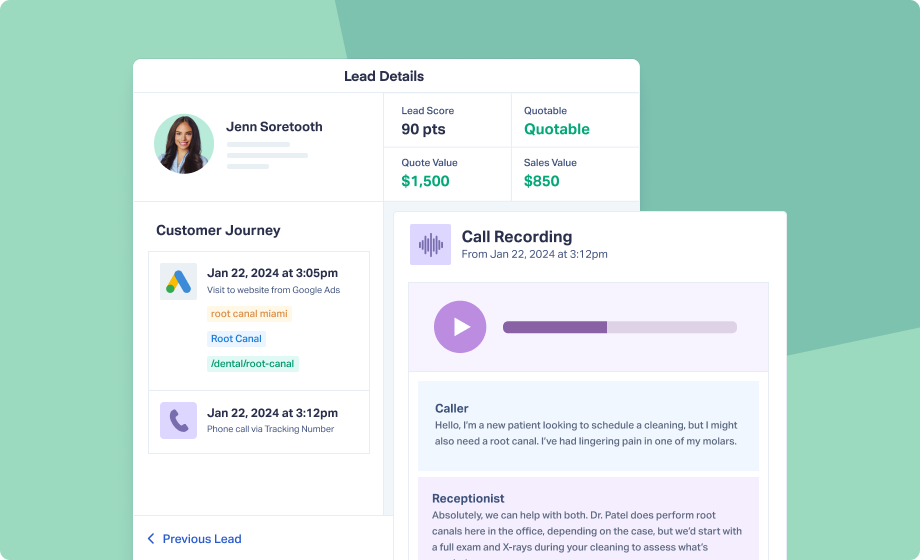
- Assign quote and sales values to each lead directly in the platform.

- Sync those values back to Google Ads automatically—no manual uploads, no spreadsheet reconciliation.
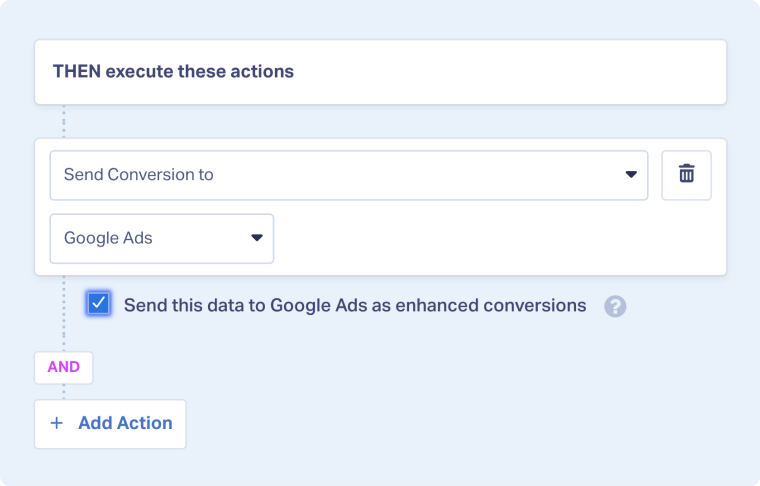

Smart Bidding receives conversion value data in real time and continuously re-weights bids toward the keywords and audiences producing high-value projects. The feedback loop runs automatically with every new lead.
Proof: A 50% Jump in Average Order Value
Sophisticated Marketing Solutions manages PPC for a high-ticket window installation company running campaigns across Google Ads, Facebook, Microsoft, CTV, and more.
The problem: lead quality varied wildly by channel. Low-value inquiries—short calls, out-of-scope requests—were consuming sales team time and dragging down average project size.
Using WhatConverts, the agency identified which channels were producing quotable leads and which weren't. They moved budget away from Facebook (high volume, low quality) and toward Google Ads (lower volume, significantly higher intent). They also configured WhatConverts to push only calls lasting over 120 seconds back to Google as conversions, training the algorithm to find more buyers like the ones who were actually converting.
The outcome: average order value climbed from $8K to $10K–$12K without increasing ad spend.
As their team put it: "We've been able to strategically adjust our budgets in certain areas because we now have clear visibility into the quality of our leads."
Read More: 50% Boost in Average Order Value via Smarter Channel Attribution [Case Study]
From Lead Volume to Lead Value
Here's what the shift looks like in practice:
- Capture every lead with full source, keyword, and call data.
- Qualify each lead—mark it quotable or not, and assign a project value.
- Filter your conversion signal—send only high-quality leads back to Google Ads.
- Watch Smart Bidding reallocate toward the audience segments generating high-value projects.
Each cycle compounds. Better data produces better targeting, which produces better leads, which produces better data.
That's how you stop optimizing for the wrong goal—and start growing average ticket instead of just average volume.
Ready to control what Google learns?
Start your free 14-day trial of WhatConverts today or book a demo with a product expert to see how we help prove and grow your ROI.
Get a FREE presentation of WhatConverts
One of our marketing experts will give you a full presentation of how WhatConverts can help you grow your business.
Schedule a DemoGrow your business with WhatConverts







