


 Amanda Pell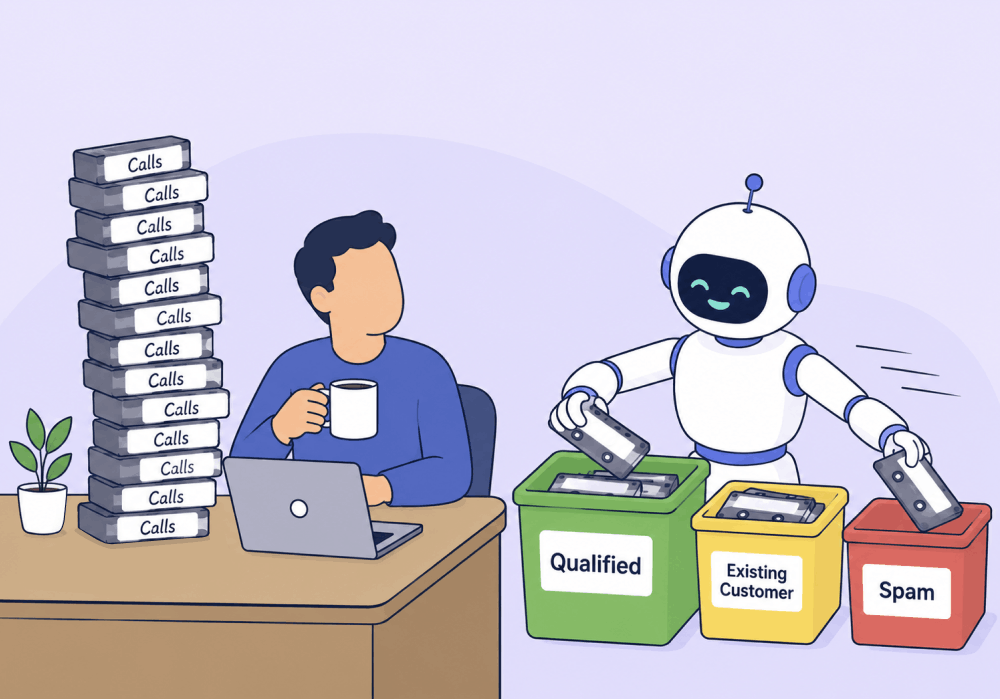
Most agencies sit on a goldmine of call data and never touch it. The recordings are there. The transcripts are there. The qualifying signals are buried inside every conversation, but no one has the hours to listen.
So calls get counted, not read. Lead totals rack up. Spam, wrong numbers, and time-wasters get treated as conversions. And the campaign report goes out without anyone knowing what was actually said on the line, which means no one can tell which calls were worth the budget, which campaigns deserve more of it, or how to defend the spend when the client asks.
Manual review can't keep up, and AI is the most practical way to close the gap at scale.
This article covers what it means to use AI to analyze calls, where it actually moves the needle, and how to set up a system that scores every call the moment it ends without anyone listening to a single one.
Note: Not a WhatConverts user yet? Start your free 14-day trial of WhatConverts today or book a demo with a product expert to see how we help prove and grow your ROI.
What Does It Mean to Use AI to Analyze Calls?
Using AI to analyze calls means feeding call recordings and transcripts into a model that can read the conversation, classify what happened, and turn it into structured data your team and ad platforms can act on.
In practice, that looks like:
- Transcribing every call automatically
- Identifying what the caller asked for (service, product, intent)
- Qualifying the lead based on the conversation
- Assigning value to leads that look like real revenue
- Flagging spam, missed calls, or coaching opportunities
The output isn't a wall of text. It's a structured signal (qualified or not, valuable or not, what they wanted, what the rep did about it) attached to every individual call.
Read more about how Conversation Intelligence uses AI to convert call leads.
Why Manual Call Review Doesn't Scale
A typical agency client running paid search generates hundreds of calls a month. A multi-location client generates thousands.
Even at a modest scale, manual review can quickly become unsustainable. If you get 200 calls per month and it takes ~5 minutes to listen to and categorize each call, that’s already over 15 hours dedicated just to reviewing your calls.
It doesn’t work.
So most teams don't review calls at all. They count conversions, glance at duration, and move on. Which means:
- Spam calls get counted as leads
- Existing customers get counted as new opportunities
- Wrong number calls get counted the same as high-value leads
An often overlooked consequence is that, because Smart Bidding views every call as a successful conversion, it optimizes to target whatever converts most often and at the lowest cost, even if that’s junk.
How AI Call Analysis Solves It
AI call analysis removes the bottleneck that made call review impossible. Instead of someone listening to 200 calls, a model reads 200 transcripts in seconds and returns a structured verdict on each one.
Done well, AI call analysis answers four questions for every call:
- Was this a real lead? Or was it spam, a wrong number, or an existing customer?
- What did they want? What specific service, product, or job did they call about?
- Was it qualified? Did the conversation hit the criteria that defines a buyer for this client?
- What is it worth? What was the quote value, sales value, or estimated job size based on what was discussed?
Those four answers turn raw call volume into something you can actually optimize with.
Learn more about how Call Intelligence enhances the lead qualification process:
Call Intelligence for Lead Scoring: How Call Data Can Predict Sales
How to Get Basic AI Call Summaries
If you’re starting from scratch, there are two main approaches to setting up AI call analysis:
- Use your call tracking platform's built-in AI features to transcribe calls and classify them
- Pipe transcripts into an LLM (ChatGPT, Claude, Gemini) with a custom prompt that returns a verdict per call
With both of these approaches, you’re essentially having the AI act as a replacement employee whose whole job is to listen to calls, take notes, and hand you their call summaries.
That’s helpful, but it also makes more work for you on the back end. Someone still has to:
- Match each set of notes back to the right lead record
- Mark leads as qualified or unqualified in your CRM
- Assign a quote value based on the AI’s summary
- Manually send qualified conversions back to Google Ads to optimize campaigns
You saved some time not having to listen to calls, but that’s still hours of admin work every week. And the moment you get busy and skip those steps, the feedback loop to your ad platform breaks and Smart Bidding goes back to optimizing on the whole conversion pool, junk and all.
How to Set Up Call Analysis with Automatic Lead Qualification
The problem with independent AI call analysis is that it’s not connected to the systems that actually use the information the analysis provides. But when AI call analysis runs inside the same system that holds the lead record and connects to your ad platforms, there’s no disconnect. Everything is already attached to the lead as well as the ad platform it came from.
That's how WhatConverts works. AI Lead Analysis reads the transcript the moment the call ends, and the result is attached to that specific lead automatically.
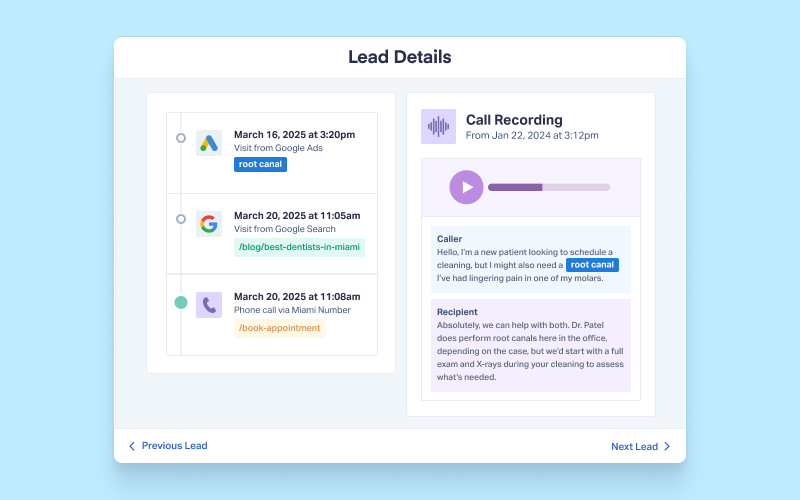
From there, you set up Lead Intelligence rules that tell the system what to do with what the AI found:
- Set a rule that marks a lead as quotable when the transcript shows a qualified service request
- Set a rule that assigns quote value based on the service the caller asked about
- Set a rule that syncs qualified, valued conversions back to Google Ads and Meta in real time
- Set a rule that flags missed calls, mishandled calls, or coaching opportunities for the sales team
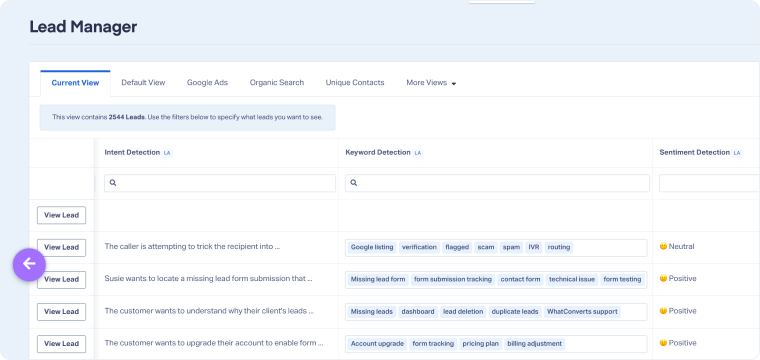
You write the rules once. After that, every call that comes in gets read, scored, valued, and synced without anyone opening the platform.
See everything that AI Lead Analysis with WhatConverts can do.
Build a Call Analysis System That Runs Itself
- Capture every call with full marketing attribution (source, campaign, keyword).
- Transcribe automatically. Every call, every time.
- Write your qualification rules in plain language. What makes a lead real?
- Let AI score the call the moment it ends. No weekly review meeting.
- Sync values back to ad platforms. Teach the algorithm what a good lead looks like.
Done right, you stop reporting call counts and start reporting revenue. The calls analyze themselves. The campaigns optimize on their own. And the hours you used to spend listening go back into strategy.
Ready to set up your first AI qualification rule and let your calls score themselves?
Start your free 14-day trial of WhatConverts today or book a demo with a product expert to see how we help prove and grow your ROI.
Get a FREE presentation of WhatConverts
One of our marketing experts will give you a full presentation of how WhatConverts can help you grow your business.
Schedule a DemoGrow your business with WhatConverts







