


 Amanda Pell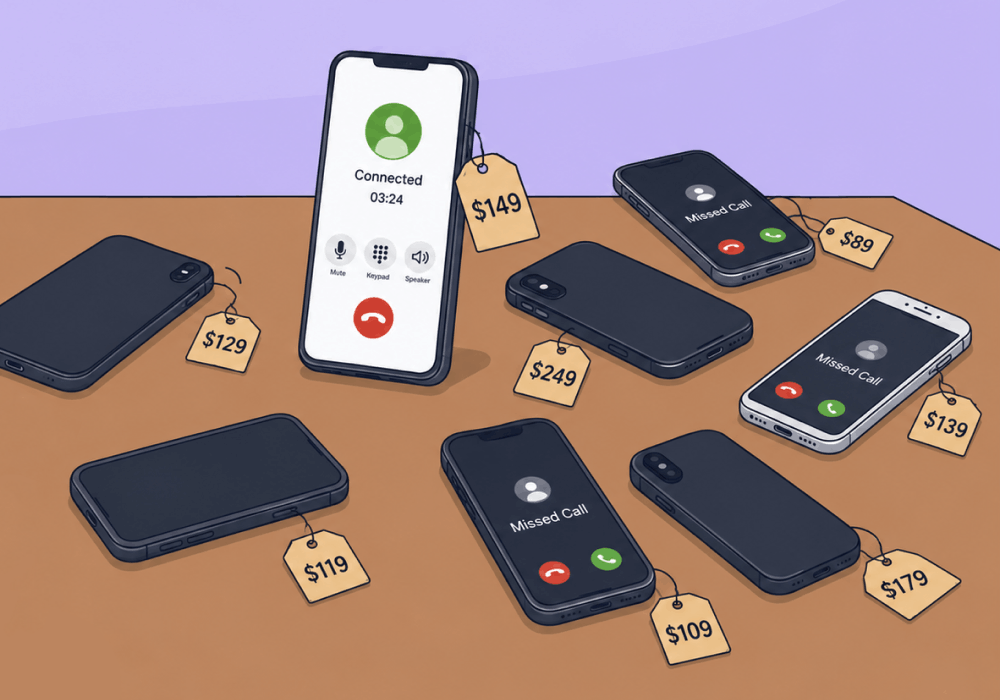
Google Ads call extensions are supposed to be a layup. A high-intent caller taps the button, your phone rings, another conversion on the books.
The problem? Google charges you for that click whether or not the call actually connects.
Misdials, pocket clicks, two-second hang-ups, wrong-number callers: each one is a billable click. But Google only counts calls over 60 seconds as conversions, so the short junk never shows up in your conversion reports. The spend is real, but the waste is invisible.
This article shows how to surface those uncounted click-to-call charges, trace them to the campaigns producing them, and turn the cleanup into the kind of ROI story that wins new business.
Note: Not a WhatConverts user yet? Start your free 14-day trial of WhatConverts today or book a demo with a product expert to see how we help prove and grow your ROI.
The Click-to-Call Trap
What Google reports as a click-to-call conversion is straightforward: someone clicked, talked for over 60 seconds, and was counted.
The trouble is everything that doesn't count. Google charges for every tap on the call button, but only logs the over-60-second calls as conversions. So a campaign running call extensions is also paying for:
- Misdials from people who meant to call a different business
- Pocket taps from mobile users scrolling past your ad
- Robocalls and spam that disconnect before anyone answers
- Hang-ups from callers who changed their mind in the first few seconds
None of those show up in your conversion column. They sit in your click charges, unattributed, with no call-level detail to tell you where they came from.
Here's what that looks like for a $6,000/month plumbing client running call extensions:
| Reported by Google | |
| Call conversions (> 60 seconds) | 200 |
| Cost per conversion | $30 |
Seems straightforward, right? But here’s what you’re not seeing:
| Reported by Google | Actual | |
| Total clicks | ? | 400 |
| Call conversions (> 60 seconds) | 200 | 200 |
| Junk conversions | ? | 200 |
| Cost per click | $15 | $15 |
| Total cost | $6,000 | $6,000 |
| Total paid for actual conversions | ? | $3,000 |
| Total paid for junk | ? | $3,000 |
Google’s math is technically right: $6,000 spent and 200 conversions generated does come out to $30 per conversion on average. But in reality, those 200 conversions only cost $15 a piece to acquire. It’s the other 200 junk clicks the client also paid for that drove up their average cost.
The client didn't pay $30 per conversion because that’s how expensive the conversions were. They paid $30 because they bought a pile of junk at the same time, and the report gave them no way to see it, separate it, or cut it.
You Can't Cut Waste You Can't See
The reason this waste persists is simple: Google never reports it as anything but clicks.
The short calls are just logged and charged as clicks alongside all the rest of the regular clicks in your campaign. If you want to stop generating junk calls, you have to find them first by tracking every click-to-call attempt, junk included, and tying each one back to the campaign that produced it.
That's the part Google's native reporting can't do, and it's exactly what WhatConverts is built for.
Why WhatConverts Surfaces the Hidden Spend
WhatConverts tracks every click-to-call attempt as a lead, not just the ones that clear Google's 60-second bar. Each call carries its duration, recording, and full attribution back to the campaign, ad group, and keyword that drove it.
That means you can:
- See the short, uncounted calls Google charged you for instead of losing them in click data
- Tag misdials, hang-ups, and spam as junk so the noise is labeled, not ignored
- Group junk calls by campaign and extension to find exactly which sources produce the most waste
- Pause or rework the worst offenders and report on cost per connected call, not just Google's counted conversions
Once every click-to-call is captured and tagged, the invisible half of your spend becomes a list you can act on. You stop guessing why the budget drains faster than the conversions explain, and you start cutting the specific extensions bleeding it.
Proof: UTDS Optimal Choice Lifted Valid Call Rates from 55% to 85%
UTDS Optimal Choice, a marketing agency working with a plumbing client, knew Google's call extension conversions weren't telling the full story. They just didn't have a fast way to prove it.
With WhatConverts, they filtered the Lead Manager to show calls under 30 seconds, grouped them by campaign, and found that specific call extensions were responsible for most of the noise. They pruned the offenders and reworked targeting on the rest.
The result:
- Valid call rates climbed from 55% to 85%
- Call conversion rates doubled from 30% to 60%
- The agency could finally walk into client conversations with hard data instead of explanations
That last point is what doubled the business case. As one UTDS team member put it: "Being able to have calls accurately tracked and say these calls came from this keyword and so on, it helps us have more sensible conversations with clients."
The Client-Growth Unlock
Showing ROI doesn't double your client base on its own. Showing ROI that other agencies can't does.
Here's the workflow:
- Capture call duration and recordings on every extension-driven call in WhatConverts
- Filter to sub-30-second calls and group by campaign and extension
- Pause or rework the extensions producing the most junk
- Report on valid call rates and qualified CPL (not raw conversion counts)
- Turn the cleanup story into a prospecting case study for your next pitch
When you can walk into a new business meeting with "we lifted valid calls from 55% to 85% in 90 days," you stop selling services and start selling outcomes. That's the kind of story that closes.
Ready to turn call extension cleanup into your next case study?
Start your free 14-day trial of WhatConverts today or book a demo with a product expert to see how we help prove and grow your ROI.
Get a FREE presentation of WhatConverts
One of our marketing experts will give you a full presentation of how WhatConverts can help you grow your business.
Schedule a DemoGrow your business with WhatConverts







