


 Amanda Pell
Most keyword reports answer the wrong question.
They tell you which keywords got clicks and which clicks turned into conversions. What they don't tell you is which keywords actually made money. And that's the only question that matters when you're deciding what to scale.
A keyword that pulled 30 clicks and converted 5 of them could be producing $200 jobs or $20,000 jobs. Standard keyword reports treat both the same. So do the bidding algorithms that consume them.
This article covers what a keyword report should actually contain to drive revenue decisions, and how to build one that points to where the next dollar should go.
Note: Not a WhatConverts user yet? Start your free 14-day trial of WhatConverts today or book a demo with a product expert to see how we help prove and grow your ROI.
What's Wrong With Most Keyword Reports
The default keyword report inside Google Ads is built to show you activity, not value. You get impressions, clicks, CTR, cost, and conversions. Maybe a CPL column if you've set things up well.
What you don't get:
- Whether those conversions were qualified or junk
- What service or job each conversion was for
- How much revenue each keyword actually generated
So when a client asks the obvious question (which keywords should we scale next month?) the report can't answer it. It can show which keywords were busy. It can't show which ones were profitable.
That's a diagnostic report. It explains what happened. A useful keyword report is a strategic one that tells you what to do next.
Related Reading: How to Tell If Your Reporting Tool Is Optimizing or Just Summarizing
The Hidden Cost: Optimizing Toward the Wrong Keywords
When keyword data stops at conversion count, every decision downstream gets distorted.
Here's what a standard keyword report shows for a roofing campaign:
| Keyword | Clicks | Conversions | CPL |
| "roof leak repair" | 220 | 28 | $71 |
| "roof inspection" | 180 | 22 | $68 |
| "full roof replacement" | 95 | 6 | $310 |
Looking at this, the obvious move is to cut "full roof replacement." The CPL is more than 4x the others.
Now here's the same data with revenue layered in:
| Keyword | Clicks | Conversions | CPL | Qualified Leads | Average Job | Revenue |
| "roof leak repair" | 220 | 28 | $71 | 12 | $400 | $4,800 |
| "roof inspection" | 180 | 22 | $68 | 8 | $250 | $2,000 |
| "full roof replacement" | 95 | 6 | $310 | 5 | $14,000 | $70,000 |
The "expensive" keyword generated the entire business. The "efficient" ones produced volume, not revenue. Cutting the wrong one would have been a six-figure mistake.
This is the oversight that keyword reports built on volume hide. And it's the gap that Smart Bidding inherits when conversion values aren't passed back to it.
What a Revenue-Anchored Keyword Report Actually Contains
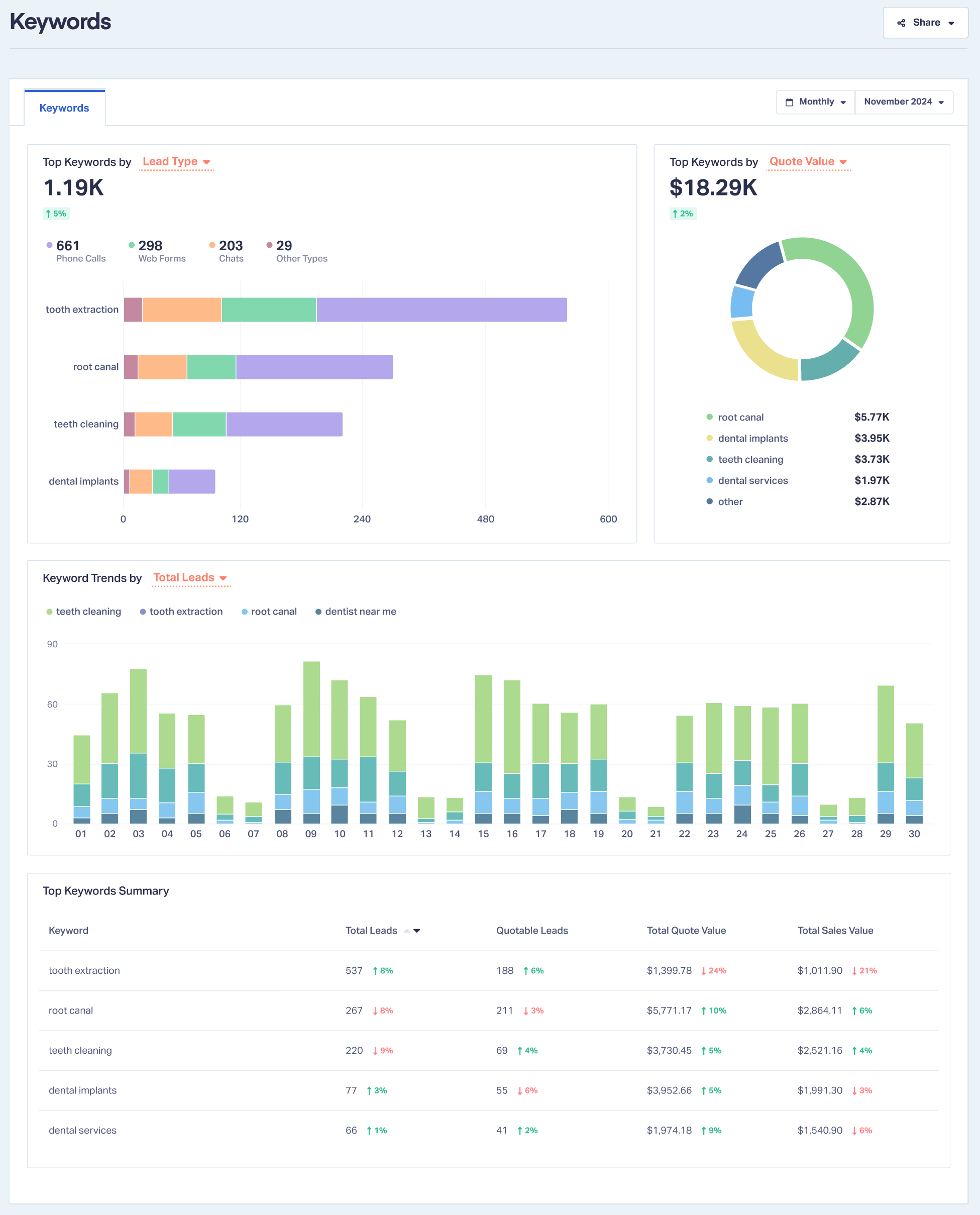
A keyword report you can make decisions from has four data layers, not two:
Volume: Clicks, conversions, CPL. The baseline activity numbers.
Qualification: How many of those conversions were real opportunities versus spam, wrong numbers, or existing customers. Without this, you can't trust the conversion column.
Lead value: A dollar figure attached to each lead based on the service requested or the quote given. This is where keywords stop being equal.
Revenue contribution: Total qualified value per keyword. The number that tells you what to scale.
With those four layers, your report stops describing the past and starts directing the budget.
How to Build One
The mechanics aren't complicated, but they do require capturing data the ad platforms don't capture on their own.
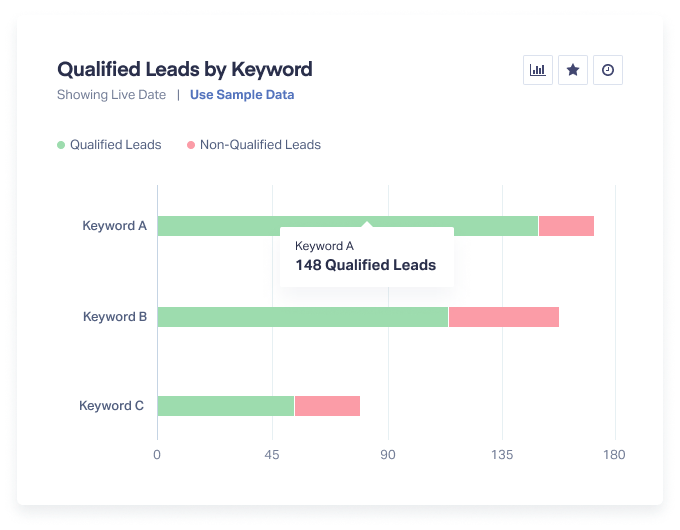
- Track every lead back to the keyword that drove it. Calls, forms, and chats all need keyword-level attribution, not just last-click campaign data.
- Qualify each lead. Mark which conversions were real opportunities. Spam and misdials don't get to inflate the numbers.
- Assign a value. Use quote value, average job revenue per service, or actual closed sales. Pick one and apply it consistently.
- Roll it up by keyword. Sort by revenue, not conversion count. The order will surprise you.
- Sync values back to Google Ads. Smart Bidding can only optimize toward what you measure. Sending revenue data back closes the loop.
Where WhatConverts Fits
WhatConverts captures every call, form, and chat with full attribution down to the keyword level. Each lead can be qualified with one click and assigned a quote or sales value, and those values sync back to Google Ads automatically.
The result is a keyword report that shows revenue contribution alongside CPL, and a bidding algorithm that finally has the data to optimize for revenue instead of volume.
Most agencies discover the same thing once they see it: a handful of keywords are doing almost all the work. Standard reports just hide which ones.
How One Agency Uses Keyword Revenue Data to Direct Budget
Texas agency iDigital Marketing built its strategic budgeting process around keyword-level revenue data inside WhatConverts. Rather than reporting on which keywords got clicks, they report on which keywords drove sales and use that to direct each client's spend.
In their own words:
"If I have WhatConverts data, then I can save my clients thousands of dollars. Because then I've got that conversion data coming in… It's going to tell me where I need to put your marketing dollars for the best results."
That shift from describing campaign activity to directing client budget is what turned iDigital into one of WhatConverts's top-performing agency partners, with higher client retention and a growing book of business built on transparent, revenue-anchored reporting.
From Diagnostic to Strategic
A keyword report should answer one question: where should the next dollar go?
Volume and CPL alone can't answer it. Qualification, lead value, and revenue contribution can. Once those layers are in place, the report stops being a record of what happened and starts being a tool for deciding what happens next.
That's the difference between a diagnostic report and a strategic one, and it's the difference between defending last month's spend and growing next month's.
Ready to build a keyword report your clients can actually make decisions from?
Start your free 14-day trial of WhatConverts today or book a demo with a product expert to see how we help prove and grow your ROI.
Get a FREE presentation of WhatConverts
One of our marketing experts will give you a full presentation of how WhatConverts can help you grow your business.
Schedule a DemoGrow your business with WhatConverts







