


 Amanda Pell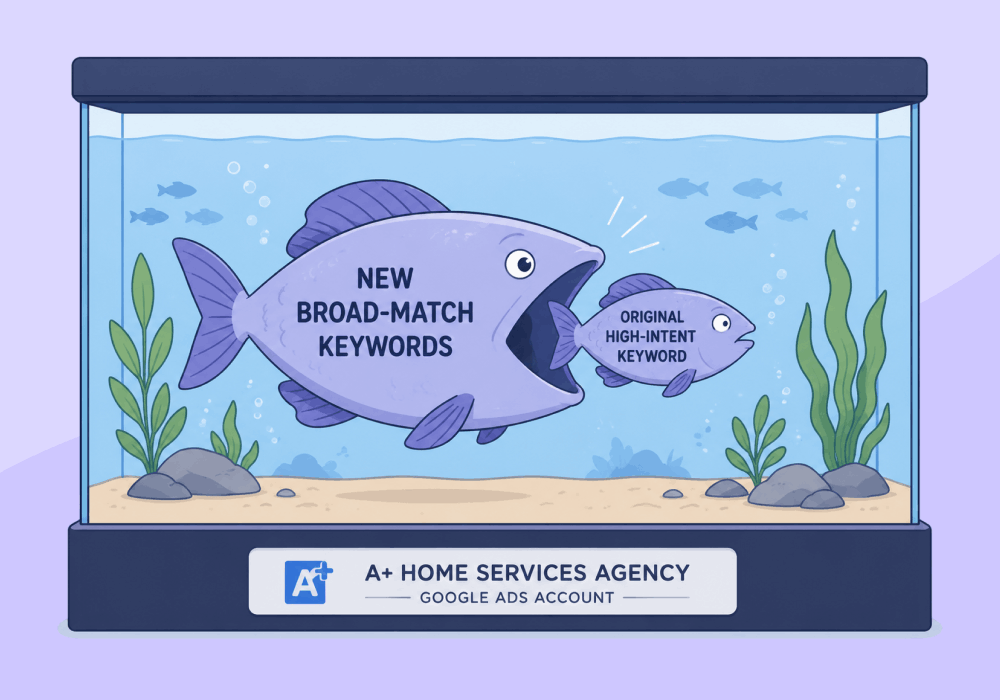
Scaling a winning ad group is supposed to compound results. Often, it just compounds costs.
The standard scale-up playbook (more budget, more keywords, broader match types) assumes the new spend will reach new users. In a mature ad group, it rarely does. Instead, the expansion starts bidding into auctions the original keywords were already winning, more cheaply, on their own.
The reflex is to blame saturation, ad fatigue, or the algorithm. The real culprit is usually closer to home: your new keywords are eating your old ones’ traffic, often at higher prices.
This article is about internal keyword cannibalization: what happens when a scaled-up ad group starts paying more to win traffic it was already winning, and how to tell the difference between new pipeline and recycled clicks.
Note: Not a WhatConverts user yet? Start your free 14-day trial of WhatConverts today or book a demo with a product expert to see how we help prove and grow your ROI.
The Scaling Trap
Cannibalization inside a single account is sneaky because every surface metric looks fine.
Impressions are up. Clicks are up. Conversions are up (at least at first).
But underneath, here's what's actually happening:
- The cheap, high-intent keyword still matches the query
- A new, broad-match keywords becomes eligible for that same query the original keyword was already capturing
- Google picks only one of your keywords to enter the auction (and if the broader keyword has the higher Ad Rank, it wins the slot)
- You now pay that broader keyword's higher bid for traffic the exact match used to win cheaply
- Conversion credit lands on whichever keyword Google picked, masking whether anything is net-new
You didn't reach new prospects. You paid more to reach the ones you already had.
Read more about how to find your best high-value, high-intent keywords.
Why It Looks Like Saturation
When this happens, the campaign report tells a confusing story.
Spend is up 40%, leads are up 5%, and CPL is up 33%.
Most agencies look at that and conclude the market is tapped out. They pull back on budget, kill the new keywords, and call the campaign saturated.
But saturation and cannibalization produce nearly identical reports. The only way to tell them apart is to look at which keywords are actually generating new, valuable leads, not just which ones are pulling in conversions.
That's the data most accounts don't have.
What the Conversion Report Hides
Google Ads will happily tell you that a keyword drove 30 conversions last month. What it won't tell you is whether those conversions were:
- Net-new prospects who wouldn't have found you otherwise
- People searching the same queries your $2 CPC keyword used to win, now coming through your $4 CPC keyword
A conversion is a conversion in Google's eyes. But to the agency defending its scale-up to a client, those two scenarios are completely different stories.
One justifies the budget, while the other burns it.
Diagnosing Cannibalization
The fix starts with reframing what you measure. Stop asking "did this keyword convert?" and start asking "did this keyword bring in a lead the account wasn't already getting?"
To figure that out, you need three things most accounts don't connect:
- Keyword-level attribution for every lead, not just every form fill
- Lead value or qualification status attached to each one
- A clean view of which keywords are pulling new pipeline vs. overlapping with existing winners
When you can see lead value by keyword (not just conversion count) the picture clears up fast. The "new" broad-match terms eating your budget are often just serving the same demand your original keyword used to capture cheaply, with little or no net-new pipeline to show for it.
How WhatConverts Surfaces This
WhatConverts ties every call, form, and chat back to the keyword that drove it and lets you assign quote value or qualification status to each lead.
That means your keyword report doesn't just show conversions. It shows:
- Which keywords produced quotable, high-value leads
- Which produced low-intent inquiries or duplicates
- Which campaigns saw lead volume grow vs. lead value grow
If a scaled-up ad group's new keywords are driving conversions but not quote value, you're cannibalizing. If they're driving both, you're actually scaling.
That distinction is impossible to make from a conversion column alone.
What to Do With the Data
Once you can see lead value by keyword, the playbook gets straightforward:
- Audit your scaled-up ad groups for keywords that fire conversions but don't generate quotable leads.
- Negative-match overlapping queries so your new keywords stop matching to traffic your original keyword already wins.
- Reallocate budget toward keywords producing net-new high-value leads, not duplicate conversions.
- Feed lead value back into Smart Bidding so the algorithm stops treating every conversion as equal.
- Report scale to the client in lead value, not conversion count. It’s the only number that proves the expansion actually worked.
Scaling a winning ad group is supposed to grow the account. Without keyword-level lead value, you can't tell whether you grew it or just paid more for the same ground.
Ready to know whether your scaled-up campaign is producing new leads or just bidding against itself?
Start your free 14-day trial of WhatConverts today or book a demo with a product expert to see how we help prove and grow your ROI.
Get a FREE presentation of WhatConverts
One of our marketing experts will give you a full presentation of how WhatConverts can help you grow your business.
Schedule a DemoGrow your business with WhatConverts







