















































 Amanda Pell
Call tracking sounds simple until someone asks how it actually works. Then the questions start piling up: Dynamic number insertion? JavaScript tracking? Session-based routing?
Most marketers rely on call tracking every day—but very few truly understand how it works. That gap creates real problems: mistrusted data, wasted budget, shaky explanations to clients, and slow troubleshooting when something breaks.
This article clears away the complexity and explains call tracking in plain language. Not because you need to become a developer, but because the more you understand the mechanics, the more confidently you can optimize campaigns and defend your attribution.
The Core Problem: You Can’t Trust Attribution You Don’t Understand
Call tracking feels like a black box for a reason. Most explanations either oversimplify (“It tracks calls!”) or drown you in technical documentation you’ll never use.
That leaves marketers stuck in the middle, responsible for accurate reporting without full clarity on how the system actually generates that accuracy.
Here’s why that’s a problem:
1. You can’t evaluate platforms effectively.
If every vendor claims “accurate attribution,” how do you tell who actually delivers?
2. You can’t troubleshoot quickly.
When numbers look wrong, you don’t know where the breakdown is.
3. You can’t defend your data.
Clients ask how a keyword generated a call, and “trust the tool” isn’t an answer.
These frustrations all stem from the same issue: If you don’t understand how call tracking works, attribution feels fragile—even when it’s accurate.
So let’s break it down simply.
How Call Tracking Actually Works
This is the part most marketers never get walked through clearly. Below is what actually happens under the hood, paired with why each step is important for campaign accuracy.
1. You Get Multiple Tracking Numbers
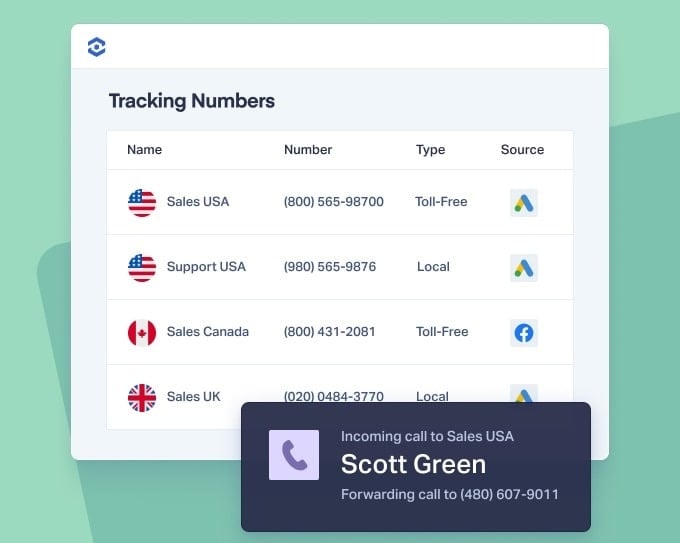
The call tracking platform provides phone numbers that forward to your main business line. These numbers look and work like regular phone numbers—they're just routing through tracking software first.
For small-scale tracking, you might manually assign numbers: one for your Google Ads, one for Facebook, one for your billboard. When each number rings, you know the source.
2. Dynamic Number Insertion Scales This Up
Manual assignment works for 5 numbers. It doesn't work for 500 keywords.
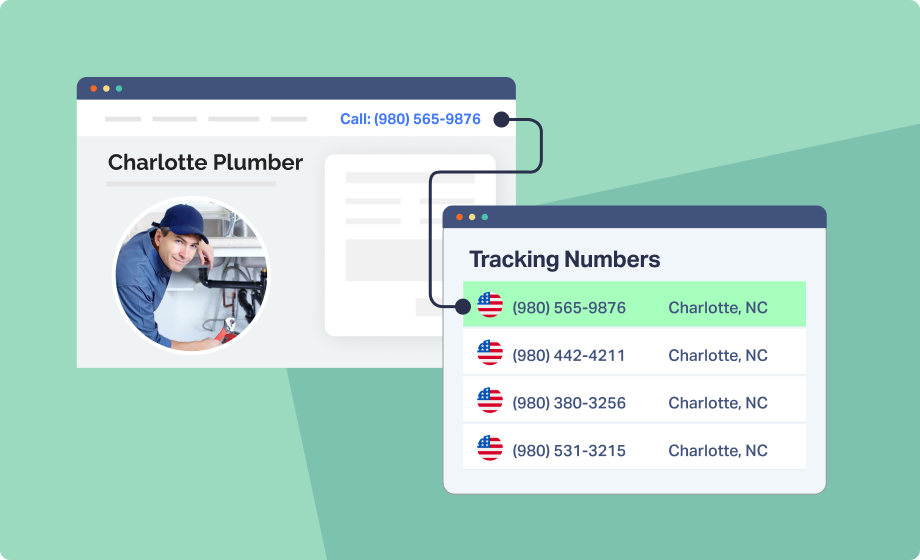
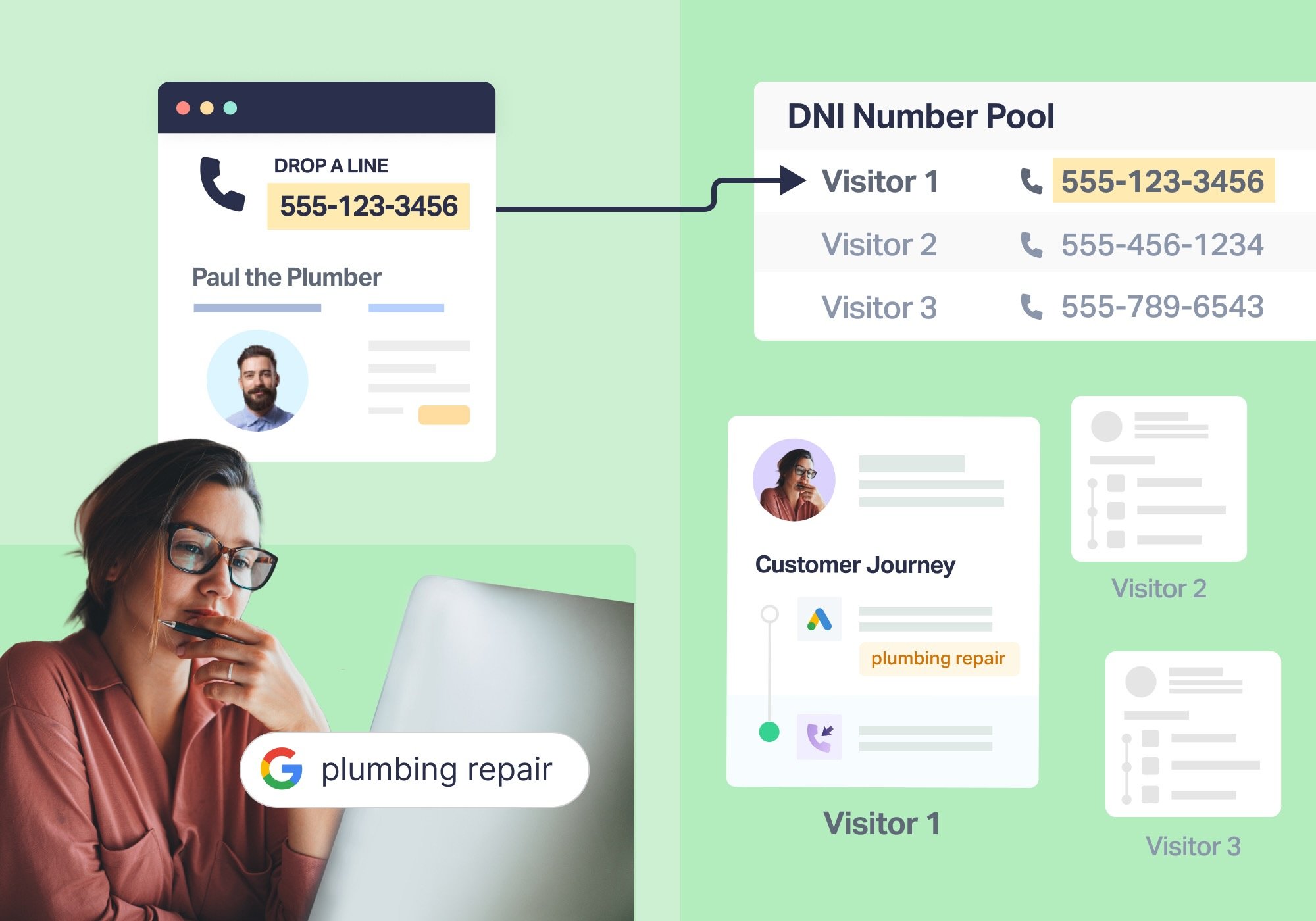
Dynamic number insertion (DNI) solves this by automatically swapping the phone number displayed on your website based on how someone arrived. A visitor from Google Ads sees one number. A visitor from organic search sees another. A visitor from your email campaign sees a third.
Here's what happens technically:
When someone visits your site, a small piece of JavaScript code detects their marketing source (campaign, keyword, referrer, etc.). The code then swaps the phone number on the website with an available tracking number from the platform's pool. When that specific tracking number gets called, the platform ties it back to the visitor's source.
This happens in milliseconds. The visitor sees one consistent number throughout their session, and that number is theirs alone until they leave.
3. The Call Gets Routed and Recorded
When someone dials a tracking number, it forwards to your business line—but the call passes through the tracking platform first.
During this routing, the call tracking platform:
- Captures the caller's phone number
- Records the call (if enabled)
- Logs the date, time, and duration
- Ties everything to the marketing source that triggered this specific tracking number
Your business phone rings normally and the caller experiences no delay, but the platform now has a complete record of the conversion event and its source.
4. Attribution Data Flows to Your Analytics
The tracking platform connects this call data to your marketing stack. It sends conversion events to Google Ads, logs leads in your CRM, and records the call in your analytics dashboard—all automatically.
Now you can see that "hvac repair Phoenix" generated 12 calls this month, "emergency plumber Denver" drove 8, and your Facebook campaign produced 3. Each call is tied to its exact source, down to the keyword or ad that triggered it.
Why Understanding This Matters for Your Campaigns
Knowing how these parts work gives you three major advantages:
1. You troubleshoot faster.
Instead of submitting a support ticket, you can check:
- Is the DNI script loading?
- Is the number pool too small?
- Did the forwarding number change?
2. You make smarter optimization decisions.
Not “Does this integrate with Google Ads?” but: “What data is syncing back, and how does that shape automation?”
3. You defend your attribution with confidence.
Instead of guessing, you can walk clients through the actual mechanics of attribution.
What This Looks Like in Practice
A home services company runs Google Ads across 200+ keywords. With DNI:
- A visitor searches “water heater repair.”
- They click the ad, land on the page, receive a unique tracking number, and make a call.
- The platform logs:
- Source: Google Ads
- Campaign
- Keyword
- Call duration
- Recording (optional)
- The conversion syncs back to Google Ads as a phone call conversion.
What this unlocks:
- Google’s bidding algorithm learns which keywords are generating phone calls.
- Budget can shift toward search terms that consistently drive call activity.
- The business sees which keywords are prompting real customers to pick up the phone.
This is attribution functioning exactly as it should—transparent, traceable, and defensible.
Where Call Tracking Gets Technically Hard — and How WhatConverts Makes It Easy
Call tracking may sound simple, but under the hood it relies on a surprising amount of technical infrastructure. Dynamic number insertion, tracking number pools, JavaScript swapping, session assignment, forwarding rules, and analytics integrations all need to work together for attribution to stay accurate.
With many call tracking tools, marketers end up managing those components themselves. A single misconfiguration can cause mismatched numbers, missing data, or lost attribution.
WhatConverts removes that complexity. The platform handles the technical workflow so you don’t have to:
- Automatic number pool management keeps the right numbers available for every visitor.
- A single copy-paste script installs DNI without manual configuration.
- Native integrations send clean call conversion data to Google Ads, GA4, and other tools without complex setup.
The result: you get accurate, reliable call attribution without needing to touch any of the technical machinery behind it. WhatConverts handles the complexity; you get the clarity.
The Bottom Line on Call Tracking Technology
Understanding the basics of call tracking—how numbers get assigned, how calls get attributed, how data flows to your platforms—gives marketers the confidence to implement it correctly, troubleshoot it effectively, and defend numbers when someone asks questions.
The simple version: Different visitor sessions get different numbers. Calls to those numbers get tracked and tied back to their source. That data feeds your optimization.
Everything else is just refinement of that core process.
Ready to see how call tracking should work in your own campaigns?
Start your free 14-day trial of WhatConverts today or book a demo with a product expert to see how we help prove and grow your ROI.
Get a FREE presentation of WhatConverts
One of our marketing experts will give you a full presentation of how WhatConverts can help you grow your business.
Schedule a Demo
Grow your business with WhatConverts







