















































 Amanda Pell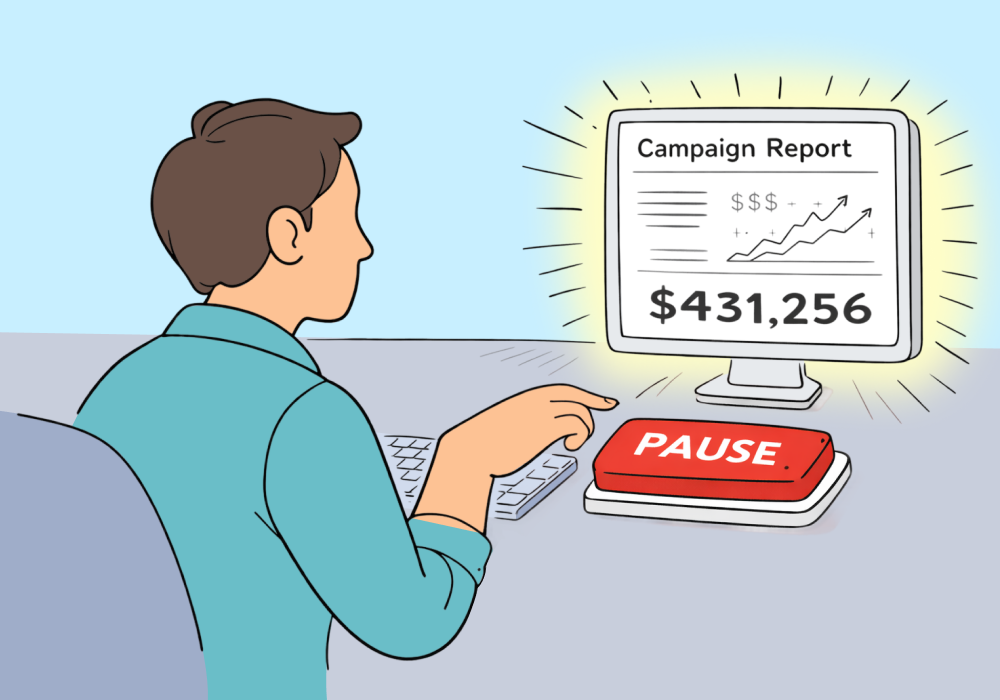
Aggregate metrics lie to PPC practitioners every day. Not dramatically—just enough to make a winning campaign look like a waste of money.
High CPL. Low volume. No obvious ROI signal. On paper, it's the first thing you'd cut.
But pause it, and you might just have killed the campaign that’s actually responsible for your client's most valuable jobs.
This article shows you how to spot the high-CPL campaigns worth keeping—and what to check before you touch the pause button.
Note: Not a WhatConverts user yet? Start your free 14-day trial today or book a demo with a product expert to see how we help prove and grow your ROI.
Why Low-Volume Campaigns Always Look Like Underperformers
PPC platforms reward volume. The campaigns that generate the most leads for the lowest cost look like the winners. The campaigns that generate fewer leads at a higher cost look like problems.
Here's what that looks like:
| Campaign | Monthly Spend | Conversions | CPL |
| Campaign A | $4,000 | 80 | $50 |
| Campaign B | $4,000 | 12 | $333 |
Campaign A has great numbers. Low CPL, high volume, efficient. Campaign B looks broken.
If those are the only numbers you have, the decision seems obvious: cut Campaign B.
But those numbers only show how many leads came in and what they cost. They don’t show what those leads turned into.
| Campaign | Monthly Spend | Conversions | CPL | Revenue |
| Campaign A | $4,000 | 80 | $50 | $12,000 |
| Campaign B | $4,000 | 12 | $333 | $96,000 |
If the 80 leads from Campaign A turn into small jobs while the 12 leads from Campaign B turn into large projects, the financial picture flips completely.
Suddenly the expensive, “underperforming” campaign is revealed to be producing far more revenue.
And that’s the blind spot in most PPC reports: they show lead volume, not business value.
Which is why low-volume campaigns so often look like underperformers—even when they’re the most profitable campaigns in the account.
The Decision Moment Nobody Talks About
This isn't a reporting problem for leadership to sort out in a quarterly review. It's a day-to-day pressure every PPC practitioner feels.
You're in the account. The budget's tight. Campaign B has a $333 CPL and 12 conversions this month. Campaign A is sitting at $50 CPL and looking great. Everything in your training says: cut the expensive one, double down on efficiency.
So your finger hovers over the pause button.
And if you don't have lead-level data tied to revenue, you can't argue against what the dashboard is telling you. You're making a $96,000 decision based on a column that doesn't know the difference between a $150 inquiry and an $8,000 job.
What You Actually Need Before You Pause Anything
The fix isn't more patience or better instincts. It's lead-level visibility.
Before pausing any campaign, you need to be able to answer:
- What is each lead from this campaign actually worth?
- Which ones are qualified vs. junk?
- What service or product did they inquire about?
Aggregate metrics can't answer these questions. A $333 CPL from a campaign generating roofing replacement leads is a bargain. A $50 CPL from a campaign generating warranty question calls is waste.
The number that matters isn't cost per lead—it's cost per dollar of revenue generated.
The Manual Approach: Digging for What Aggregate Reports Bury
Agencies can build this picture without specialized tooling, but it takes real work:
- Export lead records from your CRM or call log. Pull every lead attributed to each campaign for the period you're evaluating.
- Manually tag lead type and value. Work with your client to categorize leads by service and assign revenue potential to each one. This usually means phone calls with the sales team to understand what actually came in.
- Reconstruct campaign-level ROI by hand. Map tagged leads back to campaigns in a spreadsheet. Then recalculate CPL against revenue generated, not just conversions fired.
This works. But it takes hours per client, requires sales team cooperation, and is almost always done after the fact—long after the pause button was already pressed.
The Faster Fix: See Lead Value Before You Act
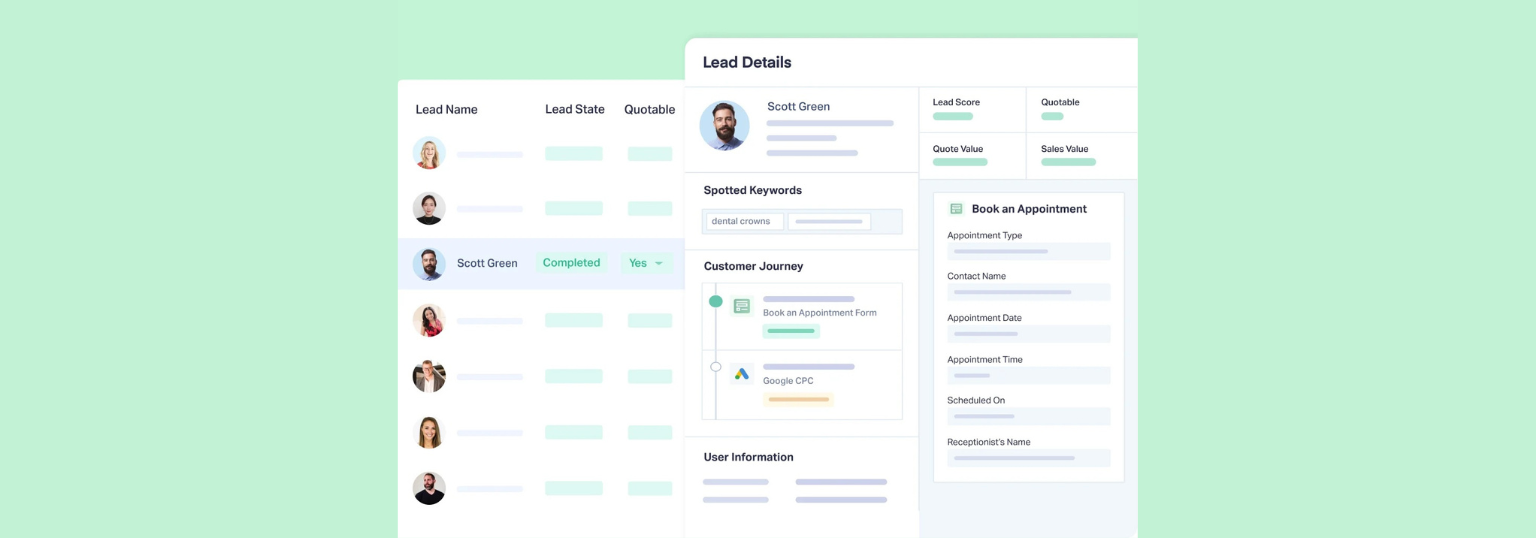
WhatConverts shows you what each lead is worth, by campaign, before you make any optimization decision.
- Every lead is captured with full attribution—campaign, keyword, ad group, and source—so you always know where it came from.
- Lead value is assigned at the individual level. Mark leads as quotable, log quote value, and record sale value. That data rolls up automatically to campaign-level reporting.
- Filter and sort by revenue, not just volume. Instead of seeing "12 conversions," you see "$96,000 in quote value from Campaign B."
The result: the campaign that looked broken suddenly looks like the most efficient spend in the account.
Proof: What Changes When You See Value by Campaign
Atomic Marketing, a UK PPC agency, ran into this exact situation with a client selling luxury garden offices.
They launched a campaign promoting showroom visits. On the surface, it looked inefficient:
- £150–£300 cost per lead
- Typical account CPL: £60–£80
- Low lead volume
Based on the dashboard metrics alone, the campaign was paused.
But when the agency used WhatConverts to track what those leads actually became, the picture changed:
- 70% of showroom leads turned into quotes
- Other campaigns converted at about 30%
- The showroom campaign produced 2,567% ROAS
What looked like the worst campaign in the account turned out to be one of the most profitable.
Read More: 2,567% ROI Uncovered by Revisiting a Paused Campaign [Case Study]
Know Before You Cut
Low-volume, high-CPL campaigns will always look suspicious in aggregate. That's just what the math does when high-value leads are outnumbered by cheaper ones.
But "looks suspicious" isn't a reason to pause. Not knowing is.
Before the next time your finger hovers over that button:
- Pull lead-level data for the campaign in question
- Tag each lead by type and assign revenue value
- Calculate cost per dollar of revenue generated—not just cost per conversion
- Compare that number across campaigns before moving a dollar
The campaign worth keeping rarely announces itself with an impressive CPL. It announces itself with a $96,000 job on month two.
Ready to see what each campaign is actually worth before you cut it?
Start your free 14-day trial of WhatConverts today or book a demo with a product expert to see how we help prove and grow your ROI.
Get a FREE presentation of WhatConverts
One of our marketing experts will give you a full presentation of how WhatConverts can help you grow your business.
Schedule a Demo
Grow your business with WhatConverts







