


 Amanda Pell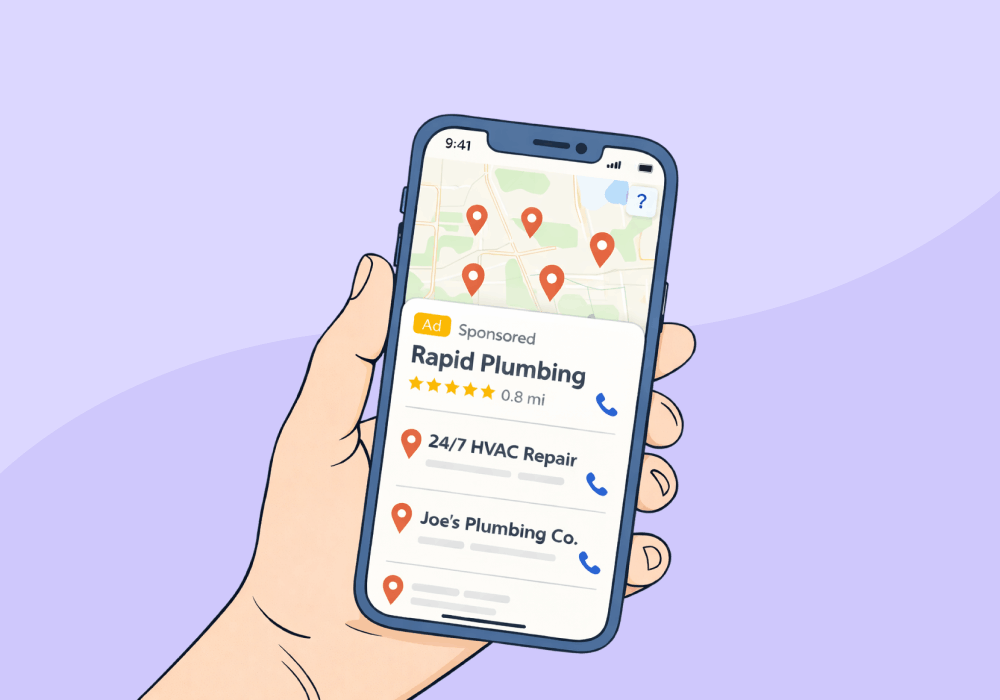
When it comes to local business listings, Google Maps is the first name that springs to mind. Apple Maps offers the same feature, yet it doesn’t get nearly as much attention—perhaps because it only provides organic listings, so marketers don’t think of it as an actively managed marketing channel.
That’s about to change.
This summer, Apple will be introducing paid ads to Maps for the first time: sponsored listings at the top of search results and inside a new "Suggested Places" surface. What used to be a passive organic listing is about to be a measurable, budgeted channel.
Which raises a new question: If Apple Maps starts driving leads, how will you prove those leads are actually worth anything?
This article covers how to get a business listed and optimized on Apple Maps and, more importantly, how to make sure every lead that comes from it, organic or paid, is tracked, attributed, and qualified.
Note: Not a WhatConverts user yet? Start your free 14-day trial of WhatConverts today or book a demo with a product expert to see how we help prove and grow your ROI.
How to Get Your Business on Apple Maps
Apple Maps listings are managed through Apple Business (formerly Apple Business Connect, Apple’s free tool for managing your presence across Maps, Siri, and Spotlight.
Here's how to get listed:
- Go to business.apple.com/login and sign in with an Apple ID.
- Claim or create your business listing. Search for the business by name. If it already exists, claim it. If not, add it manually.
- Verify the listing. Apple verifies ownership via phone call or email to the business.
- Complete the profile. Add hours, phone number, website, service categories, and photos. Completeness affects how prominently Apple surfaces the listing.
- Keep it current. Hours, services, and location changes should be updated immediately. Stale listings underperform.
For agencies managing multiple clients, Apple Business supports bulk management, making it worth adding to your standard local SEO onboarding process.
Getting listed is straightforward. Getting value from that listing is not.
The Real Problem: Throwing Ad Budget Into a Black Hole
When Apple Maps ads launch, you’ll be asking your client to invest in a new paid channel. A few months later, they’ll come back with a question of their own: did we get what we paid for?
If you’re relying on platform-reported metrics, you won’t have a real answer. You’ll be able to show how many calls came through Apple Maps, but you won’t be able to prove that those calls actually drove revenue.
From your client’s perspective, the 500 new calls from Apple Maps could just as easily be spam, wrong numbers, or low-value jobs. You won’t be able to prove otherwise.
The risk isn’t that Apple Maps won’t drive leads—it’s that you won’t be able to prove those leads were worth the spend.
Asking for budget you can't later account for is a credibility problem. Luckily, it's an easy one to avoid.
Read More: The Best Way to Track Calls from Google Ads
How to Track Apple Maps Leads the Right Way
To evaluate Apple Maps as a channel, you need more than platform metrics. You need to see what actually happens after the lead comes in.
That means every Apple Maps lead should be:
- Tracked back to its source (so you know it came from Maps)
- Recorded and transcribed (so you can hear what the lead actually was)
- Qualified (so you can separate real opportunities from junk)
- Assigned value (so you can measure revenue impact)
With that in place, your reporting changes completely.
Instead of, “We got 22 calls from Apple Maps, you can say, “We got 22 calls. 14 were qualified. The average job value was $1,800.”
That’s what turns your basic channel report into a real business case.
Why This Matters Now
Apple Maps ads aren't live yet. That means there’s a short window to prepare before spend starts.
Agencies that set up proper tracking now will have:
- A baseline for organic Apple Maps performance
- Clear visibility into lead quality from day one
- The ability to measure incremental impact when ads launch
The ones that wait will spend the first few months collecting data they can’t actually use.
What to Do Before Apple Maps Ads Launch
Here's what to do now:
- Claim and optimize Apple Maps listings
- Assign a dedicated tracking number
- Capture and qualify every lead
- Establish a baseline for call volume and lead quality
- Set up reporting that ties leads to revenue
When Apple Maps ads launch, you'll have the data to evaluate spend, prove ROI, and make budget decisions clients can trust.
Ready to track Apple Maps performance before the ads go live?
Start your free 14-day trial of WhatConverts today or book a demo with a product expert to see how we help prove and grow your ROI.
Get a FREE presentation of WhatConverts
One of our marketing experts will give you a full presentation of how WhatConverts can help you grow your business.
Schedule a DemoGrow your business with WhatConverts







