


 Amanda Pell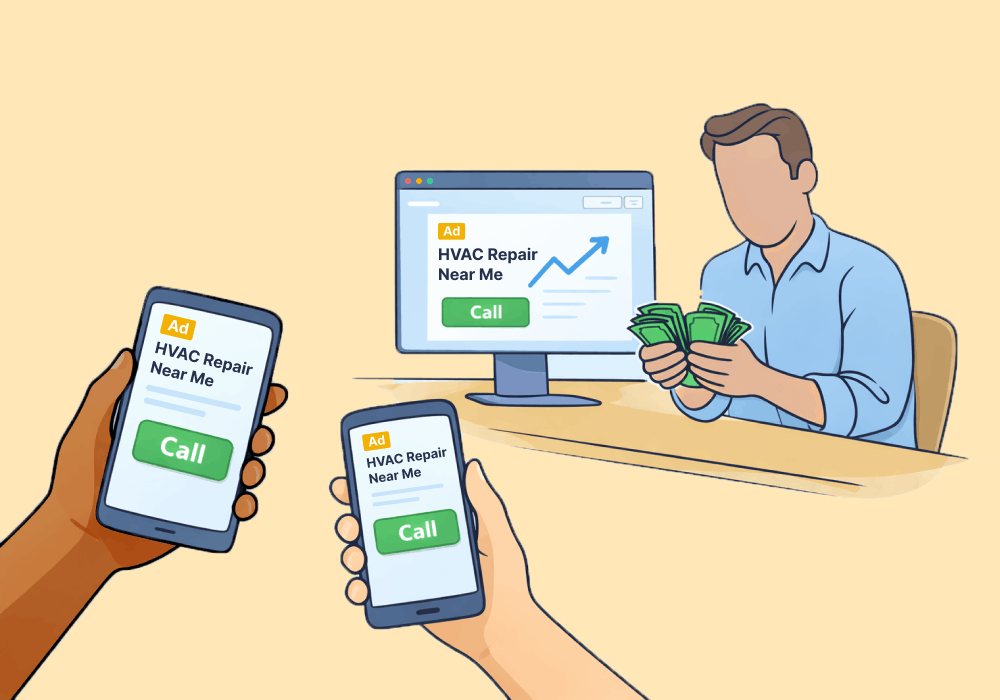
Click-to-call ads put a phone number directly in front of someone who's actively searching for what you sell. No landing page, no form, no friction—just a tap and a ringing phone. The intent signal doesn't get much stronger than that.
But there's a fundamental problem with how most businesses run click-to-call campaigns: they can count the calls, but they can't see what happened during or after them.
- Which calls were qualified?
- Which ones turned into revenue?
- How does this campaign compare to your other call sources on an ROI basis?
Without those answers, you're flying blind.
This article breaks down exactly what click-to-call captures natively, where the data stops, and how to layer in qualification and value tracking so you can optimize these campaigns on revenue—not just rings.
Note: Not a WhatConverts user yet? Start your free 14-day trial of WhatConverts today or book a demo with a product expert to see how we help prove and grow your ROI.
How Click-to-Call Ads Work So Well
Click-to-call ads are Google Search ads that display a phone number directly in the search results. On mobile, a single tap connects the searcher to your business instantly.
This is huge for local and service-based businesses. According to Google, 18% of local smartphone searches lead to a purchase within a day, so click-to-call ads are a powerful tool for capturing high-intent leads.
The reason click-to-call is so effective is because it eliminates the friction: callers don’t have to navigate to a landing page or type the phone number in themselves. Someone searching "emergency HVAC repair" or "personal injury lawyer near me" is already in buying mode. Click-to-call meets them there and removes every barrier between intent and contact.
Higher-intent traffic, shorter path to conversion, more calls from people who are ready to talk.
The Flip Side of Frictionless
Of course, click-to-call isn’t without its downsides: the same ease of use that makes it such a powerful lead capture tool means it attracts lots of junk, too.
A phone number sitting in a public search result doesn’t only attract ready buyers. It also brings in:
- Existing customers calling to ask about their account
- Vendors calling to pitch their services
- Bots spamming random, easy-to-find numbers
- Low-intent time-wasters that will never make a purchase
None of that is valuable, but it all lands in the same bucket as your legitimate leads—where it can skew your reporting, make ad campaigns look more effective than they are, and lead you to waste your ad budget paying for clicks that never become customers.
The Problem: Click-to-Call Only Captures Half the Story
The problem isn’t click-to-call ads themselves—they’re still one of the most powerful, highest-value lead generation tools out there. The problem is that Google doesn’t capture enough data for you to take full control of your click-to-call campaigns and make sure they’re actually making you money.
Google reports click-to-call calls as conversions—but the data stops at the call event itself. You can see:
- How many calls came in
- Call duration
- Which campaign or ad group drove the call
So your click-to-call campaign data might look like this:
| Calls | Average Call Duration | |
| Campaign A | 42 | 2:14 |
| Campaign B | 61 | 1:52 |
| Campaign C | 78 | 1:15 |
Based on this information, you would say Campaign C is your highest performer: it’s bringing in the most calls, and since the average call is over a minute, it’s reasonable to assume that the calls are real and it’s not just generating spam.
Here’s what you can't see:
- Whether the caller was a qualified prospect or a wrong number
- What service or product they were calling about
- What the call was worth in terms of potential revenue
- How this campaign's callers compare in quality to callers from organic search, LSA, or other paid sources
If you did have that data, here’s it would look like:
| Calls | Avg. Duration | Qualified Leads | Revenue Generated | |
| Campaign A | 42 | 2:14 | 38 | $94,000 |
| Campaign B | 61 | 1:52 | 19 | $47,000 |
| Campaign C | 78 | 1:15 | 11 | $12,000 |
So the campaign you thought was working the best is actually bringing in the least revenue, while the one bringing in the fewest calls is driving your highest ROI.
Read More: Why Call Extensions Alone Don't Solve Call Tracking
Where This Becomes a Bigger Issue
Okay, so click-to-call isn’t giving you the complete picture. All three campaigns still made you money, so what’s the big deal?
You can survive on surface-level data for a while if every campaign is profitable and you have plenty of budget to spare (which, for most businesses, is rarely the case). There are three moments when decisions made on incomplete data start to get very expensive:
When Your Campaigns Start Losing Money
All three campaigns didn’t make you money—they made you revenue. Here’s the problem:
| Calls | Ad Spend | Qualified Leads | Revenue Generated | |
| Campaign A | 42 | $2,100 | 38 | $94,000 |
| Campaign B | 61 | $3,050 | 19 | $47,000 |
| Campaign C | 78 | $3,900 | 11 | $12,000 |
Campaign C is spending $3,900 to generate $12,000—which looks fine, until you account for what it costs to actually fulfill those jobs.
After payroll, expenses, supplies, and mileage, you’re looking at $4,800 in gross profit against $3,900 in ad spend. You’re barely breaking even.
Meanwhile, Campaign A is producing $94,000 in revenue on $2,100 in spend. Without the revenue data, you’d never know any of this.
Read More: The "Expensive" Campaign Generating 10x More Revenue Than Your "Efficient" One
When You Double Down on the Wrong Campaign
Here’s where it gets worse: because Campaign C looks like your strongest performer, the natural move is to increase its budget. So you increase spend, calls go up, and the reporting looks even better—more conversions, healthy duration, efficient CPL.
But somehow, your margins are getting thinner and thinner: you’re getting more calls and more jobs than ever, but they’re all low-value callers that are worth barely more than the cost of the parts and labor it takes to complete them.
When You Cut the Campaigns That Actually Work
As expenses increase and revenue fails to keep pace, you have to figure out where you can tighten your belt. Your instinct is to protect the high-volume campaigns and trim the ones that look light, so you cut Campaign A since it brings in the fewest calls.
But those calls were actually bringing in your biggest-ticket jobs, so cutting Campaign A also cuts over 60% of your revenue. Times were already tough, but now you’re underwater.
The good news is that all of this is preventable with the right tools.
The Fix: Track the Call—and What It’s Worth
The fix isn't complicated. It's just a layer of tracking most click-to-call campaigns are missing.
WhatConverts captures every click-to-call lead with full attribution—campaign, keyword, ad group—and connects it to what happened after the call came in. Every call gets:
- Source attribution tied to the exact campaign and keyword that drove it
- Qualification status so spam calls and wrong numbers don't inflate your numbers
- Lead value so you can see which campaigns bring in high-dollar opportunities versus tire-kickers
- Call recordings and transcripts so you don't have to take anyone's word for what was discussed
The result is a report that doesn't just show "78 calls from Campaign C." It shows "78 calls, 11 qualified, $12,000 in revenue potential"—right next to every other campaign.
That's the comparison that changes budget decisions.
The Complete Click-to-Call Tracking System
Once you have qualification and value data on your calls, the flywheel runs:
- Capture every call with full source and keyword attribution—no exceptions.
- Qualify each lead so junk calls don't distort your campaign performance data.
- Assign lead value based on service requested, quote given, or closed revenue.
- Compare campaigns on revenue, not call count. Which ones actually generate money?
- Feed that data back to Google Ads so Smart Bidding learns to optimize for high-value callers—not just callers.
When every click-to-call lead carries qualification and value data, optimization stops being a guess. You know exactly which campaigns are worth scaling and which ones just look busy.
That's what it takes to make click-to-call ads actually work.
Ready to see what your click-to-call campaigns are really worth?
Start your free 14-day trial of WhatConverts today or book a demo with a product expert to see how we help prove and grow your ROI.
Get a FREE presentation of WhatConverts
One of our marketing experts will give you a full presentation of how WhatConverts can help you grow your business.
Schedule a DemoGrow your business with WhatConverts







