


 Alex Thompson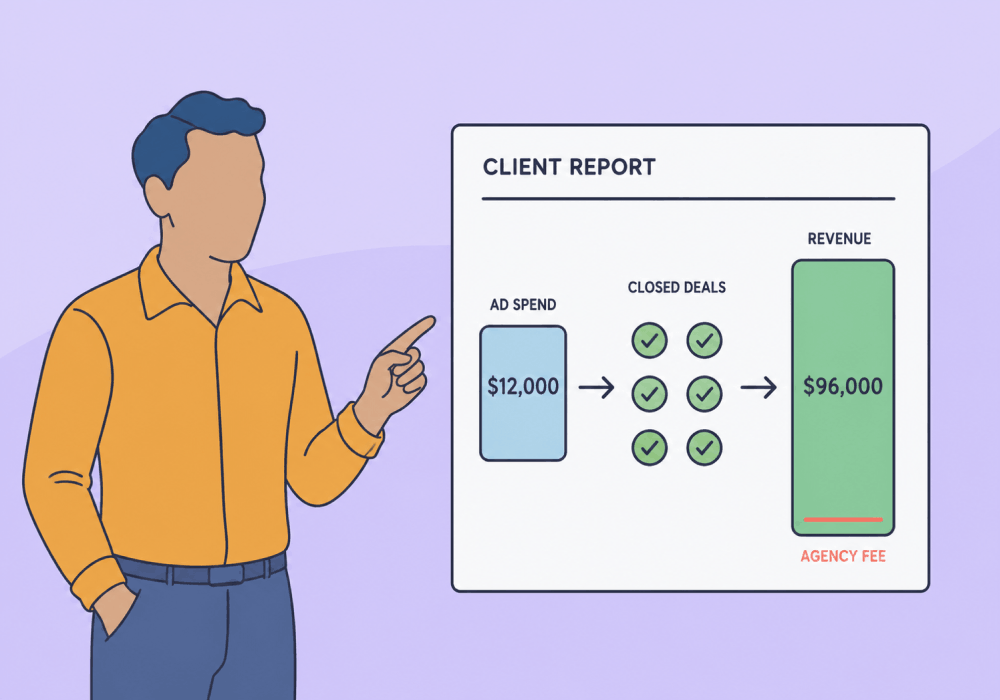
You're up for renewal with a home services client, and the question on the table is whether your management fee is still worth it. You priced it at the start the way most agencies do: somewhere in the 10% to 30% of ad spend range, or a flat monthly retainer. You've worked out how much to charge for PPC management more times than you can count.
Here's what no pricing calculator tells you: you can pick any model in that range and still lose the account.
Price alone was never the thing keeping the account.
What keeps it is proof a client can see in their own revenue: that the fee returns more than it costs. And that's what this article shows you how to do.
We'll show you how to:
- Pick a model that covers your costs
- Defend the fee with the revenue it drove
- Raise it when the data backs you up
Pricing Models Converge on 10–30% of Ad Spend
Most PPC management fees fall between 10% and 30% of ad spend, or a flat $1,500 to $10,000 a month retainer. The number a client accepts isn't set by the model you pick. It's the fee you can back with proof of the revenue your campaigns produced.
Five models cover almost every agency. Each optimizes for something different, and each carries at least one trade-off:
| Five pricing models at a glance Pick by what you need from the fee, not by what is popular. | |
| Flat fee | Optimizes for Predictable revenue, the simplest invoice. Trade-off You eat the gap if you misjudge the effort. |
| Percentage of spend | Optimizes for Scaling with the workload. Trade-off Your own revenue gets lumpy. |
| Flat plus percentage Most common | Optimizes for A covered floor that still scales. Trade-off Two levers to keep aligned. |
| Hourly | Optimizes for Billing strictly for time spent. Trade-off Penalizes speed; a report bills like the work that drives leads. |
| Performance-based | Optimizes for Client appeal and shared upside. Trade-off Too much of the outcome sits outside your control. |
With the first four, you are in control. You decide the time to spend on an account. You recommend (and fight for) the budget. And you hold most of the cards. But the fifth option means getting visibility into the revenue your marketing generates. Which often means having access to client-side software.
Again, no pricing model on its own is a make-or-break deal. Each can work well. But performance-based agency pricing is the only one that doesn't put a cap on your earnings.
Cost Per Lead and Platform ROAS Can't Defend a Fee
The model alone doesn't keep the account. What loses it is a fee the client can't see producing revenue. This is a problem for standard monthly reports, because they tend to show activity: cost per lead, platform ROAS, conversion counts. None of them describes revenue.
A form-fill is not a sale. Google can tell you someone clicked a $150 "car accident lawyer" ad and called. It can't tell you whether that caller signed a $75,000 case or hung up. Smart Bidding reads the call as a win and hunts for more callers, not more clients.
Relying on platform counts makes it worse. Each platform counts the same conversion under its own rules, so totals run high. And they count the event (a call or a form) not the booked job.
The gap shows up fast in a real account. One agency's audit found about 3% of a client's leads became customers. That put the true cost per acquisition past $1,500, against a reported $45. See what cost per lead does and doesn't tell you.
| The same month, two very different numbers What the report shows, next to what reached the client's bank. | |
| On the report 100conversions logged $45cost per lead Looks cheap. Looks healthy. | In the bank 3closed deals about 3% of those leads $1,500true cost per deal More than 30x the reported cost. |
On the client's side, a profitable campaign can read as a failure when the client's intake is the breakdown, not the ads. Leads contacted within an hour are far likelier to qualify: about seven times likelier than an hour later, sixty times likelier than a day out. So those leads you fought so hard for are a lost cause when the front desk always drops the ball.
All of these visibility problems (activity KPIs, no connection to revenue, limited sales accountability) work against you showing the true value of the marketing you generate. And when clients can't see the value in what you do, that's when they consider switching to another agency.
Close the Loop: Tie Closed Deals to the Spend That Drove Them
So the fee defense needs proof of revenue, not proof of activity. That proof has a mechanism, and it comes straight from Google. Every ad click carries a unique click ID, the GCLID. You store it with the lead. When the deal closes offline, say a signed contract or a booked install, you send that click ID back to Google Ads with the revenue value attached. Google records which click produced the money.
Enhanced Conversions for Leads is the method Google now recommends. It sends hashed first-party data, email and phone, alongside the click ID for a more durable match. Capture the click, tag it with revenue when it closes, send it back to Google Ads.
| 1The click is tagged Every Google Ads click carries a unique ID, the GCLID. |
| 2The lead is captured and stored You save that click ID with the lead in your CRM or lead tracking. |
| 3The deal closes, with a value When it becomes revenue, you mark it closed-won and attach the dollar amount. |
| 4The value goes back to Google Ads You send the click ID and its revenue back, so Google sees which click produced the money. |
| 🔁The loop closes: smarter spend Now bidding chases revenue, not just clicks, and the next click starts the loop ahead. |
Build the loop by hand
You can run this loop without buying anything:
- Turn on auto-tagging in Google Ads.
- Capture the click ID, or the first-party data, with every lead in your CRM.
- When a deal closes, mark it closed-won and attach its revenue value.
- Push it back to Google Ads through a native connector, a Zapier flow, the API, or a manual import.
Then watch your match rate. Above 70% is healthy. Under 50% means a data-quality problem to fix before you report a dollar of it.
The payoff for giving Google this data is measurable. Google's offline conversion import shows advertisers who send first-party data with the click ID get about a 10% lift in measured conversions over a standard import. An independent agency's multi-account test landed a 16% average lift, with one account down 3%, honest evidence that recovering this data moves real numbers. That is the proof a pricing model can't give you: which spend produced which closed deal.
Or let lead tracking close the loop for you
Hand-stitching click IDs to leads across a dozen client accounts is where this turns slow and brittle. Lead tracking captures every call, form, and chat with its full source automatically. The click ID rides along with the lead from the first touch. You assign each closed deal its value, and the Google Ads integration sends only those qualified, valued leads back to Google Ads as conversions, revenue attached.
We make this easy in WhatConverts.
The screenshot below shows that handoff. It's the faster, sturdier version of the manual path, not a substitute for understanding it. Same loop, far less manual upkeep, and it holds across a portfolio of accounts.
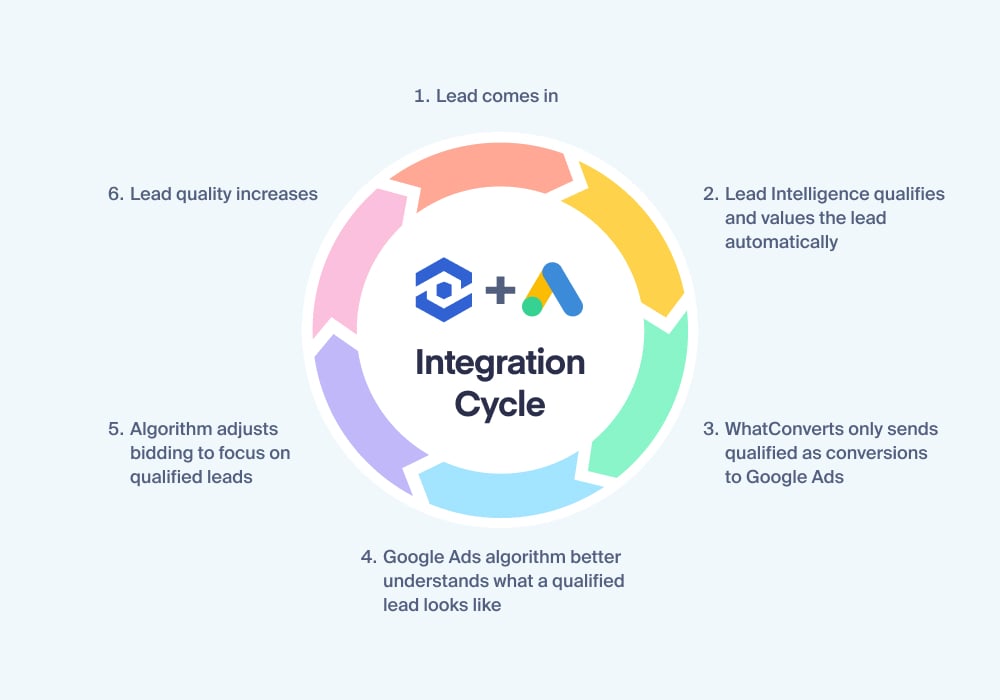
The closed deal's value flows back to the exact Google Ads campaign and keyword that produced the click.
See how the native Google Ads integration pushes your closed-won leads back as conversions, with their revenue attached.
Integration Spotlight: Google Ads
Put Your Fee Inside the Revenue It Produces
Once you can show revenue per dollar of spend, you stop defending the fee and start placing it: as one line inside a revenue number much bigger than itself. A cost gets cut when budgets tighten. A line that returns multiples gets defended. The work now is building the report that shows it.
Build the report that puts the fee inside the revenue
Build the client report around closed-deal revenue, not conversions: spend and revenue by campaign and keyword, with your management fee as one small line inside the total. Assign closed-deal value to each lead so the report reads in dollars earned, not leads counted.
The reframe is the evidence. Rank three campaigns by cost per lead, and one of them looks like the winner. Rank the same three by the revenue they actually closed, and the order can invert, because the cheapest leads and the most valuable ones are rarely the same leads. The reframe below shows both rankings side by side.
Here's the part that surprises people. Tie ad spend to the revenue it actually drove, and the same view that defends your fee usually shows it's underpriced. In one worked example, a client pays $7,500 a month against an assumed $15,000 to $20,000 in revenue. Lead tracking shows the campaigns actually drove $125,000 last month. At a healthy two-to-three-times return, that fee should be $40,000 to $60,000.
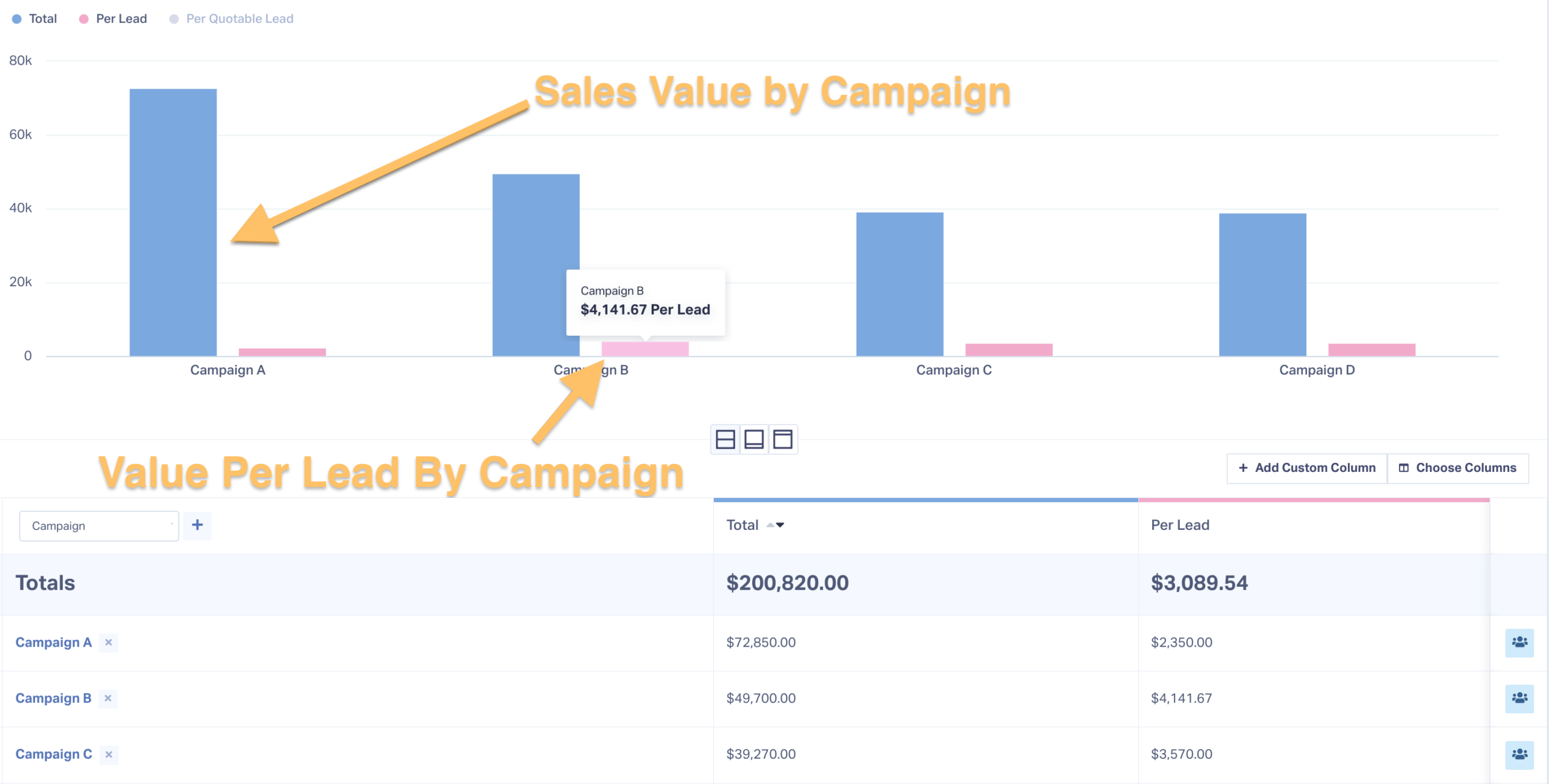
The campaigns ranked by the revenue they produced, with the fee only being a fraction of it.
Raise the fee when the data backs it
Raising the fee is now a data conversation, not a nerve test. Present the revenue-attributed return, propose the expanded scope it justifies, and give 60 days' notice. A defensible trigger is a documented return well above the fee, steady across two or three months, not one strong report.
Plenty of agencies never make this move for one reason: their competitors don't. That hesitation is the opening for the agency that can put real revenue on the table. One WhatConverts customer turned a client's doubt into a documented 9X return and a 150% budget increase, on the strength of attribution data the client could check for itself.
Does that mean you raise the fee tomorrow? No. It means the next fee conversation starts from revenue you can prove, not a rate card you have to defend.
See how one agency turned ROI reporting into a doubled client budget, and doubled its own client base.
Real Results: 2x Ad Budget, 2x Clients – ROI Reporting Fuels Growth
Four Reporting Habits That Undercut a Fee Defense
Even with the proof in hand, a handful of reporting habits undermine successfully defending your fees. Here are four mistakes to avoid in your reporting:
| ✗Leading with lead count Costs youKeeps the fee a cuttable expense. The tellYour report opens with the lead count. | ✗Leaning on platform ROAS Costs youIt collapses when the client's bank statement disagrees. The tellYou can't explain the gap when they ask. |
| ✗Sending the same report monthly Costs youIt gets skimmed once, then ignored, and retention slips. The tellNobody opens it. | ✗Blaming the client's close rate Costs youIt reads as deflection and shifts blame off marketing. The tellYou're debating their sales floor, not your attribution. |
Generic, static reports get skimmed once and then ignored, which is how static client reports lose accounts. And when a client's leads are not closing, prove marketing delivered qualified demand instead, the leads and the call records, and keep the argument on attribution, not their sales floor.
PPC Pricing Questions Worth a Straight Answer
How much should I charge for PPC management?
Most fees land at 10% to 30% of ad spend, or a flat $1,500 to $10,000 a month. The number a client accepts is the one you can back with proof of the revenue your campaigns produced. However, if you have closed-loop reporting that connects marketing to revenue, you can charge much more based on how well your marketing performs.
Should I charge a percentage of ad spend or a flat fee?
Either works. Choose on your own cost structure and how steady you need your revenue, then defend the fee on the revenue it drove, not the model you picked.
How do I justify my PPC management fees to clients?
Show the closed-deal revenue your campaigns produced, broken out by campaign and keyword, with your fee as one line inside that revenue. A fee a client can see returning multiples doesn't need justifying.
From a Line Item They Cut to an Investment They Protect
You started with a fee you had to argue for, and a client who couldn't see it earning its keep. That's the part that changes. Defend the fee with closed-loop proof of the revenue it produced, and it stops being a number you negotiate. It becomes one the client can see returning multiples, and a line that returns multiples gets protected, not cut.
The system, in order:
- Pick a model that covers your costs.
- Capture every lead with its source.
- Tag the ones that close with their revenue.
- Send them back to Google Ads.
- Put your fee inside that revenue, on the report the client reads.
A fee defended with a model menu is a negotiation. A fee defended with revenue is arithmetic.
Ready to turn every lead into proof of the revenue it produced?
Start your free 14-day trial of WhatConverts today or book a demo with a product expert to see how we help prove and grow your ROI.
Get a FREE presentation of WhatConverts
One of our marketing experts will give you a full presentation of how WhatConverts can help you grow your business.
Schedule a DemoGrow your business with WhatConverts







