


 Amanda Pell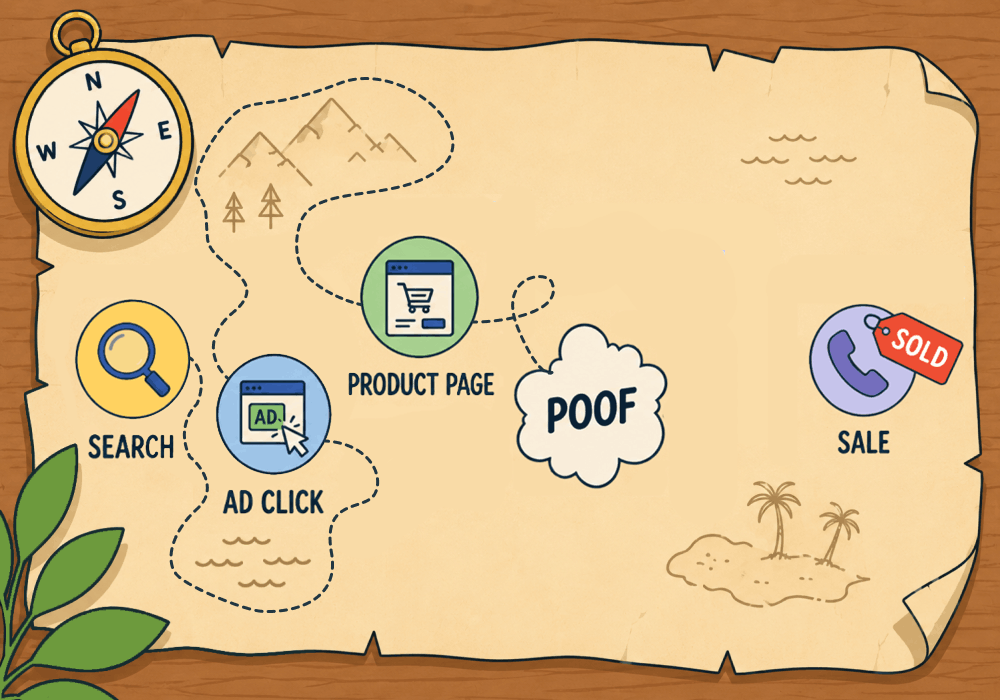
The easiest marketing attribution to track comes from e-commerce transactions. Click, cart, checkout, revenue: all of it stays connected, so you see exactly what each click and campaign are worth.
That clean chain of events gets severed, though, when orders jump from online to over the phone.
Complex and high-value purchases rarely close in an online cart: instead, the buyer browses online, then picks up the phone to negotiate a bulk rate, customize a spec, or ask a question no product page answers. The order that started as a tracked session finishes as an untracked call, and the revenue lands nowhere near the ad that earned it.
This article shows how to reconnect that attribution chain, capture that revenue, and tie the phone close back to the campaign that started it.
Start your free 14-day trial of WhatConverts today or book a demo with a product expert to see how we help prove and grow your ROI.
Why Your Best Customers Break Your Tracking
The cart tracks the customers who need the least convincing. A $60 order goes through checkout without a single question.
The $6,000 order is different. That buyer wants to talk to someone before committing, so they call. And the switch to a call is where standard e-commerce tracking goes dark.
| Order | Closed | Value | Campaign |
| 30 standard purchases | Online checkout | $1,800 | Campaign A |
| 10 standard purchases | Online checkout | $600 | Campaign B |
| 3 bulk orders | Phone call | $9,000 | Unknown |
| 1 negotiated account | Phone call | $7,000 | Unknown |
Based on this data, it looks like Campaign A is the winner, as it generated three times the orders and revenue as Campaign B. But with four massive phone orders with no attribution, we’re left with two glaring issues:
- We don’t know for sure if Campaign A was the better campaign, since any of those phone orders could have been driven by Campaign B.
- We don’t know how to drive more of those big orders, because we don’t know where they came from.
This leaves you, as a marketer, incapable of making a strategic decision. You can report on the past, but you can’t grow revenue in the future.
The Old Way: Optimize Based on Cart Revenue Alone
Google Ads’s default setup is able to automatically feed e-commerce conversion values back to the platform. The checkout price of each purchase is tied to the campaign click that drove it, and bidding follows the campaigns and keywords driving the most online sales.
The trouble is that the largest sales are usually the phone orders, and Google Ads can’t see those at all. Leaving them out doesn't just undercount revenue. It actively teaches the campaigns to chase the smallest transactions and starves the searches that produce big-ticket calls.
If you optimize using cart revenue alone, you optimize toward driving more of the cheapest part of your business.
How to Track the Full E-com to Phone Sale
Capturing that revenue comes down to one thing: the call and the online order have to run through the same tracking, so the phone sale carries the campaign that started it. Here is how that works.
Here's the workflow:
- Track calls and e-commerce with one script. A single first-party script on your site captures online transactions and phone calls together, instead of the cart tracking one and a separate call tool tracking the other. One source of truth, one set of attribution.
- Let dynamic number insertion carry the source onto the call. The script swaps in a unique tracking number per visitor, so when a browsing shopper picks up the phone, the call arrives already stamped with the campaign, keyword, and pages that led to it. The attribution rides along instead of dropping at the cart.
- Attach the sale value when the call closes. Once the bulk or negotiated order is agreed, record the amount on that lead, by hand or with a rule that reads the lead detail or call transcript. The phone order becomes a dollar figure tied to its campaign, not a conversation that vanishes.
- Push that value back to the ad platform. Send the phone sale into Google Ads as a conversion value against the campaign that earned it, the same way carted revenue already flows back. Now the platform sees the big orders it was blind to.
Once the phone revenue lands next to the cart revenue, the campaign driving your largest orders finally shows its real return.
Related Reading: How to Track the Digital Customer Journey and Unlock Insights
Why WhatConverts Tracks Both in One Place
Stitching call revenue to online revenue by hand means exporting two systems and hoping the sources match. It breaks as soon as volume climbs.
WhatConverts captures e-commerce transactions and phone calls in the same platform, with full marketing attribution on each.
- See online and offline sales on one dashboard. Carted orders and closed calls sit side by side in the Lead Manager, each tied to the source, campaign, and keyword that produced it.
- Attach sale values to phone leads. Record what a call was worth so a negotiated or customized order counts as revenue, right alongside checkout data.
- Report total revenue per campaign. Pull online and phone sales into one view and fund the campaigns that earn across both, not just the ones the cart happens to see.
Help Center Guide: Manage Sales and Quote Values in the Lead Manager
Proof: How Midsummer Agency Attributed $18M in Revenue
Midsummer Agency ran more than $2 million a year across Google and Bing Ads for a large home and garden decor brand. The client had a complex model: e-commerce purchases, phone call leads, and a mix of other conversions in between.
The online side attributed cleanly. Every other conversion, phone calls especially, was the hard part.
With WhatConverts, Midsummer tied calls back to the campaigns that drove them and layered on lead detail: who called, what products they wanted, and which pages they viewed before and after. That let them measure every campaign by revenue earned instead of carted sales alone, and move budget toward the campaign generating the majority of phone sales.
The full picture paid off. Midsummer attributed $18 million in revenue to that $2 million spend, a 900% ROI, with a 6% lift in transactions and 5% revenue growth year over year.
The Unlock
Here's what changes when the phone sale counts:
- Track online orders with full value and source, as you already do.
- Track calls to the same attribution standard, so no phone order goes anonymous.
- Attach sale values to closed calls and turn conversations into recorded revenue.
- Report both against one campaign to see total return, not the carted half.
- Fund the campaigns that earn across cart and phone, and stop underpaying your best-performing searches.
A campaign isn't underperforming just because the cart can't see it. Track the whole sale and the numbers finally match the revenue.
Ready to see the full revenue picture behind every campaign?
Start your free 14-day trial of WhatConverts today or book a demo with a product expert to see how we help prove and grow your ROI.
Get a FREE presentation of WhatConverts
One of our marketing experts will give you a full presentation of how WhatConverts can help you grow your business.
Schedule a DemoGrow your business with WhatConverts







