


 Amanda Pell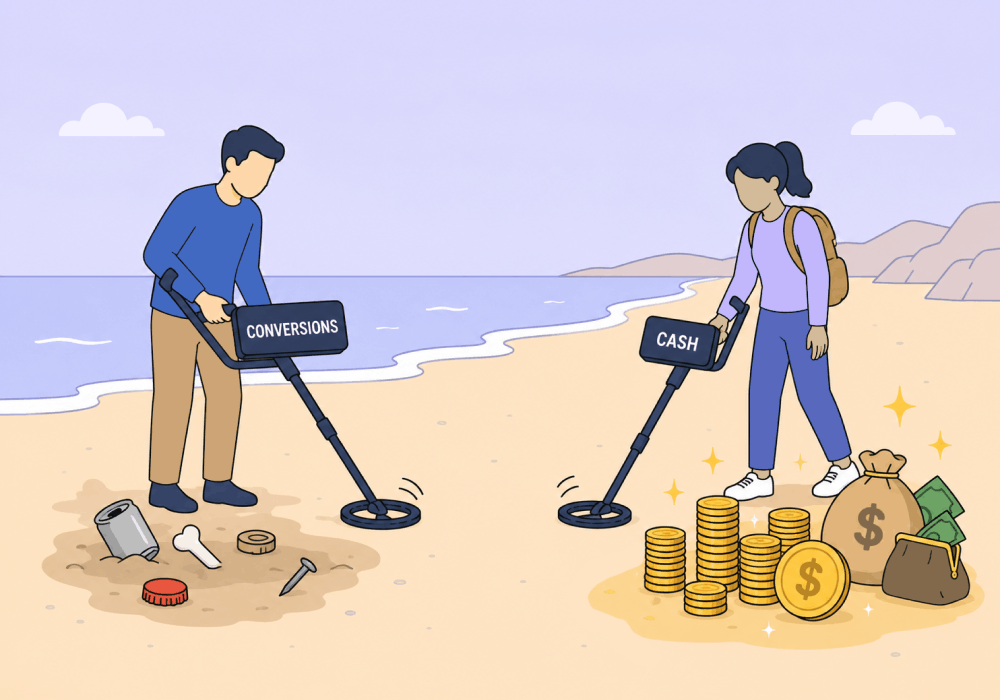
Most PPC optimization advice is attuned to the wrong number.
You already know the usual goals:
- Lower the cost per conversion
- Raise the conversion rate
- Scale the winners
It sounds correct. But a conversion is not a customer, and a cheap conversion is usually a cheap lead.
The campaigns that look best on a conversion dashboard are often the ones bringing in your lowest-value business. Optimize on volume alone and you can grow your conversions while shrinking your revenue.
The reason is simple: a campaign optimizes toward whatever number you feed it, so a good PPC optimization strategy has to optimize toward value. This guide shows you how to do that in four stages: who you reach, what you pay to reach them, what happens after the click, and where your budget goes.
Note: Not a WhatConverts user yet? Start your free 14-day trial of WhatConverts today or book a demo with a product expert to see how we help prove and grow your ROI.
Stage 1: Who You Reach
Optimization starts before anyone clicks. Targeting decides which searches and which people your budget chases, so it sets the ceiling on everything downstream.
Keyword Research and Negatives
Keywords decide who sees your ad. Most marketers build lists around volume and cost, but the better filter is intent: which searches bring in the jobs worth winning. Audit your search terms report weekly and add negatives aggressively, because every wasted click is budget pulled away from a buyer.
Measure: revenue per keyword, not clicks or conversions per keyword. A term with fewer conversions can still produce more booked work.
Learn how to get keyword reports that return real value: Keyword Reports: How to See Which Keywords Actually Drive Revenue
Audience Targeting
Audiences narrow that reach further. Layer in demographics, in-market segments, and remarketing lists to concentrate spend on the people most likely to buy. The real lift comes from feeding your platforms data on which audiences produced revenue, so they find more people who resemble your best customers, not just your most frequent ones.
Measure: average lead value and close rate by audience segment.
Stage 2: What You Pay to Reach Them
Once the right people are seeing your ads, the next lever is cost. These two tactics decide how far each dollar stretches.
Bid Strategy and Smart Bidding
Smart Bidding works. It just does exactly what you tell it. Feed it raw conversion counts and it chases the cheapest conversions it can find. Feed it conversion values and it reorients around profit, funding the campaigns that actually pay off.
Measure: ROAS and conversion value, not cost per conversion. The "expensive" campaign with a 30x return beats the cheap one returning nothing.
Related Reading: ROAS in a Rut? Try Optimizing Ad Spend by Product or Service
Quality Score
Quality Score lowers your costs and lifts your ad rank through tight keyword-to-ad relevance and a strong landing page experience. It's a means, not a goal. A perfect score on a keyword that books low-value work is still optimizing toward the wrong outcome.
Measure: Quality Score as an efficiency input, then check it against revenue per keyword to confirm you're getting cheaper clicks on the right searches.
Stage 3: What Happens After the Click
Reaching the right people at the right cost means nothing if the click doesn't turn into real business. This is where the lead is won or lost.
Ad Copy and Extensions
Strong copy earns the click and pre-qualifies the clicker. Naming price ranges or service tiers filters out browsers before they cost you. Extensions add clarity, though call extensions deserve a closer look: Google counts calls over a duration threshold as conversions while charging for every click-to-call tap.
Measure: the quality of the leads each ad and extension produces, not click-through rate.
Landing Pages
Your landing page is where a click becomes a lead. Match the page to the ad's promise, keep one clear action, and remove friction. A high conversion rate can still mislead: a page converting at 12% with qualified buyers beats one at 25% with tire-kickers.
Measure: qualified conversion rate by landing page.
Related Reading: Which Landing Pages Drive the Most Leads? This Report Tells You
Stage 4: Where the Budget Goes
This is where every decision above adds up. The instinct is to shift money toward the lowest cost per conversion, and that instinct is often wrong. Reallocate based on what each campaign earns. When your data reflects real-world value, you can confidently move budget toward high-return services and let automation compound the results.
Measure: revenue and ROI by campaign before you cut or scale anything.
The Revenue Layer Most PPC Optimization Strategies Skip
Notice the pattern across all four stages: every lever improves when you measure revenue instead of volume. The catch is that ad platforms can't see revenue on their own. They know a conversion happened, never what it was worth.
That's the piece WhatConverts adds. It captures every call, form, and chat with full multi-touch attribution, records and transcribes what each lead asked for, and lets you qualify and assign a value to it.
From there, Lead Intelligence rules let you score and value leads automatically based on conditions you set. Those values sync back to Google Ads and Meta, so Smart Bidding optimizes for the leads that generate revenue, not the ones that are simply cheap to acquire.
The result is a feedback loop. Every qualified lead teaches your campaigns what a profitable customer looks like, and every optimization gets sharper.
Related Reading: How to Measure Lead Quality [+ Scoring Checklist]
The Bottom Line
PPC optimization isn't a single lever. It's who you reach, what you pay, what you say, where you send them, and how you split the budget, all pulling in the same direction. The direction that matters is revenue.
Point every stage at the leads that actually book work, and the whole account starts compounding instead of churning conversions.
Ready to optimize for revenue instead of volume?
Start your free 14-day trial of WhatConverts today or book a demo with a product expert to see how we help prove and grow your ROI.
Get a FREE presentation of WhatConverts
One of our marketing experts will give you a full presentation of how WhatConverts can help you grow your business.
Schedule a DemoGrow your business with WhatConverts







