


 Alex Thompson
JobNimbus knows which roofs you sold. Your ad platforms don't. That gap is why so many contractor reports still stop at lead counts, and why the answer to "which campaign paid off" shows up months after the lead came in.
The JobNimbus integration already connected jobs and invoices back to the marketing that drove them. Starting today, it covers the whole customer lifecycle.
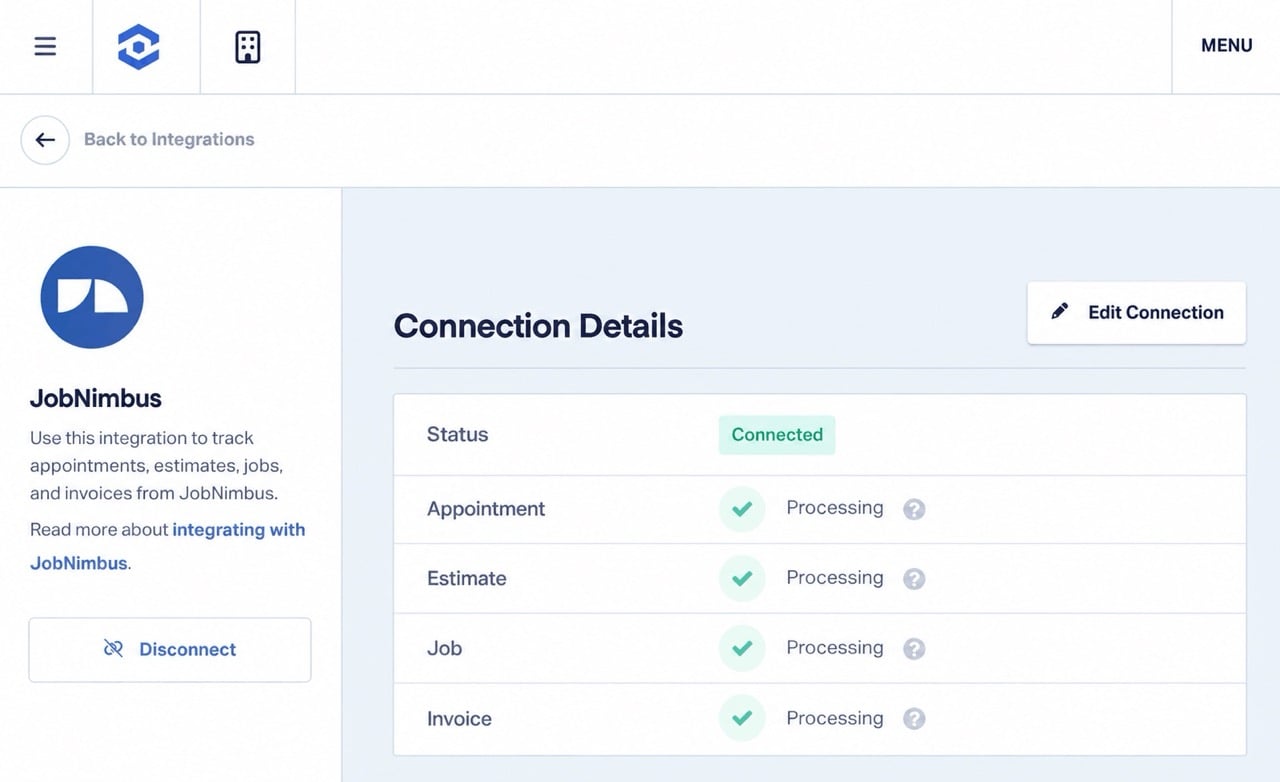
The upgraded JobNimbus integration now captures four records against the lead that produced them: the appointment, the estimate, the job, and the invoice. Quote Value, Sold Revenue, and Sales Value fill in automatically and stay current as each job moves through your JobNimbus pipeline. Marketers and agencies get revenue data earlier in the deal, and ad platforms get stronger signals to optimize on.
Note: Available on Pro plans or higher. How to Upgrade My Plan
Integration Spotlight: JobNimbus
What's New
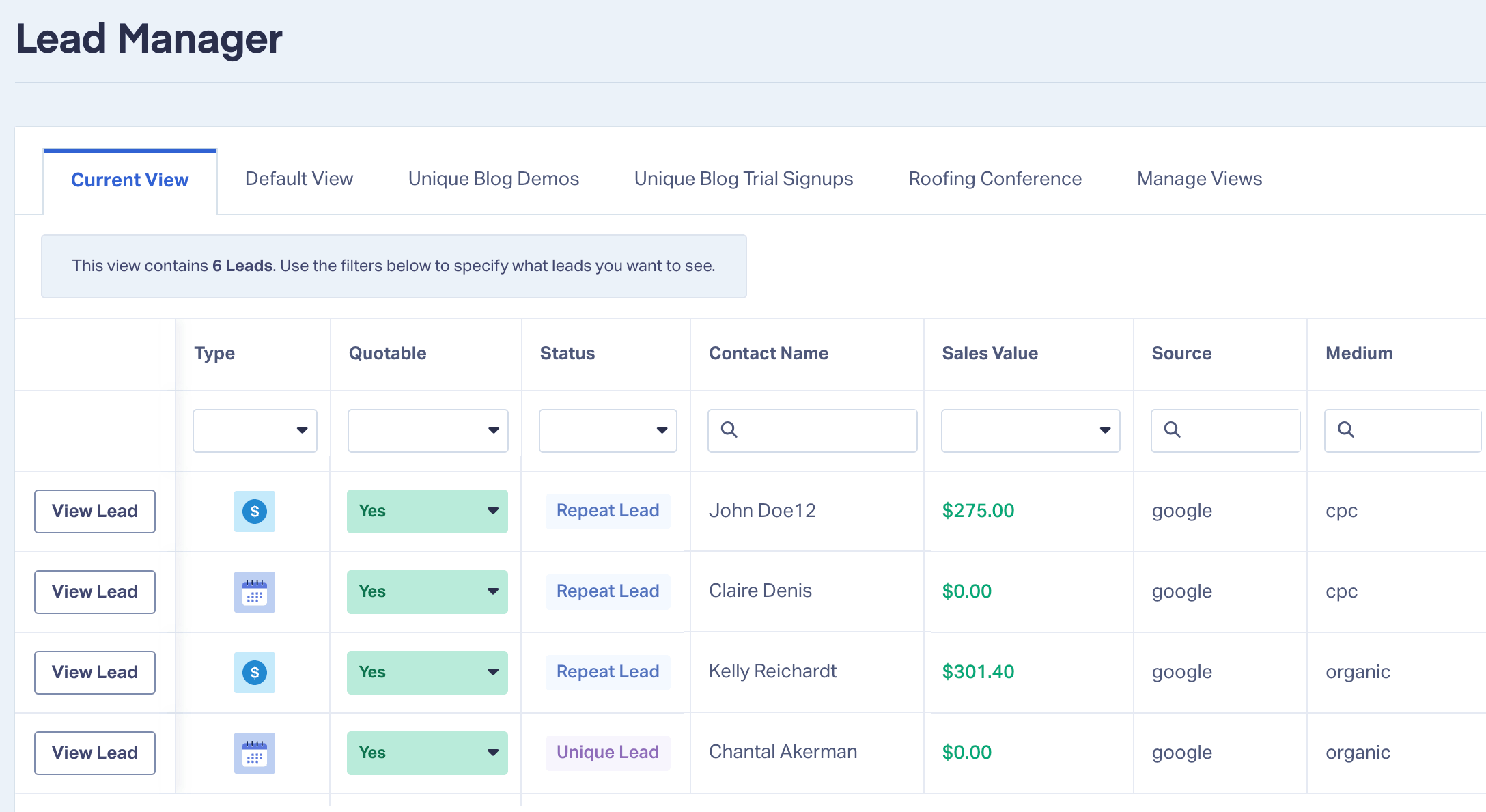
- Four lead types instead of two: appointment, estimate, job, and transaction
- Appointments come from an Initial Appointment task or a job's scheduled start date
- Quote Value syncs when an estimate is sent and updates when the customer picks an option
- Sold Revenue lands when an estimate is approved and the job is won
- Sales Value comes from each invoice once it's sent
- Multiple estimates and jobs for the same customer are all tracked
- Every record carries its JobNimbus status, job type, address, and full attribution
Why This Changes Your Reporting
Leads don't prove ROI. Revenue does.
The catch is timing. A roofing job might get an inspection in April, a signed estimate in May, and a final invoice in July. If the paid invoice is your only revenue signal, your reports and your ad platforms wait three months to learn which campaign worked.
The upgraded integration gives you a value at each stage instead. Quote Value arrives when your team sends the estimate. Sold Revenue arrives when the customer approves it. Sales Value arrives with each invoice. Each one lands on the lead alongside the campaign, keyword, and click ID (GCLID) that produced it.
Push Quote Value into Google Ads as a conversion value, and Smart Bidding can favor the searches that produce big estimates weeks before the job is finished. Your client reports can show booked appointments, open estimates, and closed revenue by campaign, instead of calls and form fills alone.
What Each Lead Type Gives You
| JobNimbus record | WhatConverts lead | When it's tracked | What lands on the lead |
| Initial Appointment task or job start date | Appointment | When the task is created or a start date is added to the job | Appointment time, full address, appointment type, job status, job type. No revenue yet |
| Estimate | Estimate | When the estimate is sent to the customer | Quote Value, estimate status, signature status, job status |
| Job | Job | When an estimate is approved | Sold Revenue, job status, job type |
| Invoice | Transaction | When the invoice is sent, submitted, or approved | Sales Value, invoice status, job type |
A few details worth knowing:
- One appointment per job. If your team creates an Initial Appointment task and also adds a start date to the job, you get one appointment, not two.
- Drafts stay out. Estimates and invoices track once they're sent, and a new job in JobNimbus only becomes a Job lead once it's won. Your WhatConverts pipeline reflects real sales activity.
- Good-better-best estimates. Quote Value shows $0 until the customer approves an option, then updates to that option's price.
- Sold Revenue always has a source. It comes from the approved estimate. If a job has no estimate value, WhatConverts uses the invoice value instead.
- Statuses stay current. As a job moves through your JobNimbus pipeline, its status updates in WhatConverts. Canceled invoices stay on record with their status, so you can filter them out of reports when you need to.
- Job type comes from the job name. Consistent job names in JobNimbus make it easier to compare services in your reports.
A Roofing Example
Say an agency runs Google Ads for a roofing contractor with two campaigns: roof repair and metal roof installation. Last quarter, repair produced 90 leads and metal roofing produced 25. On lead counts alone, repair looks like the clear winner.
With the upgraded integration, the rest of the story shows up within weeks. Repair leads booked plenty of inspections, but their estimates averaged about $1,100. Metal roofing booked fewer inspections, and its estimates averaged $24,000. Most went out as good-better-best options, and Quote Value updated to whichever option each homeowner approved.
The agency sends Quote Value to Google Ads and shifts budget toward metal roofing while the campaign is still running. When one of those homeowners comes back in the fall for new gutters, that second estimate and job are tracked for the same customer. The client report stops saying "115 leads" and starts saying "$350,000 in approved jobs, most of it from metal roofing."
Integration Spotlight: JobNimbus
How to Get Started
The upgraded JobNimbus integration is available on Pro plans and above. Current customers with an active JobNimbus connection keep access on their existing plan.
In JobNimbus:
- Open your profile settings and go to Integrations API.
- Create a new API key, give it a name, and set the access level to Admin.
- Copy the key.
In WhatConverts:
- Log in and open the profile you want to connect.
- Go to Tracking → Integrations. Under CRMs, select JobNimbus.
- Click Add Connection and paste your API key.
- Select all four lead types: appointments, estimates, jobs, and invoices.
- Click Connect.
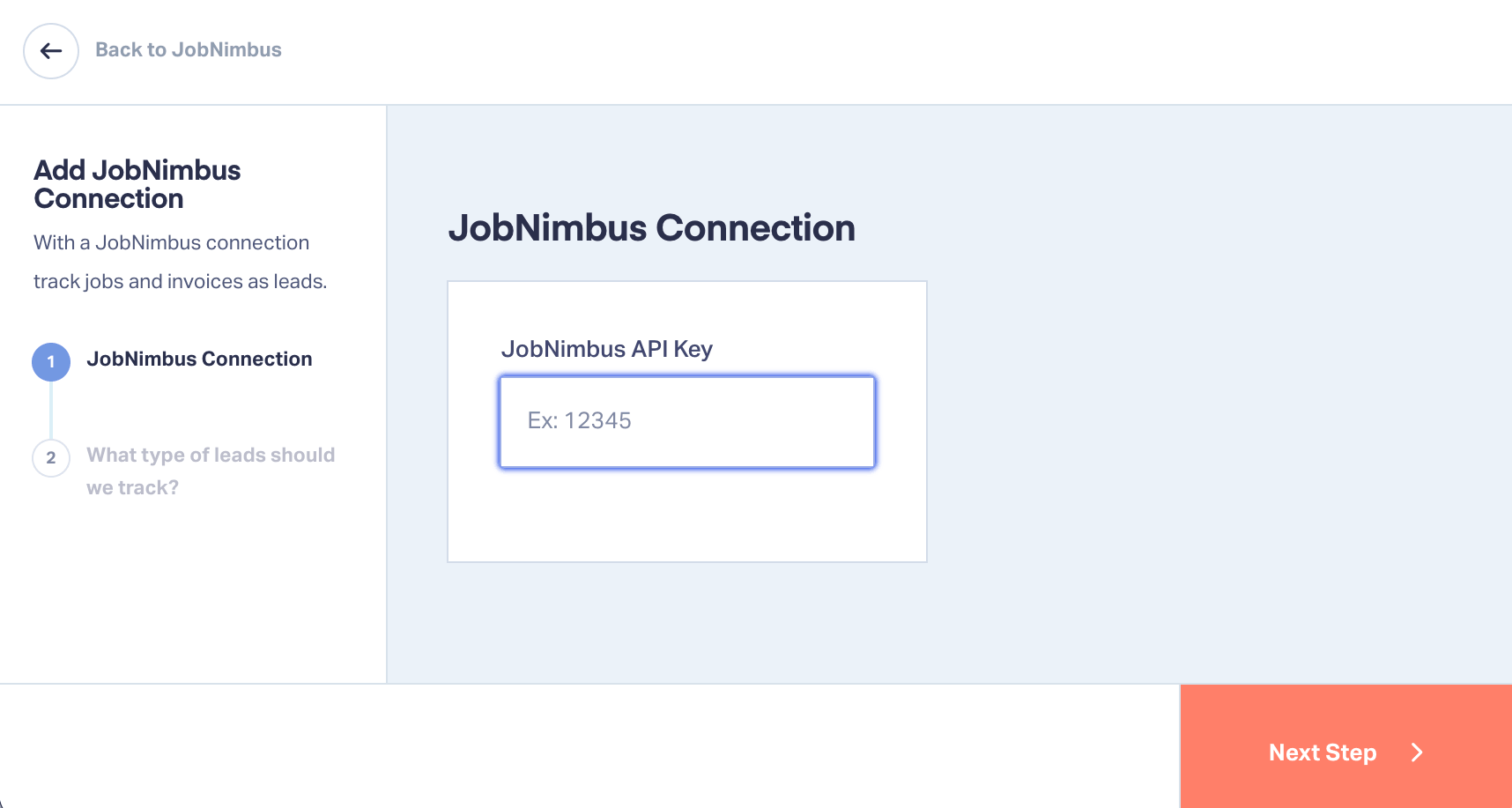
JobNimbus connects at the profile level, so repeat this for each profile that needs it. New JobNimbus records can take a few minutes to appear in WhatConverts.
Already connected? Make sure appointments and estimates are selected in your JobNimbus connection so the new lead types start tracking. Questions about your setup? Contact our support team.
Don't Have JobNimbus?
JobNimbus is a CRM and project management platform built for roofing and exterior contractors. Paired with WhatConverts, it shows which marketing produces real jobs and real revenue.
Connect JobNimbus and Report on Revenue
The upgraded integration puts appointments, estimates, jobs, and invoices on the same record as the campaign that produced them. You see revenue at every stage of the deal and can move budget while campaigns are still running.
Already a customer? Log in and connect JobNimbus today.
Start your free 14-day trial of WhatConverts today or book a demo with a product expert to see how we help prove and grow your ROI.
Get a FREE presentation of WhatConverts
One of our marketing experts will give you a full presentation of how WhatConverts can help you grow your business.
Schedule a DemoGrow your business with WhatConverts







