


 Amanda Pell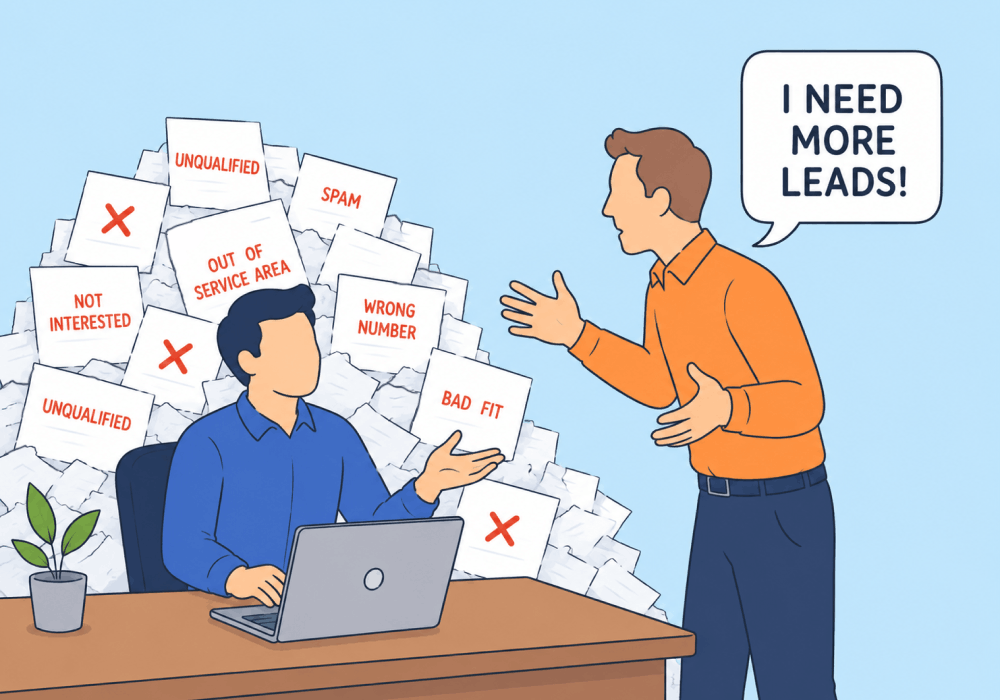
"We need more leads."
It's the most common client request in agency work, and one of the most misleading. Because "more leads" is almost never the real problem. It's just the only metric most clients know how to ask about.
When qualified lead rate is sitting at 20%, doubling volume doesn't double revenue. It doubles the price checkers, the misdials, the price-shoppers, and the spam. More budget poured into a quality problem just amplifies it.
This article shows how to reframe the "more leads" conversation using qualification data, so clients see what their leads are actually worth before they ask for more budget.
Note: Not a WhatConverts user yet? Start your free 14-day trial of WhatConverts today or book a demo with a product expert to see how we help prove and grow your ROI.
The Volume Trap
Most clients judge marketing performance the same way: by lead count. Take for example a personal injury law firm spending $10,000 a month on Google Ads. The dashboard says 240 leads last month and 200 this month, so the client feels like performance is declining.
But lead count is a vanity metric without qualification data behind it. A pipeline of 240 leads with a 20% qualified rate produces fewer real cases than a pipeline of 150 leads with a 50% qualified rate. The rest are minor fender-benders, callers shopping five firms at once, and people who hang up before naming the incident.
When clients can't see that math, they default to what they can see:
- "Our leads are down."
- "Our competitors are getting more calls."
- "We need to spend more on ads."
So agencies scale budget, expand keywords, broaden audiences. The lead count goes up. The close rate goes down. And the client comes back a month later asking the same question, just louder.
Why Volume Is the Wrong Variable
Doubling unqualified lead volume is a bad trade. The agency spends more, the client's sales team works harder, and the close rate stays flat or drops.
Here's what that looks like in practice:
| Scenario | Spend | Leads | Qualified Rate | Qualified Leads | Cost per Qualified Lead |
| Current | $10,000 | 200 | 20% | 40 | $250 |
| Double volume | $20,000 | 400 | 20% | 80 | $250 |
| Improve quality | $10,000 | 200 | 40% | 80 | $125 |
Same outcome. Half the spend. The quality lever is twice as powerful as the volume lever, and it doesn't require touching the budget.
But agencies can't sell that conversation without proof. Telling a client "your leads aren't qualified" without data attached is just an opinion, and clients tend to push back on opinions that ask them to spend differently.
What Qualification Data Actually Shows
Qualification rate is the percentage of leads worth pursuing. It's the bridge between lead count and revenue, and it's the metric that reframes every "more leads" conversation.
With qualification data layered into reporting, agencies can answer the questions clients don't think to ask:
- Which campaigns produce qualified leads, not just leads? Facebook might generate the most volume while Google Local Service Ads produce the most qualified opportunities.
- Which keywords pull in price checkers? Broad-match terms often inflate lead counts with low-intent traffic that closes at single-digit rates.
- Which landing pages convert browsers vs. buyers? A high-converting page that produces low-value leads is a quality leak disguised as a win.
- Which leads are worth what? Lead scoring and quote value turn qualification into a dollar figure, not just a yes/no flag.
When those numbers go in front of a client, "we need more leads" stops being the right question. The right question becomes: where are the qualified ones, and how do we get more of those?
How WhatConverts Reframes the Conversation
WhatConverts captures every call, form, and chat with full marketing attribution, then layers qualification on top.
Lead Manager lets you mark leads as quotable, assign quote values through Lead Intelligence if/then rules, and tag every conversion by service or campaign. So instead of looking at 200 leads, you and the client are looking at 40 quotable leads worth a combined $180,000 in pipeline. Instead of “we got 200 leads,” you shift to:
"We got 40 quotable leads worth $180,000 in open pipeline. Here are the other 160, and here's why they didn't make the cut."
Reporting breaks those qualified leads down by source, campaign, keyword, and landing page. The conversation shifts from "we need more" to "Google Ads gave us 32 qualified leads at $4,500 average quote value, while Facebook gave us 8 qualified leads at $400. Let's move budget." So when the client asks for more leads, you can say:
"Google Ads gave us 32 qualified leads at $4,500 average quote value. Facebook gave us 8 qualified leads at $400. Before we add budget anywhere, let's pull Facebook spend over to Google."
Campaign Optimizer feeds qualified-lead signals back to Google Ads and Meta so Smart Bidding stops chasing cheap conversions and starts chasing valuable ones. Which means you can tell the client:
"We're not going to ask for more budget this quarter. We're going to teach Google what a real case looks like and let the algorithm do the volume work for us."
The client walks out of the meeting understanding that quality is the lever, not volume. And the agency walks out without having to defend a budget increase that wouldn't have solved the problem anyway.
The Better Conversation
Here's the reframe in five steps:
- Capture every lead with full attribution. Source, campaign, keyword, and landing page on every call, form, and chat.
- Qualify each lead. Mark quotable leads and assign value through Lead Intelligence rules.
- Report on qualified leads, not totals. Build the client view around qualification rate and quote value, not raw counts.
- Identify the quality gaps. Surface which campaigns, keywords, or pages drag the qualified rate down.
- Reallocate before scaling. Fix the quality problem first, then talk about growing the budget.
Clients don't actually want more leads. They want more revenue. Qualification data is what turns one ask into the other.
Ready to show your clients what their leads are really worth before they ask for more budget?
Start your free 14-day trial of WhatConverts today or book a demo with a product expert to see how we help prove and grow your ROI.
Get a FREE presentation of WhatConverts
One of our marketing experts will give you a full presentation of how WhatConverts can help you grow your business.
Schedule a DemoGrow your business with WhatConverts







