















































 Amanda Pell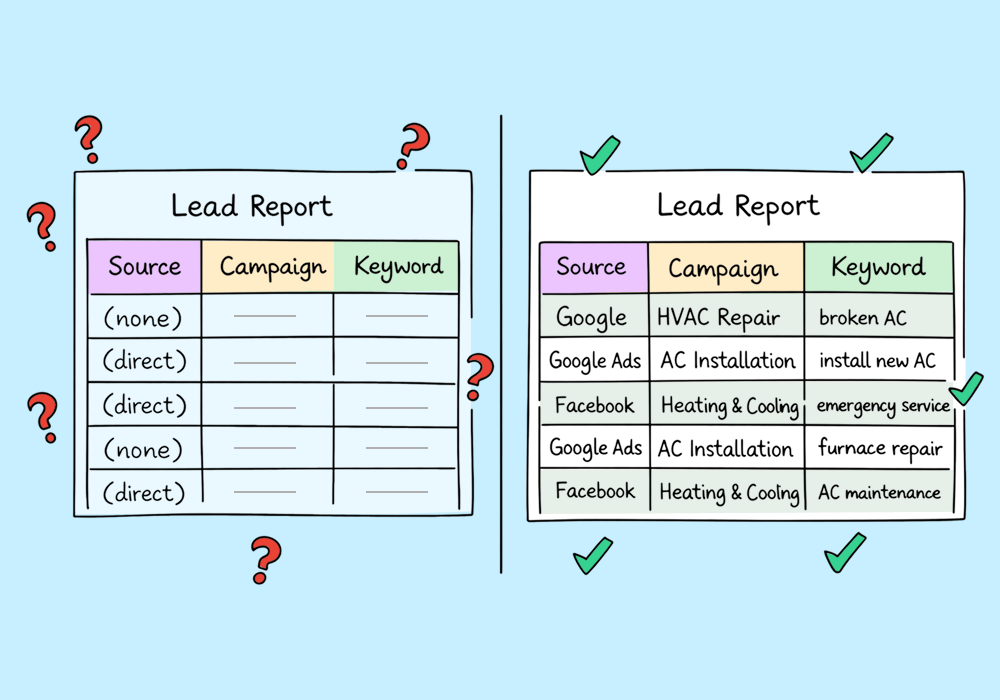
Most attribution problems don’t announce themselves. They show up as small inconsistencies that you’ve learned to ignore, like:
- Direct traffic that keeps climbing
- A “(none)” row dominating your keyword report
- Leads you can’t connect to any campaign, keyword, or channel
They don’t seem urgent individually, but collectively, they’re expensive.
Because when attribution breaks, your campaigns don’t pause automatically. Your budget continues to flow, directly toward campaigns that appear to be working and away from ones that actually do.
This article will show you how to spot the first signs of broken attribution, what those signals really mean, and how to determine whether your tracking is leaking revenue before it costs you a client.
Note: Not a WhatConverts user yet? Start your free 14-day trial today or book a demo with a product expert to see how we help prove and grow your ROI.
Your Reports Are Telling You Something, but You're Not Listening
Here's what subtle attribution breakdown actually looks like inside a real account.
Direct Traffic Over 20% of Total
Some direct traffic is normal. People bookmark sites, type in URLs. But when direct traffic climbs past a quarter of your total visits, that's rarely due to brand loyalty. It’s usually untracked traffic—from paid campaigns, emails, and offline sources—losing their referral data along the way.
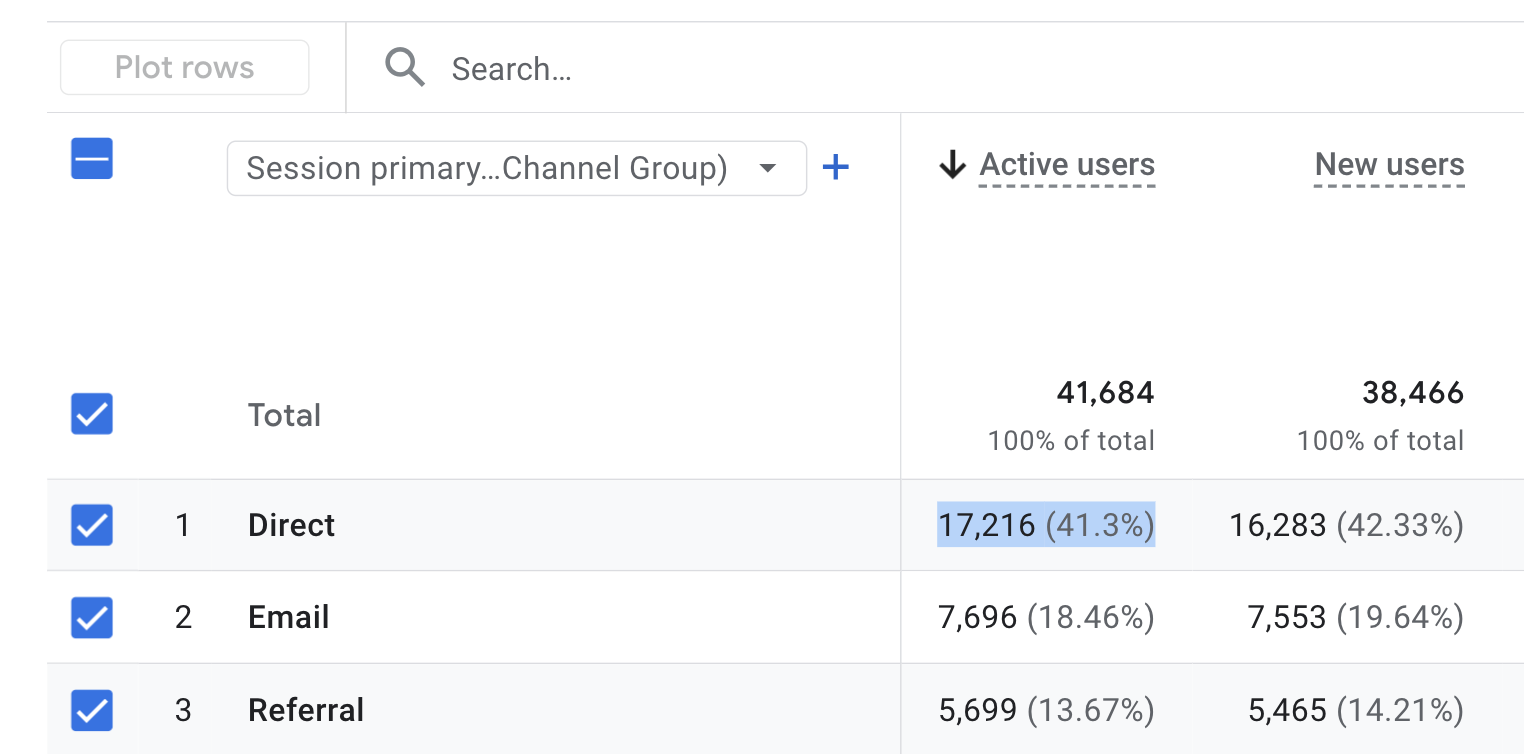
When that happens, campaigns stop getting credit for the leads they generate and budget decisions start shifting based on incomplete information.
Long “(None)” Rows in Keyword Reports
That row represents every lead that arrived without keyword data attached. It usually means auto-tagging is disabled in Google Ads, or the landing page is stripping URL parameters before they can be captured, or your call tracking isn't connected to your ad platform—so the call gets logged, but the keyword that triggered it disappears.
One or two leads in that row? Fine. A significant chunk of your conversions? You're optimizing campaigns without knowing what's actually driving results.
Leads That Can’t Be Traced
UTM parameters live in the URL when someone lands on your page. If your forms aren't configured to capture those parameters as hidden fields—or if someone navigates from a landing page to a contact page and the parameters don't follow them—the submission goes through with no source attached.
The lead still counts, but the attribution doesn’t. You’re left with:
- Source: direct
- Medium: (none)
- Campaign: (none)
The conversion happened, but your proof is gone.
Only 18% of marketers report being very confident in their current attribution data, while 82% admit they do not trust the accuracy of their lead reporting.
Branch, 2025 State of App Growth Report
Here's the Part Most Marketers Miss
These aren't edge cases. They're standard outputs from standard setups—Google Analytics, basic call tracking, a form plugin. The tools are running. The data looks complete.
But "data exists" and "attribution is working" are not the same thing.
The difference shows up when you try to answer a real business question: Which campaign drove that lead? If the honest answer is "I'm not sure," your attribution is broken. You've just normalized not knowing.
That normalization is expensive. Campaigns that appear to underperform get cut. Campaigns that look strong—because they're capturing credit they didn't earn—get more budget. You're optimizing based on a story your data is telling you. But it's not the full story.
The DIY Diagnostic
Before writing off attribution as someone else's problem, run this check on any active account. It takes about 20 minutes.
Check 1: Direct Traffic Share
Pull your source/medium report and sort by sessions or conversions. Find "direct / (none)."
- Under 20%: Pass
- 20–30%: Flag. Something upstream is likely dropping referrer data.
- Over 30%: Broken. A significant portion of your traffic has no attribution.
If you flag this: Audit your redirect chain for UTM stripping. Check that email campaign links are tagged. Confirm all landing pages are on HTTPS.
The Problem with “Dark” Traffic
As Rand Fishkin points out, major platforms like LinkedIn and TikTok are increasingly designed to keep users on-platform, making traditional click attribution "invisible". This is why a spike in Direct Traffic over 20% is such a red flag—it means your most influential channels are currently working but invisible, so you're giving all the credit to the "front door."
Check 2: Keyword Report "(None)" Row
Open your keywords report in Google Analytics or your ad platform. Find conversions with "(none)" in the keyword field.
- Under 10% of conversions: Pass
- 10–25%: Flag. Auto-tagging may be misconfigured or parameters are getting stripped.
- Over 25%: Broken. Your ad platform and tracking tools aren't talking to each other.
If you flag this: Confirm auto-tagging is enabled in Google Ads. Test a paid click yourself and check whether the gclid parameter survives through to the thank-you page.
Check 3: Form Submission Source
Submit a test form from a UTM-tagged URL (add ?utm_source=test&utm_medium=test to any landing page URL, then submit). Check how that lead appears in your tracking.
- Source shows "test": Pass. UTMs are being captured.
- Source shows "direct" or "(none)": Broken. Your forms aren't reading URL parameters.
- If you flag this: Your form needs hidden fields configured to capture UTM parameters. Most form builders support this—it's a configuration issue, not a rebuild.
Check 4: Individual Lead Traceability
Pull 10 recent leads from your lead manager or CRM. For each one, ask: can I identify the source, campaign, and keyword?
- 8–10 traceable: Pass
- 5–7 traceable: Flag. Gaps exist—likely in call tracking or form configuration.
- Fewer than 5 traceable: Broken. Attribution is failing across multiple lead types.
Scoring
- 0 flags: Attribution is healthy.
- 1–2 flags: Attribution is leaking. Leads are being lost into untrackable buckets.
- 3–4 flags: Attribution is significantly broken. Budget decisions are being made on bad data.
What Healthy Attribution Actually Looks Like
When attribution is working, you can open any recent lead and see exactly how it happened—the campaign, the keyword, the landing page, and the source that drove it.
For example, instead of seeing a call labeled “direct,” you see that it came from your Google Ads campaign, triggered by “emergency AC repair,” and landed on your same-day service page before calling.
That context changes how you manage budget.
If that keyword produced five calls and four booked jobs, you increase spend confidently. If another campaign drove 20 calls that never turned into appointments, you cut it—even if the cost per conversion looks good.
Healthy attribution means every lead has a traceable origin, and every optimization decision is based on what actually drove revenue.
What WhatConverts Surfaces That Generic Analytics Won't
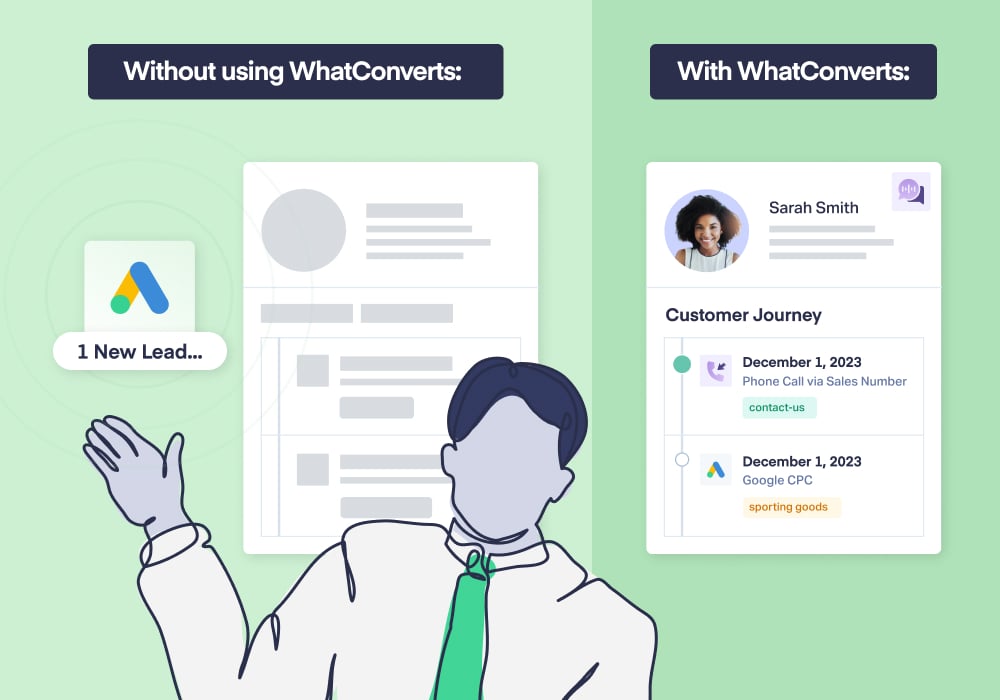
Platform reports and generic analytics tools show sessions and conversion totals. WhatConverts shows individual leads, fully attributed.
When a lead comes in, you don’t see “direct / (none)”. You see:
- Source: Google Ads
- Campaign: Spring HVAC Push
- Keyword: AC repair near me
- Landing Page: /emergency-ac
- Call recording and transcript
- Lead status and value
Every call, form, and chat is tied back to the exact source that created it.
More importantly, broken attribution doesn’t stay hidden. If a redirect strips parameters, you’ll see attribution drop immediately. If form fields aren’t capturing UTMs, it becomes obvious. If keyword data isn’t passing through, you’ll catch it before 30% of your conversions disappear into “(none).”
WhatConverts makes attribution failures visible, before they distort performance reports, misdirect budget, or cost you credibility in a client review.
From Symptom to Source
Attribution problems don't announce themselves. They accumulate—in "(none)" rows, in suspiciously high direct traffic, in leads your client asks about that you can't account for.
By the time a client says "I'm not sure this is working," the problem has been there for months.
WhatConverts shows you where attribution breaks down before it becomes a client conversation you're not ready for.
Ready to find out where your attribution breaks?
Start your free 14-day trial of WhatConverts today or book a demo with a product expert to see how we help prove and grow your ROI.
Get a FREE presentation of WhatConverts
One of our marketing experts will give you a full presentation of how WhatConverts can help you grow your business.
Schedule a Demo
Grow your business with WhatConverts







