


 Amanda Pell
Tracking forms sounds simple. Someone fills out a form, you record what they typed. But that only captures half of what matters.
The other half is where that person came from: the ad, the keyword, the page, and the campaign that sent them to your form. Without it, you know a lead exists, but not what earned it.
Most form tools handle the first half well and ignore the second. That is why two businesses can both say they "track forms" and end up with completely different levels of insight.
This guide covers what tracking forms actually involves, why the source data matters as much as the submission, and the three main ways to set it up, so you can pick the method that fits your goals.
Learn more about how Form Tracking works with WhatConverts.
The Two Halves of Form Submission Tracking
Tracking forms involves capturing two different kinds of information every time someone hits submit:
- Submission data: what the visitor actually typed. Their name, email, phone number, and whatever else the form asks for, like the service they want or their budget.
- Attribution data: the marketing context behind the visit. The source and medium, the campaign, the keyword they searched, the ad they clicked, and the landing page they converted on.
Most form tools nail the first half and stop. They store the field data and drop it in your inbox. The second half is harder, and it's the one that connects a lead to the marketing that created it. Capture both, and a submission stops being an anonymous entry. It becomes a lead you can trace, judge, and value.
How Form Attribution Actually Works
To tie a submission to its source, something has to record where the visitor came from and carry that information into the form.
Capturing and Documenting the Source
When someone lands on your site, the marketing context lives in a few places. Paid clicks arrive with UTM parameters or a Google click ID (the gclid) in the URL. Organic and referral visits carry a referrer and a landing page. On their own, those details vanish the moment the visitor navigates to another page or closes the tab.
Form tracking works by capturing those details and holding onto them until the visitor converts. There are two common ways that happens:
- Hidden form fields. Extra fields the visitor never sees, filled in by a script that reads the URL and stores the source data with the submission.
- A first-party cookie. A small file saved in the visitor's browser that remembers the source across pages and return visits, so the attribution survives a longer journey.
Gaining Multi-Touch Journey Visibility
The cookie is what allows marketers to capture a multi-touch journey. Most leads don't convert on the first visit. They click an ad, leave, come back through a search a week later, then fill out the form. A setup that only reads the URL at submission sees that last visit and nothing before it. A cookie-based setup can show every touch that led to the fill.
Where Form Attribution Often Breaks
Two things break attribution most often. The first is relying on a "thank you" page view to count a conversion, since many forms submit without redirecting anywhere. The second is the rise of AJAX forms, which submit in the background with no page reload, so older tracking methods that listen for a page change never fire.
Three Ways to Track Forms
The three main approaches differ in how they capture that source data, and in how much they can tell you once they have it.
1. A Form Builder With Hidden Fields
Tools like Google Forms, WPForms, Gravity Forms, and HubSpot's form builder create the form and store every submission. Out of the box, they capture what the visitor typed and nothing about the marketing behind it.
The standard fix is to add hidden fields and populate them from the URL. Drop fields like these into the form, then use a small script to read the visitor's URL parameters and write the values in before they submit:
<input type="hidden" name="utm_source" id="utm_source">

<input type="hidden" name="utm_campaign" id="utm_campaign">

<input type="hidden" name="gclid" id="gclid">

<input type="hidden" name="landing_page" id="landing_page">
Now each submission arrives with its source attached, viewable in the builder's exports.
Where It Breaks
This captures only what is in the URL at the moment of submission. Without a persistent first-party cookie, it sees the current visit and misses earlier touches. Organic and direct visits leave the fields blank. And every new form means setting the fields up again by hand.
Integration Spotlight: Connect your third-party forms to WhatConverts.
2. Google Tag Manager and Google Analytics 4
Here, Google Tag Manager detects the submission and fires an event into GA4. It connects forms to channels at no software cost.
The catch is getting GTM to notice the submission at all. Its built-in form trigger was designed for older forms that reload the page when you submit. Most forms today don't reload anything, so the trigger often misses them. The reliable fix is to have the form announce its own success: add a short line of code that fires a named signal the moment the form confirms it sent, then tell GTM to listen for that signal instead of watching for a page change.
window.dataLayer = window.dataLayer || [];

dataLayer.push({ 'event': 'form_submit_success' });
In GTM, create a Custom Event trigger that listens for form_submit_success, attach a GA4 event tag to it, and the conversion lands in GA4 tied to its channel.
Where It Breaks
GA4 reports in aggregate. You can see that a channel drove a number of form conversions, but you cannot open a single lead, read what they asked for, mark them qualified, or attach a dollar value. Storing personal details in GA4 is against Google's policy anyway. Setup is also technical and brittle, so a redesign of the form or site can quietly break it.
3. A Lead Tracking Platform
A lead tracking platform does both jobs from one script. It captures submissions across every form and ties each to the visitor's full session, then stores each fill as an individual lead with its field data attached.
What it captures: Source, campaign, keyword, landing page, and the full sequence of touches before the visitor converted.
How the attribution holds up: WhatConverts reconstructs the multi-touch journey from a first-party cookie instead of reading only the last click. A lead who first arrived through a paid ad and converted weeks later through organic search shows both touches.
Setup with the Form Finder takes under a minute:
- Enter the URL of the page with your form
- Select the form
- Click Finish
You can also track forms manually, using iFrames, or with third-party web form applications: every method is quick and easy.
Help Center Guide: Form Tracking with WhatConverts
What It Unlocks
Because each submission is a full lead record, you can report form leads by keyword or campaign, qualify the good ones, and assign each a dollar value. That turns a flat "35 form submissions" into "these keywords drove our highest-value quote requests." Calls and chats live in the same place, so forms aren't tracked in isolation.
The Three Methods at a Glance
| Captures field data | Captures marketing source | Qualify and value each lead | Setup effort | |
| Form builder + hidden fields | Yes | Last click of the visit only | No | Medium, manual per form |
| GTM + GA4 | No | Yes, channel level | No | High, technical |
| Lead tracking platform | Yes | Yes, full multi-touch journey | Yes | Low |
Why Tracking Forms Is Worth the Effort
Capturing a form fill tells you a conversion happened. Tying it to its source is what makes the data usable. Three things become possible once every submission carries its marketing origin.
Prove What Your Marketing Produced
Proving value is one of the hardest parts of running campaigns for a client. When each form lead traces back to its source, you can point to the campaigns behind the quote requests, the keywords behind the demo signups, and the ads that filled the pipeline. You report results instead of activity.
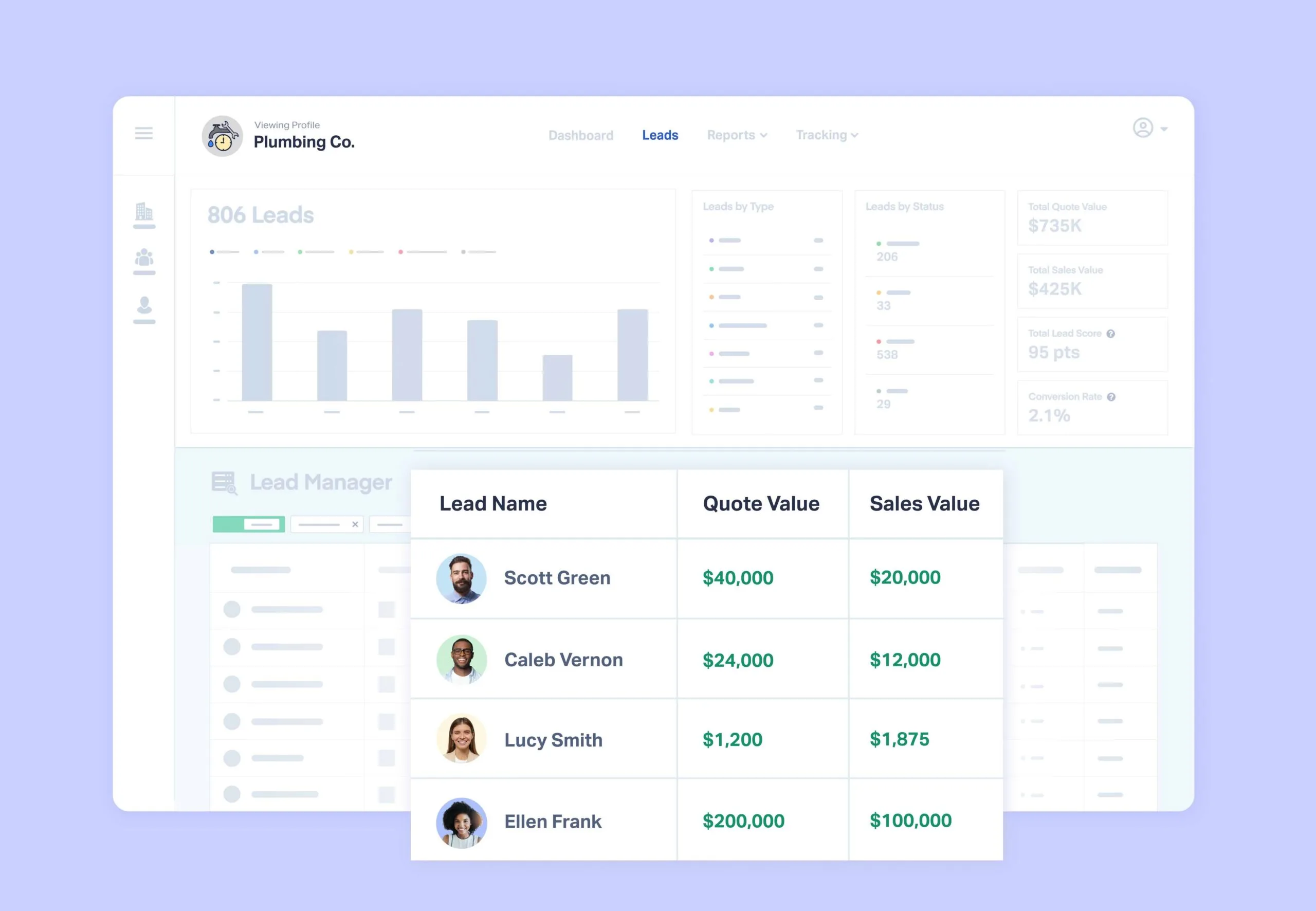
WhatConverts attaches that source to every form lead automatically, so a single report can show how many quote requests each campaign drove, with the underlying leads sitting right behind the numbers.
Optimize on Evidence, Not Guesses
Say you drive traffic to one form with 40 different ads. Leads are coming in, so the form works, but without attribution you can't tell which ads earn their spend and which drain it. Source data settles it: you double down on what performs and cut what doesn't. You can also feed that quality data back to your ad platforms, so automated bidding learns to chase valuable leads rather than cheap ones.
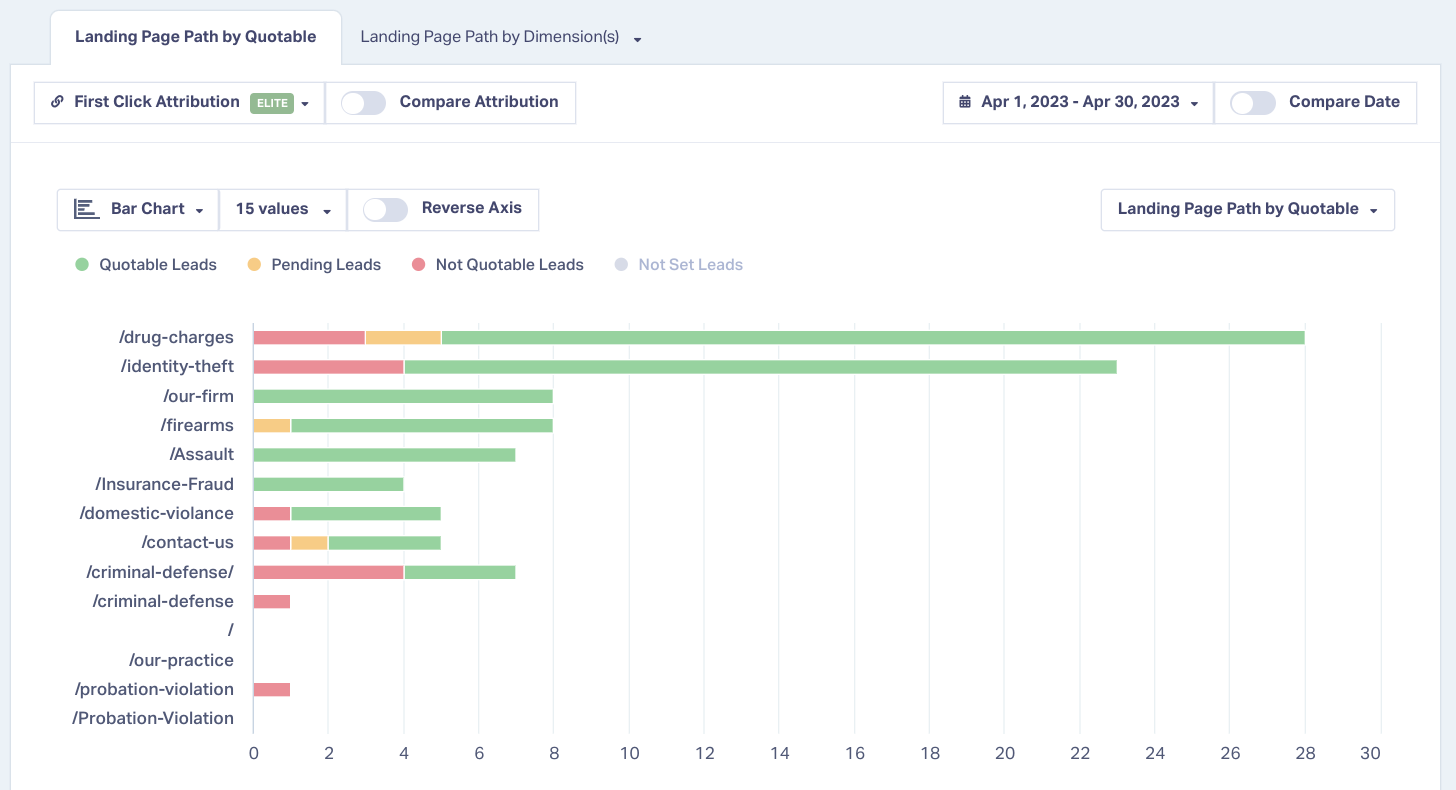
Because WhatConverts captures the keyword and campaign behind each fill, you can rank forms by what they produced, then sync that lead-quality data back to Google Ads and Meta so automated bidding optimizes toward valuable leads instead of cheap ones.
See the Whole Customer Journey
A form fill is rarely a visitor's first move. Most people touch your marketing several times before converting. Attribution that records the full path shows which pages move people toward submitting and where they drop off, which tells you what to build more of and what to fix.

WhatConverts logs every touchpoint for each lead, so the Customer Journey for a single form fill shows the full sequence from first visit to submission, not just the last click.
Feature Highlight: Customer Journey Tracking
Choosing the Right Approach
The right method depends on what you need from your form data.
If you only need to collect what visitors type, a form builder is enough. If you want broad channel-level conversion data and have the technical comfort to set it up, GTM and GA4 will get you there. If you need to prove value, judge lead quality, and optimize campaigns down to the keyword, a lead tracking tool that handles form tracking is the approach that delivers it.
Forms will keep bringing in leads either way. The difference is whether each one stays an anonymous count or becomes a lead you can trace back to the marketing that earned it, and grow from there.
Ready to see what your form leads are really worth?
Start your free 14-day trial of WhatConverts today or book a demo with a product expert to see how we help prove and grow your ROI.
Get a FREE presentation of WhatConverts
One of our marketing experts will give you a full presentation of how WhatConverts can help you grow your business.
Schedule a DemoGrow your business with WhatConverts







