















































 Amanda Pell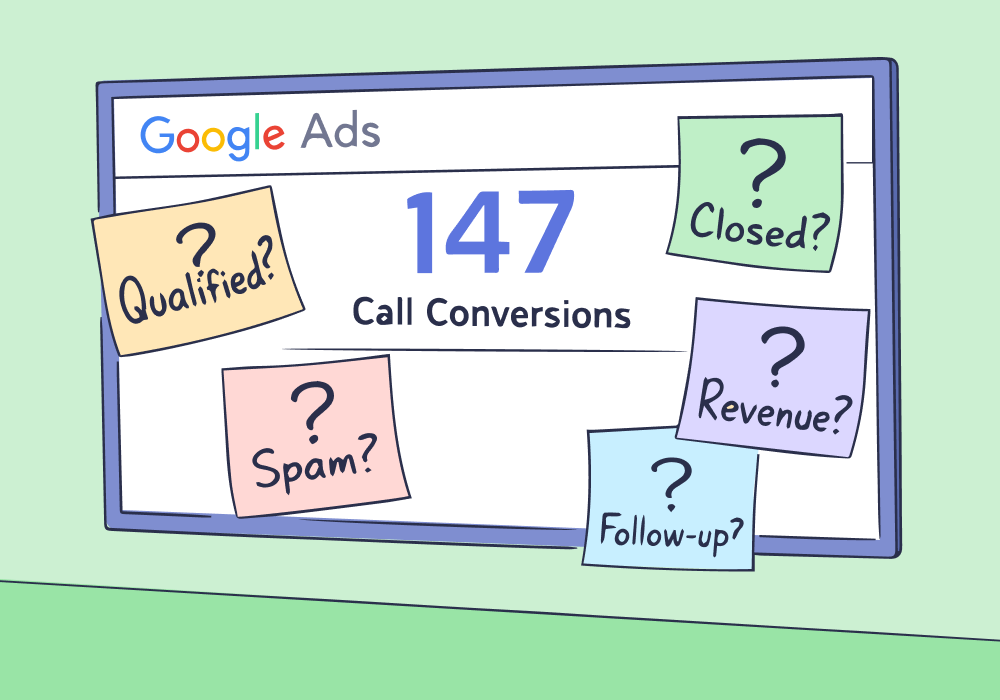
"We're already tracking calls."
That's what agencies say when asked about Google Ads call tracking. They're using call extensions, watching conversion counts tick up, and reporting phone leads to clients.
But what exactly are they tracking?
According to BIA/Kelsey, 66% of SMBs consider phone calls to be the most valuable type of incoming lead. But all call extensions do is log that someone clicked a phone number and a call happened. They don't reveal what the caller wanted, whether they qualified, or if they ever became a customer.
When call conversions look "healthy" but sales stay flat, agencies realize the truth: call extensions track activity, not outcomes.
This article breaks down exactly what call extensions can and can't measure, why that gap matters for optimization, and what complete call tracking actually requires when phone leads drive revenue.
Note: Not a WhatConverts user yet? Start your free 14-day trial today or book a demo with a product expert to see how we help prove and grow your ROI.
What Call Extensions Actually Do
Call extensions add a clickable phone number to your Google Ads. When someone clicks to call, Google logs it as a phone call interaction.

If the call lasts longer than a set threshold—usually 60 seconds—Google counts it as a call conversion.
That gives you:
- Call volume by campaign
- Call duration
- Time of day calls happened
- Device breakdown (mobile vs. desktop)
But notice what all of those have in common: they measure that a call happened, not whether it mattered.
A two-minute price check and a ten-minute high-ticket consultation both show up as “1 conversion.” A misdial can look just as valuable as a booked appointment.
Call extensions are built to track call activity. They are not built to evaluate call quality, sales outcomes, or revenue impact.
That distinction is small on the dashboard, but massive in your optimization decisions.
What Call Extensions Don't Track
This is where the visibility stops.
Call extensions can tell you a call occurred. They cannot tell you what that call was worth.
They don’t show:
- Call intent. You know someone clicked your “emergency plumber” ad. Was it a $200 fix or a $15,000 repiping job? Call extensions can't tell you.
- Lead quality. A spam call, an existing customer, a price shopper, and a serious buyer all count the same. If they cross the duration threshold, they become a “conversion.”
- Sales outcomes. Your dashboard might show 147 call conversions this month. How many booked? How many closed? How much revenue did they generate? Google Ads can’t answer that.
- What was actually said. No recordings. No transcripts. No insight into why a promising call didn’t move forward.
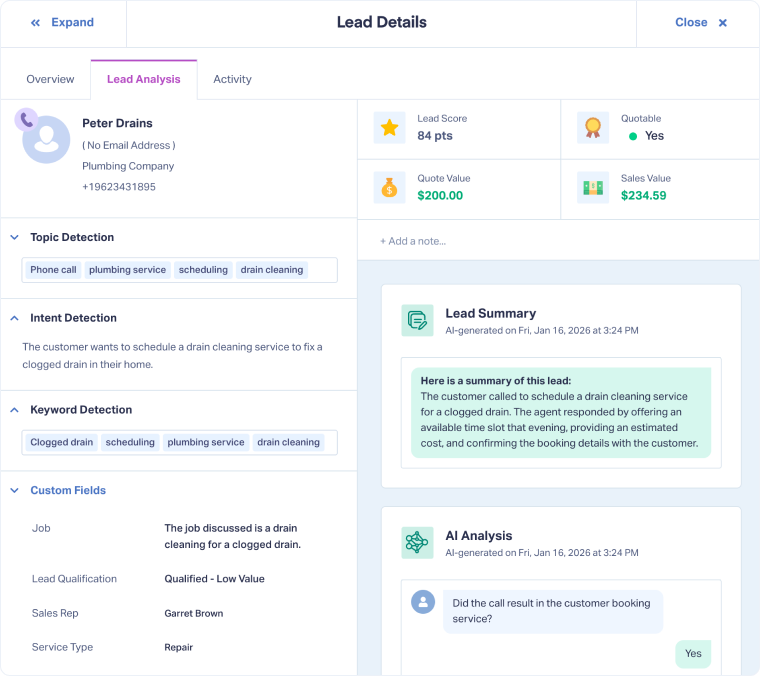
WhatConverts captures each call recording and transcription, detects important keywords, and extracts buyer intent. Marketers can add information about lead quality and sales outcomes as well.
Without that context, every call looks equally valuable. When every call looks equal, optimization gets distorted.
Ultimately, budget shifts toward whatever produces more calls, not better ones. That’s how agencies end up scaling volume while revenue stalls.
Why Call Extensions Feel "Good Enough" Early On
Most agencies start with call extensions because they're built into Google Ads and require minimal setup.
Early in a campaign's lifecycle, that works fine. High-intent keywords and fresh ad copy naturally attract motivated buyers. Call volume climbs. Clients see phones ringing.
Everyone assumes the system is working.
The problem reveals itself during optimization. You want to shift budget toward top-performing campaigns, but "top-performing" means different things when you can't measure lead quality.
| Calls | Cost per Call | |
| Campaign A | 40 | $75 |
| Campaign B | 25 | $110 |
Campaign A generates 40 calls at $75 each. Campaign B generates 25 calls at $110 each.
Which one's better?
If Campaign A's calls are mostly tire-kickers and Campaign B's calls close at twice the rate, you're currently spending more money on worse results. Call extensions can't surface that distinction.
How Blind Optimization Magnifies the Problem
Google optimizes for the signal you give it. If that signal is simply “a call happened,” it will try to generate more of those calls.
The system can’t see which conversations turned into quotes or closed jobs. It only sees conversion counts.
Over time, campaigns shift toward the types of calls that are easiest to produce. Call volume increases. Cost per conversion may even look efficient.
But if many of those calls don’t turn into real opportunities, revenue won’t move with the metrics.
From the dashboard, performance looks steady. Inside the business, results feel inconsistent.
That disconnect doesn’t come from poor bidding. It comes from incomplete data.
For the complete breakdown of:
- How Google Ads call tracking actually works
- What it can and can't measure,
- What agencies need to think about when phone calls drive real revenue
Check out the full guide:
The Difference Between Tracking Calls and Tracking Outcomes
Tracking calls answers: Did someone dial the phone?
Tracking outcomes answers: Did that call matter?
Call extensions handle the first question. They confirm marketing generated a phone interaction.
The second question requires understanding what happened during the call, whether the lead qualified, and if they eventually converted to a customer.
That gap—between call activity and call value—is where agencies lose control of optimization.
Why Google Ads Can't Close That Gap Alone
Google Ads visibility ends when the call ends.
To understand call outcomes, you need:
- Call recordings to hear what prospects asked for
- Lead qualification to separate buyers from browsers
- Revenue tracking to connect calls back to closed deals
- Attribution that follows leads through your full sales process
Call extensions weren't built to deliver any of that. They capture the top of the funnel. Everything downstream requires additional systems.
What Agencies Actually Need
When phone calls drive revenue, "tracking" means connecting every call to its business outcome.
That requires:
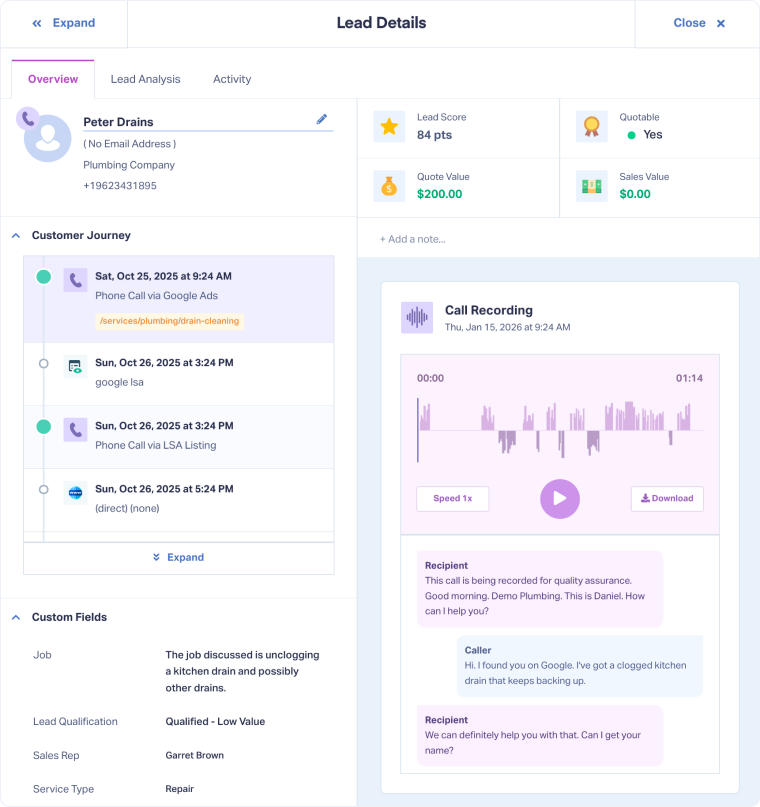
- Full call visibility. Recordings, transcripts, caller details, and the marketing source that drove each call.
- Lead qualification. The ability to mark calls as qualified, spam, existing customers, or unqualified—and filter reports accordingly.
- Outcome tracking. Knowing which calls turned into quotes, appointments, and closed sales.
- Closed-loop attribution. Tying revenue back to specific campaigns, keywords, and ads so optimization targets profit, not just activity.
Call extensions give you the first data point: a call happened. Everything else requires purpose-built call tracking.
Where Complete Call Tracking Leads
Agencies running real call tracking systems don't wonder if their Google Ads campaigns work. They know—down to the keyword level—which marketing generates profitable calls and which burns budget on dead ends.
They optimize for revenue per call, not calls per dollar. They show clients exactly which leads came from advertising and what those leads were worth.
Most importantly, they stop defending lead quality during client meetings because the data speaks for itself.
Call extensions are a useful starting point. But when phone calls fund the business, agencies need tracking that reveals what those calls are actually worth.
This guide walks through how Google Ads call tracking actually works and what agencies should account for when calls drive revenue: Google Ads Call Tracking: What Agencies Need to Know.
Ready to move beyond call counts and start tracking call outcomes?
Start your free 14-day trial of WhatConverts today or book a demo with a product expert to see how we help prove and grow your ROI.
Get a FREE presentation of WhatConverts
One of our marketing experts will give you a full presentation of how WhatConverts can help you grow your business.
Schedule a Demo
Grow your business with WhatConverts







