















































 Amanda Pell
Every agency deals with the same lurking fear—not of a bad month, but that one day, even their best results won't be enough to keep the contract.
Conversions up, CPL down, every metric green. But the client isn't seeing it on their end—no real customers, no real revenue. And that’s when you hear it:
“It doesn’t seem like these conversions are real people.”
That has nothing to do with your performance. It's about what happens after the conversion, where the agency has no visibility and no influence. The conversions were real, but whether they became customers is beyond your reach.
This article is about destroying that black box, so agencies can see what happens to leads after they convert and prove the direct revenue value of their work.
Note: Not a WhatConverts user yet? Start your free 14-day trial today or book a demo with a product expert to see how we help prove and grow your ROI.
Hitting Every Metric Still Doesn't Answer the Real Question
Standard reporting is built to show performance against targets. Clicks, CPL, conversion volume, month-over-month trends. When everything is green, it looks airtight.
But that's not the question clients are asking when they start to doubt. They're asking:
- "How many of these were actually qualified?"
- "We got 40 form fills—how many were spam?"
- "This campaign shows 200 calls. Were any of them real leads?"
These aren't edge cases. They're the questions clients ask when results plateau, when a competitor pitches them, or when someone in their organization starts scrutinizing the marketing budget. And they're the questions that standard reporting dashboards—Google Looker Studio, AgencyAnalytics, even custom-built client portals—simply cannot answer on the spot.
A conversion count tells you something happened. It doesn't tell you whether it mattered.
Not all reporting tools are built the same—and the difference matters more than most agencies realize.
For a full breakdown of:
- How the top 9 agency reporting platforms compare
- What separates a data capturer from a data aggregator
- What to look for when choosing a reporting stack that actually proves client ROI
Check out the full guide:
9 Best Marketing Reporting Software for Agencies in 2026
The Specific Problem: Visibility Stops at the Conversion
When "conversion" means a form submission or a call connected, it gets counted—regardless of whether it was a qualified prospect, a spam bot, or an existing customer calling about an invoice.
But when a client challenges the quality of those conversions, there's nowhere to go.
No recordings, no qualification status, no indication of what the lead actually wanted or whether they were worth pursuing. The data stops exactly where the client's skepticism starts.
And in that moment, "we generated 200 leads" turns from a win into a liability.
What Reports Need to Survive Client Scrutiny
To get rid of that black box around conversion quality, you need more than a standard aggregated report. You need individual lead-level data attached to every conversion.
That means, for every conversion that comes in, being able to immediately show:
- Whether it was qualified. Not just that someone called or submitted a form, but whether that conversion was a real prospect with buying intent.
- What they asked for. The actual content of the inquiry—service type, budget range, urgency—captured from the call recording, form response, or chat transcript.
- Where they came from. The specific campaign, keyword, and channel that drove them, traced to that individual lead.
Without that layer, a client asking "are these leads real?" puts the agency in the worst possible position: defending numbers they can't actually interrogate.
But with that layer, the answer is immediate. Pull up the Lead Manager. Filter to that campaign. Show qualified vs. unqualified. Play a call.
Now your client’s scrutiny is no longer a threat—it’s an opportunity to impress with your biggest wins.
How WhatConverts Makes Reporting Defensible
WhatConverts captures this lead-level detail automatically across every conversion type—calls, forms, chats—and makes it available inside every report.
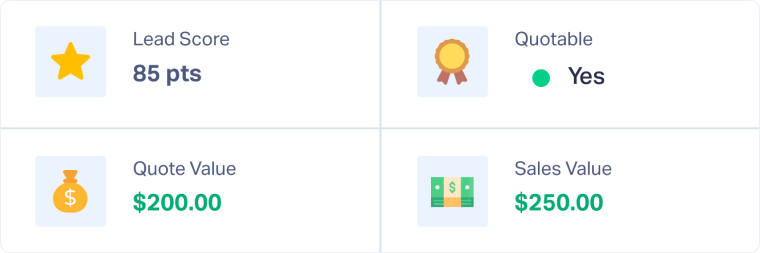
Lead qualification built into the data. Every lead can be marked qualified or unqualified, and that status flows through to reporting. When a client asks how many leads were real, the answer isn't an estimate—it's a filtered count of confirmed, qualified prospects.
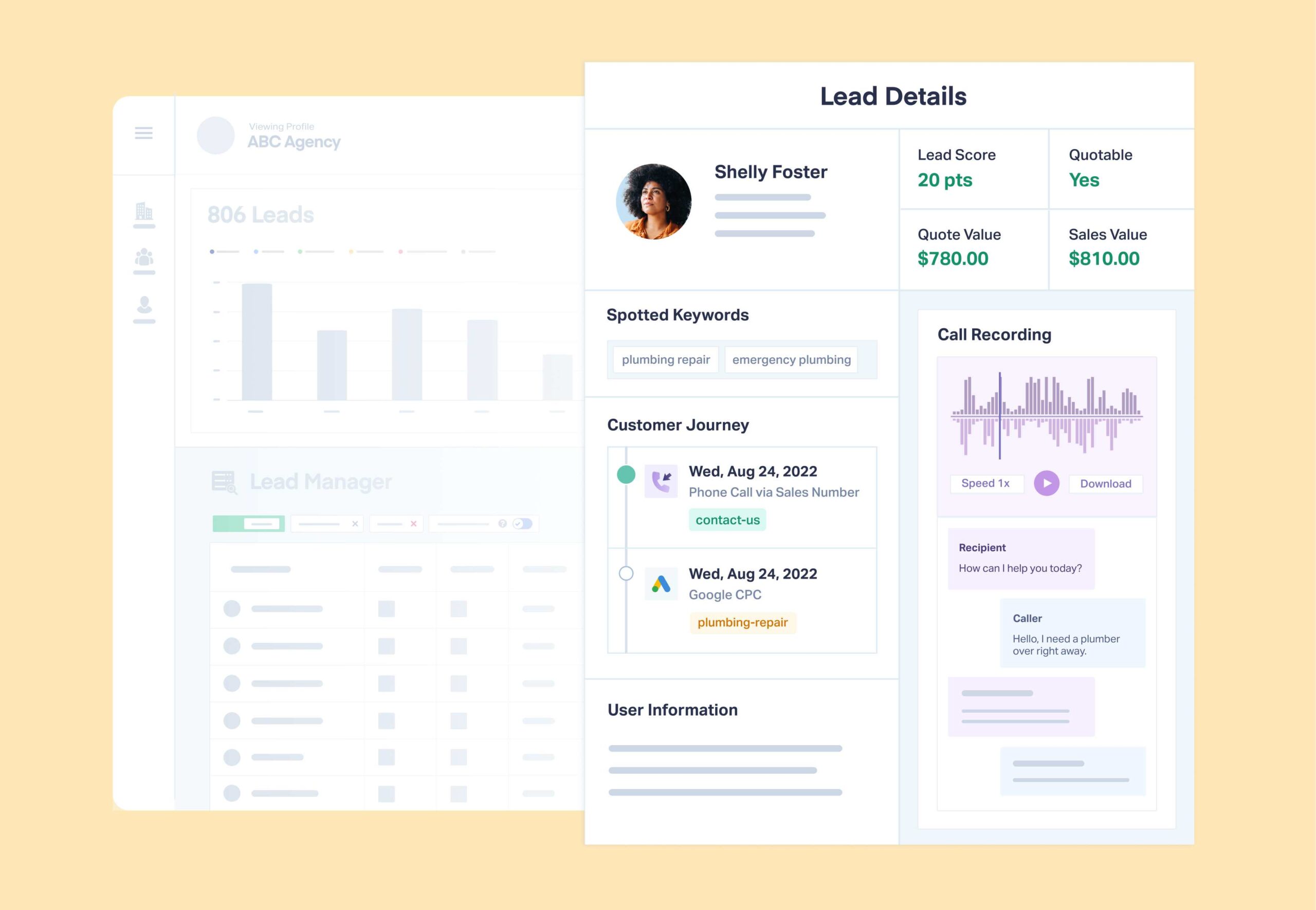
Individual lead records behind every number. Every aggregate metric in a WhatConverts report links to the individual leads that make it up. A client sees "47 qualified leads from Google Ads"—and can drill into each one. Name, number, call recording, form responses, and the keyword that brought them in.
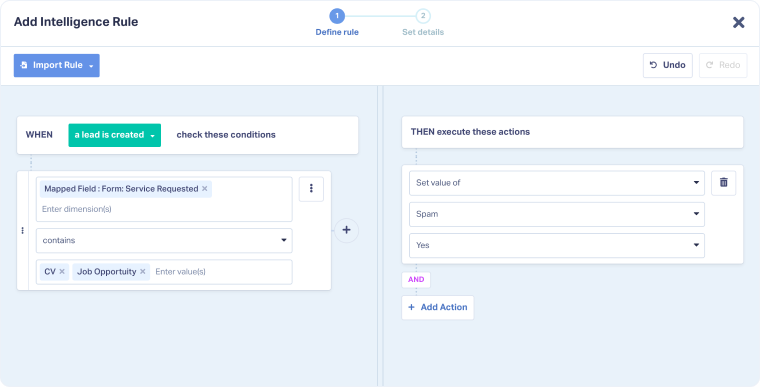
Spam and junk filtered out of conversion counts. Agencies can remove misdialed calls, existing customers, and irrelevant inquiries from the lead pool before they inflate the numbers. Clients see the real conversion count—not a padded total that falls apart under questioning.
That's what makes reporting defensible: not how it looks, but what it can withstand.
Proof: From "Mystery Numbers" to 67% MQL Rate
Make The Turn was showing a skeptical Google Ads client exactly what most agencies show: conversion counts with no context. "We were just showing them mystery numbers on a sheet," the agency said—no names, no sales data, no proof the leads became customers.
With WhatConverts, they could point to individual records: This lead was Keith. He came in last week. He booked a custom bag fitting. Here's what he spent.
The client's skepticism disappeared. Make The Turn hit a 67% lead-to-MQL conversion rate and eliminated churn.
Read More: 67% Lead-to-MQL Rate Builds Client Trust Through Data Transparency [Case Study]
What to Look for in a Reporting Tool That Goes Further
Not every reporting platform supports lead-level interrogation. Most are built for display, not defense. When evaluating which reporting tools can actually hold up in a confrontational client conversation, the question to ask isn't "does it look good?"—it's "can I answer hard questions from inside it?"
That means looking for tools that go beyond KPI aggregation to support actual lead data. See how the top agency reporting platforms compare—and which ones are built to survive the questions clients are already asking—in the 9 Best Marketing Reporting Tools for Agencies.
The Reporting Standard Has Changed
Polished KPI dashboards used to be enough. They're not anymore.
Clients are savvier, budgets are tighter, and the question "is this actually working?" now comes with a follow-up: "can you show me?"
Agencies that can pull up individual lead records, filter for qualified prospects, and play a call recording on demand don't just survive that question. They use it to prove their value and lock in the relationship.
That's the difference between a report that impresses and a report that defends.
Ready to build reporting that can stand up to any question a client throws at it?
Start your free 14-day trial of WhatConverts today or book a demo with a product expert to see how we help prove and grow your ROI.
Get a FREE presentation of WhatConverts
One of our marketing experts will give you a full presentation of how WhatConverts can help you grow your business.
Schedule a Demo
Grow your business with WhatConverts







