


 Amanda Pell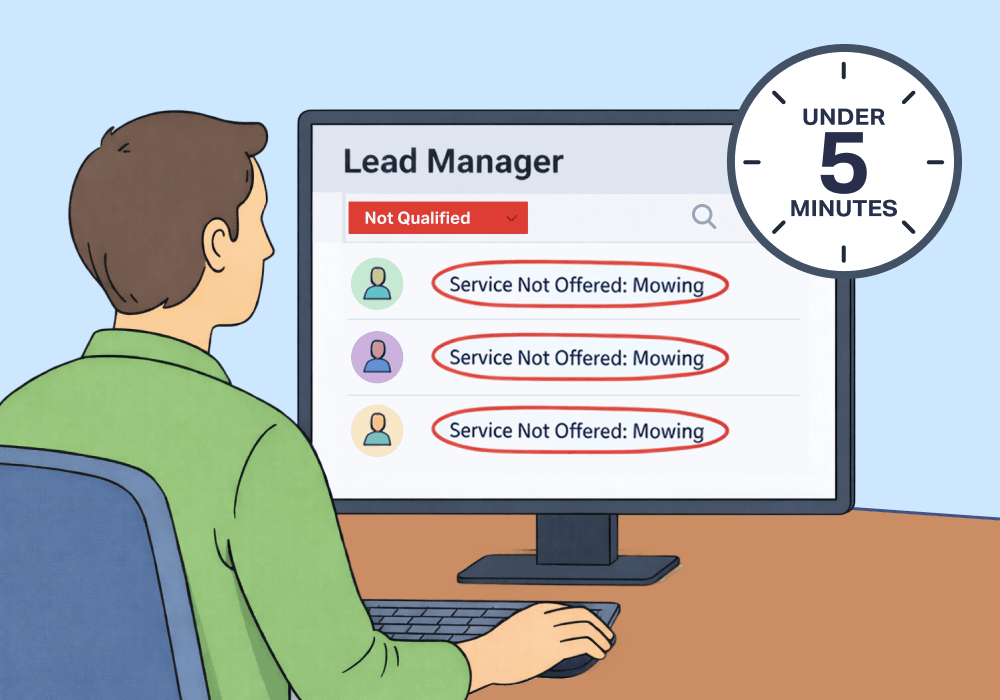
Local Service Ads promise high-intent leads, guaranteed. The reality is messier.
LSAs use broad service categories to match businesses to searchers, and that matching isn't always precise.
- A landscaping company gets calls for lawn mowing.
- A tree service gets calls for stump grinding.
- A pest control company gets calls for wildlife removal.
Every one of those calls counts as a conversion, but none of them is a real lead. And with the recent updates to LSA policies, “wrong service” calls are no longer eligible for refund credits. Google’s stance is that if you’re getting these leads, your profile settings are wrong—and it’s your responsibility to fix them.
This article shows how to find the pattern driving bad leads and correct it in under five minutes.
Note: Not a WhatConverts user yet? Start your free 14-day trial of WhatConverts today or book a demo with a product expert to see how we help prove and grow your ROI.
Wrong-Service Leads Are Now Unrecoverable Budget
Bad leads aren’t just expensive. They also make your CPL look more efficient than it actually is.
When wrong-service calls count as conversions, you're dividing total spend by a number that includes leads that could never convert. Strip those out and divide by qualified leads only and the real cost per qualified lead is significantly higher.
Here's what that looks like in practice:
| Metric | Reported | Actual |
| LSA leads this month | 100 | 100 |
| Qualified leads | ? | 58 |
| "Service Not Offered" leads | ? | 42 |
| Total spend | $8,000 | $8,000 |
| Actual CPL | $80 | $138 |
You told the client they’re paying $80 per lead, but the cost per real lead is almost 75% more expensive than that. And since Google no longer issues credits for wrong-service calls, you can’t get that $3,360 in bad lead spend back.
Why the Problem Is Hard to See Without the Right Data
Most platforms can tell you how many leads came in. None of them tell you why leads didn't convert.
Without a structured way to tag and categorize unqualified leads, most agencies end up with three bad options:
- Listen to call recordings one by one to find the pattern
- Ask clients to track rejections manually in a spreadsheet
- Do nothing and let spam silently drain budget
The pattern is always there. A cluster of "mowing" requests, a wave of installation calls in a market where the client doesn't offer it.
But finding it manually takes hours—if it happens at all.
How to Spot It in Minutes
The fix isn't complicated. It just takes two things: a way to tag disqualification reasons on individual leads, and a way to filter and count those tags across your full lead set.
WhatConverts Custom Fields do exactly that.
Here's the workflow:
- Create a Custom Field for disqualification reason. Label it "Not Qualified Reason" and define values that match common rejection types: "Service Not Offered," "Outside Service Area," "Wrong Business," and so on.
- Tag leads as they're reviewed. When a lead gets marked Not Qualified, assign the reason. This takes seconds per lead and can be done by anyone on the account.
- Filter by "Not Qualified" in the Lead Manager. Now you're looking only at rejected leads.
- Filter further by your Custom Field. How many rejections are tagged "Service Not Offered"? Which source are they coming from?
That last step is where the diagnosis happens. When 41% of LSA rejections are tagged "Service Not Offered," you know exactly what to fix—and you have the data to show your client why.
Proof: Lawnline Marketing Fixed a Spam Problem in Under 5 Minutes
Tampa-based Lawnline Marketing manages lawn care, landscaping, and tree service accounts. One client was running $150K+ in ad spend across Google Ads and LSAs, generating thousands of leads over several months.
With WhatConverts, Lawnline filtered 6,000+ leads down to 1,092 unqualified ones. Then they filtered by Custom Field to find leads rejected for "Service Not Offered."
- 226 leads were disqualified for requesting mowing—a service the client doesn't offer
- 92 of those came directly from LSAs
- That's 41% of all LSA leads going straight to waste
The entire diagnosis took less than 5 minutes. Lawnline identified the source (improper service categorization in LSA listings), fixed the listing, and reduced unqualified leads of that type by 92%.
The Unlock
When you can filter by why leads aren't converting, you stop treating spam as background noise and start treating it as a solvable keyword problem.
Here's the complete workflow:
- Create Custom Fields for disqualification reasons in WhatConverts
- Tag unqualified leads consistently across your team
- Filter the Lead Manager to "Not Qualified" leads only
- Break down by Custom Field to find the dominant pattern
- Trace that pattern back to its source—LSA category, keyword, campaign
- Fix the listing, adjust the negative keyword list, and recheck in 30 days
The pattern is always there. Now you have a way to find it in minutes instead of hours.
Ready to stop guessing why LSA leads go nowhere?
Start your free 14-day trial of WhatConverts today or book a demo with a product expert to see how we help prove and grow your ROI.
Get a FREE presentation of WhatConverts
One of our marketing experts will give you a full presentation of how WhatConverts can help you grow your business.
Schedule a DemoGrow your business with WhatConverts







