


 Amanda Pell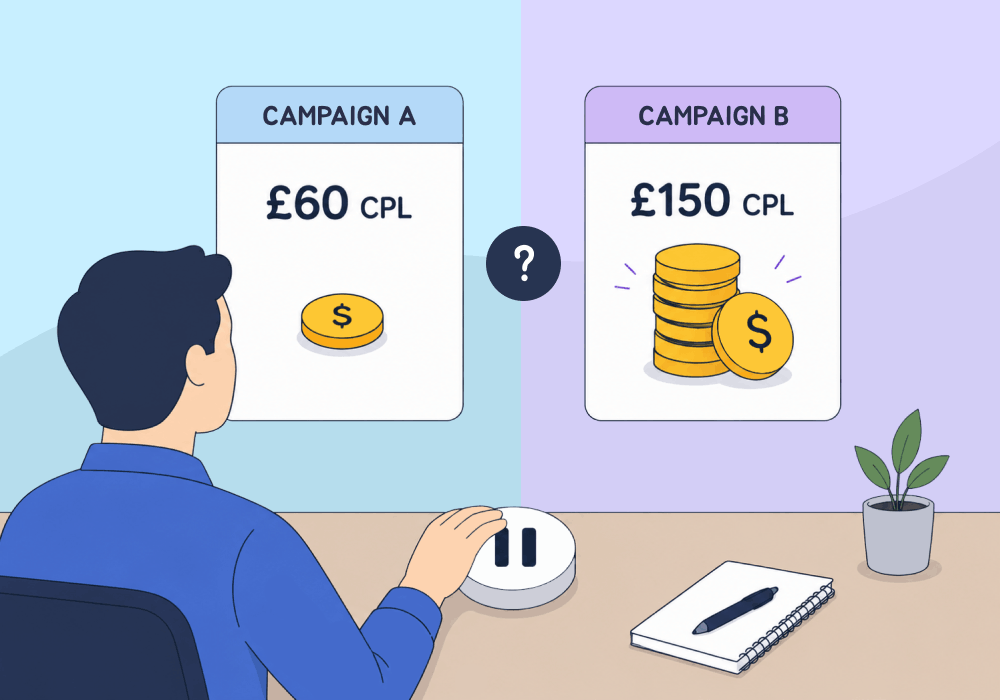
Cost per lead is the easiest metric to defend…and the easiest one to get wrong.
A campaign running at $150+ per lead looks inefficient next to one running at $60. The instinct is to cut the inefficient campaign, reallocate the budget, and call it optimization.
But CPL only measures what a lead costs. It says nothing about what a lead is worth.
High CPL isn't a red flag on its own. It only becomes a problem when the leads it produces don’t bring in more than they cost to generate. If you pause a campaign based on CPL alone, you might be cutting your most profitable channel.
This article shows how to check revenue before you pause a campaign, so you don’t cut your most profitable channel by mistake.
The Problem: CPL Tells You Cost, Not Value
Every agency has run this math. Client sees a $150 CPL campaign next to a $60 CPL campaign and asks why the expensive one is still running.
You need to be able to defend the number, or be prepared to kill the campaign. And the only way to defend the number is to answer the question: how much revenue did each of those leads bring in, and was it more than the cost per lead?
Here's what CPL comparisons miss:
- Close rate. A $60 lead that converts 10% of the time isn't cheaper than a $150 lead that converts 70% of the time.
- Sales value. Volume campaigns often produce smaller jobs. Expensive campaigns often produce bigger ones that pay for themselves multiple times over.
- Total revenue per dollar spent. This is the number that actually matters, and CPL doesn't measure it.
Cut the high-CPL campaign and the CPL dashboard looks better. The client's revenue doesn't.
Why Cheap Leads Often Mean Cheap Customers
There's a pattern that shows up across home services, legal, and B2B accounts alike: the campaigns generating the cheapest leads often generate the cheapest customers.
Broad-match keywords and low-intent audiences pull in volume. Volume drives CPL down, and clients like to see a lower cost per lead. But those cheap leads are often people who are only interested in their lowest tier of service, at a price point that barely covers even that low CPL.
Meanwhile, the campaign with the $150 CPL might be targeting a specific, high-intent audience. Fewer leads, but each one closer to ready to buy.
The bottom line is that optimizing purely on CPL rewards the wrong campaign every time.
How to Overcome It: Switch From Tracking CPL to Tracking Concrete ROI
Instead of asking "what did this lead cost," start asking "what did this lead produce."
To answer that question, you need to track three things per lead:
- Quote value. What was the lead actually asking about, and what's that job worth?
- Close outcome. Did the lead become a paying customer?
- Sales value. What did the closed job actually generate in revenue?
Once every lead carries a dollar value instead of just a cost, ROI becomes calculable at the campaign level. And that's when high-CPL campaigns often flip from "underperforming" to "most profitable channel in the account."
Why WhatConverts Makes This Possible
Manually tracking sales value back to individual leads is a spreadsheet nightmare. WhatConverts builds it into the lead record itself.
- Quote Value and Sales Value fields on every lead connect what a prospect asked for to what they actually paid.
- Lead Manager filtering lets you sort and compare campaigns by revenue generated, not just lead count or cost.
- Campaign Optimizer feeds that value data back into Google Ads and Meta, so Smart Bidding starts optimizing toward revenue instead of raw conversion volume.
The result: instead of a CPL column that tells half the story, you get a full picture of which campaigns actually make the client money.
Proof: Atomic Marketing Revives a Paused Showroom Campaign
Atomic Marketing, a UK agency managing PPC for a luxury home services client, ran a campaign experiment promoting an in-person showroom tour instead of the standard free quote offer.
The campaign generated fewer leads at a CPL of £150 to £300, well above the account's usual £60 to £80. It was paused a month later. CPL alone made the decision look obvious.
Nine months of stagnating sales later, Atomic Marketing had a hunch that pausing it was the mistake. They worked with the client to qualify and value every lead in WhatConverts, then compared campaigns on revenue instead of cost.
The showroom campaign closed at 70%, compared to 30% for other campaigns, and produced the client's highest earnings of the year. Once revalued, it showed a 2,567% ROI, nearly double any other campaign that year.
Atomic Marketing rebuilt the case for the campaign, relaunched it, and increased the lead-to-quotable rate by more than 20% in the process.
The Unlock
CPL tells you what you spent. It never tells you what you made. Before pausing a high-CPL campaign, run this check:
- Pull the campaign's full lead list, not just the CPL summary.
- Qualify and assign quote value to every lead.
- Track which leads actually closed and at what sales value.
- Calculate ROI at the campaign level, not CPL.
- Compare that ROI against your "efficient" campaigns before touching the budget.
The most expensive lead in the account might also be the most profitable one. You won't know until you check the revenue.
Ready to stop pausing campaigns on cost alone?
Start your free 14-day trial of WhatConverts today or book a demo with a product expert to see how we help prove and grow your ROI.
Get a FREE presentation of WhatConverts
One of our marketing experts will give you a full presentation of how WhatConverts can help you grow your business.
Schedule a DemoGrow your business with WhatConverts







