


 Amanda Pell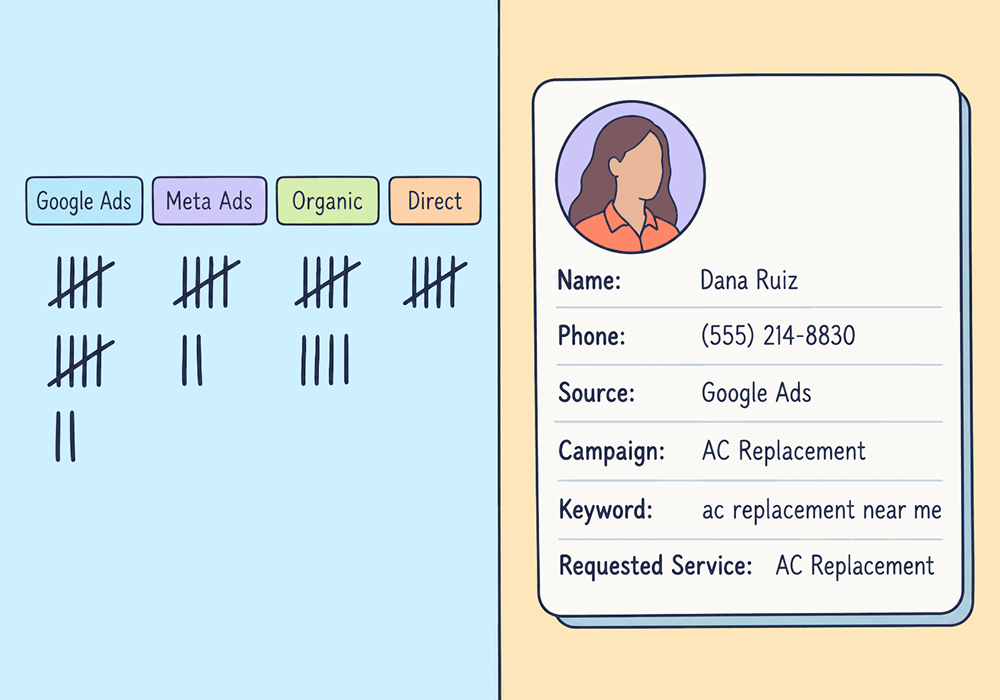
Most call tracking platforms can tell you a campaign drove 212 calls last month. Ask who those 212 people were or whether they were worth anything, and they come up empty.
That's because most call trackers are actually call counters. They log that a conversion happened, add one to the total, and move on.
A total can tell you the phone rang. It can't tell you whether the call was worth paying for.
Counting and capturing both get sold as "call tracking." But only call capture gives you a record of the actual lead: who they are, what they asked for, where they came from, and whether they bought.
This article breaks down the functional difference between counting leads and capturing them, and shows how to turn every PPC conversion into a record you can optimize with.
Note: Not a WhatConverts user yet? Start your free 14-day trial of WhatConverts today or book a demo with a product expert to see how we help prove and grow your ROI.
A Counter Only Knows That Something Happened
A lead counter records an event: a call came in, a form was submitted, the number goes up by one.
Here's what a call counter gives you:
- A total number of calls or form fills
- A timestamp and a call duration
- A campaign or ad group, if the lead came from Google Ads
It leaves out everything that determines whether the conversion actually mattered: who the person was, what service they wanted, whether they were already a customer, and whether they booked.
Sure, you can see those things if you read the transcript, and some call trackers even offer AI analysis to read the transcripts for you. But when it comes time to run your reports, it can’t separate the real calls from the junk ones.
That means Google can’t tell the difference, either. Smart Bidding gets the same total conversion count that you do, which means it learns to chase more of whatever clicks turn to calls, not more of the clicks that turn into customers.
Related Reading: How to Uncover Optimization Opportunities with a Google Ads Audit
Capturing Turns an Event Into a Record
Lead counting answers one question: how many?
Lead capture is what answers all of the many questions that drive budget decisions: who, from where, for what, and worth how much? Each lead becomes its own record, with the person, the source, the conversation, and the outcome attached.
Here's how the two compare:
| Counting | Capturing | |
| What you get | A tally | A full record for every lead: call details and the marketing source |
| Source | Campaign level, one platform at a time | Campaign, keyword, landing page, and full customer journey |
| What the lead wanted | Unknown; buried in the lead transcript | Requested service, extracted from the recording, transcript, or form |
| Lead quality | Unknown | Qualified, spam, or existing customer; attached directly to the lead profile |
| Value | Unknown | Quote value and sales value, attached directly to the lead profile |
| What Google Ads learns | Bid on the keywords that generate the most clicks and the lowest cost | Bid on the keywords that generate the clicks that turn into qualified customers and revenue |
With captured leads, you can see that one keyword drove 30 calls and zero jobs while another drove eight calls and five jobs. Then you can move the budget to fund the campaigns bringing in real business.
Help Center Guide: Optimize Campaigns with Marketing Spend Data
How to Switch from Counting Conversions to Capturing Leads
The solution is to stop treating clicks as isolated events and start treating them like what they are: the beginning of a single end-to-end lead journey that you can track from first click to the sales conclusion.
Here's the workflow:
- Give every conversion its own record. Track calls, forms, and chats at the lead level, so each one carries its own data instead of adding to a tally.
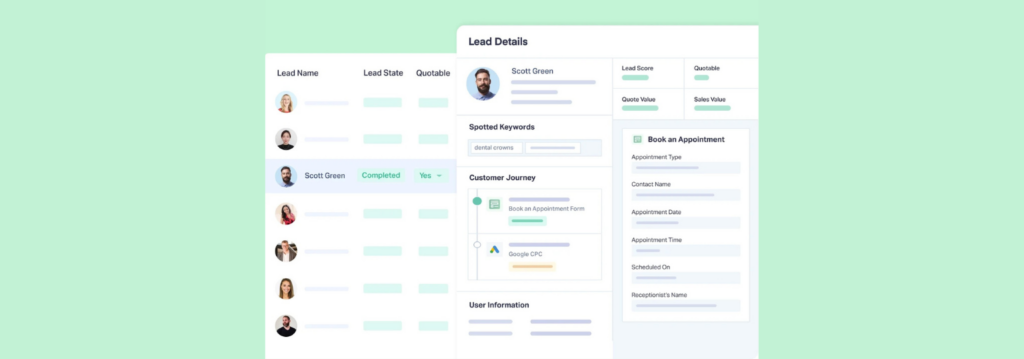
- Attach the marketing source automatically. Use dynamic number insertion to tie each call to the campaign, keyword, and landing page behind it.
- Document what the lead asked for. Pull the requested service from call recordings, transcripts, or form fields.
- Qualify and value each lead. Mark leads as qualified or not, then add quote and sales values as jobs close.
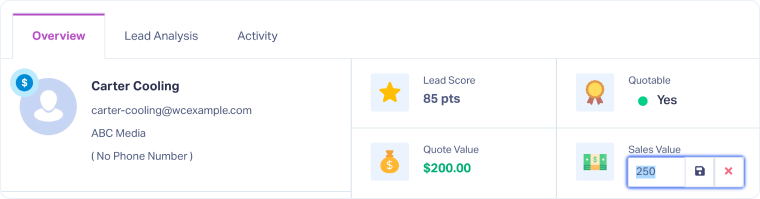
- Send the results back to your ad platforms. Push qualified, valued conversions to Google Ads so bidding chases revenue instead of volume.
Try this check first: Pull last month's call total. Then count how many of those calls you can name the caller, the service, and the outcome for. Subtract your captured calls from your total count: that’s how many calls you paid for and can’t learn from.
Related Reading: How to: Turn Anonymous Conversions into ROI-Ready Leads
Why WhatConverts
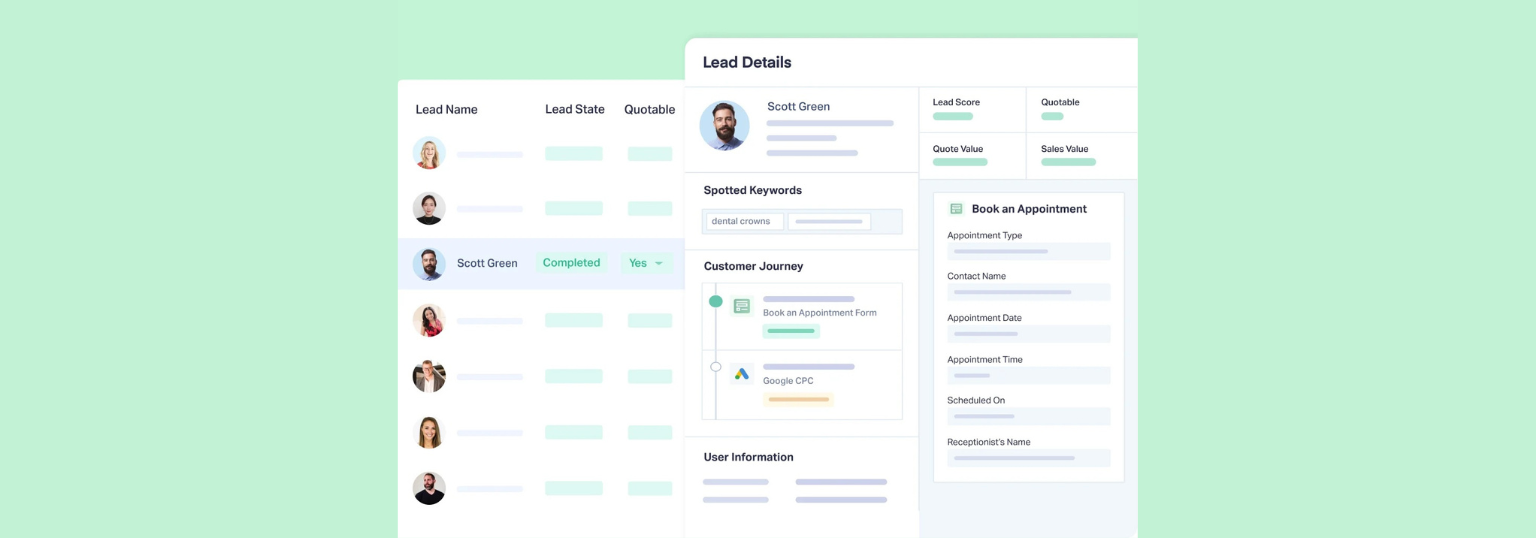
The trick to capturing leads is to use a tracking platform that’s built to document the full lead journey. WhatConverts documents every call, form, and chat in the Lead Manager, each tied to the person behind them as well as their marketing source and 70+ other data points automatically attached.
Here’s what that kind of tracking allows you to do:
- See the person behind every conversion. Name, phone number, email, and location come in with each lead, so a call is never just a call.
- Trace each lead to its exact source. Campaign, keyword, landing page, and the full customer journey from first touch to conversion sit inside the record.
- Hear what they actually wanted. Recordings and transcripts live with the lead, so the requested service is one click away.
- Qualify and value every lead. Mark leads as qualified, add quote and sales values, and report revenue by campaign.
- Feed it back to Google Ads. Qualified, valued conversions sync to Google Ads, so Smart Bidding learns from the leads that turned into revenue.
Proof: Soone Agency Traded Call Counts for $40K in Attributed Sales
Soone Agency was tracking calls for The Pressure Cleaning Guys, a power washing company in Perth, with Google Tag Manager and Google Ads native call tracking.
The calls were counted. But the agency couldn't tell which ones came from paid, organic, or direct, or which ones turned into revenue.
So they switched to WhatConverts. Every call came in as its own lead record with source, medium, campaign, and keyword attached, plus the recording, transcript, and customer journey. Then they matched those leads to revenue from the client's job management system.
In the agency's words, WhatConverts gave them the lead-level insight they'd been missing.
The results:
- 28% more leads within 60 days
- 25% lower cost per conversion
- $40K+ in closed sales attributed directly to ads
- 20% of ad spend moved from underperforming keywords to high-converting campaigns
The Unlock
When every conversion becomes a record, a lead total turns into a list of real people you can qualify, value, and optimize toward.
Here's the complete workflow:
- Track every call, form, and chat as its own lead record in WhatConverts
- Attach the campaign, keyword, and landing page automatically
- Document the requested service from recordings, transcripts, and form fields
- Qualify and value each lead in the Lead Manager
- Send qualified, valued conversions back to Google Ads
Counting tells you the phone rang. Capturing tells you which calls to pay for next.
Ready to see the person behind every conversion, not just the count?
Start your free 14-day trial of WhatConverts today or book a demo with a product expert to see how we help prove and grow your ROI.
Get a FREE presentation of WhatConverts
One of our marketing experts will give you a full presentation of how WhatConverts can help you grow your business.
Schedule a DemoGrow your business with WhatConverts







