


 Amanda Pell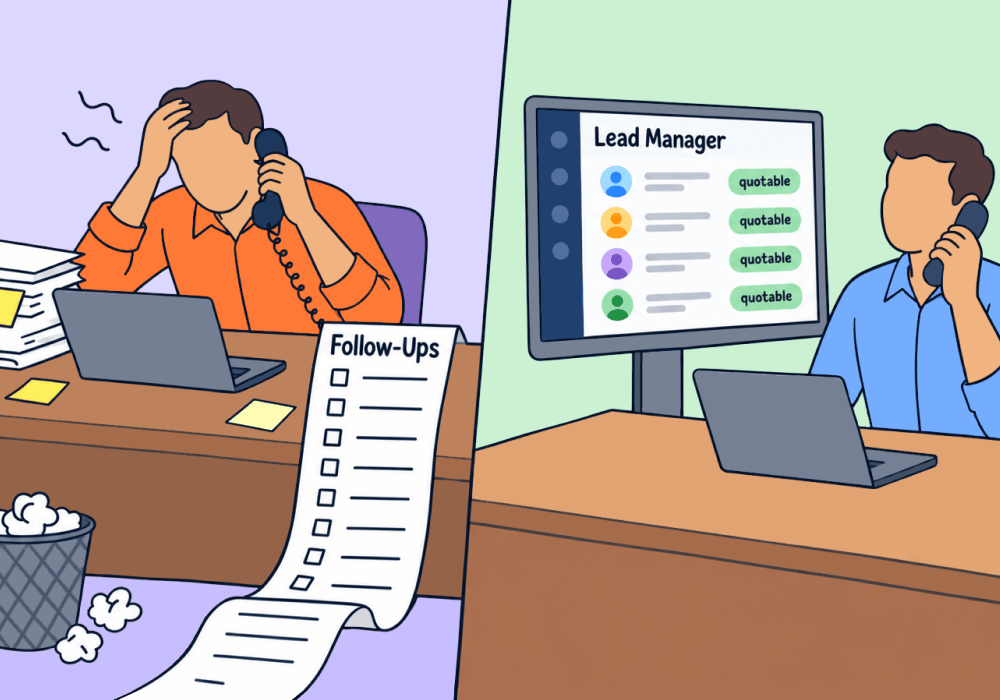
A sales team has a fixed number of hours. Reps waste most of them on calls that have no shot of making money.
They follow up with leads in the order that they arrived, and they spend fifteen minutes each talking to ten different casual price shoppers while a ready-to-buy prospect gets tired of waiting and signs with a competitor instead.
Marketing knows where each inbound lead came from, what service they requested, and what the job is likely worth. But without a lead handoff system that lets sales leverage that data for their benefit, valuable business intelligence goes to waste.
So sales loses good leads, and another potentially valuable MQL gets marked closed lost.
This article shows how to use marketing lead data to prequalify inbound leads and rank them by likely return, so sales spends its hours where revenue per hour is highest.
Note: Not a WhatConverts user yet? Start your free 14-day trial of WhatConverts today or book a demo with a product expert to see how we help prove and grow your ROI.
The Problem: Sales Calls Leads in the Wrong Order
Most inbound leads land in one pile: a CRM inbox, a spreadsheet, a missed call log. When a roofing contractor’s sales team sees 40 calls that need follow-ups, they sit down and start listening to voicemails, working their way down the list.
Those 40 calls include:
- 9 that are spam, wrong numbers, or existing customers asking about invoices – worth $0 each
- 12 that are real leads calling about a minor repair or gutter cleaning – worth $300 each
- 13 that are price shoppers or located outside the company’s service area – worth $0 each
- 6 that are real leads asking about full roof replacements – worth $15,000 each
Those six replacement leads are worth more than the other 34 combined. But because the callback pile is unsorted, they wait their turn while sales reps waste time vetting non-starters and junk.
In the time it takes to reach them, three of the six call a competitor and sign a contract. That’s $45,000 in potential revenue lost, for no reason other than the sales rep didn’t know they had a hot lead waiting in the callback pile.
Related Reading: How (and Why) to Help Your Client Up Their Sales Game
You Have the Sorting Data; You’re Just Not Using It
There are two questions that determine which leads should rise to the top of the priority list: how much is it worth, and how likely is it to close?
Marketing data can answer both questions with out playing the voicemail or placing a call:
- Source and keyword signal intent. Someone searching "roof replacement cost" is a different buyer than someone searching "fix roof leak myself."
- Call content signals readiness. Keywords surfaced from the call transcript separate leads that mention an insurance claim or a recent storm from those that don’t signal a timely need.
- Requested service signals deal size. A replacement inquiry and a gutter cleaning inquiry belong at opposite ends of the queue.
- Basic qualification removes the noise. Spam, existing customers, and out of area calls never reach the queue.
Put those together and a raw list becomes a ranked queue.
| Raw List | Ranked Queue | |
| Order | First in, first called | Highest potential returned first |
| Junk leads | Reps sort them by hand | Filtered out before sales even sees them |
| $30,000 job | Waits behind a $500 job | Called first |
| Rep time | Spread evenly across every lead | Concentrated where the revenue is |
Same team, same hours. The difference is the order they're spent in. And when sales starts addressing and closing more of the leads you generate, the amount of revenue from your marketing campaigns skyrockets.
Related Reading: Google Ads Report: See Which Ads Drive Revenue, Not Just Clicks
How to Build a Ranked Sales Queue
- Filter out nonstarters automatically. Mark spam, short calls, existing customers, and out-of-area leads as unqualified before they reach sales.
- Tag each lead with the service requested. Pull it from the form field, the landing page, or the call transcript.
- Assign an expected value to each service. Use the client's average job size: $300 for a repair, $15,000 for a replacement.
- Flag readiness. Watch calls and forms for phrases that signal urgency, like "insurance claim," "this week," or "storm damage."
- Sort and hand off. Send sales a queue ordered by expected value and readiness instead of timestamp.
Why WhatConverts
You can’t pass on sorting data that you aren’t collecting, and the tracking you get from your ad platforms and analytics tools isn’t enough to tie marketing source data to sales opportunities. That’s what WhatConverts does.
WhatConverts tracks the marketing source of every conversion action, then keeps tracking that lead all the way through to its natural conclusion (whether that’s the spam folder or a successful sale). That allows you to:
- Filter nonstarters before they reach sales. Lead Intelligence rules automatically qualify or disqualify leads based on criteria like call duration, source, and keywords.
- Attach service and value to every lead. In the Lead Manager, each lead carries its requested service and a quote value, so the queue has dollar amounts attached.
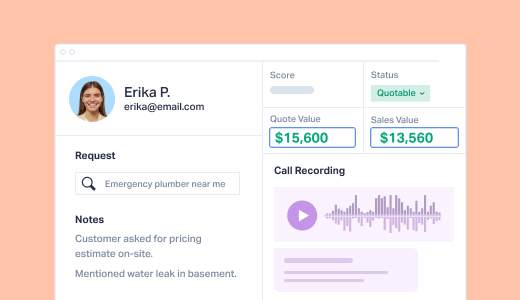
- Catch readiness in the conversation. Call recordings and transcripts surface the phrases that separate a ready buyer from a browser.
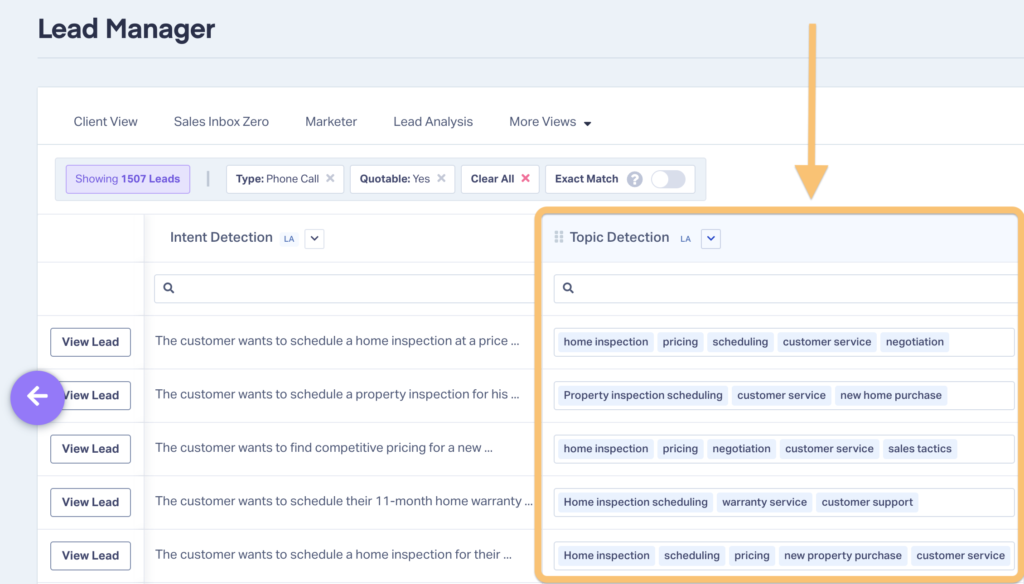
- Deliver the ranked queue where sales works. Integrations send qualified, valued leads into the client's CRM, so reps open a sorted list.
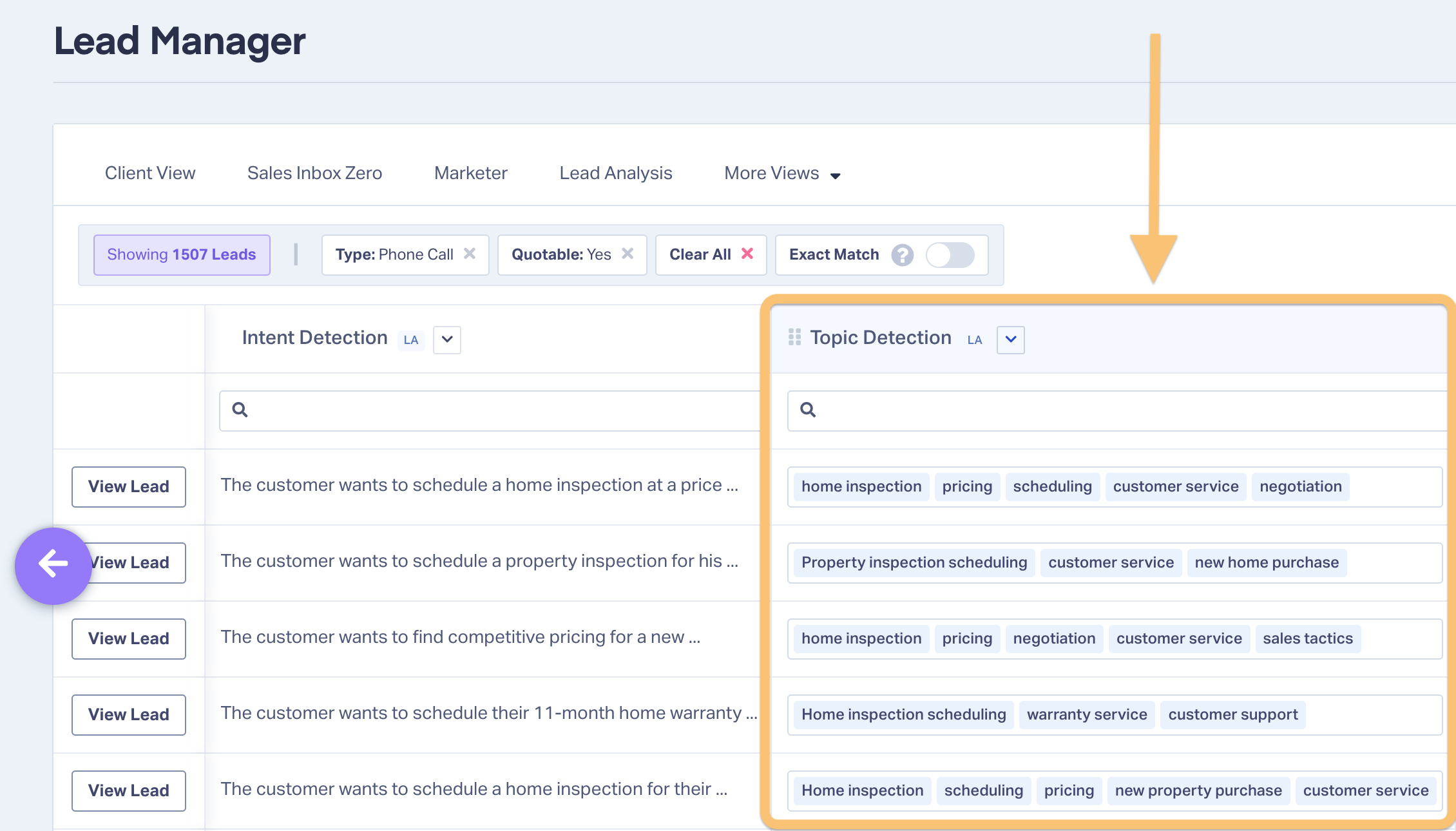
When the sales team sits down to look at their lead queue, they’re met with a clean, sorted stack of enriched leads, ordered by opportunity potential instead of random chance.
Help Center Guide: Use Lead Intelligence to Optimize Your Sales Process
The Unlock
When marketing ranks leads before handoff, sales stops sorting and starts closing.
It also changes what the agency brings to the table. Any vendor can sell a client a list of leads. An agency that tells the sales team where tomorrow's revenue is most likely to come from is providing business intelligence, and that's far harder to replace.
Ready to give your clients' sales teams more than a lead list?
Start your free 14-day trial of WhatConverts today or book a demo with a product expert to see how we help prove and grow your ROI.
Get a FREE presentation of WhatConverts
One of our marketing experts will give you a full presentation of how WhatConverts can help you grow your business.
Schedule a DemoGrow your business with WhatConverts







