


 Amanda Pell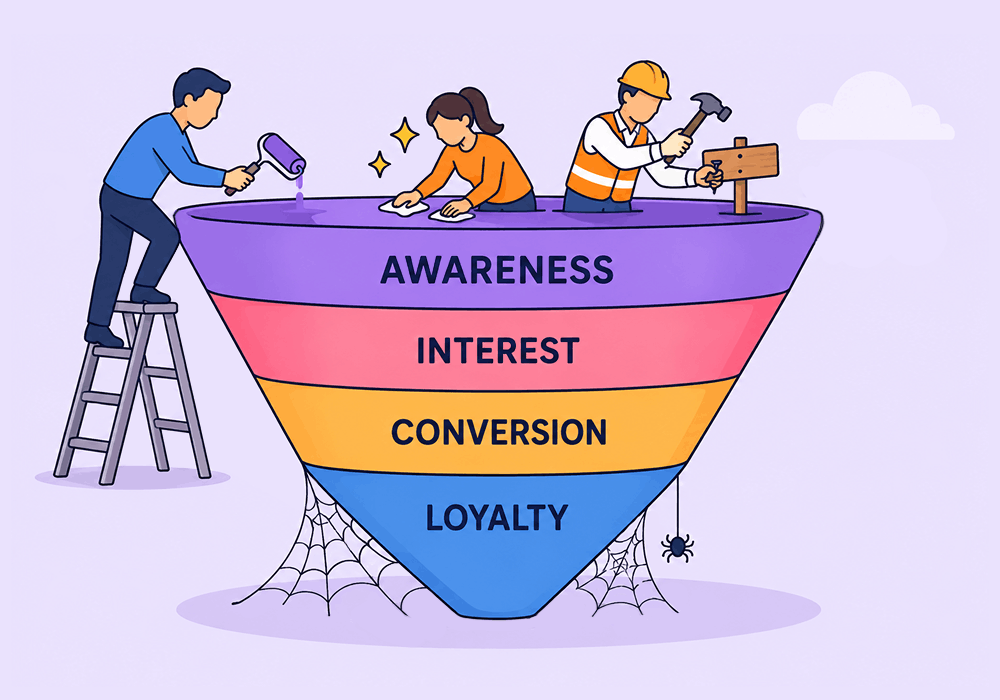
A form fill happens at the top of the funnel. A customer happens at the bottom. Most campaigns optimize for the first one and get judged on the second.
That's a problem, because Google Ads will gladly spend three months getting really good at finding people who fill out forms but never buy anything. The longer your campaign runs against a top-of-funnel conversion event, the better the algorithm gets at the wrong job.
This article shows what it costs to optimize for the wrong end of the funnel, and how to send Google a signal that points at customers instead of form-fillers.
Note: Not a WhatConverts user yet? Start your free 14-day trial of WhatConverts today or book a demo with a product expert to see how we help prove and grow your ROI.
The Conversion You Track Becomes the Customer You Get
Every PPC campaign is a training program for an algorithm.
Send Google "form submission = conversion," and Smart Bidding builds an audience model around people who submit forms. It gets very good at finding them. It does not get good at finding people who buy.
These behaviors look similar from the outside. They are not the same:
- People who fill out forms are often researchers, comparison shoppers, students, competitors, and bots.
- People who become customers have budget, urgency, and decision-making authority.
The longer your campaign runs against the wrong signal, the further these two audiences drift apart. Week one, the audience pool is broad and the overlap is decent. Week twelve, the algorithm has aggressively narrowed toward the cheapest, easiest form-fillers it can find.
You didn't change your targeting. The machine did it for you, based on the goal you gave it.
Related Reading: Send Quote Value with Google Ad Conversions
What This Looks Like in a Real Account
A home services client runs lead gen on Google Ads. The campaign is optimized for "Contact Us" form submissions.
After 90 days, the numbers look like this:
| Metric | Result |
| Conversions | 312 |
| Cost per conversion | $48 |
| Conversion rate | 6.2% |
The client is happy. The dashboard is green.
Then sales reviews the data:
| Stage | Count | Rate |
| Form fills | 312 | 100% |
| Qualified leads | 41 | 13% |
| Booked jobs | 9 | 3% |
The campaign trained Google to find people willing to fill out a form. Most of them weren't homeowners. Most weren't even in the service area. The algorithm did exactly what it was told. It just wasn't told the right thing.
True cost per booked job: $1,664. Not $48.
The campaign was never broken. It was optimized for the wrong audience the entire time.
The Fix: Send Qualified Lead Signals, Not Conversion Events
The solution is not to track fewer leads. It's to teach the algorithm which leads matter.
Here's the shift:
- Capture every lead with full context. Source, campaign, keyword, and the actual conversation or form content.
- Qualify each lead automatically. Use rules that tag a lead as qualified when it meets your client's real criteria (in-area, decision-maker, ready to buy, service match).
- Send only qualified leads back to Google as the conversion event. Form fills still get captured for reporting. They just stop counting as the signal Smart Bidding optimizes against.
- Let the algorithm retrain. Within a few weeks, the audience pool shifts toward people who behave like real customers, not researchers.
This is the difference between training Google to fill your client's inbox and training it to fill their schedule.
How WhatConverts Optimizes for the Sale
WhatConverts captures every call, form, and chat with full attribution. Then Lead Intelligence rules automatically qualify leads based on the criteria you set: call duration, transcript keywords, form field values, geography, service requested, lead score.
From there, WhatConverts’s Campaign Optimizer sends those qualified leads back to Google Ads as the conversion event. Campaign Optimizer connects your lead data to ad platforms like Google Ads, Microsoft Ads, and Meta, so the conversions you report match the leads you actually want more of.
That means Smart Bidding stops optimizing toward "anyone who clicks Submit" and starts optimizing toward "people who behave like buyers."
Same ad spend. Same campaign structure. Different audience signal. Different audience.
Proof: From Cost per Lead to Cost per Booked Job
Distribute Digital, a UK performance marketing agency, ran PPC for an auto repair shop. Leads were coming in and cost per lead looked efficient. But the agency had no visibility into what happened after a lead converted, so every lead counted the same whether it booked a job or not.
Then the client shared internal data on which leads actually became appointments. Distribute Digital matched that back to WhatConverts, gave every booked job a sales value, and pushed that enriched data into Google Ads through the native integration.
That one change unlocked three metrics they'd never been able to see in the ad platform:
- Jobs booked per campaign and keyword
- Cost per job booked, not cost per lead
- Actual conversion rate: jobs booked divided by leads
Now they could see that a campaign with a low cost per lead might have a terrible cost per booked job, and vice versa. They even spotted which vehicle makes (BMW, Jaguar) converted at the highest rates and targeted accordingly. Their PPC manager called it a light bulb moment.
The conversion they reported to Google changed, so the optimization changed. Budget moved toward the campaigns that produced appointments, not the ones that produced the cheapest form fills.
What You're Actually Training the Algorithm to Do
Here's the unlock:
- Stop sending raw form fills and call counts as conversions to Google. They train the algorithm toward the wrong audience.
- Define what a qualified lead actually looks like for your client's business, in writing.
- Use Lead Intelligence rules to qualify leads automatically as they come in.
- Sync only qualified leads back to ad platforms as the conversion signal.
- Watch the audience shift over 4 to 8 weeks as the algorithm retrains around real buyers.
Optimizing for top-of-funnel events isn't a tracking problem. It's an audience-building problem you've been compounding every week the campaign runs.
Start your free 14-day trial of WhatConverts today or book a demo with a product expert to see how we help prove and grow your ROI.
Get a FREE presentation of WhatConverts
One of our marketing experts will give you a full presentation of how WhatConverts can help you grow your business.
Schedule a DemoGrow your business with WhatConverts







