















































 Amanda Pell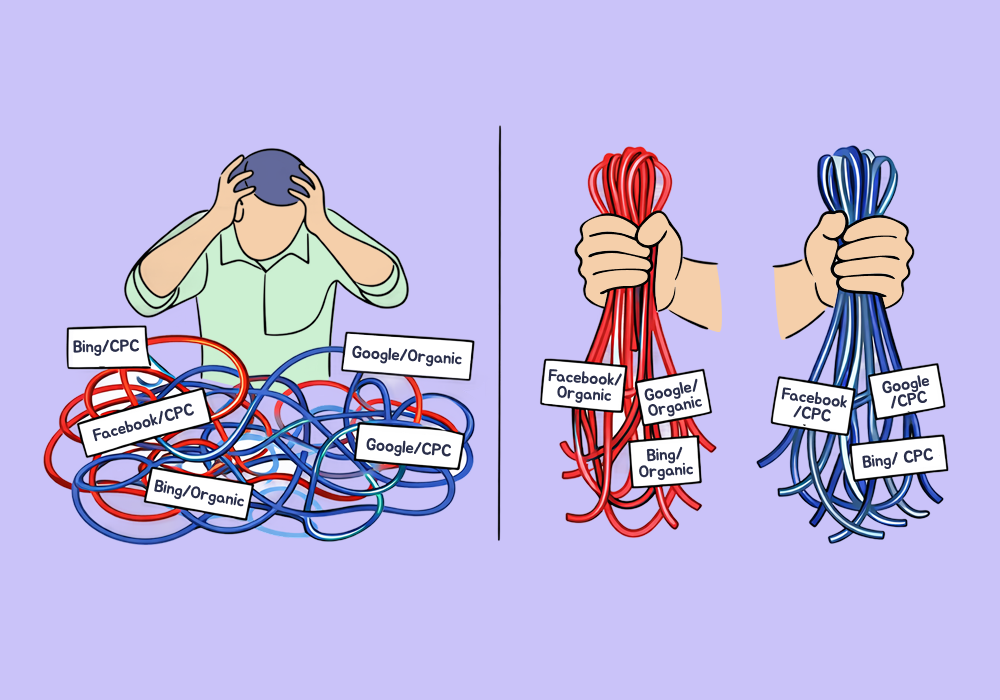
Marketers manage campaigns by channel: SEO, paid, social.
That's how budgets get allocated, how performance gets discussed, and how results get reported to clients.
But when the client asks “what’s our organic cost per lead?” everything falls apart. Because your leads are grouped by channel, but your spend data is attached to separate platforms.
Google Ads has its own budget, and organic is split across search engines. When it comes time to report, the units you’ve used to manage your campaigns don’t work to measure spend and ROI.
So you either report everything by individual platform and hope the client doesn’t ask for more, or you take the time to manually reconcile everything before each meeting.
WhatConverts's multi-source channel mapping solves that problem. This article shows how to group your sources into channels, attach spend at the channel level, and get a CPL that matches the way you actually run your marketing.
Note: Not a WhatConverts user yet? Start your free 14-day trial today or book a demo with a product expert to see how we help prove and grow your ROI.
Why CPL by Channel Is Hard to Get
The mismatch is structural:
- Attribution tools let you report by both source and medium: google / organic, bing / organic, google / cpc, bing / cpc.
- Spend data is trapped at the platform level: Google Ads gives you Google spend, Microsoft Ads gives you Microsoft spend.
But neither of those groupings is a channel. They're the raw inputs that a channel is made of.
A channel is made up of multiple sources and mediums. If you wanted to calculate true CPL for your organic channel, you’d need to:
- Export all organic leads from your attribution tool
- Gather up each of the costs tied to your organic program: tools, agency retainers, management fees, link building costs, etc.
- Divide manually
- Repeat next month
The data exists; it just doesn’t live in one place. That’s where marketing spend channel mapping changes the game.
What Multi-Source Channel Mapping Actually Does
Since all of your lead data and your marketing spend data lives in one place, you can define your channels in WhatConverts once instead of gathering all of your spend data piecemeal every month.
In WhatConverts’s Marketing Spend section, you:
- Connect each of your individual ad platforms to WhatConverts, so spend data will automatically be imported live each month
- Create a new channel (SEO, PPC, etc.)
- Map each relevant ad platform to that channel
- Add any additional expenses (your retainer fee, tool costs) to "Other Costs"
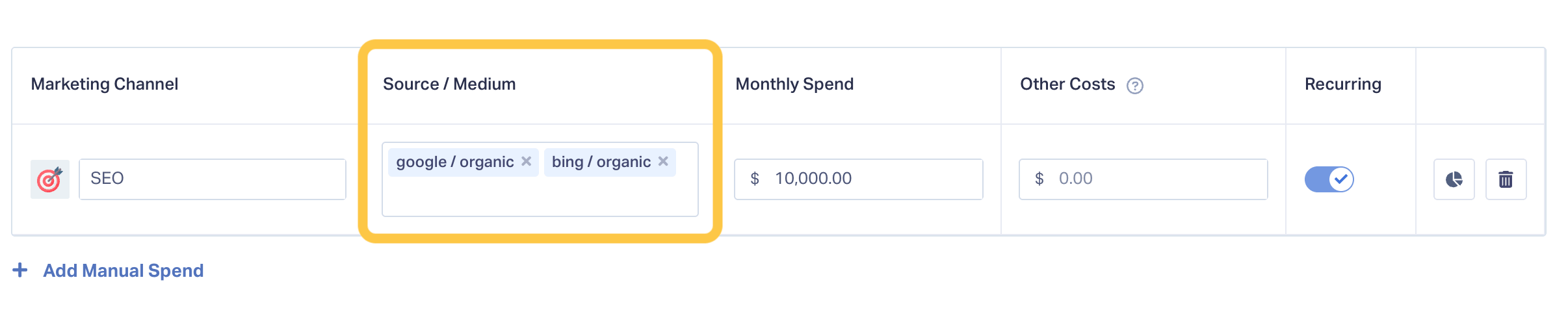
From that point forward, every mapped lead will be automatically attributed to your created channel, as well as to the proper source and medium. Every dollar spent across included platforms will automatically be divided by the total number of leads. Et voila: your channel CPL will reflect your entire program automatically.
The channel becomes the unit of measurement—the same unit you've been using to manage the campaign all along.
No spreadsheets, no reconciling, no manual work at all.
Read More: Marketing Spend Just Got More Actionable [Product Update]
Example: Calculating Total CPL Across Multiple Ad Platforms
Let’s say you’re running paid search campaigns for a home services client. Paid leads are coming from Google, Facebook, and Bing ads.
Here’s what the platforms report for the month:
| Spend | Leads | CPL | |
| Google Ads | $12,000 | 180 | $66.67 |
| Facebook Ads | $3,750 | 50 | $75 |
| Bing Ads | $1,500 | 40 | $37.50 |
But when you walk into the client meeting, they don’t ask, “How did Bing perform?” They ask, “How is our paid program performing?”
Now you’re doing math in your head: total spend across platforms is $17,250 and total lead count is 270, so overall CPL is about $64.
Except that’s not really true: that doesn’t include your agency retainer, or the ad hoc landing page project the client added this month, or the cost of the tracking tools you use to manage their account.
So you’re left hemming and hawing, offering generalizations and estimates instead of clarity and confidence.
What It Looks Like With Channel Mapping
With channel mapping, all of your costs are already bundled into a single reporting channel.
| Campaign Costs | |
| Google Ads | $12,000 |
| Facebook Ads | $3,750 |
| Bing Ads | $1,500 |
| Other Costs | |
| Monthly Retainer | $10,000 |
| Landing Page Project | $5,000 |
| Tracking Tools | $500 |
| Total Costs | $32,750 |
| Total Leads | 270 |
| Total Channel CPL | $121.30 |
Now you have an accurate report of your true paid marketing CPL—one that updates automatically, requires no manual math, and can be graphed month-to-month to track long-term trends.
That alone fixes the reporting problem. But once your channels are defined correctly, something more important happens.
Because all of your leads and all of your spend now live inside the same structure, you’re no longer limited to basic cost per lead.
You can start measuring what actually matters.
Cost per Qualified Lead—at the Channel Level
Not every lead is equal. Some are real opportunities; some are just price shoppers; some aren’t even real people at all.
WhatConverts lets you qualify leads individually, whether through manual review, Lead Intelligence rules, or AI. And that qualification stays attached to the original marketing source, medium, campaign, and channel.
So now your channel report doesn’t just show 270 leads at $121.30 per lead. It can show 270 total leads and 160 qualified leads at a cost of $204.69 each—not cost per lead, but cost per future customer.
Revenue per Channel and Real ROI
If your client knows their average customer is worth $1,000, and you’ve just shown that you can acquire customers for $200 each, that’s already a strong position. But averages still leave room for doubt.
WhatConverts lets you attach real quote and sales values to each individual lead your marketing generates. Just like spend data, that revenue stays connected to the original source, medium, campaign—and rolls up to the channel.
So instead of estimating ROI based on assumptions, you divide actual earned revenue by actual spend.
For example:
You generated 160 qualified leads at $204.69 each.
That’s solid performance. But if those same 160 leads went on to produce $250,000 in booked services, you’re no longer just talking about cost per lead.
You’re showing:
- $32,750 in spend
- $250,000 in revenue
- A 763% return on investment
That’s concrete revenue tied directly to the channel that produced it—the channel that your agency is responsible for.
From Cleaner Reporting to Real ROI
Channel mapping starts as a reporting fix: you define your channels once, stop reconciling platforms every month, and finally get CPL that reflects how you actually run your marketing.
But once your structure is right, better metrics follow.
You can measure cost per qualified lead, real revenue per channel, and true ROI—all without exporting data or rebuilding spreadsheets.
That’s the difference: most agencies report what platforms tell them. The best agencies report what their marketing actually produces.
If you manage by channel, measure by channel. And once spend, leads, qualification, and revenue all live in the same place, you’re no longer stitching together performance—you’re proving it.
Ready to get a real CPL for your marketing channels?
Start your free 14-day trial of WhatConverts today or book a demo with a product expert to see how we help prove and grow your ROI.
Get a FREE presentation of WhatConverts
One of our marketing experts will give you a full presentation of how WhatConverts can help you grow your business.
Schedule a Demo
Grow your business with WhatConverts







