















































 Amanda Pell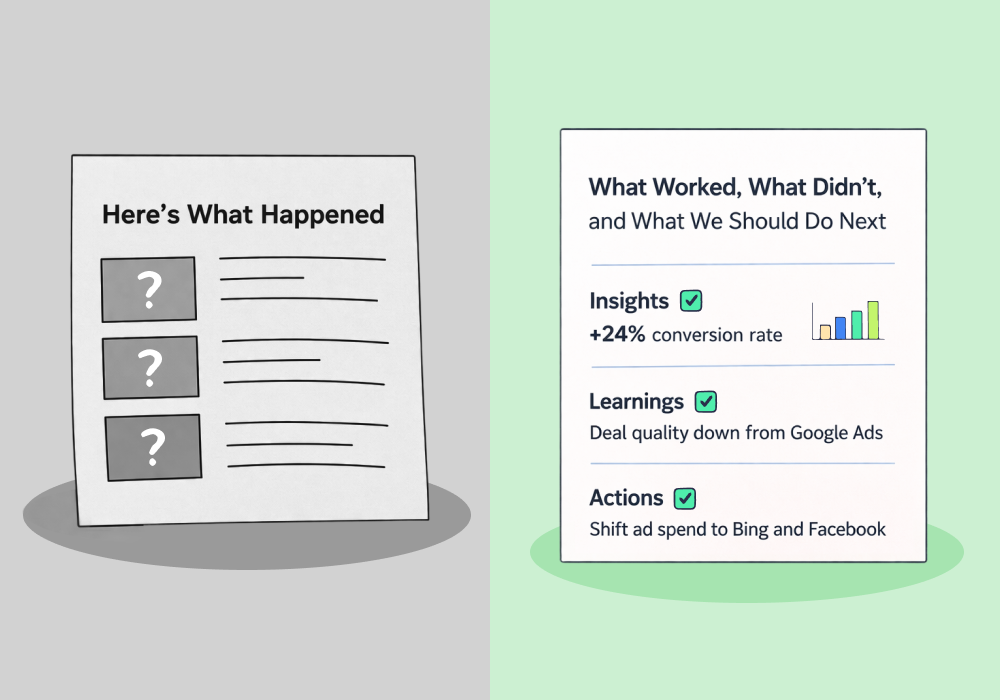
Most reporting tools are built to answer one question: what happened last month?
That's useful for explaining performance. But it's not enough to improve it.
The agencies pulling ahead aren't just better at communicating results. They're better at acting on them. And there's a specific reason: their reporting surfaces what to do next, not just what already happened.
This article breaks down the difference between a tool that documents performance and one that drives it—with concrete examples of what optimization-ready reporting actually looks like in practice.
Note: Not a WhatConverts user yet? Start your free 14-day trial today or book a demo with a product expert to see how we help prove and grow your ROI.
The Problem with "Summary" Reporting
Summarizing is easy. Pull impressions, clicks, conversions, and cost. Drop them into a chart. Send it to the client.
The problem isn't that summary reporting is wrong. It's that it's passive. It tells you what the numbers were, but it doesn't tell you what the numbers mean for your next campaign decision.
Here's what that looks like in practice:
A Google Ads campaign generates 120 leads at a $65 CPL. Solid numbers. The report goes out, the client says "looks good," and everyone moves on.
But buried in those 120 leads:
- 70 were form fills that never answered a follow-up call
- 15 were calls under 30 seconds
- 35 were legitimate prospects—calls over two minutes, qualified, with quote values averaging $2,400
The summary report showed 120 conversions. The number of real opportunities was 35.
But since the summary report didn’t show the difference, the campaigns driving those 35 qualified leads got the same budget as the ones generating 70 ghosts.
That’s how good campaigns get underfunded and bad ones keep running.
Not all reporting tools are built the same—and the difference matters more than most agencies realize.
For a full breakdown of:
- How the top 9 agency reporting platforms compare
- What separates a data capturer from a data aggregator
- What to look for when choosing a reporting stack that actually proves client ROI
Check out the full guide:
9 Best Marketing Reporting Software for Agencies in 2026
What Optimization-Ready Reporting Actually Surfaces
The difference comes down to what the report is built to reveal.
Summary tools aggregate. Optimization tools segment, qualify, and connect data to decisions.
Here's what that looks like when it's working:
In a Google Ads Report
A campaign shows 40 conversions at $90 CPL. Looks expensive.
But filter by qualified leads only, and 30 of those 40 are quotable—with an average quote value of $3,100.
The report reveals two essential pieces of information:
- The real CPL on qualified opportunities is closer to $120
- At an average quote value of $3,100, that’s still not expensive—it’s a 25x return
Without lead-level qualification in the report, this campaign would have been the first one cut. In reality, it’s one of the most valuable marketing assets you have running.
In a Keyword Report
Two keywords each generate 25 leads.
- Keyword A: $45 CPL
- Keyword B: $85 CPL
Basic volume reporting says Keyword A is the winner. But when you look at lead value:
- Keyword A drives $150 drain-cleaning calls
- Keyword B drives $8,000 HVAC installs
The “expensive keyword” is the one producing real revenue. Without lead value in the report, you’d scale the wrong search term.
In a Channel Comparison
Organic search drives 60 leads per month. Paid drives 40.
Organic looks like the clear winner—until you layer in qualification rate.
- Paid leads convert at 55%
- Organic converts at 18%
Now the budget conversation changes. The question isn’t, “Which channel produces more leads?” It’s, “Which channel produces more customers?”
These aren't hypothetical scenarios. They're the decisions that only become visible when your reporting tool connects lead volume to lead quality and value—not just in aggregate, but at the campaign, keyword, and channel level.
The Question to Ask Your Reporting Tool
Here's a practical test: after reviewing a report, can you name one specific campaign decision you'd make differently because of what you just saw?
If the answer is "not really," the report is summarizing. Not optimizing.
Optimization-ready reporting answers questions like:
- Which campaigns are generating leads that actually close—not just leads that call?
- Which keywords drive high-value service requests versus low-margin inquiries?
- Where is budget going to waste on leads that never qualify?
These questions require lead-level data: who called, what they asked for, whether it was worth pursuing, and what it was worth. Summary tools can't answer them. They don't have the data.
What Changes When Reporting Drives Optimization
When reporting is built around qualified lead value instead of raw conversion counts, the optimization decisions become obvious—and defensible.
Shift budget toward the Google Ads campaigns with the highest revenue potential, not the lowest CPL. Kill the keywords generating tire-kickers. Show the client which 35 leads out of 120 drove their revenue, and why next month's budget should double down on what produced them.
That's not just better reporting. That's the kind of insight that builds client trust—and keeps them from questioning your retainer every quarter.
The agencies winning on optimization aren't running better ads. They're running the same ads with better feedback loops. Every lead qualified, valued, and traced back to its source gives them one more data point to act on.
Summary reporting can tell a story. Optimization reporting changes the next chapter.
Ready to evaluate your reporting stack on what actually matters? Our breakdown of the best marketing reporting tools for agencies compares options specifically on optimization capability—not just dashboard polish.
Or start a free 14-day WhatConverts trial and see how lead-level qualification and value tracking turns your reports into campaign decisions—or book a demo to see how agencies are using it to defend budgets and drive growth.
Start your free 14-day trial of WhatConverts today or book a demo with a product expert to see how we help prove and grow your ROI.
Get a FREE presentation of WhatConverts
One of our marketing experts will give you a full presentation of how WhatConverts can help you grow your business.
Schedule a Demo
Grow your business with WhatConverts







