


 Amanda Pell
![How to Measure Lead Quality [+ Scoring Checklist]](https://www.whatconverts.com/wp-content/uploads/2026/05/how-to-measure-lead-quality-scoring-and-checklist-hero-1000x700-1.png)
Lead count is a trap.
A pipeline full of 200 leads that close at 5% is worse than 80 leads that close at 40%. But most reporting stops at the count and calls the 200-lead campaign the winner.
This article breaks down exactly:
- How to measure lead quality
- Which signals actually predict conversion
- How to build a scoring system that separates real prospects from noise.
By the end, you'll have a checklist you can put to work on your next batch of leads—and a clear picture of how to make that scoring run automatically.
Note: Not a WhatConverts user yet? Start your free 14-day trial of WhatConverts today or book a demo with a product expert to see how we help prove and grow your ROI.
Why Marketers Should Be Measuring Lead Quality
Lead qualification is usually a sales thing. Marketers just worry about generating traffic and conversions, and then the client or the sales team sorts through whatever makes it into the CRM.
Not a marketer? Read on anyway:
Marketing-side lead quality data reduces MQL disqualification rate and makes sales-side lead qualification faster and more effective.
Read more about how to improve sales and marketing alignment for lead handoff.
Here’s the problem with that approach: marketers need lead quality data in order to do their jobs well.
Without lead quality, marketers have to optimize their campaigns using the only number they can actually see: volume. But the highest-volume are often the ones driving the cheapest, lowest-quality leads.
Here’s what it looks like. High conversion volume keeps CPL low, which reads as "efficient" in every dashboard:
| Total Leads | Cost per Lead | |
| Campaign A | 120 | $42 |
| Campaign B | 45 | $111 |
Any marketer that looks at this would conclude that Campaign A is the winner. They’d increase Campaign A’s spend and Campaign B’s budget would get cut or paused entirely.
But if that same marketer were tracking lead quality data, they would make the exact opposite decision:
| Total Leads | CPL | Qualified Leads | Cost per Qualified Lead | |
| Campaign A | 120 | $42 | 8 | $630 |
| Campaign B | 45 | $111 | 38 | $132 |
Lead qualification reveals that Campaign B is bringing in almost 4x as many leads at just 20% the cost per qualified lead.
Without lead quality data, you’re not just making the wrong call—you’re actively sabotaging your best campaigns.
Eliminate the lead quality blindness problem for good. Check out our step-by-step guide: How to Use Lead Qualification to Optimize Your Marketing
Where Marketers Can Find Lead Quality Data
If qualification usually happens in the CRM after the lead reaches sales, where does a marketer actually get this information?
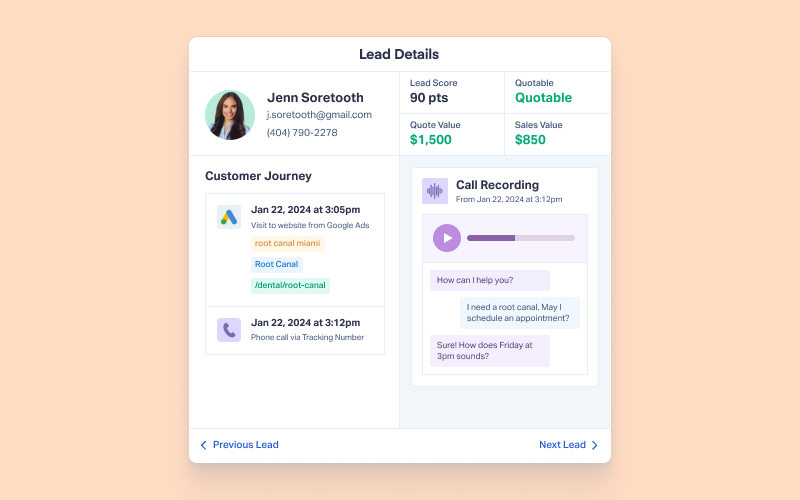
The lead quality signals are out there. They're just scattered across the tools you're already using—unless you're using WhatConverts, where every data point below is organized under a single Lead Profile and Customer Journey on a lead-by-lead basis.
Marketing Attribution Data
Where to find it: In your ad platform analytics (Google Ads, Meta Ads, LSAs, etc.) or WhatConverts Lead Profile
What it tells you:
- Where the lead came from (source, channel, campaign, landing page)
- Partial purchase intent (keywords, if keyword is related to product/service; doesn’t apply to branded campaigns)
Call Metrics
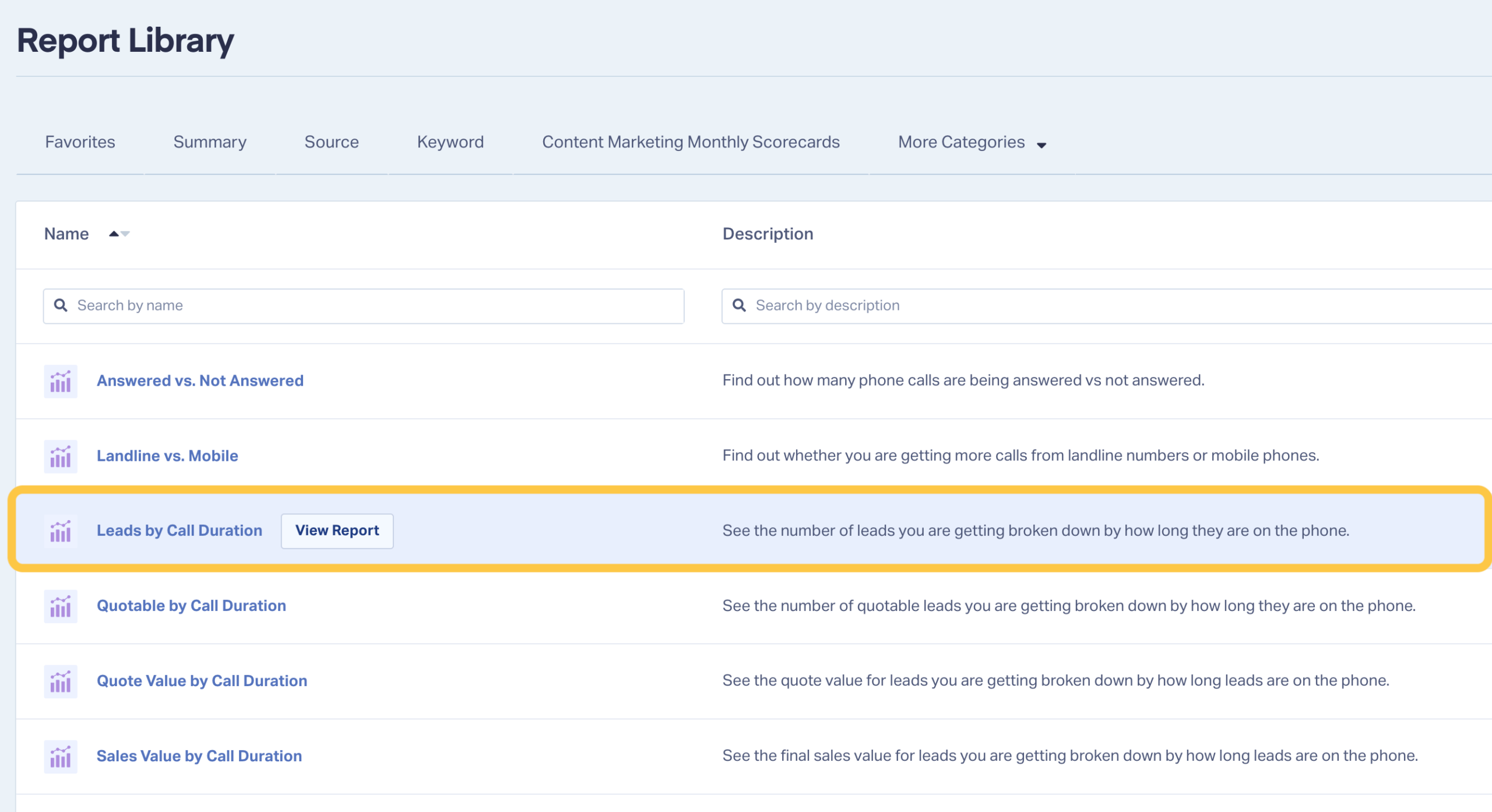
Where to find it: In your call tracking platform, Google Ads call reporting, or WhatConverts Lead Manager
What it tells you:
- Call duration (can help filter out very short calls as spam)
- Time of call
- Whether the call was answered
Message Content
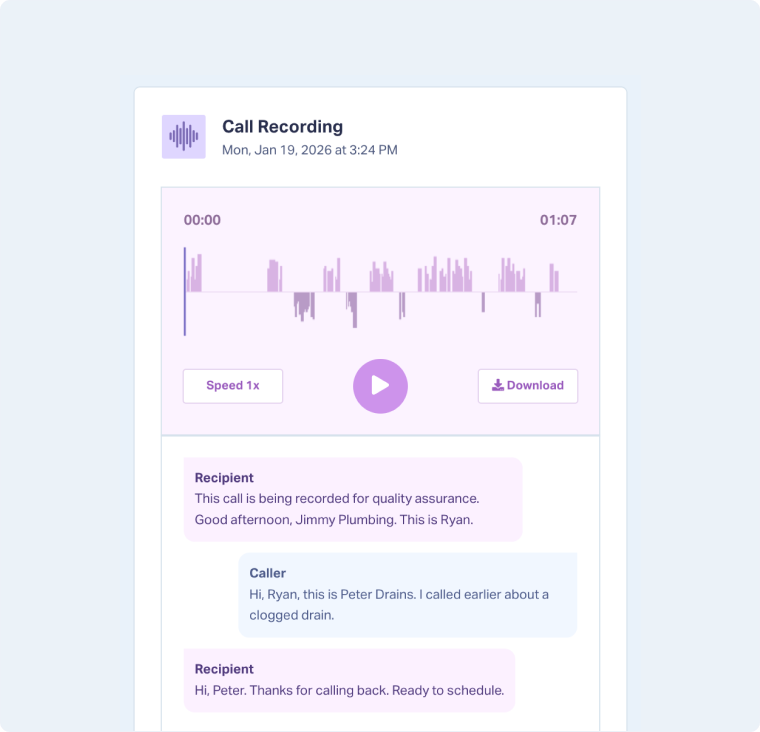
Where to find it: In the call recording transcript, form submission, or chat log (all accessible via the WhatConverts Lead Profile view)
What it tells you:
- Product or service intent
- Buyer readiness
- Budget
- Timeline
- Geographic service area
Once you know where to find the data, the next step is knowing what to do with it. Use the checklist below to evaluate each signal and score leads based on what they actually indicate about fit, intent, and readiness.
Lead Quality Scoring Checklist
Use this checklist to score individual leads manually, or use it as a blueprint for the automated rules you'll build in the next section.
Fit Signals
Does this lead match who the client actually serves?
| 🔲 | Service Match | The lead mentioned a specific service the client offers (not a general inquiry or wrong-category request). | +10-20 pts |
| 🔲 | Geography | The lead is calling from or located within the client's service area. | +10 pts |
| 🔲 | New vs. Existing Customer | The lead is a new prospect, not an existing customer calling with a service question. | +5-10 pts |
| 🔲 | Company Job or Type Match | The caller's industry or job type aligns with the client's target customer profile. | +10 pts |
Intent Signals
Is this person actively trying to solve a problem?
| 🔲 | Call Duration ≥ 60 Seconds | Short calls are rarely qualified. Conversations over 60 seconds indicate genuine interest. | +15 pts |
| 🔲 | Specific Request or Question | The lead asked about pricing, timeline, availability, or a specific service outcome—not just "what do you do?" | +10 pts |
| 🔲 | Mentioned a Trigger Event | The lead referenced a reason for reaching out now (storm damage, moving, equipment failure, upcoming deadline). | +15 pts |
| 🔲 | Requested a Quote or Appointment | The lead asked for next steps. This is the clearest intent signal available. | +20 pts |
Readiness Signals
Can this lead actually move forward?
| 🔲 | Budget Signal | The lead mentioned a budget range, referenced a competitor's price, or asked about financing. | +10 pts |
| 🔲 | Urgency Indicated | The lead expressed a specific timeline or said something needed to happen soon. | +10 pts |
| 🔲 | Decision-Maker on the Line | The lead is the person who makes (or heavily influences) the purchase decision. | +10 pts |
| 🔲 | Appointment Booked | The call or form resulted in a scheduled consultation, quote, or visit. | +25 pts |
Disqualifiers
These signals reduce or eliminate lead value.
| 🔲 | Call Under 30 Seconds | Likely a misdial, spam, or wrong number. | -20 pts or DQ |
| 🔲 | Existing Customer Service Call | Not a new opportunity. | -10 pts or DQ |
| 🔲 | Out-of-Area Request | Client can't serve this lead. | DQ |
| 🔲 | Spam or Solicitation | Vendor, recruiter, or robocall. | DQ |
Score Interpretation
| 50+ pts | Strong lead—qualified and worth prioritizing | ||
| 25-49 pts | Moderate lead—worth follow-up, needs more context | ||
| <25 pts | Weak lead—review before spending sales time | ||
| DQ | Remove from reporting entirely |
How to Capture Lead Quality Signals at Scale
Here's the problem: unless you’re using a marketing-side lead management platform, none of these signals live in one place.
It is technically possible to pull them all together manually by cross-checking ad platforms, call tools, CRMs, and appointment calendars. But that method is slow, inconsistent, and near impossible to maintain once your lead volume picks up.
That’s why WhatConverts exists: it’s a centralized, marketing-side lead management platform that tracks all of this data in one place and documents everything as part of a single continuous lead journey.
That means that all of an individual lead’s:
- Conversion actions (even if they have multiple, across different channels and lead types, with days or weeks in between)
- Call and chat transcripts
- Sales outcomes
…are all tied to that same individual person’s lead profile, not documented as separate events across different analytics platforms.
Having all of that data tied to a centralized lead journey unlocks the marketer’s ability to:
- Qualify leads (because lead quality data from all sources is tied to the person behind it)
- Optimize campaigns based on quality (because they can boost the campaigns that are bringing in real leads, not just a high volume of clicks or calls)
- Report their marketing impact in terms of results, not activity (by charting qualified leads generated by each marketing channel, campaign, and keyword)
Want to learn more about everything you can do with WhatConverts? Check out the full set of lead qualification and valuation features.
From Manual Checklist to Automatic Scoring
The other benefit of using a centralized lead management platform to collect lead quality data is that it allows you to fully automate the lead qualification process. The checklist above is valuable, but running it manually on every lead is an unnecessary chore.
With Lead Intelligence rules, you can map each of these checklist items to an automated if/then condition. For example:
- IF call duration > 60 seconds AND lead mentioned “appointment,” add +35 points
- IF call transcript includes [service keyword] AND a budget range, add +20 points
- IF call duration < 30 seconds AND lead mentioned “wrong number,” mark lead “not quotable”
Once the rules are live, every lead arrives pre-scored. Qualified leads feed into reporting and get synced back to Google Ads and Meta as high-value conversions. Disqualified leads get filtered out before they inflate your CPL or poison your optimization data.
The result: campaigns start chasing the leads that match your scoring criteria instead of just chasing volume.
Learn how to automate your entire lead qualification process: Lead Intelligence: The Smarter Way to Score, Qualify, & Value Your Leads
Bonus: Add Actual Lead Value
Lead scoring is designed to use numeral values to indicate how promising a lead is. That “promisingness” is what’s measured when you assess fit, readiness, and intent. But there’s one other metric that significantly impacts how highly a lead is prioritized: potential revenue.
With WhatConverts, you can assign a monetary quote value to a lead along with a traditional lead score based on the value of the product or service they’re interested in.
This allows you to measure not just how close a lead is to becoming a customer, but also how valuable a customer they’ll be if your business closes the sale.
So a lead who’s a good fit for your business but has a longer timeline might have an average lead score, but if the service they’re interested in costs $10,000, then their quote value would indicate that this is a prospect that’s worth following up with, even if they aren’t as hot a lead as a higher-urgency, lower-quote-value lead.
Get the full lead valuation picture and understand which value metric is best for optimizing campaigns: Quote Value vs. Sales Value: Which Drives Better Google Ads Optimization?
The Bottom Line
Lead quality isn't something you can read from a dashboard that only shows counts. It's something you measure—signal by signal, lead by lead—and then systematize so the measurement runs without you.
Start with the checklist. Score a week's worth of leads. Then build the rules that make it automatic.
Ready to turn your scoring criteria into live Lead Intelligence rules?
Start your free 14-day trial of WhatConverts today or book a demo with a product expert to see how we help prove and grow your ROI.
Get a FREE presentation of WhatConverts
One of our marketing experts will give you a full presentation of how WhatConverts can help you grow your business.
Schedule a DemoGrow your business with WhatConverts







