


 Amanda Pell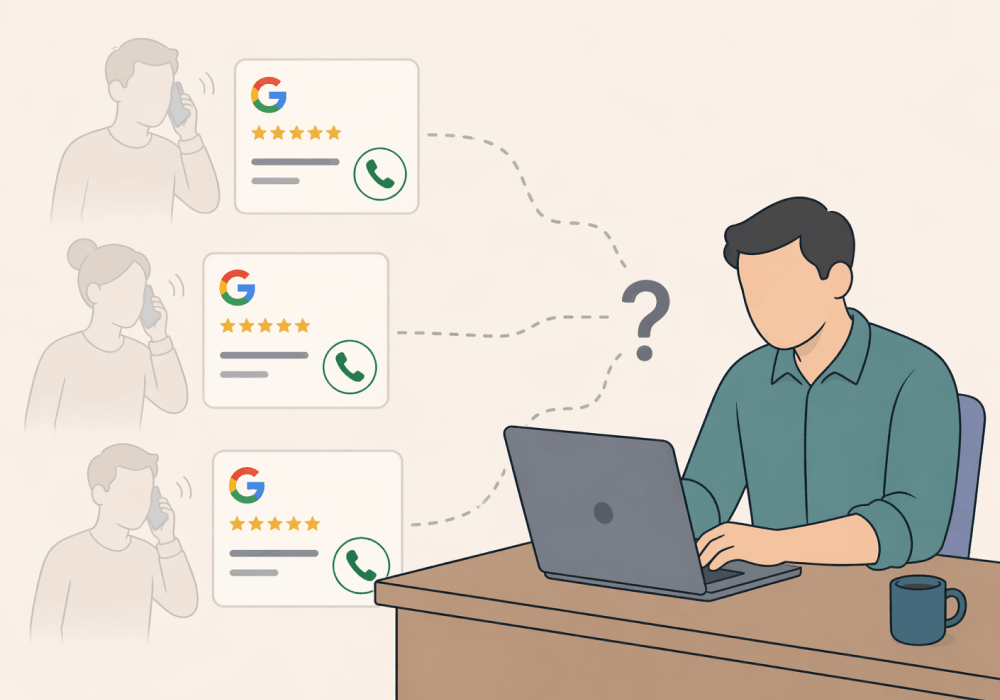
Most lead tracking setups share a common blind spot: they only see leads that touch the website.
That works fine for Google Ads clicks, organic traffic, and form fills, but it means Google Business Profile leads fly completely under the radar. When a high-intent prospect finds your client's listing and taps "Call," that call bypasses the website entirely—which means it also bypasses every analytics tool that relies on site visits to launch tracking.
The lead is real, but the attribution is gone. GBP will show a call count, but not a qualification or an outcome. It’s more of a tally mark than a lead.
This article explains exactly what's getting missed and how to bring those leads into your reporting where they belong.
Note: Not a WhatConverts user yet? Start your free 14-day trial of WhatConverts today or book a demo with a product expert to see how we help prove and grow your ROI.
The Click-to-Call Problem
GBP click-to-call is one of the highest-intent actions a prospect can take. They searched for a service, found the listing, and called.
No browse session, landing page, or form fill—just a direct dial. The directness that makes click-to-call such a powerful intent signal is also exactly why it evades every tracking setup built around site visits.
Your Google Analytics is blind to it. Your Google Ads conversion tracking only captures GBP calls that followed a prior ad interaction. Organic calls from leads who found the listing through Maps or an unpaid local search remain untracked.
Meanwhile, the phone rang. Your client answered. A job was booked.
That lead has no source, no qualification data, no value assigned to it anywhere in your reports. It's a qualified prospect with no paper trail.
Why This Matters More Than You Think
For many service businesses—HVAC, plumbing, roofing, dental, legal—GBP isn’t a side channel. It’s a primary source of high-intent leads.
In competitive local markets, it can rival or exceed paid search for call volume.
Which creates a serious problem:
- You’re generating more leads than you report
- Your ROI looks lower than it actually is
- Your client undervalues your work
You’re not underperforming; you’re underreporting.
What a Tracked GBP Call Looks Like
When you add a WhatConverts tracking number to your GBP listing, those “invisible” calls become fully visible leads.
Every call from that listing gets captured as a fully attributed lead—source, channel, call recording, transcription, duration, and qualification status, all in the same Lead Manager view as every other channel.
Now, instead of guessing, you can answer questions like:
- Where did this lead come from?
- What did they actually need?
- Was it a real opportunity—or a wasted call?
- How much revenue did it generate?
None of this requires the caller to visit the website. The tracking number does the work the moment the call connects.
From Missing Calls to Measurable Revenue
Here’s what actually changes when GBP calls are tracked:
- Attribution becomes accurate: GBP calls show up as their own source—not buried in “direct” or missing entirely.
- Lead quality becomes visible: You can see whether a call was a quick price check or a high-value opportunity.
- Revenue gets connected to the source: You’re no longer reporting “calls”—you’re reporting outcomes.
- Reporting finally matches reality: The numbers your client sees reflect the business they’re actually getting.
Instead of saying “we generated 50 leads,” you can say “GBP drove 18 calls—6 became real opportunities, 3 turned into high-value jobs.” That’s a completely different (and more valuable) conversation.
The Feedback Loop GBP Metrics Can't Create
Google's native GBP dashboard shows call counts. It can tell you how many people tapped the button. It cannot tell you:
- Which calls converted
- What they were worth
- What each caller actually needed
That data gap is essential—not just for reporting, but also for optimizing your GBP profile for maximum impact.
When you can analyze all of your GBP call transcriptions at scale, you can start gathering information about what drove them to call and gain insights about GBP callers’ intent, urgency, and revenue potential.
Those insights directly inform how you position the listing, what services you emphasize, how much focus you place on assets like photos and reviews, and how you allocate budget across channels.
What Gets Fixed When GBP Is Tracked
Here's the before and after for agencies that add GBP call tracking:
Before: GBP generates calls. Calls go untracked. Reports understate lead volume. ROI looks lower than it is. Clients can't see the full value of their local presence.
After: Every GBP call is a reportable lead with source, recording, qualification, and value—sitting in the same dashboard as paid, organic, and every other channel. Lead totals are accurate. ROI reporting is complete. Listing optimization has real data behind it.
The fix is a single tracking number on the listing. The payoff is attribution accuracy across an entire channel that was previously invisible.
Bring GBP Leads Into Your Reports
If your clients are getting calls from Google Business Profile, those leads deserve to be in your reports.
WhatConverts tracks GBP calls the same way it tracks every other lead type—with full attribution, recording, and qualification data that connects directly to revenue. No site visit required.
Ready to close the attribution gap on your clients' most underreported lead source?
Start your free 14-day trial of WhatConverts today or book a demo with a product expert to see how we help prove and grow your ROI.
Get a FREE presentation of WhatConverts
One of our marketing experts will give you a full presentation of how WhatConverts can help you grow your business.
Schedule a DemoGrow your business with WhatConverts







