


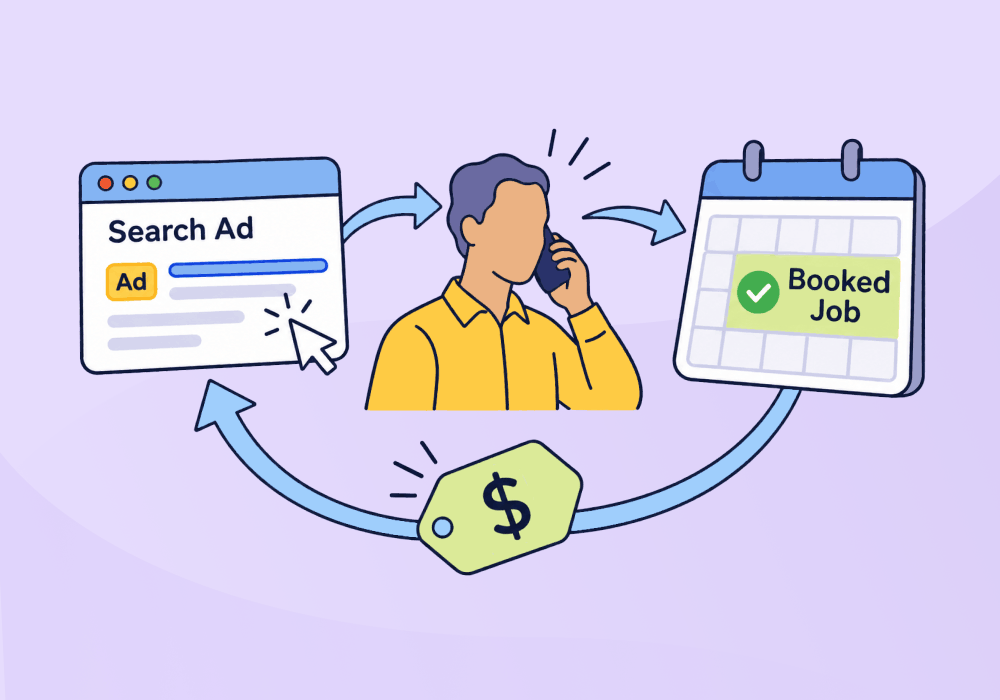
Closed-loop marketing means getting sales outcomes back to marketing, so you can see which campaigns made money and put more budget behind them. For agencies, the loop breaks on phone calls and on clients who never record which leads became sales.
Agencies can still close the loop. The loop is closed when your client's sale reaches both your report and the ad platform's bidding, and you can get there without waiting for the client to update their CRM. Work in order: track and qualify every lead, bring sales outcomes back by the cheapest route the client accepts, then send the values to Google Ads.
What Is Closed-Loop Marketing?
Closed-loop marketing is a cycle that starts with ad spend and comes back to it. It has four steps:
- Track: Tie every call and form to the campaign, keyword, or ad that brought it in.
- Qualify: Mark which leads could have bought what the client sells.
- Record the outcome: Note the quote, the booked job, or the sale, with a value.
- Feed it back: Put that value in your report and in the ad platform, so next month's budget follows the money.
An open loop stops at the lead count. The monthly report says "we got 40 leads," and nobody can say which of the 40 bought anything. A closed loop follows those same 40 leads through to the sale. Closed-loop attribution is the reporting side of it: each sale is credited to the ad and keyword behind the lead.
The gap between an open loop and a closed loop shows up in single calls. One agency told us about an HVAC client where a call booked as a $70 repair could end with the sale of a new system. If the loop stops at the booking, the campaign that drove the call gets credit for a $70 job. If it closes, that campaign gets credit for a new system, and the next budget decision changes with it.
Most marketing leaders still say the pressure to prove marketing's value is rising. In The CMO Survey 2026, 59% of 308 US marketing leaders said pressure from their CEO to prove marketing's value was rising, and 56% said the same of their CFO. Your clients ask a smaller version of that question when the contract comes up for renewal, and a lead count doesn't answer it.
Related Reading: Qualified vs. Quotable Leads – What’s the Difference?
Where the Loop Breaks for Agencies
Most advice on closed-loop marketing assumes one company with web forms and a CRM that the sales team keeps up to date. An agency's loop breaks in two other places: the phone and the client.
The Phone Call
The first break for agencies is the phone call. Haeder and Xu's 2025 study in Health Affairs Scholar asked 3,661 US adults how they book medical appointments: 56.4% said mainly by phone, and 72.1% had booked by phone in the past year. For a dental client, the phone call is the conversion, and it never touches a web form.
Google Ads' own call tracking counts phone calls by the clock. Google's help page on call conversions explains that every call longer than a minimum length you set counts as a conversion. A long call from a job seeker counts the same as a long call from a new customer.
The Client's Records
The harder break for agencies is the client's own records. Even when every call is tracked, the outcome stays in the client's office. In our calls with customers, the problem agencies raised most was clients who don't record which leads closed. This leaves agencies at a disadvantage because they have no idea which channels are worth spending more on.
Crystal Sorokin, on our customer success team, sees unrecorded outcomes in account health reviews. In the struggling accounts, calls and forms are tracked, but nothing goes back after that, so most of their leads stay "not set".
Step 1: Track and Qualify Every Lead
The first step is to tie every call and form to its source, then mark which leads were real prospects. Every later step depends on each lead carrying both.
Before you grade anything, write down how a lead becomes a sale for the client. Google's guidance on lead quality recommends mapping the steps from first interaction to closed sale. For a home service client, the map might read: call, quote, booked job, paid invoice.
Grade last month's leads by hand. Listen to each call and mark it quotable if the caller could have bought what the client sells. It's slow the first time, and it teaches you what a good call sounds like for that client before any rule does it for you.
A minimum call length is a useful first filter, but it can't tell a buyer from a job seeker, a vendor pitching the client, or someone with a quick question. Agencies tell us all three show up as leads, so grade by hand before you trust any rule.
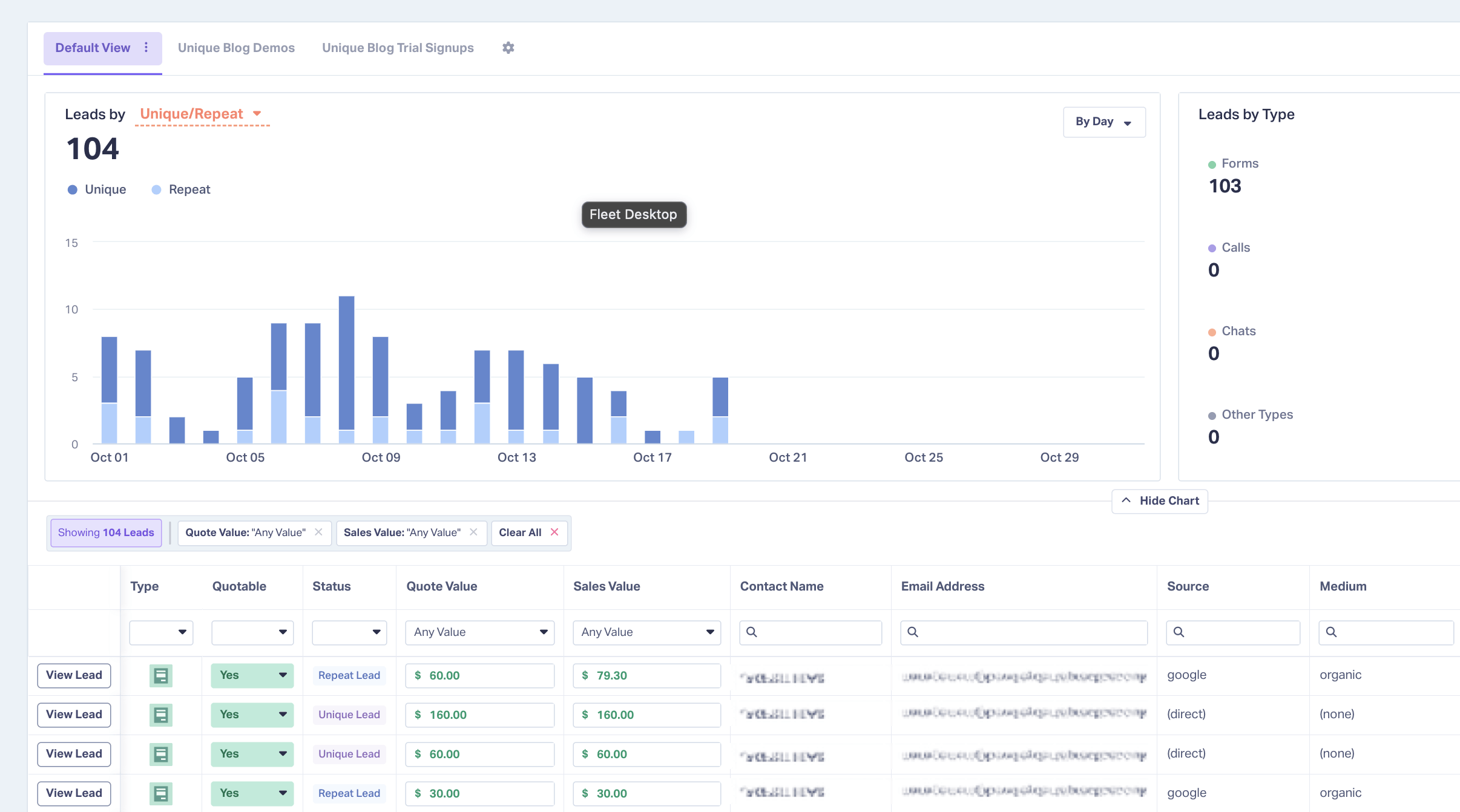
Once you can hear what a quotable call sounds like, write that pattern down as rules. In WhatConverts, Lead Intelligence qualifies leads with IF/THEN rules you write (it's on the Elite plan), and our page on lead qualification and valuation shows how the rules and values fit together. Each lead ends up with the fields the rest of the loop runs on: quotable, quote value, and sales value.
Step 2: Get the Outcomes Back
Get outcomes back by the cheapest route the client will accept, then move to a better one once they've seen it work. There are four common ways to get outcomes back, and each falls short somewhere. Here they are, from the least client effort to the most automatic.
Using call length or AI intent as a stand-in asks nothing of the client, and it can't tell you about a sale. Both guess which calls were prospects, and the guess ends before anyone quotes a price. The client's yes or no grade goes further, but it depends on the habit agencies told us their clients don't have.
Start most clients on a list of closed jobs in whatever form they already keep, matched to your leads once a month. A closed-jobs list doesn't need dollar amounts. Distribute Digital counted each booked job as a sales value of 1, and from that count they got cost per booked job down to the keyword.
A CRM or field service management (FSM) integration is the most automatic route and asks the most of the client: access to their system, and a system someone actually updates. In WhatConverts, CRM Integrations bring quote and sales values back, and FSM Integrations bring back booked jobs and sales values. We sell that route, and we'd still save it for a client who already trusts your numbers. The CRM on its own can't tell you which campaign produced the sale, which we cover in why CRMs can't answer marketing questions.
Integration Spotlight: CRM Integrations
Step 3: Send the Values to the Ad Platforms
A report helps you and the client decide where the budget goes. Bidding needs the value itself, sent to Google Ads, so the platform can look for more leads like the ones that paid.
Google asks for lead values directly. Its guide to value-based bidding says phone and online leads "may be worth something different" and asks you to track two or more distinct, non-zero values. Its lead quality guidance recommends bidding on qualified or converted leads. A flat call conversion gives the platform the same value for every call.
Offline conversion uploads to Google Ads have a deadline. Google's offline conversion imports FAQ sets the limits: 90 days after the click to match an offline conversion by click ID, and 63 days for enhanced conversions for leads. A client who sends closed jobs once a quarter will miss part of that window. From June 15th, 2026, uploads made through the Google Ads API moved to the Data Manager API, according to Google's overview of offline conversion imports. If a client's setup uploads through the Google Ads API, check how it sends its data now.
When a sale takes longer than Google's upload window, send the quote value first. The quote comes before the sale, so its value can reach Google while the click is still inside the window. Our guide to using quote value when sales cycles are long walks through it.
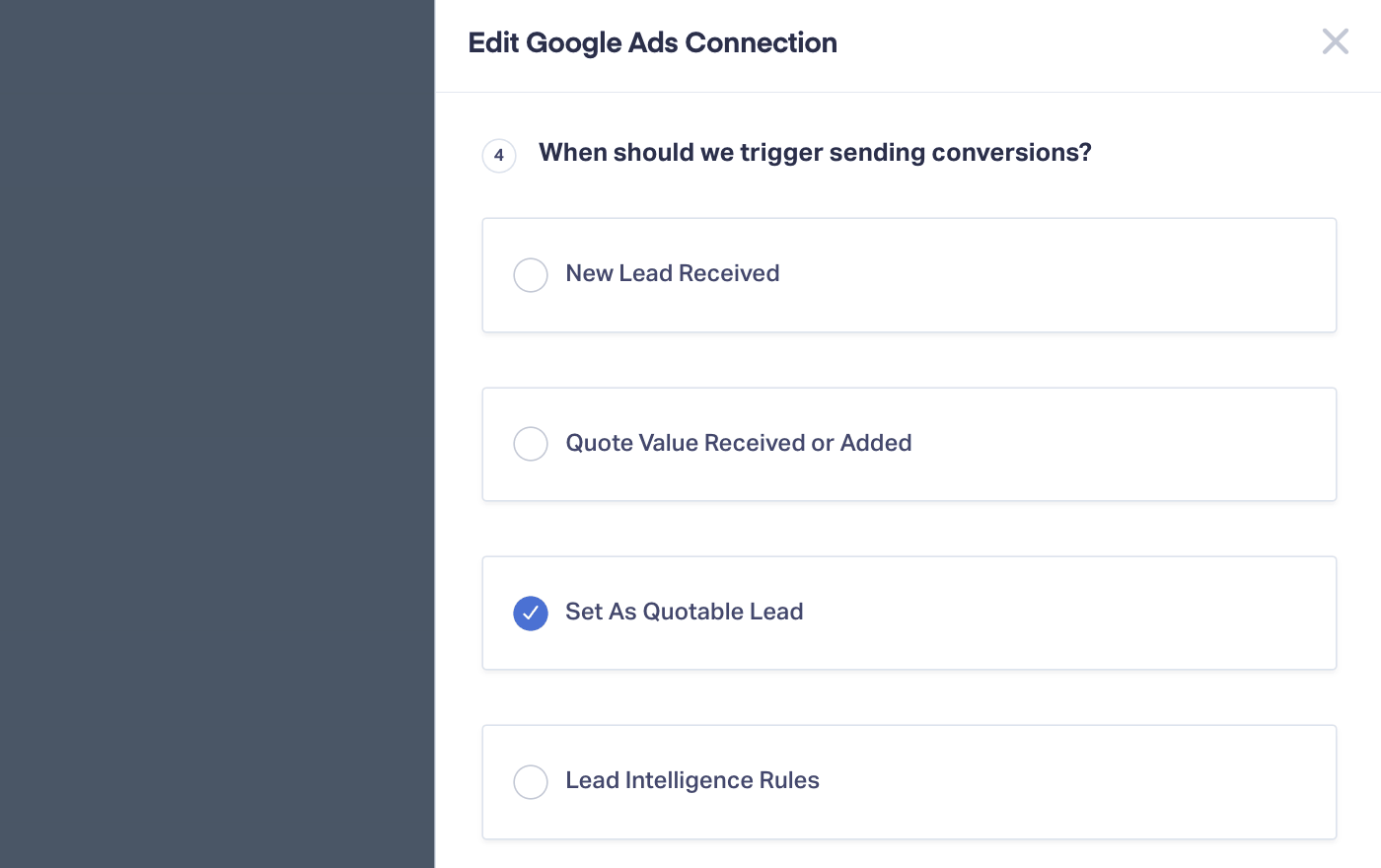
In WhatConverts, the Google Ads Integration sends Set as Quotable Lead, Quote Value, or Sales Value conversions with the value attached, and can update a conversion when the sales value changes. Conversions from call assets (formerly call extensions) can't be updated after sending. For the setup itself, see our guide to Google Ads offline conversion tracking.
Where to Start with One Client in WhatConverts
Pick one client and work through last month's leads. You won't need their CRM until the last step.
- Review the leads: Listen to each call and mark it quotable or not.
- Add quote values: Give each quotable lead a typical price for the job it asked about.
- Ask for closed jobs: Take them in whatever form the client keeps, from an invoice list to a CRM export.
- Connect their system: Do it once the client has seen a month of numbers they trust.
Distribute Digital's results show what counting booked jobs leads to. Once booked jobs were counted, they shifted budget to the campaigns, ad groups, and keywords that kept producing booked jobs. Numbers like that also help when a client blames marketing for a sales problem, which we cover in proving marketing ROI through the sales handoff.
Choose the client whose renewal worries you most and grade their last month of calls this week. Then send them the quotable count by campaign and ask for one thing back: the jobs that closed.
Get a FREE presentation of WhatConverts
One of our marketing experts will give you a full presentation of how WhatConverts can help you grow your business.
Schedule a DemoGrow your business with WhatConverts


