















































 Amanda Pell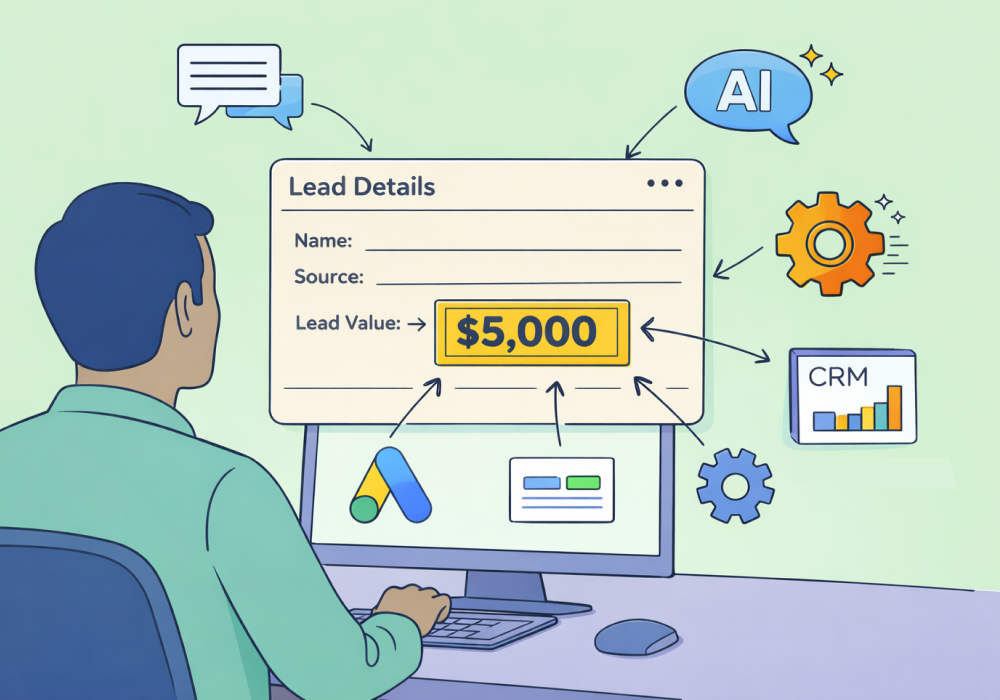
Lead tracking without lead value is just a headcount.
You know how many calls came in. You know which ads drove them. But without dollar values attached to individual leads, you can't answer the question that actually matters: which marketing made money?
WhatConverts's QCV process—qualify, categorize, value—solves that problem. The "value" step is where lead data transforms into ROI data. And there are more ways to get there than most users realize.
Here's every method available, from fully manual to fully automated.
Note: Not a WhatConverts user yet? Start your free 14-day trial today or book a demo with a product expert to see how we help prove and grow your ROI.
Why Individual Lead Value Is the Golden Ticket to Profitability
Every marketing report shows you how many leads came in. None of them show you what those leads were worth.
Two campaigns can produce identical lead volume while generating completely different revenue. Without values attached to individual leads, they look the same in your reports. So you split the budget evenly, or worse, you accidentally double down on the one that’s bringing in junk because it looked slightly better by volume.
The obvious fix is to attach dollar values to leads. The problem is how.
You Don’t Need to Wait for the Sale to Get Accurate Lead Values
What most marketers don't realize is that you don't have to wait for a sale to get accurate value data. The information you already have on the marketing side—what ad they clicked, what service they asked about, what they said in the call transcript, what fields they filled in—is enough to assign a defensible quote value right now, without touching the sales team at all.
That's the core unlock. The methods below represent every way WhatConverts lets you do it, ordered from most basic to most automated—and from marketing-side data to actual sales outcomes.
1. Lead Manager (Manual)
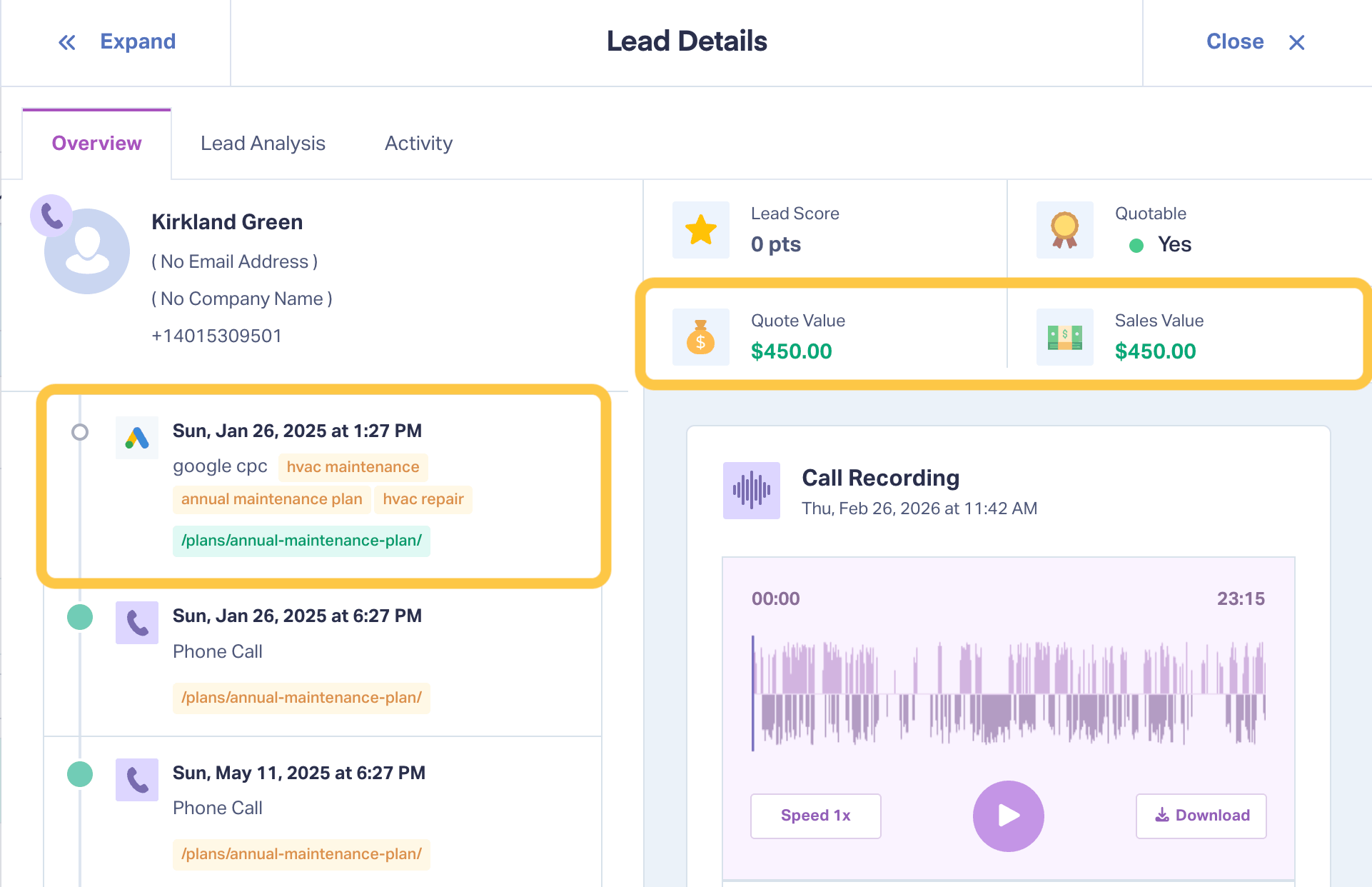
Unlike ad platforms, WhatConverts doesn’t just track conversions. It tracks the individual people behind those conversions. So each ad click, call, form, chat, email, appointment, text message, or transaction gets logged to the person who performed it—along with all of the relevant marketing campaign data that comes with it.
That means you have access to a wealth of marketing-side data that can indicate what that lead is worth. Data like:
- Which ad they clicked
- Which keyword triggered it
- Which service they expressed interest in
- What spotted keywords appeared in the call transcript
- What form fields they filled in
An HVAC company, for example, might look at a call where the transcript contains “A/C installation” and assign a quote value of $4,500—because that’s the average cost of an A/C install. No sales team input required: the marketing data tells you what the lead was interested in, and industry knowledge tells you what that’s worth.
Manual entry works best for lower-volume accounts or leads that don’t fit a predictable pattern. The logic is simple—the tradeoff is that someone has to apply it to each lead individually.
2. Lead Intelligence: Automated Rules and Scoring
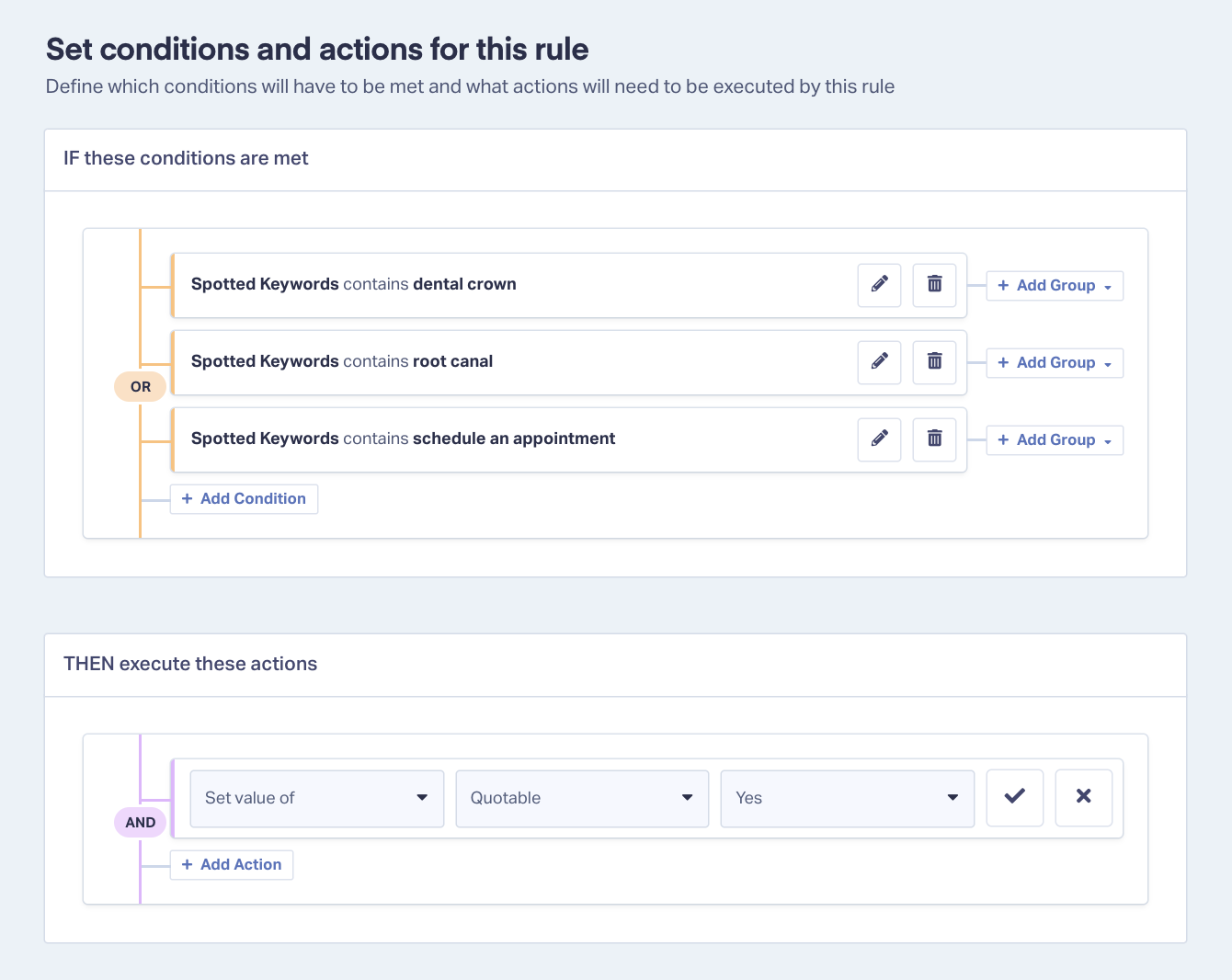
Once you start bringing in more leads, manually valuing each lead individually can become difficult to scale. That’s where automated Lead Intelligence rules come in.
Lead Intelligence lets you assign values automatically using rules built on any data point WhatConverts collects. Instead of opening individual lead records, you define the same IF/THEN logic once. Then WhatConverts applies it to every qualifying lead automatically, the moment it comes in.
Using the same HVAC example:
- IF call transcript contains "AC installation" → SET quote value = $4,500
- IF call transcript contains "furnace replacement" → SET quote value = $6,000
- IF form field "service interested in" = "plumbing" → SET quote value = $800
- IF call duration < 30 seconds → SET quotable = No
Rules can be built on any of the 70+ data points WhatConverts collects—campaign, keyword, transcript content, call duration, form fields, lead source, and more. The result is the same quality of value data you'd produce manually, at scale, without anyone on the team touching individual records.
3. Lead Import Tool
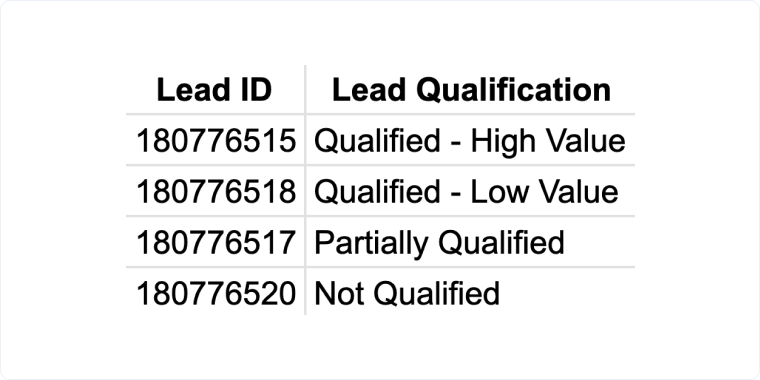
The same marketing-side logic applies here—just in bulk.
If you have historical lead data in a CSV, or you're batch-updating records based on service type, campaign, or any other attribute, the Lead Import Tool lets you assign quote values across multiple leads at once. Map the value column to the right field, upload, and WhatConverts updates the records.
This is particularly useful for accounts that were tracked before value rules were set up, or for retroactively correcting value data after refining your estimation logic. It’s also an easy way to add custom field data from the client side—information like service type, assigned sales rep, etc.
Learn More: Importing and Exporting Leads [Help Center]
4. Ask AI
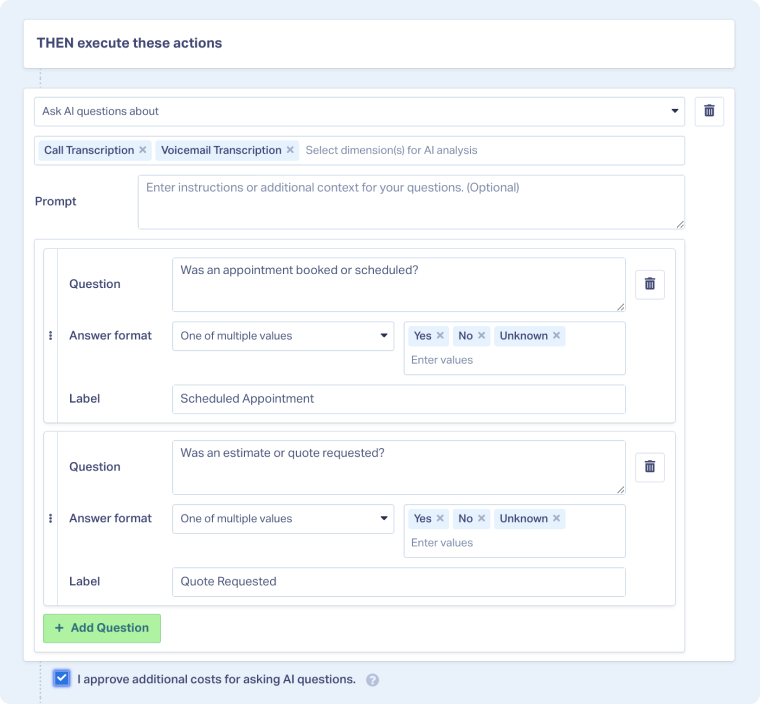
Lead Intelligence Rules are built on structured data—spotted keywords, call duration, campaign name, form fields. They're powerful, but they can only act on what's explicitly present in a data field. They can't read the context.
That's where Ask AI comes in.
Consider the HVAC example again. A rule that assigns $4,500 whenever "AC installation" appears in a transcript will fire the same way for two very different callers: one who has a budget, a timeline, and is ready to book, and one who's casually price-shopping for something they might do next year. The keyword is identical. The actual value is not.
Ask AI lets you ask nuanced questions about what's actually in the transcript: "Did this caller mention a specific timeline?" "Did they indicate they have a budget in mind?" "Are they ready to book or still in the research phase?" The answers populate as filterable fields in Lead Manager—so a caller who mentioned "next summer, maybe" gets a very different value assigned than one who said "we need this done before the heat hits next week."
The result is valuation that reflects what a lead is actually worth, not just what service they asked about.
5. Call Flows and Post-Call Flow
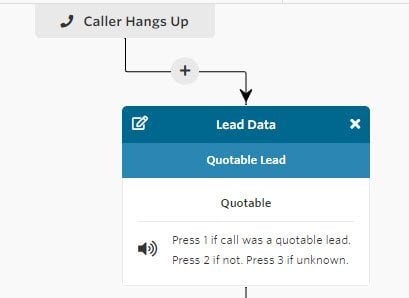
Every method so far derives value from the data generated at the moment of conversion—the click, the form fill, the call itself. Call Flows let you get data from slightly further down the funnel, while still keeping the sales team entirely out of it.
When a caller navigates an IVR menu—"press 1 for new installations, press 2 for repairs"—that selection is captured as a data point. Lead Intelligence Rules can act on it immediately: a caller who selects "new installation" gets a higher quote value assigned than one who selects "repair," before anyone picks up the phone.
Post-call flows extend this further, prompting the sales rep to log basic outcome data—qualified or not, service discussed, quote amount—directly after the call ends. That data writes to the lead record automatically, capturing information closer to the actual sale without requiring the client to report back manually or log in to anything.
6. Integrations: API, Webhooks, Zapier, and Endpoints
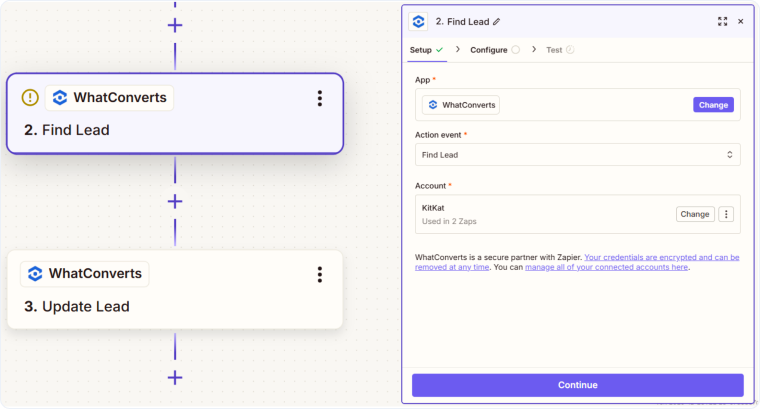
For teams whose value data lives in other systems, these options automate the bridge—so nothing requires manual re-entry on either side.
- API keys give developers direct read/write access to lead data. Use them to push close values from a CRM back to WhatConverts programmatically when a deal is won.
- Webhooks fire automatically on lead events—a lead is received, updated, or valued. Use them to push lead data to a CRM the moment it comes in and pull resulting sale values back when the outcome is recorded.
- Zapier is the no-code version: connect WhatConverts to HubSpot, Salesforce, Google Sheets, or hundreds of other tools and build value-syncing automations without writing code.
- Endpoints handle scheduled outbound delivery—sending lead data via webhook on a set cadence (daily, for example) to a BI tool, data warehouse, or client dashboard. Configure once; data flows on its own.
7. CRM Integration
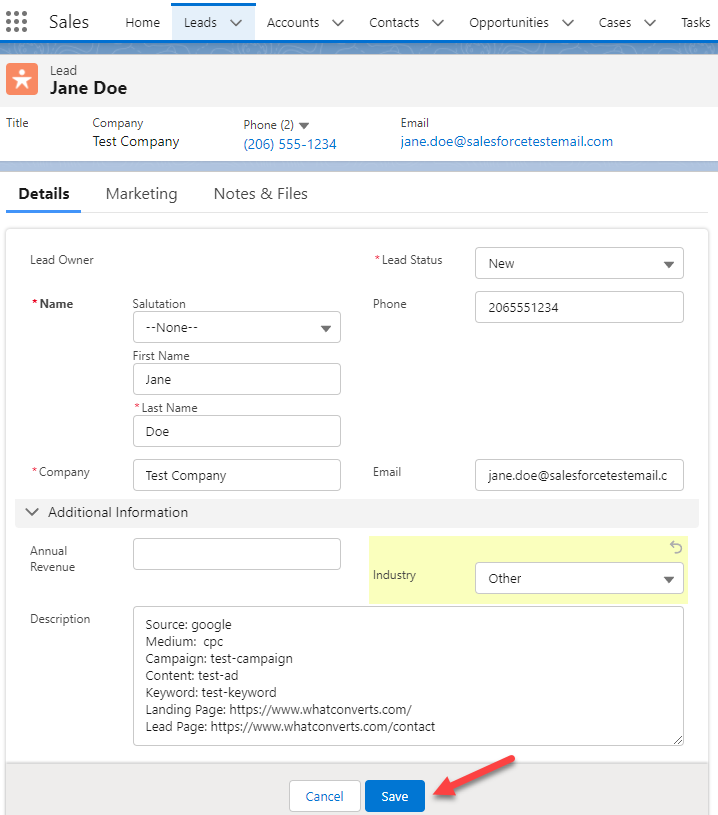
This is the closed-loop option—where actual sales outcomes flow back into WhatConverts automatically, without any manual effort on the client's part.
When a lead closes in your CRM, the sale value syncs back to the original lead record in WhatConverts. Now your reports aren't working from estimated quote values—they're working from real revenue numbers, tied to the exact campaign, keyword, and channel that generated the lead.
This is the most accurate valuation method available, though that doesn’t necessarily make it the most useful. It's also the furthest from the marketing side—which is why the methods above exist. You don't have to wait for CRM integration to start reporting on value. You can start deriving accurate quote estimates from marketing data today, and layer in actual sale values later as the infrastructure allows.
Learn more about how to integrate directly with your CRM in the Help Center:
- Capsule CRM
- Freshsales CRM
- Hubspot CRM
- Insightly CRM
- JobNimbus CRM
- LeadsBridge
- OnePage CRM
- Pipedrive
- Pipeline
- Salesforce
- Zoho CRM
Don't see your CRM listed? Check out our full list of integrations or learn how you can set up lead transfer and update automations with Zapier.
The Bottom Line
Most marketers assume value data can only come from sales—after the fact, dependent on client cooperation, always incomplete.
Every method above is a different answer to the same question: where can you get accurate value data without burdening the sales team? Start with manual entry to build intuition for what your leads are worth. Graduate to Lead Intelligence Rules to apply that logic automatically. Layer in AI analysis, Call Flows, and integrations as your setup matures.
The data you need is already there. You just need a workflow to surface it.
Ready to start valuing your leads?
Start your free 14-day trial of WhatConverts today or book a demo with a product expert to see how we help prove and grow your ROI.
Get a FREE presentation of WhatConverts
One of our marketing experts will give you a full presentation of how WhatConverts can help you grow your business.
Schedule a Demo
Grow your business with WhatConverts







