















































Understand the Different Types of Fields
In WhatConverts, fields define the data you capture and see for each lead. Fields are generated in different ways: some are built into the system, others are created by users, mapped for consistency, grouped for reporting, or generated automatically by AI.
By understanding the different types of fields, you’ll know where the data comes from and how it can be used in the Lead Manager, reporting, optimization, and automation.
Standard Fields
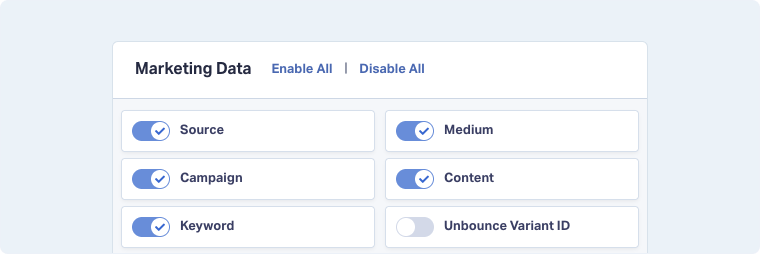
Standard Fields are the default fields included in WhatConverts. They cover categories such as General, User, Marketing Data, Phone Calls, Text Messages, Web Forms, Emails, Events, and Transactions.
Essentials include marketing data (e.g., source, medium, campaign, keyword), contact details, conversion details (e.g., form title, call data, transcripts), and revenue fields like Sales Value and Quote Value.
Custom Fields
Custom Fields capture details unique to your business that Standard Fields don’t cover. They let you add data points like Service Type, Sales Rep, Procedure, or Region, so you can categorize and qualify leads in ways that fit your workflows.
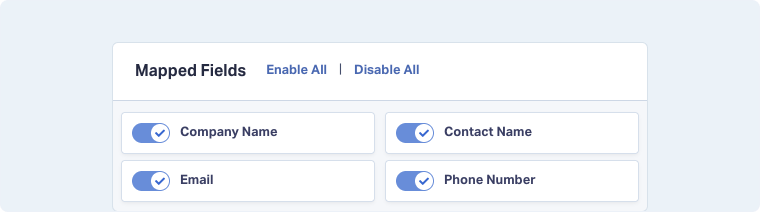
Note: Custom Fields appear under Mapped Fields in the Lead Manager. Each time you create a Custom Field, it is automatically mapped so it can display and be used in the Lead Manager.
Mapped Fields
Mapped Fields unify data by combining fields with different names into one consistent field. For example, “Area_0001”, “Region”, and “Service Area” can all be merged into a single “Service Area” field. This keeps data clean and reporting consistent.
Dimension Groupings
Dimension Groupings let you organize thousands of unique values into higher-level categories for reporting. For example, instead of analyzing every individual landing page URL, you can group them into categories like “Cooling Services”, “Heating Services”, and “Plumbing Services”. This way, you can quickly compare performance across service lines without getting lost in hundreds of separate pages.

Lead Analysis Fields
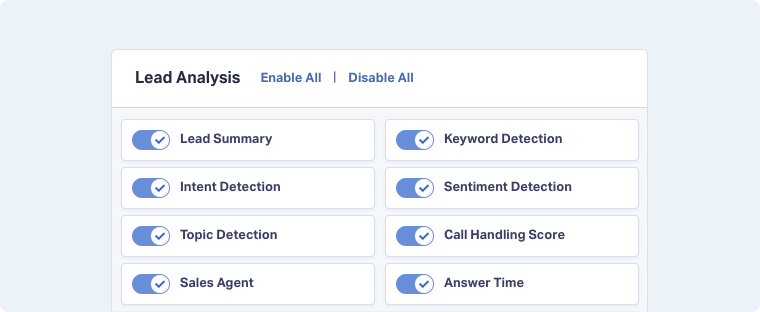
Lead Analysis Fields are powered by AI and include insights such as Intent Detection, Keyword Detection, Topic Detection, Call Handling Score, and Sentiment.
You can also generate AI-powered fields using Ask AI Lead Intelligence rules, which automatically enrich leads with context like expected value, job type, or whether an appointment was booked.
Related Topics
Get a FREE presentation of WhatConverts
One of our marketing experts will give you a full presentation of how WhatConverts can help you grow your business.
Schedule a Demo






