


Track Formidable Web Forms
Formidable Forms is a WordPress form plugin that lets you create contact forms, surveys, quiz forms, registration forms, payment forms, and more. WhatConverts can automatically track Formidable Forms submissions using the Form Finder tool, which detects forms on your website and captures lead data without requiring manual configuration.
Set Up Formidable Form Tracking
To track Formidable Forms submissions in your WhatConverts profile:
- Go to "Tracking" from the top menu then select "Forms".
- Click "Web Forms".
- Click "Add Web Form".
- Select "Form Finder".
- In the "Form Finder" tool, enter the URL where your Formidable Form is located (e.g., https://www.yourwebsite.com/contact).
- Click "Find Form".
- From the list of forms, select your Formidable Form.
- Click "Finish".
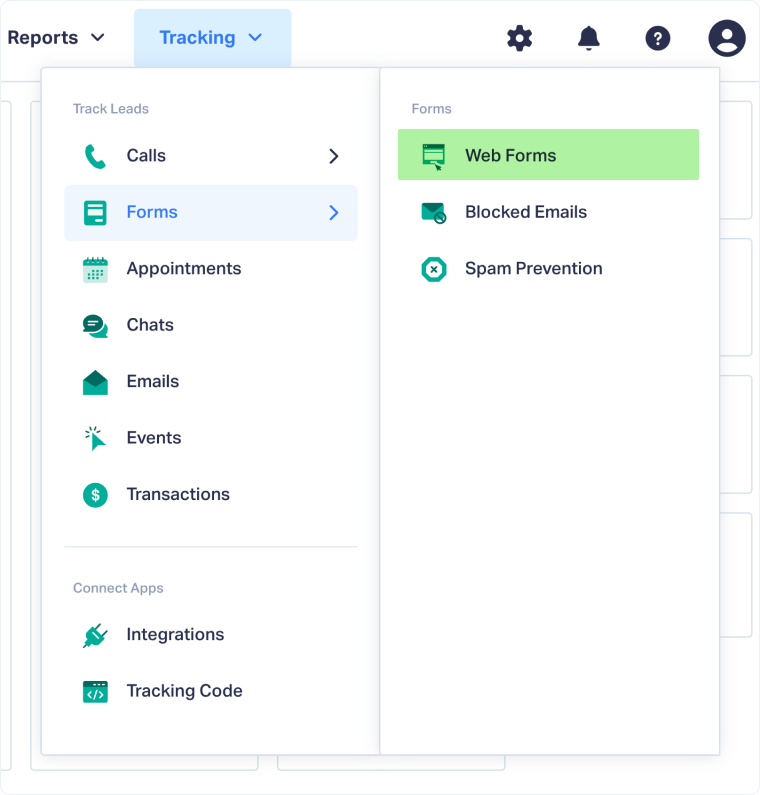
Your Formidable Form is now being tracked. WhatConverts will capture all submissions from this form and create leads with full attribution data.
Test Your Formidable Form Tracking
After setting up tracking, verify that form submissions are being captured correctly:
- Go to the URL where your Formidable Form is located.
- Fill out the form with test information and submit it.
- Return to your WhatConverts profile and view your form leads.
- Find the test form submission and check its data.
If your test lead appears correctly, your Formidable Form tracking is working properly.
Related Topics
- What is Web Form Tracking?
- Track Web Forms Automatically with the Form Finder
- Track Contact Form 7 Web Forms
- Track Gravity Web Forms
- Track Ninja Web Forms
Get a FREE presentation of WhatConverts
One of our marketing experts will give you a full presentation of how WhatConverts can help you grow your business.
Schedule a Demo






