


Track Unbounce Web Forms
Unbounce is a landing page builder that lets you create high-converting landing pages, pop-ups, and sticky bars without coding. WhatConverts can track Unbounce form submissions by inspecting your form to identify its unique attributes and configuring manual tracking, which captures lead data and attributes each submission to the marketing source that drove it.
Set Up Unbounce Form Tracking
To track Unbounce form submissions with WhatConverts:
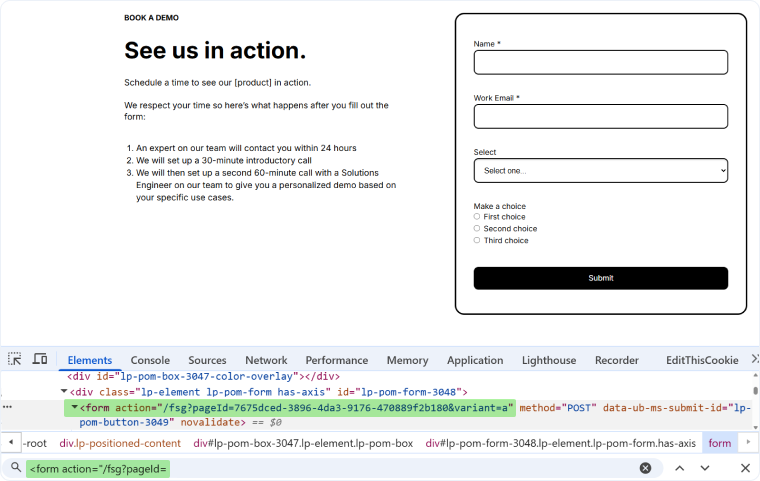
- Go to the page your form is located on. Right click your form and find <form action =" (this will begin with "/fsg?pageID=)".
- Copy the action element into a notepad document.
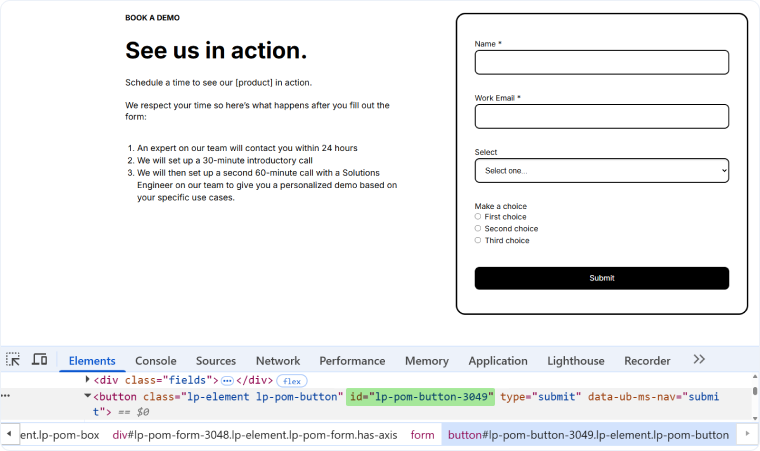
- Right-click the submit button and click "Inspect".
- Copy the ID of the button. It will be similar to "lp-pom-button-##". Paste that into your notepad.
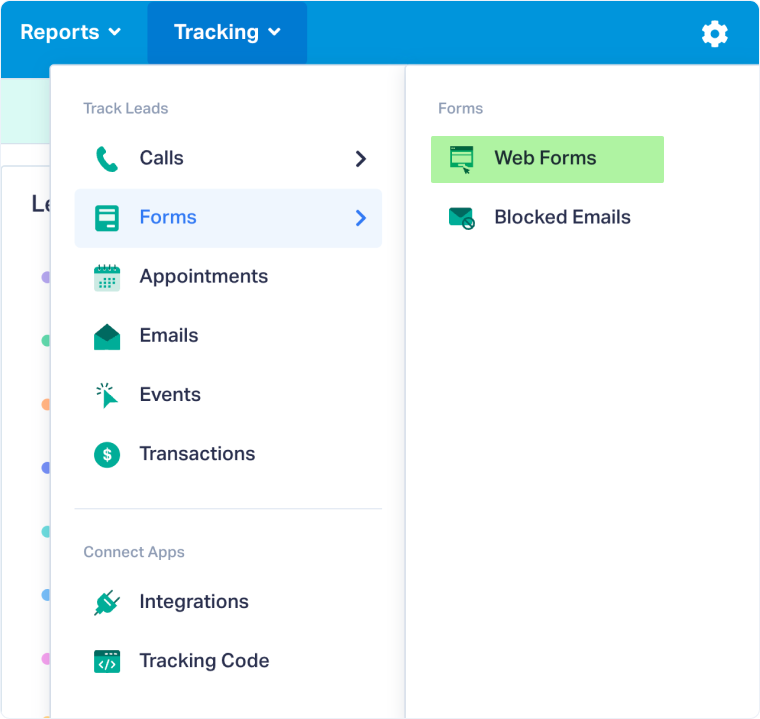
- Log in to the WhatConverts profile you want to track your Unbounce form(s) in. Select "Tracking" from the top menu.
- Select "Forms" and click "Web Forms".
- Click the "Add Web Form" button, and select "Manual Setup".
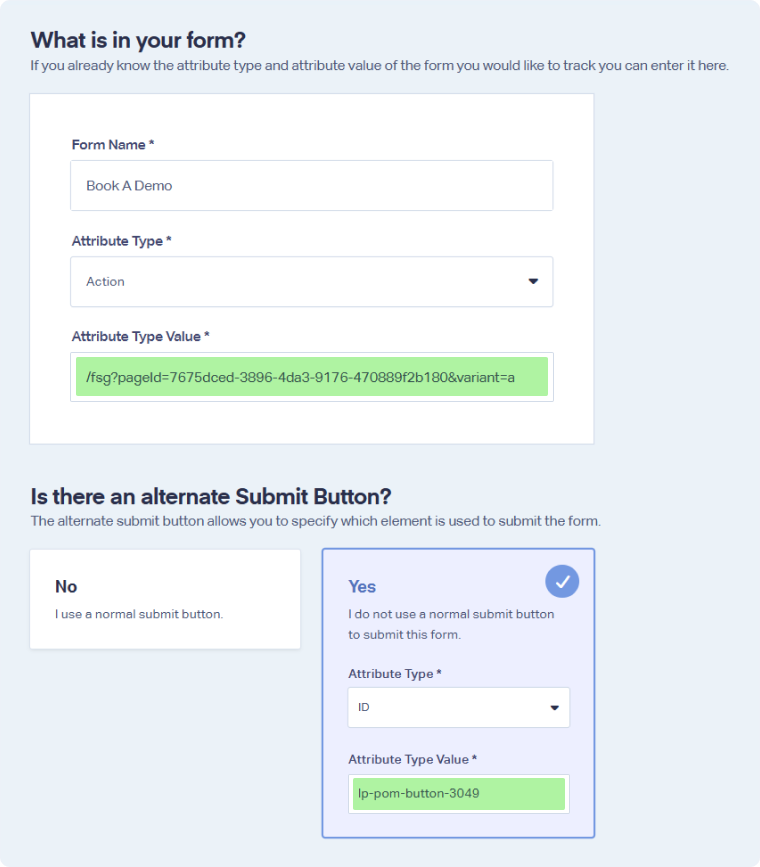
- Name your form, select Attribute Type "Action" and paste Attribute Value from Step 1.
- Click "Yes" under Is there an alternate Submit Button?. Select the Attribute Type of "ID" then paste the value copied in Step 2. Click the "Finish" button.
Your Unbounce form is now being tracked. WhatConverts will capture all submissions from this form and create leads with full attribution data.
Test Your Unbounce Form Tracking
After setting up tracking, verify that form submissions are being captured correctly:
- Go to your Unbounce landing page where the form is located.
- Fill out the form with test information and submit it.
- Return to your WhatConverts profile and view your form leads.
- Find the test form submission and check its data.
If your test lead appears correctly, your Unbounce form tracking is working properly.
Related Topics
- What is Web Form Tracking?
- Track Web Forms Automatically with the Form Finder
- Call Tracking for Unbounce
- Track Landing Page Forms
Get a FREE presentation of WhatConverts
One of our marketing experts will give you a full presentation of how WhatConverts can help you grow your business.
Schedule a Demo






