


Add a Primary Payment Method
Setting a Primary Payment Method ensures your monthly renewal and usage fees are covered.
Add a Primary Payment Method
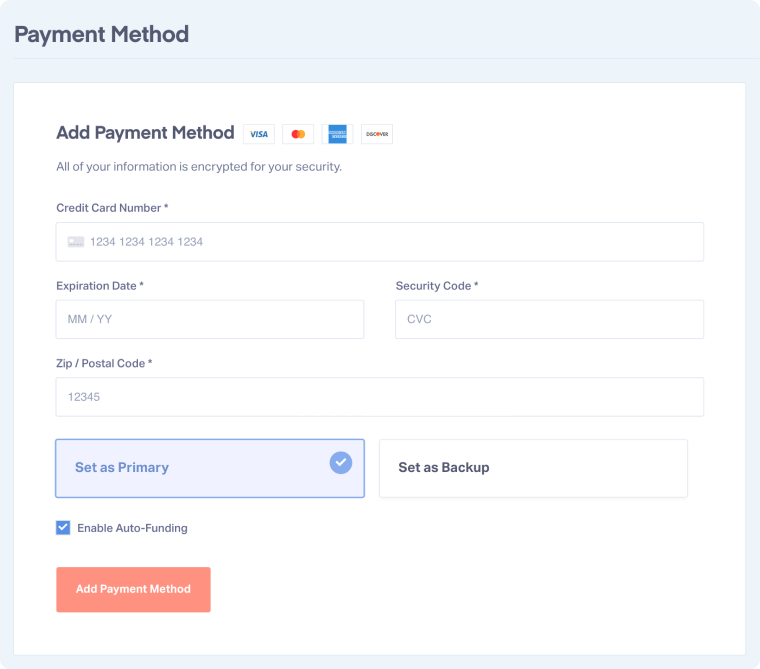
To add a Primary Payment Method:
- Access the Master Account Settings and go to Billing.
- Click "Payment Method".
- Enter your credit card details and select "Set as Primary".
- Click "Add Payment Method".
Related Topics
Was this page helpful?
Get a FREE presentation of WhatConverts
One of our marketing experts will give you a full presentation of how WhatConverts can help you grow your business.
Schedule a Demo






