


Create a Dynamic Number Pool for a Specific Source & Medium
Track leads coming from a specific traffic source and medium, such as Facebook (source) and Social (medium), by creating a Dynamic Number Pool using Source & Medium triggers. This setup ensures that WhatConverts attributes calls to the correct traffic combination.
Tip: For an overview of number pool tracking, see What is Call Tracking?
Add a Source & Medium Trigger
Follow these steps to create a dynamic number pool for a specific source and medium.
- In your WhatConverts profile, select “Tracking” from the top menu.
- Choose “Calls”, then “Phone Numbers”.
- Click “+ Add Dynamic Pool” to create a new pool.
- Select “Advanced Setup”. Then Enter a Swap Number.
- In the Traffic Source panels, choose “Source & Medium”.
- Choose the desired Source and Medium (for example, facebook and social).
- Click “Next Step” to continue. On the next page, choose whether to use Existing Numbers or Get New Numbers for your pool.
- To use existing numbers, select “Use Existing Numbers”, choose the numbers you want to include, and click “Finish”.
- To purchase new numbers, select “Get New Numbers”, then use the dropdown menus to choose your country, area code, or number type. Click “Next Step” to continue.
- Choose where to forward calls. This is the destination number that will receive calls from this pool. Click “Next Step”.
- Enable any additional features you want on your numbers, such as:
- Click “Finish” to complete your Dynamic Number Pool setup.
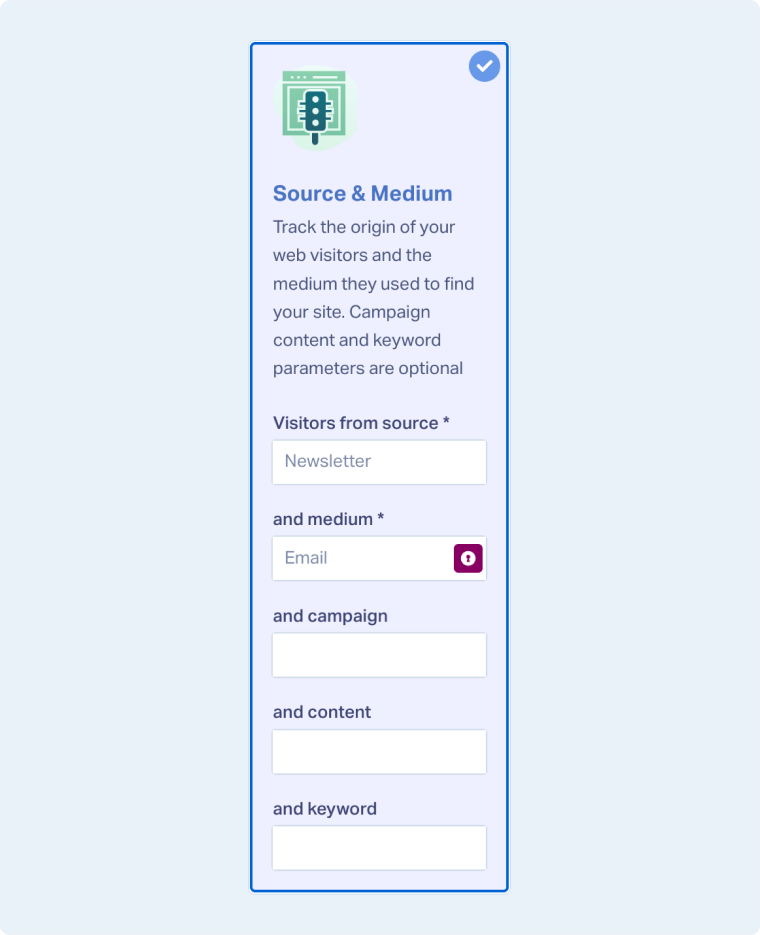
Note: Only Source and Medium are required in this panel, but more can be specified. You can optionally set values for Campaign, Content, and Keyword.
Related Topics
Was this page helpful?
Get a FREE presentation of WhatConverts
One of our marketing experts will give you a full presentation of how WhatConverts can help you grow your business.
Schedule a Demo






