















































Enable AI Analysis with Lead Intelligence
You can enable AI Analysis to automatically generate AI-powered answers from your lead conversations.
AI Analysis uses your custom questions to extract key information (such as appointment booking, service value, or job type) from your leads. It displays the results in the AI Analysis section of the Lead Analysis tab and makes those answers available as columns in the Lead Manager.
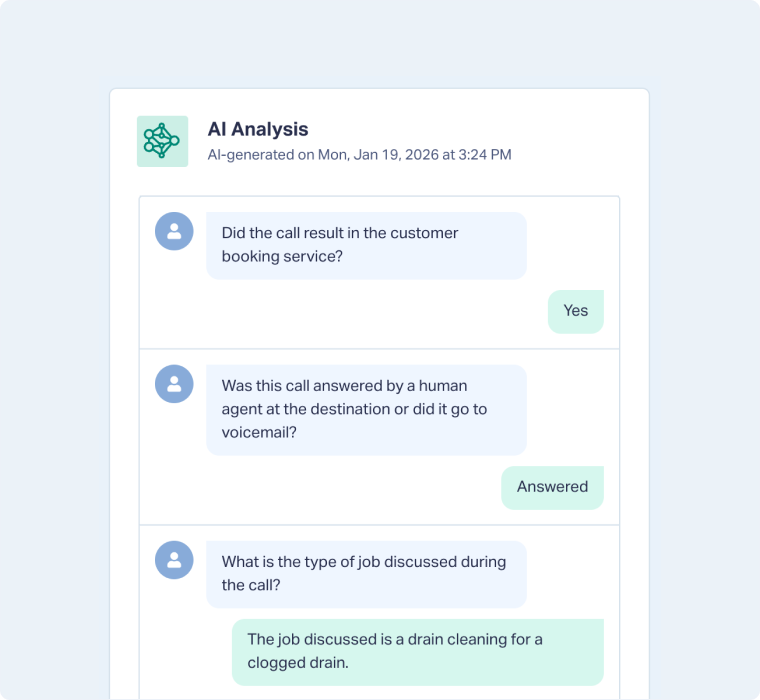
Enable AI Analysis Using Lead Intelligence
To enable AI Analysis, you’ll need to create an Ask AI rule in Lead Intelligence. The questions you define in this rule will determine what insights are extracted from each lead.
- Create a Lead Intelligence rule.
- Under When, select any conditions you want. For example, Type is Phone Call and Duration (Seconds) is greater than 45 to analyze only longer calls.
- Under Then, choose Ask AI questions about and select the dimension to analyze (e.g., Chat Log, Call Transcript, or Form Fields).
- In the Prompt field, optionally provide extra instructions or context for your AI analysis.
- Add your questions and define their Answer Format.
- Label each question clearly so it’s easy to interpret in reports and analysis.
- Approve the additional costs for AI analysis and save the rule.
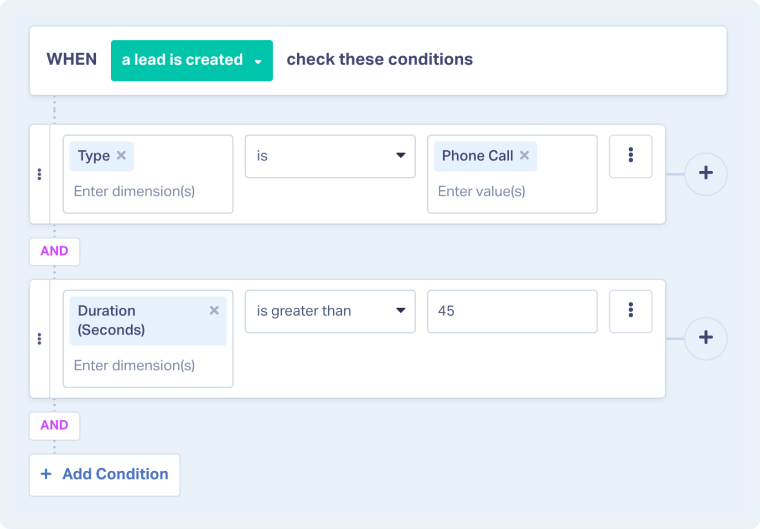
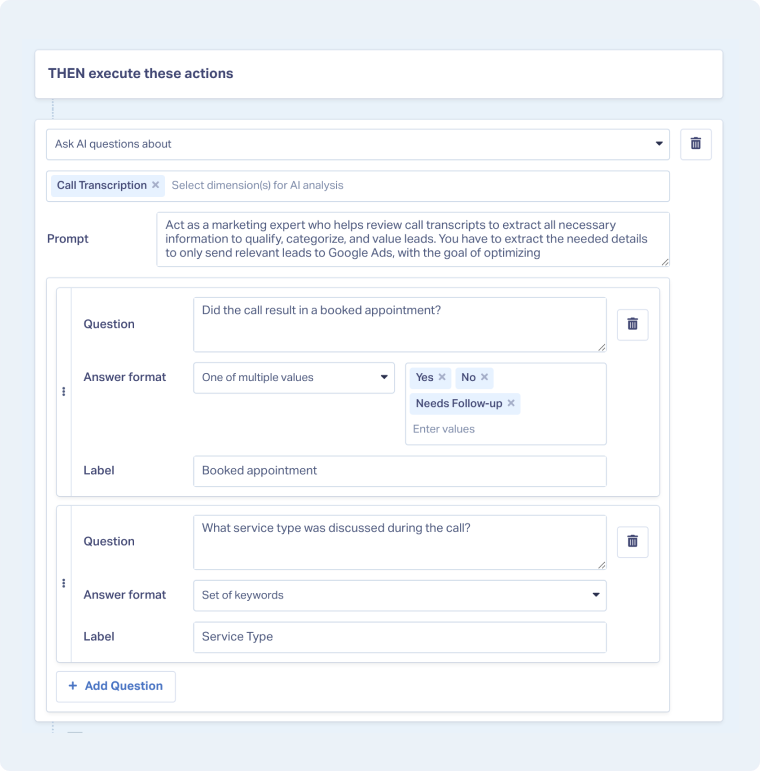
When a new lead matches your rule’s conditions, WhatConverts will automatically generate AI responses based on your defined questions.
Note: Each question and AI-generated answer will appear in the AI Analysis section of the Lead Details page and will also be available as a new column in the Lead Manager.
Note: You can select chat and form fields for AI Analysis in addition to calls.
Related Topics
Get a FREE presentation of WhatConverts
One of our marketing experts will give you a full presentation of how WhatConverts can help you grow your business.
Schedule a Demo






