















































Add a Phone Number to Track Facebook Ads Extension Calls (Call Add-Ons)
Setting up a Facebook Ads call extension tracking number allows you to monitor and record calls generated from your Facebook call add-ons. This setup requires creating a tracking number in WhatConverts and then adding it to your Facebook ad. Learn more about Call Tracking.
Add a Phone Number for Facebook Ads Extensions
Follow these steps to create a tracking number in WhatConverts for Facebook Ads call extensions.
- In your WhatConverts profile, select "Tracking" from the top menu.
- Select "Calls", then "Phone Numbers".
- Click "+ Add Phone Number" and select "Advanced Setup".
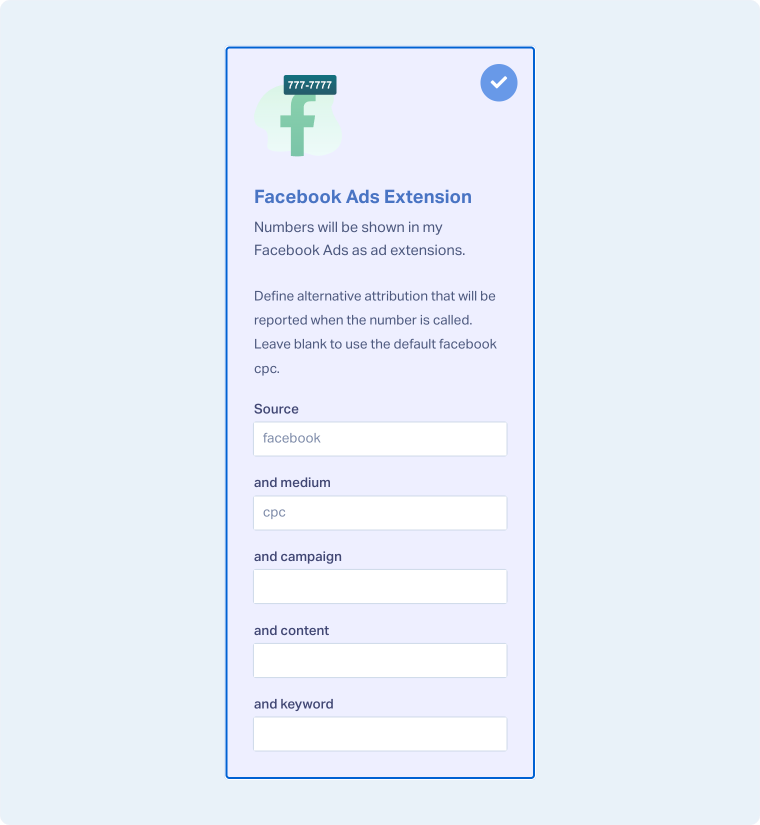
- Choose "Facebook Ads Extension" and define any alternative attribution. Then click "Next Step".
- Move the slider to "1". Choose the country, phone number type (local or toll-free), and area code. Click "Find Numbers". Review the number and click "Next Step".
- Enter the Destination Number (the number calls will forward to) and give your phone number a descriptive name, such as "Facebook Ads Call Extension". Click "Next Step".
- Review and adjust optional features based on your preferences. Once satisfied with your selections, click "Finish".
Add Your Call Tracking Number to Facebook Ads
After creating your tracking number, add it to your Facebook Ads as a Call Add-on. For detailed instructions on adding call add-ons to your Facebook ads, see Facebook's guide on using call add-ons.
Related Topics
Was this page helpful?
Get a FREE presentation of WhatConverts
One of our marketing experts will give you a full presentation of how WhatConverts can help you grow your business.
Schedule a Demo






