















































Access the Report Builder
You can access the Report Builder from multiple places in WhatConverts, depending on how you want to start your report. Whether you’re creating a new report from scratch or expanding on an existing one, these options help you reach the Report Builder quickly and easily.
Access From the Reports Tab
To open the Report Builder directly:
- Go to the top navigation bar and open the Reports tab.
- Click “Report Builder”.
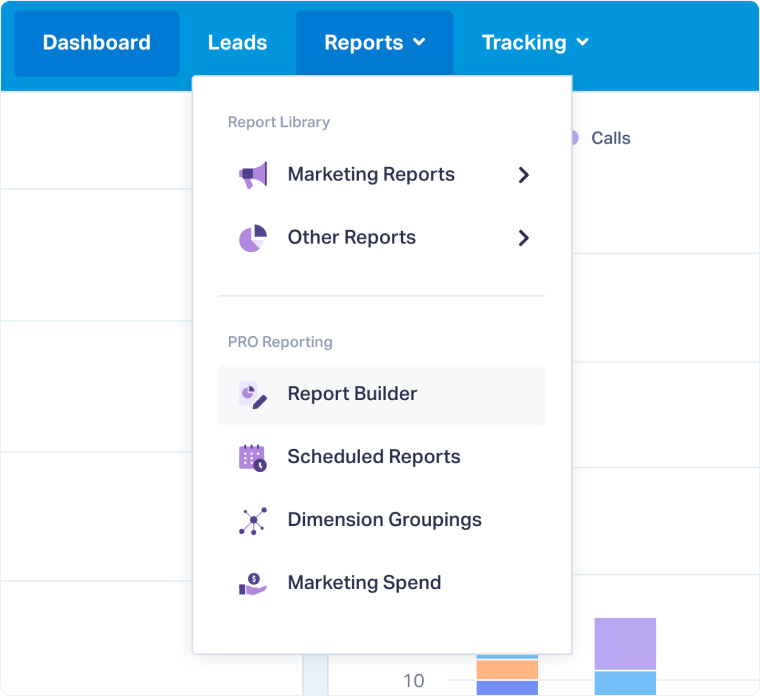
This option lets you start a new custom report from scratch.
Access from the Report Library
To open or create a report from the Report Library:
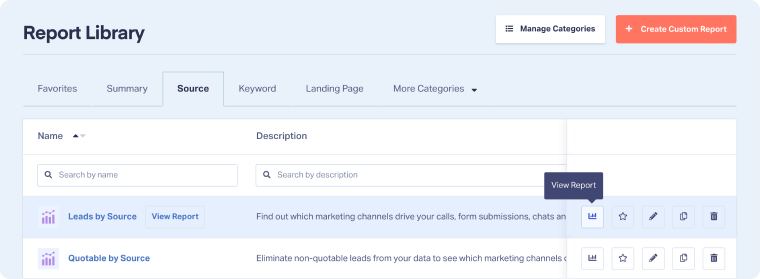
- Access the Report Library.
- Choose an existing report and click “View Report” to open it in the Report Builder.
- Alternatively, click “+ Create Custom Report” in the top-right corner to build a new one.
This is ideal when you want to edit, analyze, or save reports within the Report Library.
Access from a Quick Report
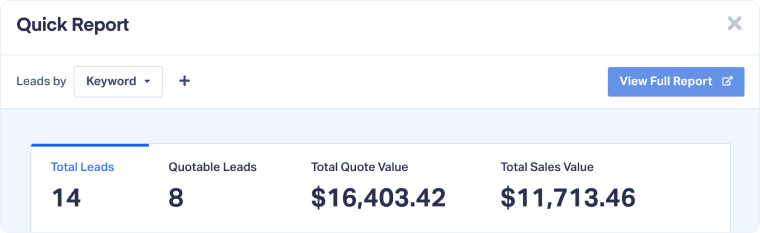
If you’ve generated a Quick Report and want to explore more data or customize it further:
- In your Quick Report, click “View Full Report”.
- The report will open directly in the Report Builder, preloaded with your current filters and dimensions.
This allows you to move seamlessly from a quick overview to deeper analysis.
Related Topics
Get a FREE presentation of WhatConverts
One of our marketing experts will give you a full presentation of how WhatConverts can help you grow your business.
Schedule a Demo






