















































Change the Lead Manager Rows Per Page
By default, the Lead Manager shows 10 rows of leads per page. You can adjust this setting to display more leads at once, making it easier to review and manage larger sets of data.
Change Rows Per Page
To change how many rows appear in the Lead Manager:
- Open the Lead Manager.
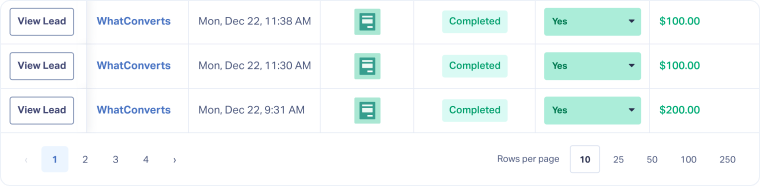
- At the bottom-right of the Lead Manager, find the Rows per page menu.
- Select how many rows you want to display: 10, 25, 50, 100, or 250.
Related Topics
Was this page helpful?
Get a FREE presentation of WhatConverts
One of our marketing experts will give you a full presentation of how WhatConverts can help you grow your business.
Schedule a Demo






