















































Move a Lead Manager Column
The Lead Manager lets you reorder columns so you can view your lead data in the order that makes the most sense for your workflow.
Reorder Columns
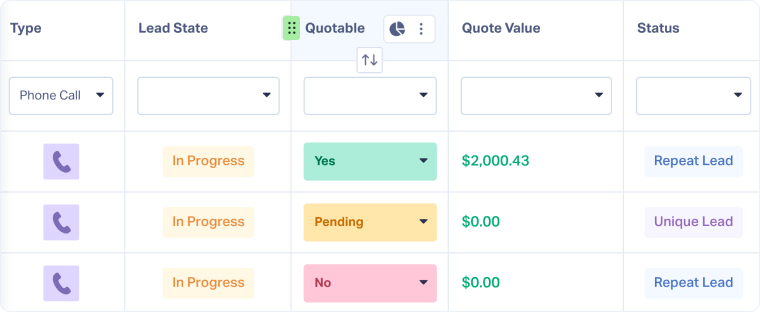
To reorder the columns displayed in the Lead Manager:
- Open the Lead Manager.
- Hover over the column header you want to move.
- Click and hold the drag handle (⋮⋮) on the left side of the column name.
- Drag the column left or right to its new position.
- Release to drop the column in place.
Related Topics
Was this page helpful?
Get a FREE presentation of WhatConverts
One of our marketing experts will give you a full presentation of how WhatConverts can help you grow your business.
Schedule a Demo






