















































Understand the Lead Details: Lead Analysis Tab
The Lead Analysis tab in the Lead Details page helps you uncover deeper insights about each interaction using AI-powered tools. It interprets lead intent, detects topics and keywords, and evaluates lead quality based on real conversation data.
While the Overview tab focuses on what happened before the interaction and lets you manually review conversion details, the Lead Analysis tab reveals the meaning and outcome of the interaction at a glance. It provides the context, intent, and quality insights you need to better categorize, qualify, and value each lead.
Use the Lead Analysis tab to automate analysis, extract insights faster, and make smarter, data-backed decisions that optimize your marketing and sales performance.
Section 1: Lead Summary
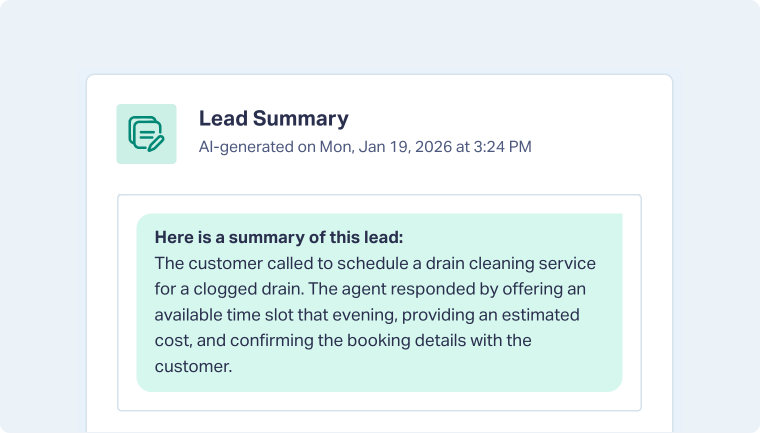
The Lead Summary provides a concise, AI-generated overview of the lead’s interaction. It’s especially useful for calls or long-form submissions, giving you a quick snapshot without needing to review full transcripts or forms.
Section 2: Topic, Intent, and Keyword Detection120
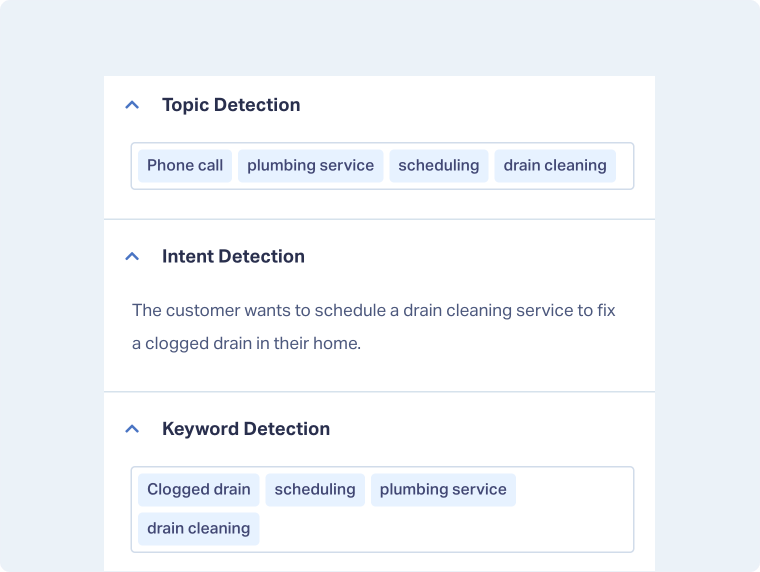
Those three sections automatically identify key topics, intent, and keywords mentioned in the interaction. These insights reveal what the lead was looking for, what type of service or product they wanted, and any relevant information discussed.
Section 3: AI Analysis
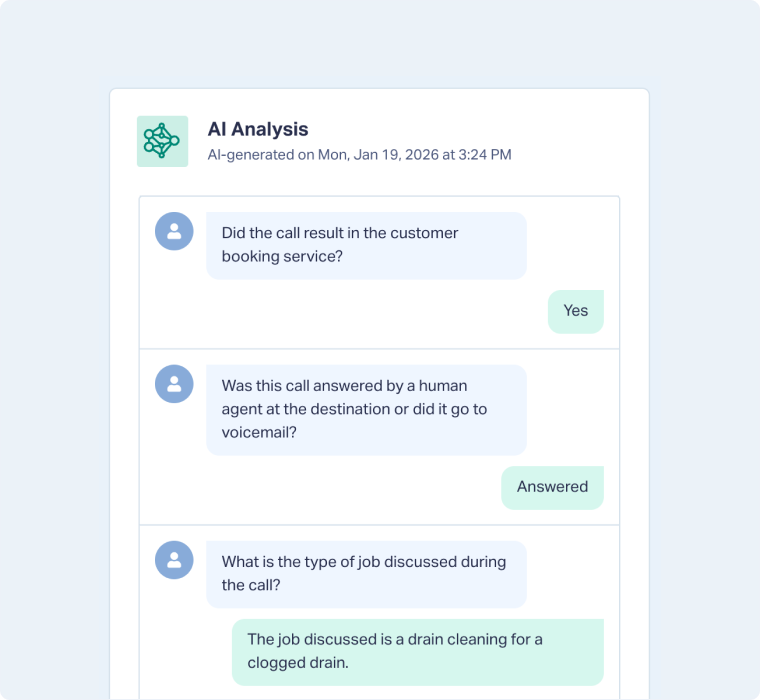
The AI Analysis section displays answers to custom questions created using Ask AI within your Lead Intelligence rules.
It automatically extracts tailored insights from call transcripts, chat logs, or form submissions, helping you uncover key information without manual review.
For example, you can configure Ask AI to answer questions such as:
- Did the call result in a booked appointment?
- Which service was requested?
- What was the urgency of the request?
- Did the agent provide a quote or appointment time?
Note : The answers to these questions appear in the Lead Manager as new columns tagged with “LA”, allowing you to filter, group, or report on AI-generated insights directly.
Note : Additional sections, such as Lead Qualification and Custom Fields, are also available in the Lead Analysis tab and are explained in detail in the Overview Tab article
Related Topics
Get a FREE presentation of WhatConverts
One of our marketing experts will give you a full presentation of how WhatConverts can help you grow your business.
Schedule a Demo






