















































View Call Recordings and Transcripts
You can access call recordings and transcripts directly from the Lead Details page.
This allows you to review conversations and gather key insights from customer interactions.
View Call Recordings and Transcripts
To view Call Recordings and Transcripts:
- Access the Lead Details for the phone call lead you want to review.
- Scroll to the Conversion Details section.
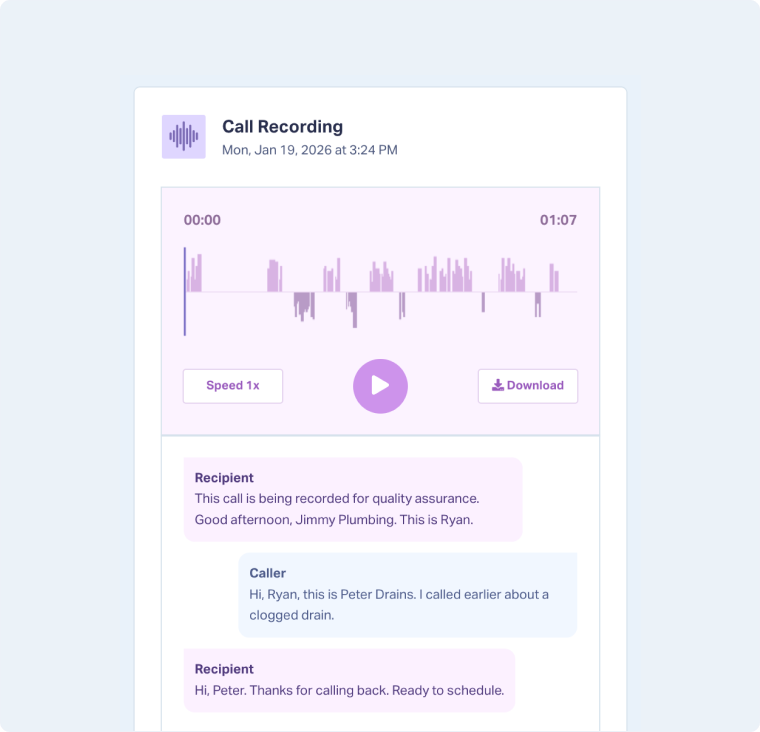
- Under Call Recording, click the play button to listen to the call or “Download” to save it.
- If Call Transcripts are available, you will find them directly below the recording.
Note: To view call recordings and transcripts, you must have Recording and/or Transcription enabled in your call tracking setup.
Related Topics
Was this page helpful?
Get a FREE presentation of WhatConverts
One of our marketing experts will give you a full presentation of how WhatConverts can help you grow your business.
Schedule a Demo






